Hot search terms: 360 Security Guard Office365 360 browser WPS Office iQiyi Huawei Cloud Market Tencent Cloud Store
Hot search terms: 360 Security Guard Office365 360 browser WPS Office iQiyi Huawei Cloud Market Tencent Cloud Store

Mobile phone driver Storage size: 86.39MB Time: 2022-03-22
Software introduction: Xiaomi Mobile Assistant is a computer application officially launched by Xiaomi to manage Xiaomi mobile phones. Xiaomi Mobile Assistant can not only help users upgrade their systems,...
How to use Xiaomi Mobile Assistant Portal? Some friends may not know how to use it, so today I will share with you how to use Xiaomi Mobile Assistant Portal. Friends in need can read this article. I hope it can help you all.
First, please use a USB data cable to successfully connect your Xiaomi phone to your computer, and then open the Xiaomi Mobile Assistant software.
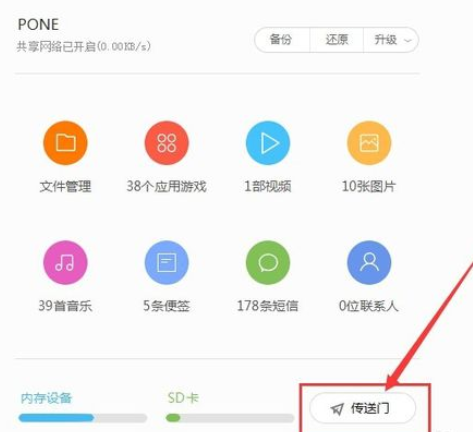
After entering the Xiaomi Mobile Assistant page, click the "Portal" button. Before doing so, please make sure to upgrade the Xiaomi Mobile Assistant software to the latest version.
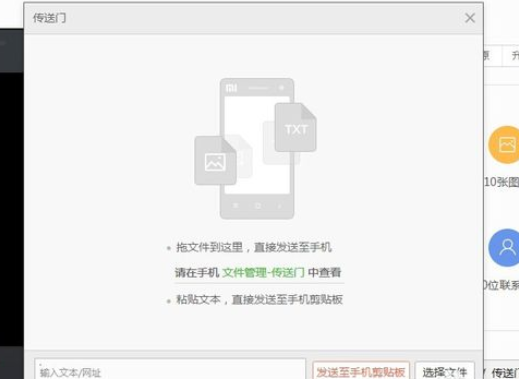
At this time, in the portal interface, we can transfer files on the computer to the mobile phone or directly send text messages to the clipboard in the mobile phone system, and paste them directly to use.
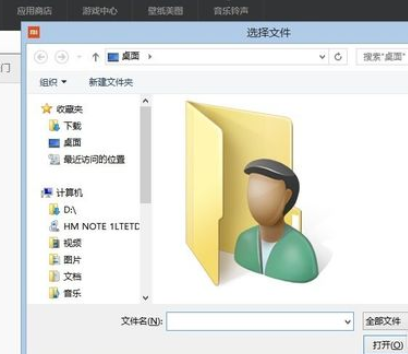
If it is a computer file, drag the file directly into the portal. If it is a text message, paste it into the edit box, and then click Send. Then the file transfer progress will be displayed, as shown in the figure below.
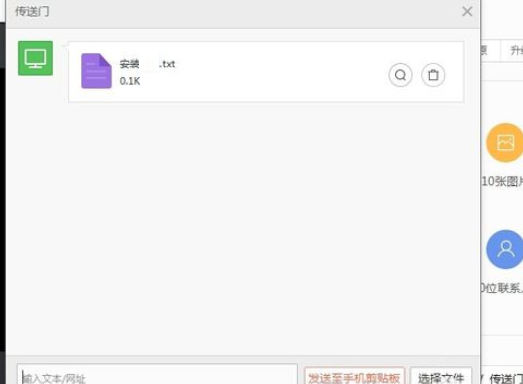
Finally, you can check your Xiaomi phone. If the phone receives the file, there will be a message prompt.
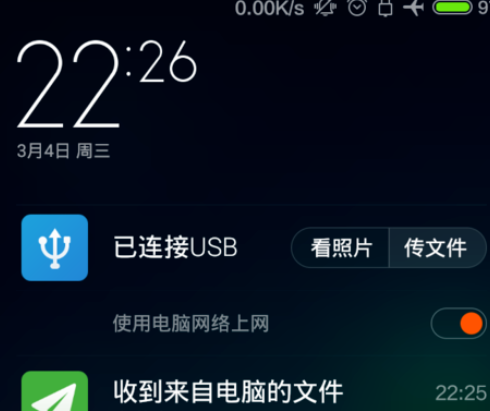
The above is the method of using Xiaomi Mobile Assistant Portal shared by the editor. Friends who don’t know how to use it should hurry up and learn it.

 Microsoft Edge browser
 Steam
Steam
 Tencent Video
 WPS Office
 iQiyi
iQiyi
 Sohu video player
 Lightning simulator
 MuMu emulator
 Eggman Party
 What to do if there is no sound after reinstalling the computer system - Driver Wizard Tutorial
 How to switch accounts in WPS Office 2019-How to switch accounts in WPS Office 2019
 How to clear the cache of Google Chrome - How to clear the cache of Google Chrome
 How to fire bullets in scratch-How to fire bullets in scratch