
Hot search terms: 360 Security Guard Office365 360 browser WPS Office iQiyi Huawei Cloud Market Tencent Cloud Store
Hot search terms: 360 Security Guard Office365 360 browser WPS Office iQiyi Huawei Cloud Market Tencent Cloud Store

Mobile phone driver Storage size: 86.39MB Time: 2022-03-22
Software introduction: Xiaomi Mobile Assistant is a computer application officially launched by Xiaomi to manage Xiaomi mobile phones. Xiaomi Mobile Assistant can not only help users upgrade their systems,...
When some friends use Xiaomi Mobile Assistant, they encounter the situation that they cannot connect to the mobile phone. How to solve the problem? So today the editor will explain to you the solution to the problem that Xiaomi Mobile Assistant cannot connect to the mobile phone. Friends in need can come and take a look. I hope it can help you all.
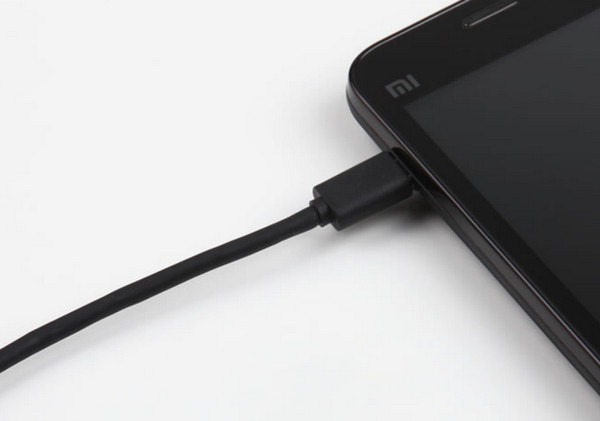
Method 1. Check the data cable
First of all, you should check whether the Xiaomi phone is connected to the computer and whether the USB interface of the computer is normal.
Method 2: Turn on USB debugging
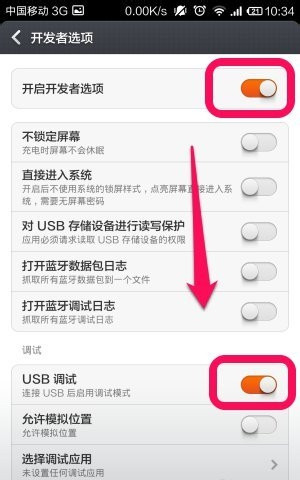
USB debugging mode must be turned on. The new version of Xiaomi Assistant no longer needs to turn on USB debugging when connecting to Xiaomi phones. If the connection cannot be made, please restart the phone.
Method 3. Install mobile phone driver
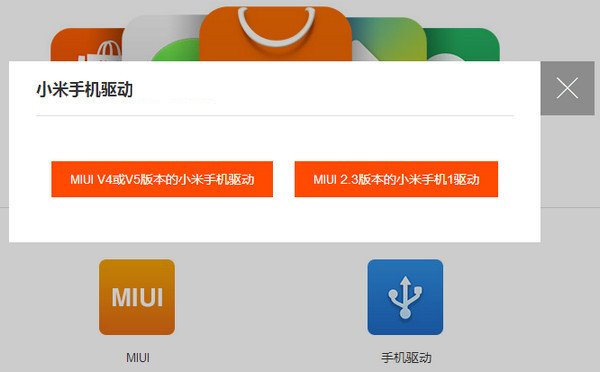
If you still cannot connect to Xiaomi Mobile Assistant after USB debugging is turned on, check whether the Xiaomi mobile phone driver is installed correctly. The first time you connect a Xiaomi phone to a computer, you must install the driver. Generally, Xiaomi Assistant can assist us in completing the driver installation.
Method 4: Conflict with other assistants
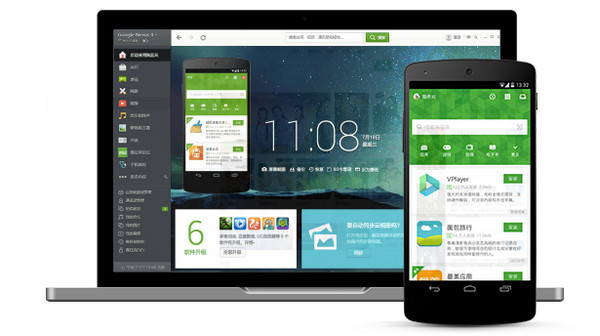
Check whether several types of assistant software are open at the same time. Opening them at the same time may conflict. Close them and try again.
Method 5: Upgrade to the latest version
If the above method cannot solve the problem, it is recommended to try upgrading the version.
The above is the solution to the problem that Xiaomi Mobile Assistant cannot connect to the phone explained by the editor. Let’s take a look.

 How to give feedback on Movie Paradise? -How to give feedback to Movie Paradise
 How to check the user agreement of Movie Paradise? -How to view the user agreement in Movie Paradise
 How to clear cache of Kuai Technology? -Quatech’s method of clearing cache
 How to check the list style in Kuai Technology? -Quick Technology’s method of viewing list styles
 movie paradise
 Quark Browser
 little red book
 Chinese University MOOC computer version
 Xiaoetong
 Traffic control 12123
 Minecraft Bedrock Edition
 KMPlayer
 watermelon video
 How to use Fliggy’s student discount? List of student certification methods on Fliggy
 How to find the help center for Panzhi Sales - How to find the help center for Panzhi Sales
 How to change ID card with taptap-How to change ID card with taptap
 How to add friends on steam mobile version - How to add friends on steam mobile version
 How to Chineseize ourplay with one click - How to Chineseize ourplay with one click
