
If you are looking for software to use, go to Huajun Software Park! software release AI product list

Hello, if there is a need for software inclusion, please package the software and attach the software name, software introduction, software-related screenshots, software icon, soft copy, business license (if you do not have a business license, please provide the front and back of the corresponding developer ID card and a photo of yourself holding the ID card), and send it to email http://softwaredownload4.com/sbdm/user/login

Close >>

Send to email:news@onlinedown.net

Close >>

Location: Home pageAndroid softwareApplicationLife services Ovi interactive map

97.63%

2.37%
QR code

Scan the QR code to access the mobile version

Permissions: View

The following important permissions need to be called
uses-permission:'android.permission.ACCESS_BACKGROUND_LOCATION'
uses-permission:'android.permission.ACCESS_COARSE_LOCATION', allows the program to obtain the user's erroneous latitude and longitude information through WiFi or mobile base stations
uses-permission:'android.permission.ACCESS_FINE_LOCATION', allows the program to receive satellite positioning information through the GPS chip
uses-permission:'android.permission.ACCESS_MEDIA_LOCATION'
uses-permission:'android.permission.ACCESS_WIFI_STATE', allows the program to obtain the current WiFi access status and WLAN hotspot information
uses-permission:'android.permission.POST_NOTIFICATIONS'
uses-permission:'android.permission.ACCESS_LOCATION_EXTRA_COMMANDS', allows the program to access additional location provider instructions
uses-permission:'android.permission.ACCESS_GPS'
uses-permission:'android.permission.INTERNET', allows the program to access the network connection, which may generate GPRS traffic
uses-permission:'android.permission.VIBRATE', allows the program to vibrate
uses-permission:'android.permission.ACCESS_NETWORK_STATE', allows the program to obtain network information status, such as whether the current network connection is valid
uses-permission:'android.permission.RECORD_AUDIO', allows the program to record sound through the microphone of the phone or headset
uses-permission:'android.permission.MODIFY_AUDIO_SETTINGS', allows the program to modify the sound setting information
uses-permission:'android.permission.CAMERA', allows the program to access the camera to take pictures
uses-permission:'android.permission.BLUETOOTH', allows the program to connect to paired Bluetooth devices
uses-permission:'android.permission.BLUETOOTH_ADMIN', allows the program to discover and pair new Bluetooth devices
uses-permission:'android.permission.BLUETOOTH_SCAN'
uses-permission:'android.permission.BLUETOOTH_ADVERTISE'
uses-permission:'android.permission.BLUETOOTH_CONNECT'
uses-permission:'com.coloros.mcs.permission.RECIEVE_MCS_MESSAGE'
uses-permission:'com.heytap.mcs.permission.RECIEVE_MCS_MESSAGE'
uses-permission:'android.permission.MOUNT_UNMOUNT_FILESYSTEMS', allows the program to mount and unmount external file systems
uses-permission:'android.permission.WRITE_EXTERNAL_STORAGE', allows the program to write to external storage, such as writing files on the SD card
uses-permission:'android.permission.READ_EXTERNAL_STORAGE', the program can read files in the device's external storage space (built-in SDcard and external SDCard)
uses-permission:'android.permission.MANAGE_EXTERNAL_STORAGE'
uses-permission:'android.permission.WAKE_LOCK', allows the background process to still run after the phone screen is turned off
uses-permission:'android.permission.CHANGE_WIFI_STATE', allows the program to change the WiFi state
uses-permission:'android.permission.FOREGROUND_SERVICE'
uses-permission:'com.ovital.ovitalMap.permission.MIPUSH_RECEIVE'
uses-permission:'com.ovital.ovitalMap.permission.PROCESS_PUSH_MSG'
uses-permission:'com.ovital.ovitalMap.permission.PUSH_PROVIDER'
uses-permission:'com.hihonor.push.permission.READ_PUSH_NOTIFICATION_INFO'

Ovi Interactive Map 10.3.9

Special area
Software size:74.27 MB
software language:Simplified Chinese
Software rating:
Software type:Domestic software
Software licensing:shareware
Update time:2025-11-11
Application platform:Android
Software classification:Life services
version:10.3.9
Registration number:Guangdong ICP No. 2020131605-5A
Software vendor:Shenzhen Hema Software Technology Co., Ltd.

Software introduction Related topics FAQ Other versions Download address

Recommended for you:- Ovi interactive map

Basic introduction
Ovi interactive map section first LOGO
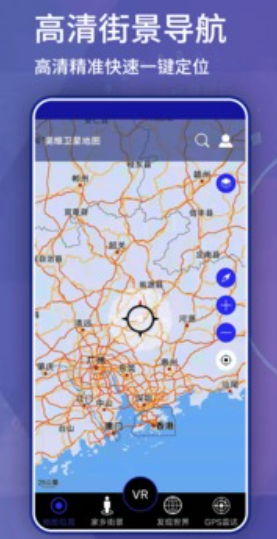
Ovi Interactive Map is an APP software that can view 3D street view maps. You can view and search for nearby hotels, nearby toilets, nearby hospitals, nearby schools, etc. It can provide bus navigation, driving navigation, walking navigation, and cycling navigation. The navigation is real-time and accurate, and it can also query recent search history. It is equipped with various maps and street views, as well as voiceover explanations of scenic spots, and the content is concise.

Screenshot of Ovi interactive map

Ovi interactive mapSoftware introduction

The Ovi interactive map app is a very practical map navigation tool. The software not only has powerful geographical information display technology, but also comprehensively integrates Google maps, satellite maps, Bing satellite maps, Baidu maps, Sogou maps, and global maps for offline downloading and switching at any time, making travel extremely convenient for the majority of users.
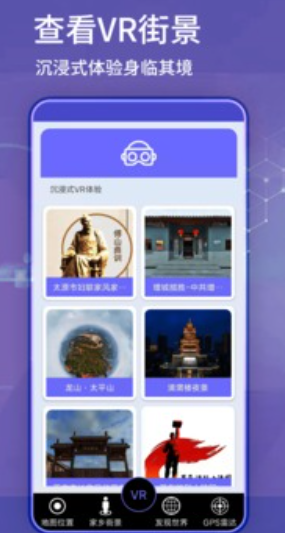
Screenshot of Ovi interactive map

Ovi interactive mapSoftware advantages

​ ​ 1. The Ovi interactive map app also has a chat communication function, which facilitates friends to chat with each other online in real time, and can also send locations so that everyone can find the distance between each other.

​​ 2. Multiple map navigation platforms can be searched on the browser at any time, making it more convenient for users to switch maps at any time.

3. You can also interact with netizens from all walks of life in the community at any time, plus various navigation routes and your own voiceover, allowing you to find a comprehensive interactive platform.

​​ 4. The current walking track is recorded for you in real time, so that you can see it better, save it at any time, and send it to friends with one click.

FAQ


How to import map data

For Android phones, you can put the data files (such as kmz, kml, etc.) into the specified SD card directory, and then select "More" - "Data Management" - "Import and Export Marks" in the Ovi interactive map to import.

For Apple phones, you can transfer the files to the phone through iTunes, or install the PC version of Ovi Interactive Map on your computer, drag the files directly into the software and synchronize them to the phone.

You can also receive and download map data through email, QQ, etc., and then open it with Ovi interactive map.

How to export map data

In the Ovi interactive map, select the data that needs to be exported, and then select "More" - "Data Management" - "Export Marks" to export.

The exported data can be saved in kmz, kml and other formats for easy use on other map software or platforms.


Ovi interactive mapSoftware update log

1. Fixed several bugs;

2. Optimize details;

Huajun editor recommends:

The editor of Ovi Interactive Map personally identified it, and it’s true! There are similar software on this siteMeditation,a village,Settlement Consultant,Blacklight Talent Network,WeChat reading, welcome to click to download and experience!

FAQ

Associated version