




360 Desktop Assistant PC version functionsIntroduction
Organize your desktop with one click and make it fresh in the blink of an eye
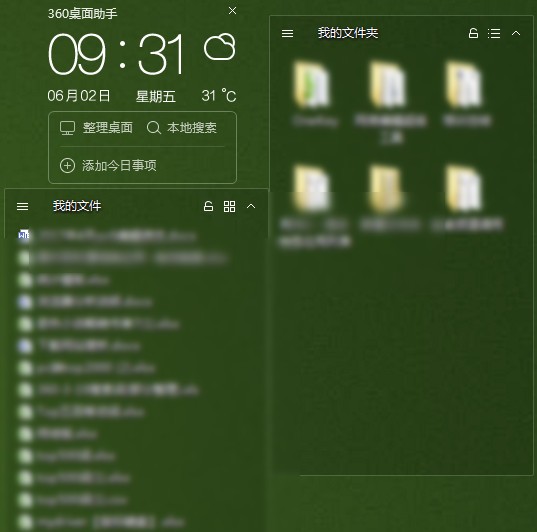
360 Desktop Assistant uses storage boxes for classification management and supports one-click organization of the computer desktop. Users only need to click the "Desktop Organizing" button, and the originally messy files and folders will be automatically classified according to document types and generate neatly arranged storage boxes. The desktop will instantly become clean and tidy. It is simply a good tool for Virgos.
Of course, users can move the position of the storage box and change the size of the storage box at will. When they do not want to change it, they can click the lock button in the upper right corner of the storage box to lock its size and position; in addition, they can also add or delete storage boxes according to needs, and customize their names to facilitate users' reference.

360 Desktop Assistant FAQ:
The location of the storage box is flying around
Problem description: Users reported that after restarting the computer, the previously arranged storage boxes would be rearranged.
Solution: Check the settings of 360 Desktop Assistant to see if any related automatic sorting or sorting functions are turned on, and try to turn off these functions. At the same time, you can also try updating 360 Desktop Assistant to the latest version to see if this problem is solved.
The storage box becomes more messy when an external display is connected
Problem description: When users use an external display, the order of the storage boxes will change, especially after plugging in and removing the external display.
Solution: This may be caused by compatibility issues in multi-screen environments. You can try adjusting the settings of the external display, such as resolution, refresh rate, etc., to see if the problem can be improved. At the same time, you can also check the official forum of 360 Desktop Assistant or contact customer service to see if there are relevant solutions or patches.
360 Desktop Assistant PC version update log
1. Fixed other bugs;
2. Optimized software compatibility.
Huajun editor recommends:
After many updates and optimizations, 360 Desktop Assistant has become more user-friendly and simpler to operate. The editor of Huajun Software Park personally tested it and recommends it to everyone. Interested friends can also download it.Wallpaper Elf,PUSH Video Wallpaper,Colorful screensavers,Baidu wallpaper,Master Lu wallpaper.




Useful
Useful
Useful