




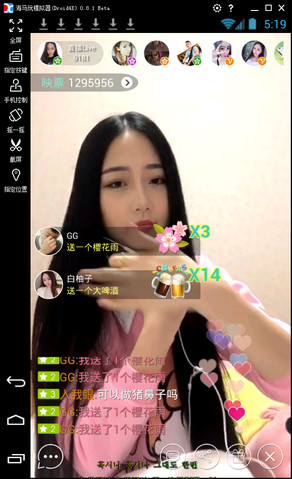
Yingke LiveFunction introduction
High-definition live broadcast experience: Inke uses advanced video compression and transmission technology to ensure clear and smooth live broadcast images, providing users with an immersive viewing experience even in fast-moving scenes on large screens.
Rich and diverse content ecology: Inke Live covers a variety of live broadcast types such as talent shows, game competitions, life sharing, knowledge popularization, shopping sharing, travel experiences, etc., to meet the viewing needs of different users. The platform brings together outstanding anchors from all walks of life, where they showcase their talents and charm and provide users with diverse content choices.
Real-time interactive function: Inke pays attention to the realism and interactivity during the live broadcast. Users can interact with the anchor in real time through barrages, likes, gifts, text chat, voice connection, etc. to express their opinions and feelings. This instant feedback mechanism not only enhances the audience's sense of participation, but also allows the anchor to adjust the live content in a timely manner and improve the quality of the live broadcast.
Personalized recommendation system: Inke intelligently recommends relevant live content based on the user’s viewing history and interest preferences to improve user experience. Users can browse popular live broadcasts, popular anchors, new anchors and other content on the discovery page to discover more interesting live broadcasts.
Expansion of social functions: Inke provides a wealth of social functions. Users can follow their favorite anchors and establish their own social circles; through the fate speed matching function, they can intelligently match real anchors nearby to chat; join or create a family system to share the fun of live broadcasting with like-minded friends.
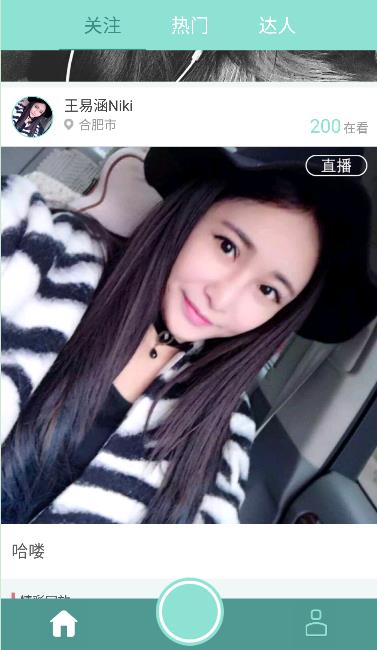
Yingke LiveSoftware features
Strong technical strength: Inke relies on a strong technical team to continuously innovate and make breakthroughs in live broadcast technology. Whether it is high-definition picture quality, smooth experience or real-time interaction, it has reached the industry-leading level.
Strong brand influence: As China's first real-time video social media application, Inke has extremely high visibility and influence in the industry. This has brought a large number of users and high-quality resources to the platform, providing users with richer and more diverse live content choices.
Complete user ecosystem: Inke has established a complete user ecosystem, including anchor recruitment, training, promotion, user feedback, complaint handling and other aspects. This closed-loop user ecosystem not only ensures the high quality and diversity of platform content, but also improves user satisfaction and loyalty.
Clear profit model: Inke has diversified and clarified its profit model through live streaming rewards, advertising cooperation, e-commerce sales and other methods. This provides a solid economic foundation for the long-term development of the platform and provides users with more diversified sources of income.
FAQ
Live content cannot be synchronized
Possible reasons: network problems, server failure, etc.
Solution: Make sure the network connection is normal, check the server status, and try to resynchronize the live content.
Interactive features are not available
Possible reasons: software permission settings, device compatibility, etc.
Solution: Check the software permission settings to ensure that Inke Live has the necessary access permissions; confirm whether the device supports this function.
Installation steps
Special note: The installation package provided by Huajun Software Park contains the Android emulator and software APK files. For the computer version, you need to install the emulator first and then install the APK file.
1. First download the installation package from Huajun Software Park. The software package contains an Android emulator exe installation program and an APK file and unzip it. First click on the exe program to install the lightning simulator.

2. Double-click "Lightning simulator.exe" file to enter the installation interface. Users can click "Quick Installation" to select the system's default installation address for installation, or click "Custom Installation" to choose the installation path. Custom installation is recommended here.

3. WaitingLightning simulatorAfter the installation is complete, click "Try Now" to open the emulator.

4. Enter the main interface of the lightning simulator and clickRight column APK iconSelect the "Local APK Install" button.

5. In the pop-up window, click on the decompressed APK file, and then click to open.

6. After that, the software will enter the installation process. You need to wait for a moment. After the software installation is completed, it will appear in my software list. Click the icon and double-click to open it. 
Yingke LiveChange log
1[Magic Beauty] Intelligent beauty, live broadcast has never been so beautiful
2[Real-time Live Broadcast] Say goodbye to delays and enter the real-time era
3【HD picture quality】HD picture, delivering real-time high-definition picture quality
4[Wonderful Replay] Say goodbye to the regret of missing out, watch it whenever you want
5[One-click release] Say goodbye to tediousness, live video can be very simple
Huajun editor recommends:
Inke Live can help you solve many problems. I believe that as long as you dare to use it, you will definitely love it and I recommend it to you.360 Film and Television Collection 2021,butterfly movies,Chinese Voice,Yayou Music,Chinese Cinema




Useful
Useful
Useful