
Hot search terms: 360 Security Guard Office365 360 browser WPS Office iQiyi Huawei Cloud Market Tencent Cloud Store
Hot search terms: 360 Security Guard Office365 360 browser WPS Office iQiyi Huawei Cloud Market Tencent Cloud Store

PC emulator Storage size: 5.30 MB Time: 2023-06-21
Software introduction: NetEase MuMu emulator is an Android emulator software developed for mobile game players. You can experience the joy of playing mobile games on your computer! All...
MuMu emulator is a powerful Android emulator developed by NetEase. It aims to provide mobile game players with a convenient experience of running mobile applications and games on their computers. The MuMu emulator supports multiple instances. Users can run multiple games or applications at the same time to improve game efficiency. This is especially useful for players who need to manage multiple game accounts at the same time. Next, let Huajun editor explain to you how to hide the bottom toolbar in the mumu simulator and how to hide the bottom toolbar in the mumu simulator!
first step
Make sure the mumu mobile game emulator is correctly installed and running on your computer.
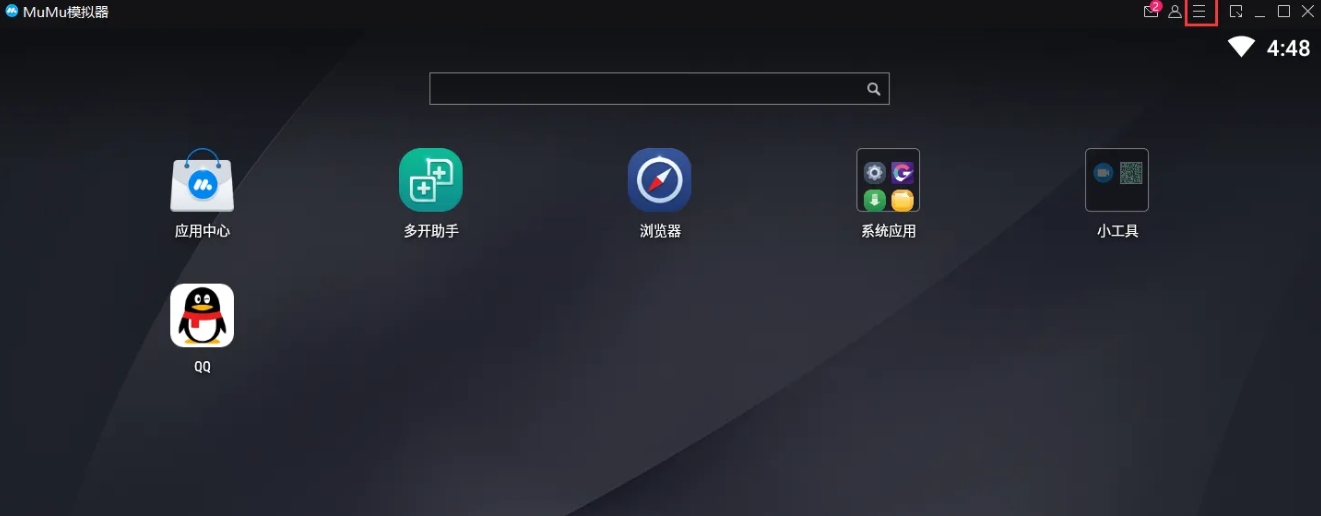
Step 2
Find and click the menu bar in the upper right corner of the simulator interface, which usually contains multiple functional options.
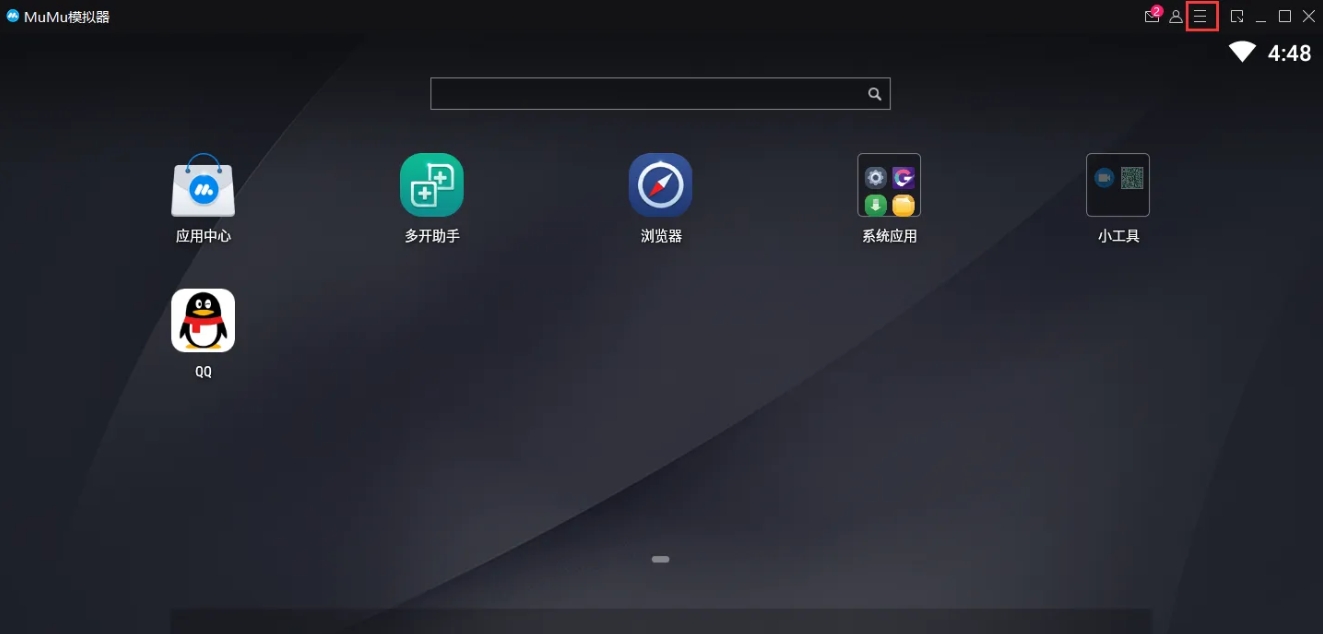
Step 3
In the menu bar, find and click the "Settings Center" option, which is the main entrance to adjust various settings of the simulator.
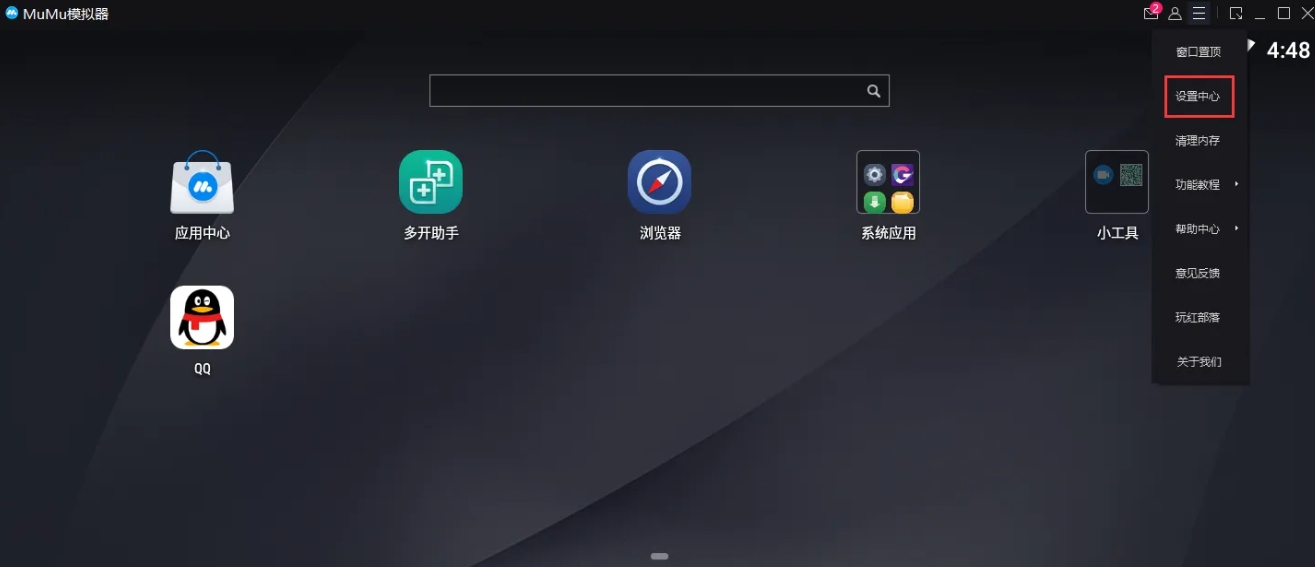
Step 4
In the Settings Center interface, browse various settings categories, find and click the "Interface Settings" option. Interface settings usually contain various options related to the emulator interface.
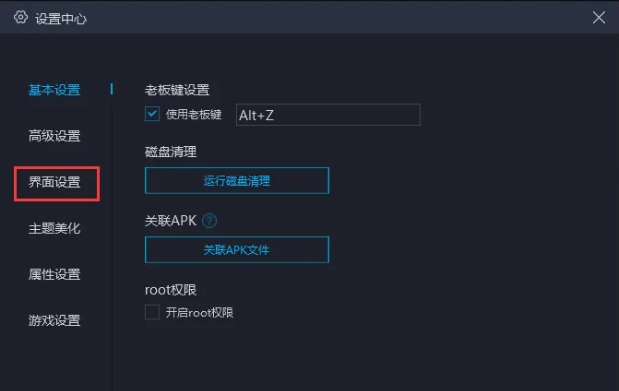
Step 5
In the interface settings options, find the switch for "Hide bottom toolbar" and turn it on (check it). In this way, the bottom toolbar of the simulator will be hidden.

Step 6
After completing the above settings, click the "Save and Close" button to save your settings and exit the setting interface. At this point, the simulator's bottom toolbar should have been successfully hidden.

The above is how to hide the bottom toolbar in the mumu simulator and how to hide the bottom toolbar in the mumu simulator compiled by Huajun editor for you. I hope it can help you!

 How to add background music in python-How to add background music in python
 How to configure environment variables in python - How to configure environment variables in python
 How to run python - How to run python
 How to create a project in python - How to create a project in python
 How to make a blue sky background with scratch-How to make a blue sky background with scratch
 Steam
Steam
 Tencent Video
 WPS Office
 iQiyi
iQiyi
 Sohu video player
 Lightning simulator
 MuMu emulator
 Eggman Party
 WPS Office 2023
 What to do if there is no sound after reinstalling the computer system - Driver Wizard Tutorial
 How to switch accounts in WPS Office 2019-How to switch accounts in WPS Office 2019
 How to clear the cache of Google Chrome - How to clear the cache of Google Chrome
 How to fire bullets in scratch-How to fire bullets in scratch
