
-
hippocampus assistant
- Size: 46.0M
- Language: Simplified Chinese
- Category: Android flashing
- System:winall






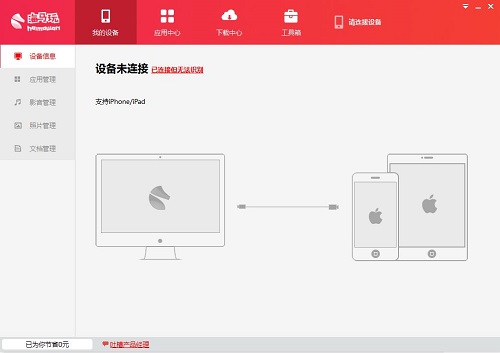
The official version of Haima Assistant is a mobile tool created for gamers on Apple phones. The official version of Haima Assistant can provide you with software, games, wallpapers and other types of resources. Haima Assistant is easy to operate and does not require jailbreak. After installation, you can manage your phone and install applications, and all applications are free to download. No need toappstoreOne-click download and installation of the account allows you to play unlimitedly.

Introduction to Haima Assistant functions
Device information management
Connect to your mobile phone for easy management, supportiPhone/iPadand Android devices
Application management
Manage applications on mobile devices with one click, install and uninstall quickly
Video, photo, document management
Easily back up mobile information to your phone and transfer it to your computer with one click
Features of Haima Assistant software
No need to jailbreak
No need to jailbreak, genuine applications are installed for free. The new version of the app will be put on the shelves as soon as possible, be the first to play it!
Fast download
Resources adopt a new download method, download directly, and the download speed is improved20%, no need to wait to download the app.
Play wirelessly
are all covered in the Apple Store. Carefully selected games that fit your topic and recommended by conscience will make you worry-free and enjoyable.iPhone.
give awayApple ID
The first company in the world to provide free gifts to usersApple IDThe Apple Assistant can be freely purchased within the app, eliminating the tedious steps of registration.
Haima Assistant installation steps
1. Download the latest version of Haima Apple Assistant from Huajun Software Park, unzip it to the current folder, and click on00_5.0.1.exeDouble-click to run and enter the installation interface.
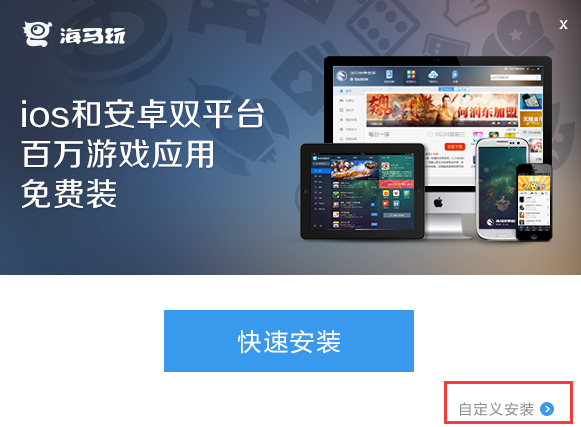
2. Click [Quick Installation] or [Custom Installation]. Quick installation, will be installed in the system default location;Custom installation, you can choose the installation location of the software, etc. The editor here recommends choosing custom installation, which can be installed inDOn the plate.

3. Wait for the software to be installed, click [Try Now], and you can enjoy using Haima Apple Assistant.

How to use Haima Assistant
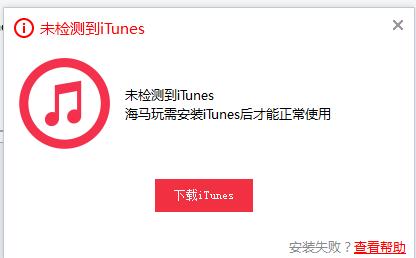
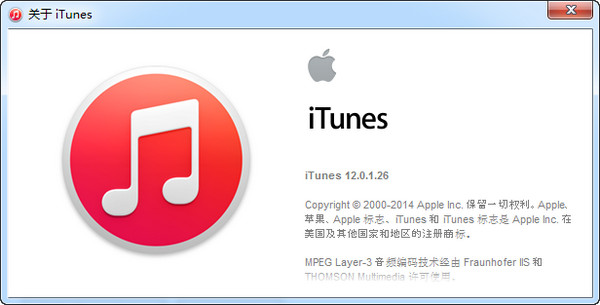
1, open the Haima Apple Assistant we have installed, the Haima Apple Assistant needs to cooperateTunesIt can be used normally after that, so at this time you will see the following interface, click"Downloaditunes”Wait for the download and then install it according to the wizard. After the installation is completed, run the Haima Apple Assistant software and you can use it.
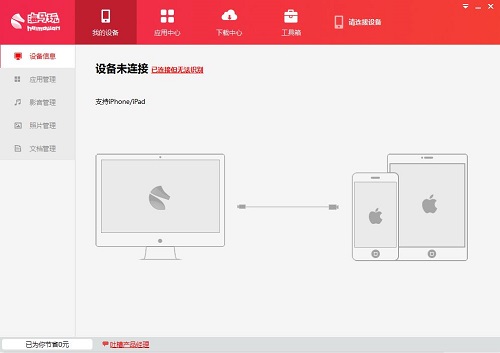
2After entering the Haima Apple Assistant, we can connect our device to the computer through the data cable and follow the wizard prompts to connect. The connection is very simple, so I won’t explain it in detail here. There will be corresponding prompt information after the connection is successful. After connecting, we can manage our devices, such as application management, audio and video management, photo management, document management, etc. It is more convenient and faster to manage your own device applications and files on the computer.
3. Find games: You can click on the Application Center option. This is where games and software are gathered. Popular recommendations are updated regularly, and there are a large number of applications for you to choose from. You can click the function button on the left to find the application you want under the corresponding module, or you can directly enter keywords in the search box on the interface to search to quickly help you find the software or game you want.
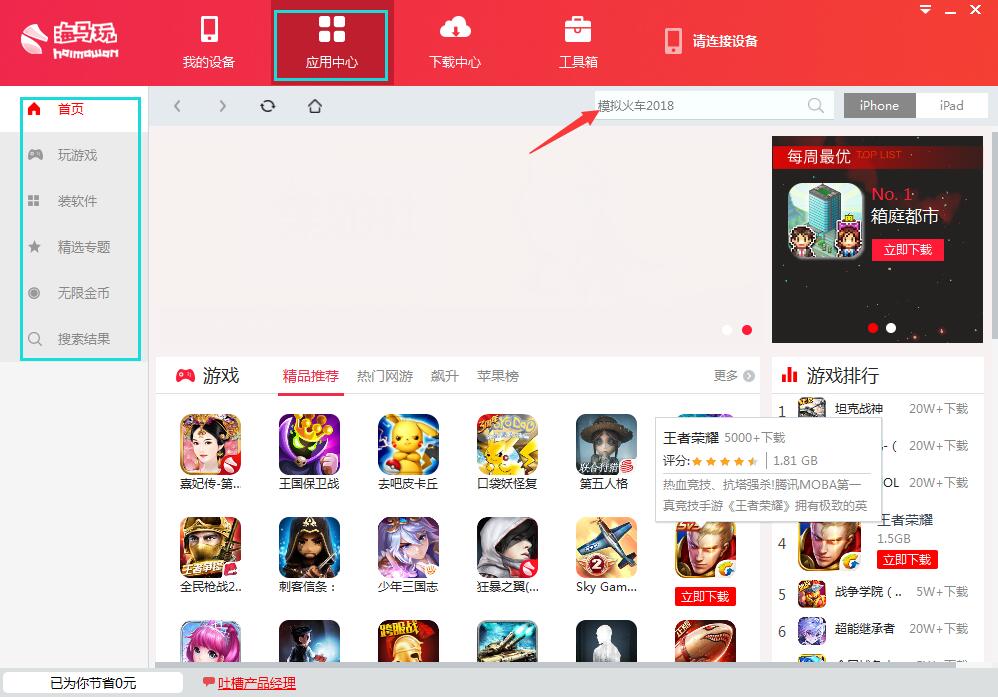
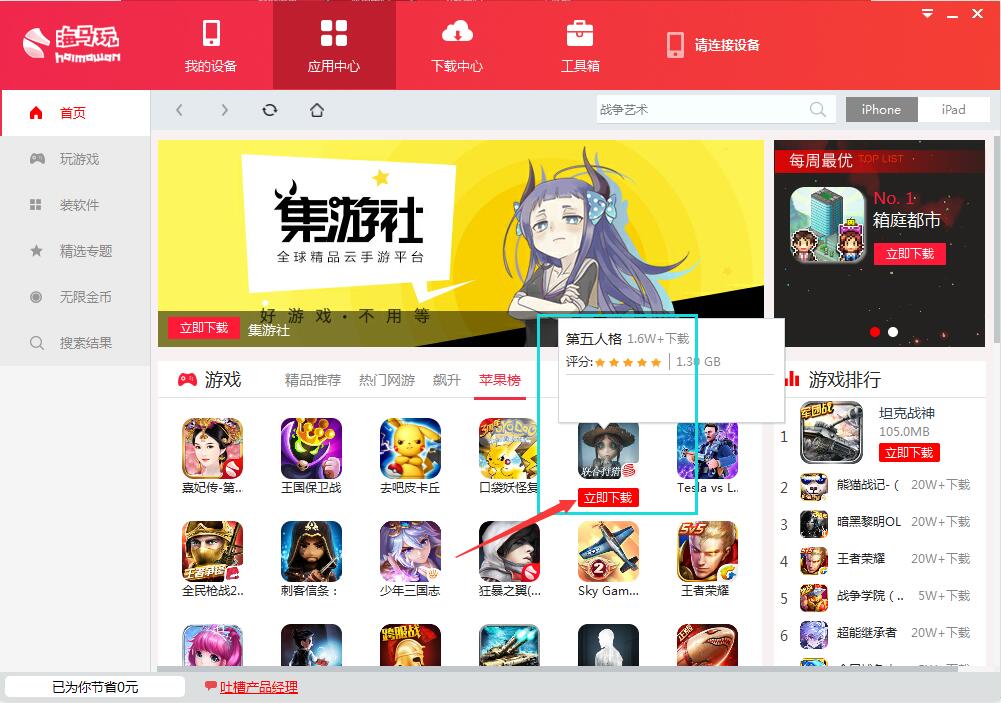
4. Download games: If you find the software you want to play and use on the homepage or click on the function list on the left, hover the mouse over the selected game or software and the word Download Now will appear. Click to download. If the resource is found through search, you will see the word Download Now on the left side of the game, and you can download it by clicking directly.
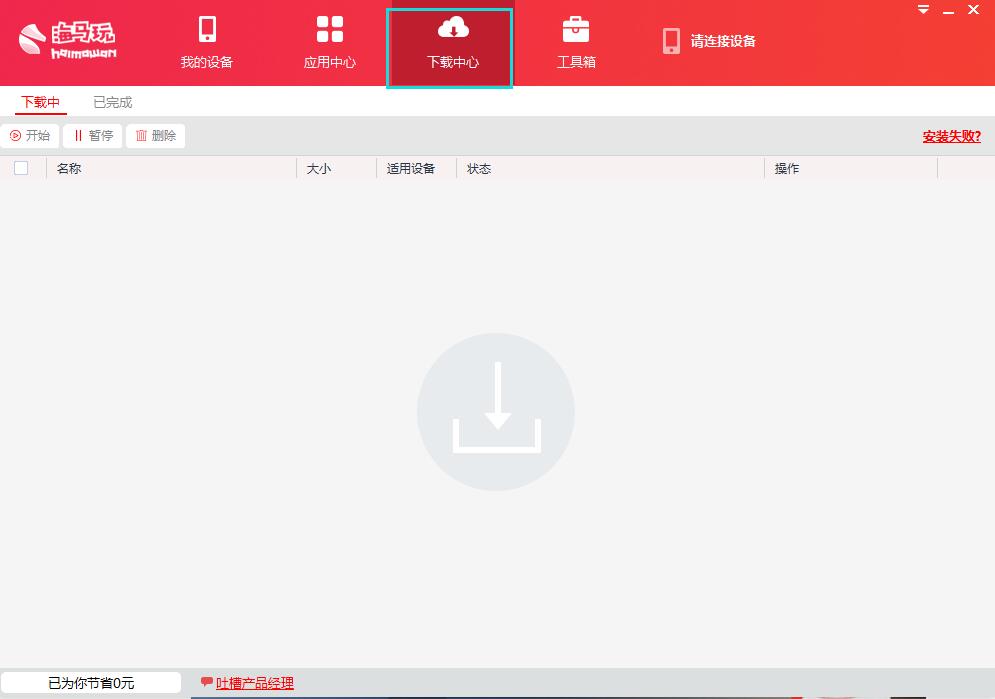
5. Download Center: After selecting the application software or game we want to use and clicking download, we can see their download information, etc. in the Download Center. Installed applications can be managed here.
Haima Assistant FAQ
Q: What should I do if my Android phone cannot be recognized after it is connected to the computer??
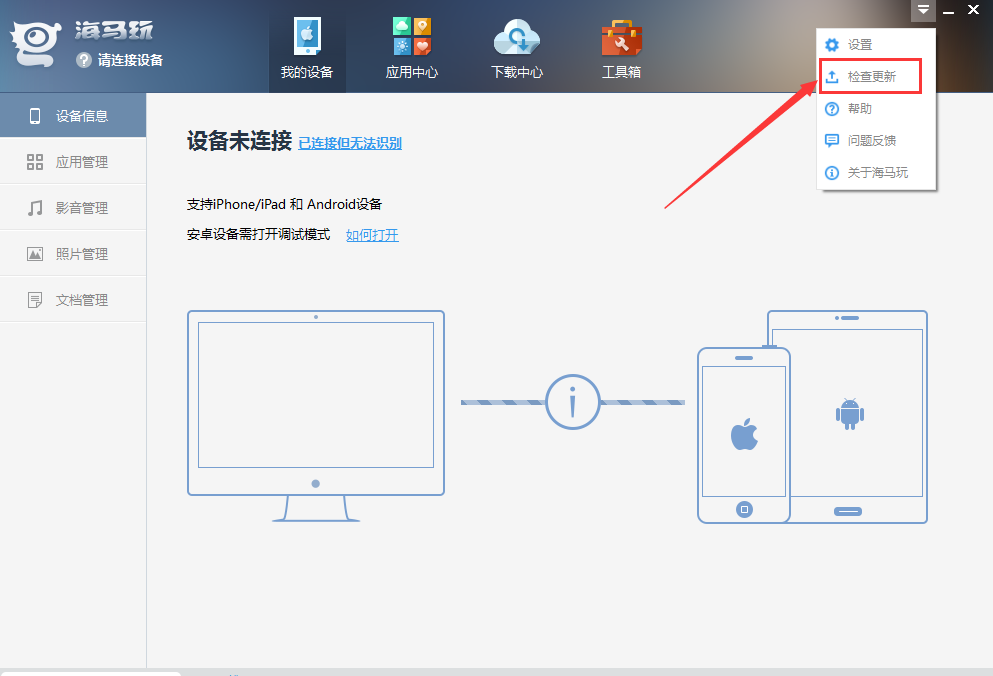
Answer:1, Check whether the Haima Apple Assistant you are using is the latest version, as shown below.
2, replug the data cable, or try another data cable.
3, check if you have turned on【USBDebugging] function, don’t worry if you don’t know how to enable it, please refer to the picture below.
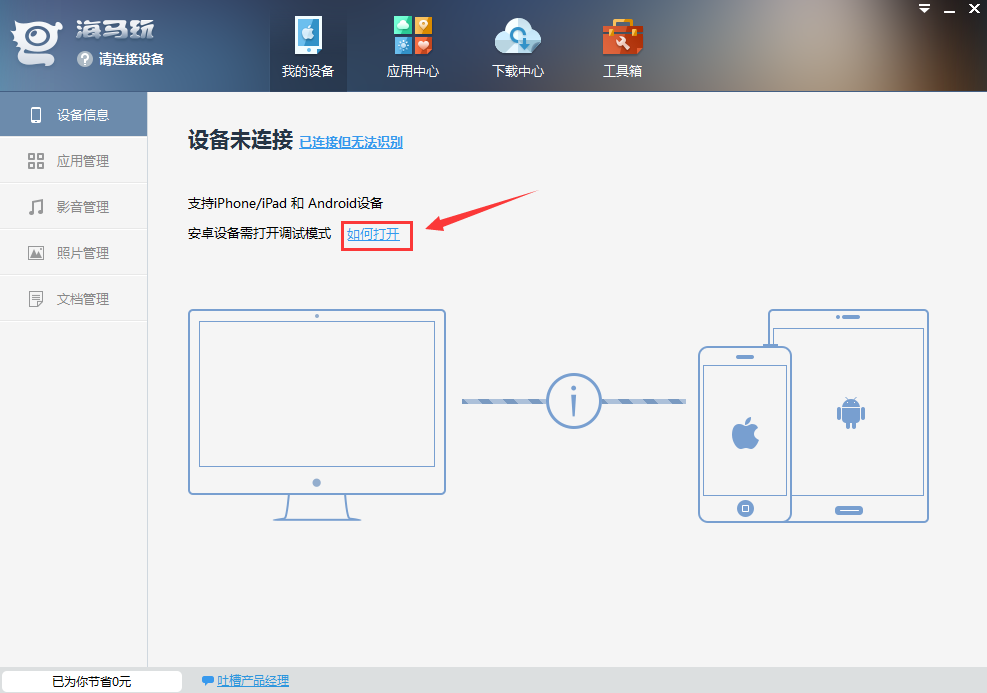
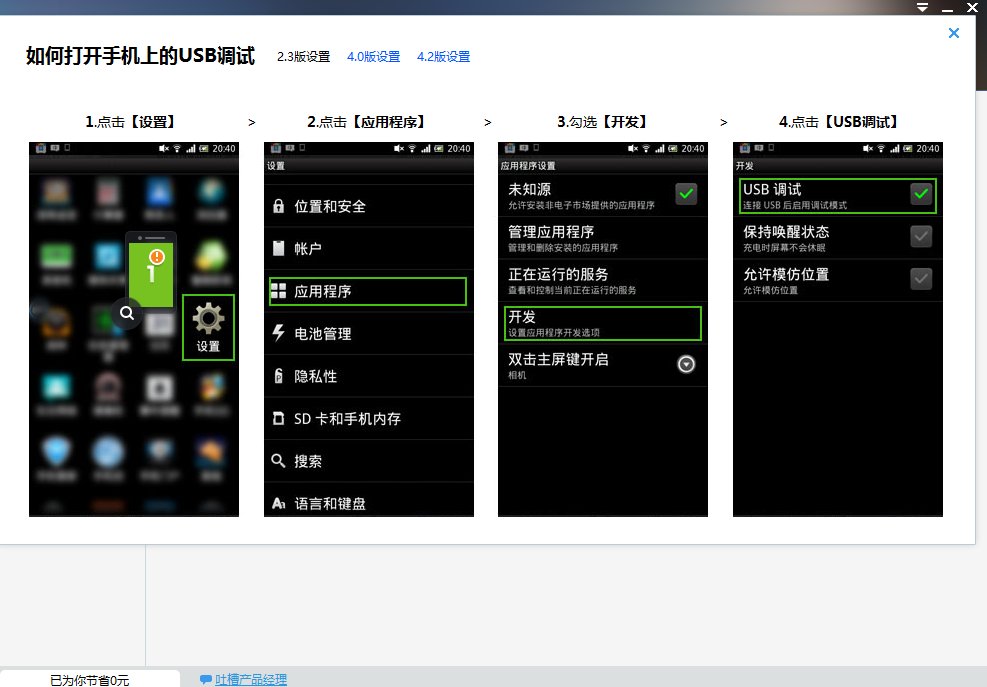
4, If none of the above methods produce results, it is recommended that you restart your computer and mobile phone.
Question: How to add trust to Haima Apple Assistant?
Answer:1, forios9Users may encounter the following situations when using Haima Assistant: Haima Assistant is not a trusted enterprise developer?Then we can modify it manually. Let’s follow the editor to see the specific operation.
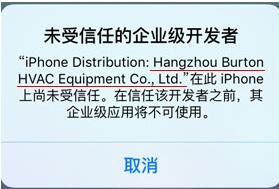
2, first open the phone, then find the settings option and click to open. Find the general option in the settings interface and click to open it. Find the description file option in its drop-down box and click to enter, as shown in the figure below:
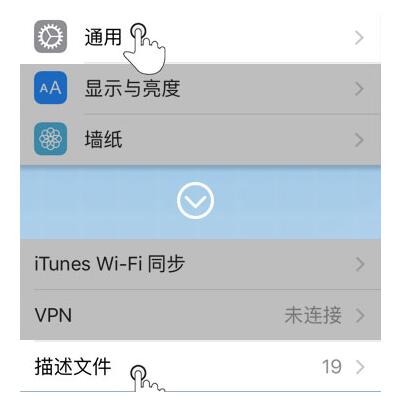
3, in the description file options"Enterprise applications"Click to open the list, then find the name you want to trust in these lists and click it.
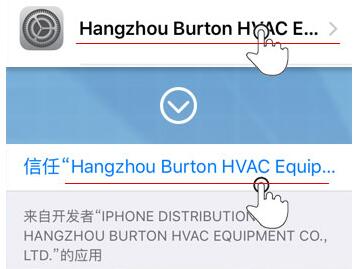
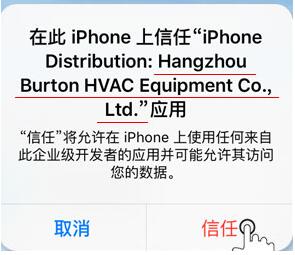
4, and finally a trust prompt box will pop up. After clicking Trust, you can cancel this prompt and use this application normally.
Comparison of similar software
360mobile assistantWe have prepared a large number of software and games for you, which you can download and install quickly to experience. The application here is through360Safety tested, green and non-toxic, everyone can use it with confidence. Use360Mobile Assistant can manage your software very well.
91mobile assistantThe PC version is a mobile phone system management software that supportsiOSdevices and Android devices.91Mobile Assistant provides users with a large number of mobile applications and games to download, and also provides users with rich ringtone downloads to make your mobile phone ringtones unique. Huajun Software Park provides you with91Download mobile assistant.
Huajun editor recommends:
The official version of Haima Assistant can provide you with software, games, wallpapers and other types of resources. , as long as you use Haima Assistant, if you don’t like it, come over and hit me! The editor has also prepared for you the perfect flash machine, Absinthe2.0, and the world-famous baby naming software
Version: 5.0.1 Official version | Update time: 2024-12-30
Similar recommendations





Latest updates



How to add background music in python-How to add background music in python
How to configure environment variables in python - How to configure environment variables in python
How to run python - How to run python
How to create a project in python - How to create a project in python
How to make a blue sky background with scratch-How to make a blue sky background with scratch
How to create a linked list in scratch-How to create a linked list in scratch
How to add local programs to scratch-How to add local programs to scratch
How to input Chinese in scratch-How to input Chinese in scratch
How to fire bullets in scratch-How to fire bullets in scratch
Haima Assistant Review
-
1st floor Huajun netizen 2021-05-07 10:31:57Haima Assistant software is very easy to use, downloads quickly and is very convenient!
-
2nd floor Huajun netizen 2020-11-06 03:55:59Haima Assistant is awesome! 100 million likes! ! !
-
3rd floor Huajun netizen 2021-11-25 05:19:48The overall feeling of Haima Assistant is good and I am quite satisfied with it. The installation and operation are very smooth! Followed the installation step-by-step instructions and it went very smoothly!
Recommended products





- Diablo game tool collection
- Group purchasing software collection area
- p2p seed search artifact download-P2P seed search artifact special topic
- adobe software encyclopedia - adobe full range of software downloads - adobe software downloads
- Safe Internet Encyclopedia
- Browser PC version download-browser download collection
- Diablo 3 game collection
- Anxin Quote Software
- Which Key Wizard software is better? Key Wizard software collection




