
-
Serial port debugging assistant
- Size: 0.4M
- Language: Simplified Chinese
- Category: System assistance
- System: WinAll






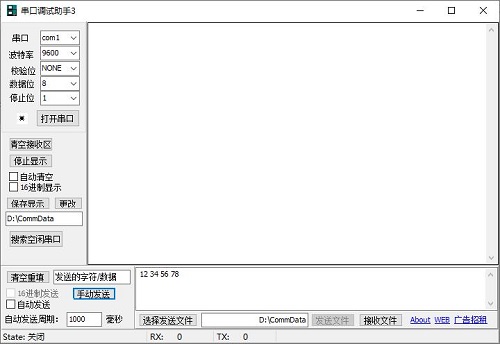
Serial port debugging assistantThe latest version is a highly practical win7 serial port debugging tool. The official version of Serial Port Debugging Assistant is a free serial port debugging tool that can effectively improve the efficiency of data transmission. It supports the commonly used baud rate of 300-115200bps and can set parity, data bits and stop bits. andSerial port debugging assistantIt can also save received data into text files and can send text files of any size. Huajun Software Park provides you with a free download of Serial Port Debugging Assistant 2024. Friends who like Serial Port Debugging Assistant, come to Huajun Software Park to download and experience it!
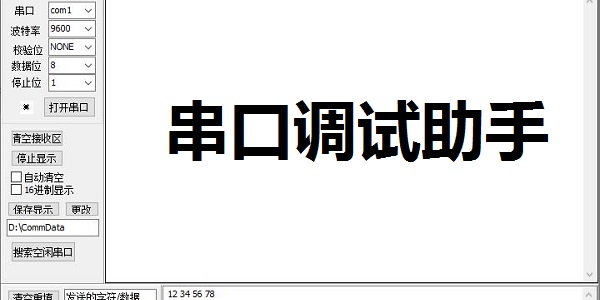
Serial port debugging assistant software function
1. Display of Chinese characters in the receiving area
2, Custom baud rate. Select "Custom" on the baud rate list, the list box will change from read-only to writable, directly enter the baud rate you want. ;When another default baud rate is selected, the list box will return to read-only status.
3. Shortcut keys for sending the editing area: ALT+A Sends all content' ALT+S Sends the data of the line where the cursor is' ALT+D Sends the data of the line where the cursor is, and sends carriage return and line feed ALT+C Clears the sending area
4. Save the received hexadecimal data into binary format for receiving files.
5. Automatically obtain the serial port list
Features of serial port debugging assistant software
Automatically search for the serial port and open the serial port.
The received data can be saved as a file, or the saved data file can be opened.
Automatically record the last operating parameters, such as serial port number, baud rate, etc.
Received data can be switched between hexadecimal and ASCII.
You can send data to the specified serial port in hexadecimal or ASCII format.
Send data regularly.
Monitor serial port events in the thread. If there is no data, it will not be received.
You can send special instructions to read and write the internal code of BOAST digital sensor and modify the address.
During the opening process of the serial port, communication parameters, such as baud rate, can be modified.
When receiving data, the cursor is always displayed on the last line.
Serial port debugging assistant installation steps
1. Download the serial port debugging assistant in the Huajun Software Park and get a software compressed package.

2. Then decompress the software compressed package and obtain sscom5.13.1.exe.

3. Finally, double-click to open sscom5.13.1.exe and you can use it.
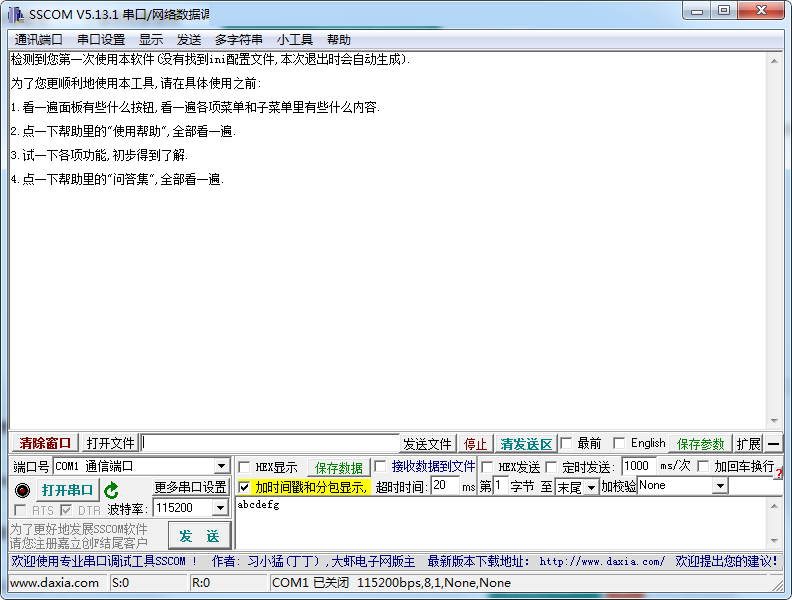
How to use the serial port debugging assistant
After the software download is completed, directly double-click "Serial Port Debugging Assistant 3.0" to run the software.
Check whether the serial port cable is connected to the computer and device. If both ends are serial ports on this computer, make sure that the serial port debugging assistant opens the serial port you specified.
Use hexadecimal debugging
Using hexadecimal debugging, you can use hexadecimal debugging serial port data to check the packages of other software.
Find the text displayed in hexadecimal on the left and click the check box, as shown in the picture.
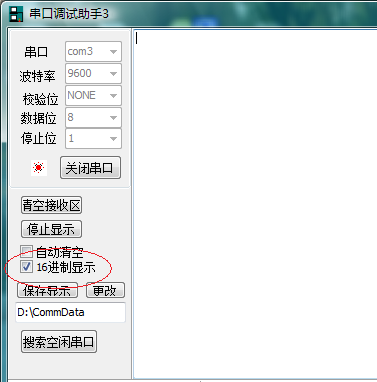
After opening the serial port, the received information is displayed in hexadecimal, and the information sent at the same time is also parsed and sent in hexadecimal format.
Use string to send and receive
If you clear the Hexadecimal display check box, then enter the ASCII code transmission mode.
In this mode, the received and sent strings will be displayed and sent unchanged.
Note: If there are non-ASCII characters, they may not be displayed correctly.
Using the file transfer function
Using the file transfer function, you can transfer files between 2 computers, which can be used in certain situations.
First, the receiving end opens the serial port and presses the receive file button.
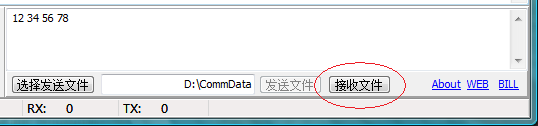
After that, a dialog box will pop up, waiting for the other party to send the file.
After opening the serial port, the sending end first selects the file to send (as shown below)
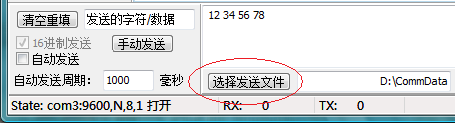
After selecting the file, press the send button.
(If you select the Send File button under Vista and it has no effect, please set this program to run in compatibility mode, Windows XP SP2 compatibility mode is sufficient)
The file starts to be transferred, and both ends can see the sending progress bar.
After sending is completed, the software will prompt!
Serial Port Debugging Assistant FAQ
Q: How does the serial port debugging assistant change the data path?
Answer: 1. Open the software interface of the serial port debugging assistant
2. Find the replacement path in the edit bar on the left
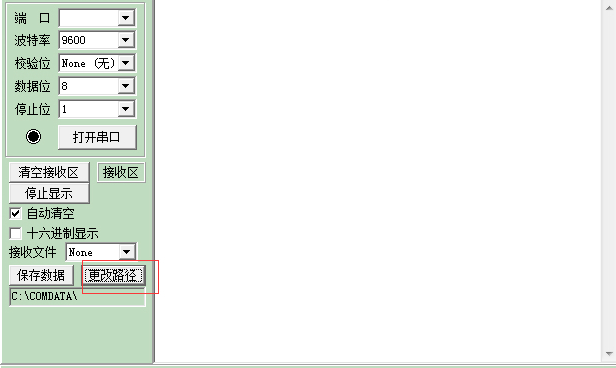
3. Click to choose your own pre-conceived path
Question: How to use the serial port debugging assistant ComTone to debug the serial port?
Answer: 1. After the serial port is opened, the communication parameters can be modified at any time, just click Apply
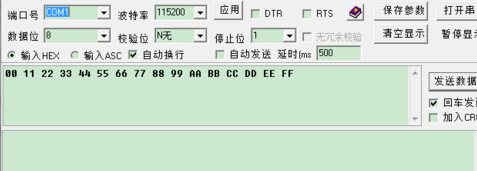
2. If "Input HEX" is set, the user input data will be regarded as hexadecimal bytes, which are not case-sensitive, and the received data will be displayed in hexadecimal HEX format; if "Input ASC" is set, the user input data will be regarded as ASCII characters, and the received data will also be displayed as ASCII characters;
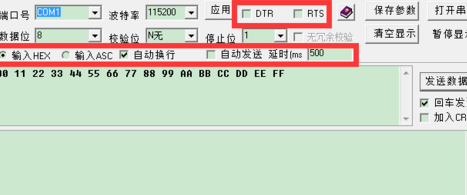
3. Select "Enter to send". Pressing Enter in the input area is equivalent to pressing the send button. If you want to enter multiple lines, you can use Ctrl+Enter; if not selected, you can use Enter to branch in the input area.
4. Set "CRC check" and add 16-bit CRC check code to the last two digits of the number of bytes sent each time
5. The data input by the user (output from the serial port) is displayed in green, and the data input from the serial port is displayed in blue.
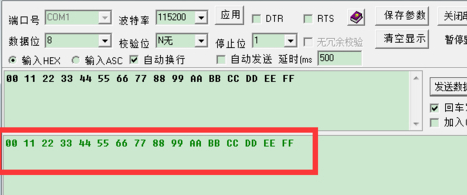
6. If there is too much data in the display box and you want to clear it, you can click "Clear Display" to clear the screen.
7. If you need to save the current configuration so that you can use the same configuration later, you can click "Save Parameters" so that you can use the default configuration items when you open it again.
Comparison of similar software
UartAssist serial port debugging assistantIt is widely used in data monitoring, data collection, data analysis and other tasks in the field of microcontroller control. It can help serial port application design, development and testers check the data sending and receiving status of the developed serial port application software and hardware, improve the development speed, and become your serial port application development assistant. UartAssist serial port debugging assistant is green free software, suitable for all versions of Windows operating systems. It has only one file and does not require dotNetFramework framework support. Multiple serial port debugging assistants can be started simultaneously on one PC (using different COM ports).
Anxinke serial port debugging assistantThe official version is a serial port debugging software launched by Anxinke. The latest version of Anxinke Serial Port Debugging Assistant can realize the serial port connection between the computer and the module, and supports the serial port debugging function of ESP8266, ESP32, RTL87XX and other modules. Anxinke serial port debugging assistant can support 600 groups of custom commands at the same time, which greatly facilitates the user's work.
Huajun editor recommends:
Serial port debugging assistantIt can also save received data into text files and can send text files of any size. If you are dazzled by the introduction of so many functions above, then download the serial port debugging assistant quickly.
Version: v5.13.1 latest version | Update time: 2025-10-23
Similar recommendations


Latest updates





Serial Port Debugging Assistant Reviews
-
1st floor Huajun netizen 2021-09-28 10:39:19The serial port debugging assistant is very useful, thank you! !
-
2nd floor Huajun netizen 2021-11-30 23:37:52The interface design of the serial port debugging assistant is easy to use and has rich functions. I highly recommend it!
-
3rd floor Huajun netizen 2021-10-01 02:56:25I hope the serial port debugging assistant can get better and better, come on!
Recommended products









- Diablo game tool collection
- Group purchasing software collection area
- p2p seed search artifact download-P2P seed search artifact special topic
- adobe software encyclopedia - adobe full range of software downloads - adobe software downloads
- Safe Internet Encyclopedia
- Browser PC version download-browser download collection
- Diablo 3 game collection
- Anxin Quote Software
- Which Key Wizard software is better? Key Wizard software collection




