
-
Mathematica
- Size: 5601.28M
- Language: Simplified Chinese
- Category: science tools
- System: Win9x/Me/NT/2000/XP/2003






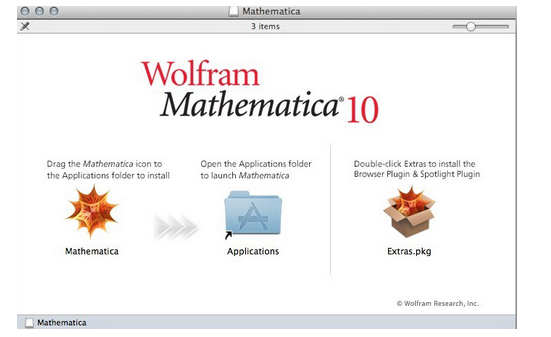
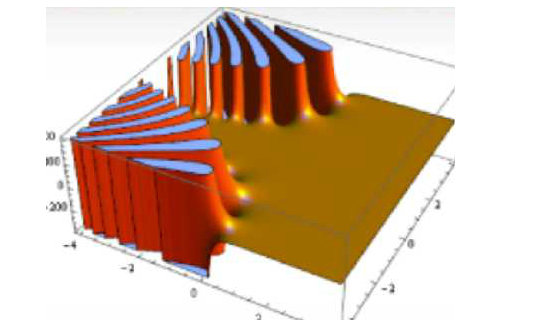
Mathematica is a mathematical analysis tool developed by American wolfram company. Mathematica is widely used in teaching. Friends can use Mathematica tools to calculate more cumbersome formulas, and Mathematica can be used immediately without investing any time in learning. Mathematica can support high-performance computing, automatic multi-threaded computing, etc. Friends who like Mathematica, come to Huajun Software Park to download and experience it!
mathematica features
Basic operations
Commonly used mathematical functions
Value setting
Four processing instructions
Polynomial conversion
Multiple mother numerator operations
Conversion function
Function exponential operation
mathematica installation tutorial
1. Select any address from this page to download the mathematica software package to your local computer, unzip the software package and run the installation program. Click [next] directly as follows

2. If you need to set the Mathematica installation path, click [browse] to set it.
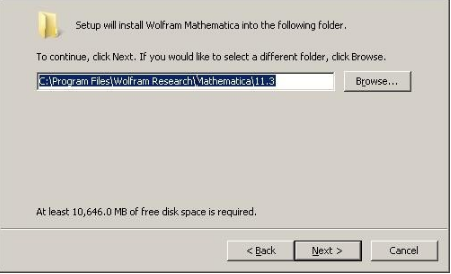
3. Skip directly and click [next]

4. Click [next] directly

5. Confirm that the Mathematica installation information is correct, select [install], and then wait for the installation to complete.

How to use mathematica
1). Please install the original Mathematica 5.0 program first and exit the original program.
2). Install the patch to the directory where the original Mathematica 5.0 program is located.
1. Input of special characters
Mathematica also provides tools for entering various special symbols. The basic input tool sample contains commonly used special characters (pictured above), which can be entered by simply clicking on these character buttons. To enter other special characters or operation symbols, you must use the Complete Characters toolbar selected from the FILE menu, as shown below

You can enter by clicking on the symbol.
2. Mathematical constants
Mathematica defines some common mathematical constants, which are precise numbers, such as pi.

Mathematical constants can be used in formula derivation and numerical calculations. Represents an exact value in numerical calculations, such as:

Commonly used mathematical functions in Mathematica
Sin[x],Cos[x],Tan[x],Cot[x],Sec[x],Csc[x] trigonometric functions, the units of their arguments are radians
Sinh[x],Cosh[x],Tanh[x],… Hyperbolic function
ArcSin[x], ArcCos[x], ArcTan[x] inverse trigonometric functions
ArcCot[x],ArcSec[x],ArcCsc[x]
ArcSinh[x],ArcCosh[x],ArcTanh[x],… Inverse hyperbolic function
Sqrt[x] root sign
Exp[x] index
Log[x] natural logarithm
Log[a,x] logarithm with a as the base
Abs[x] absolute value
Round[x] The integer closest to x
mathematica update log
Optimize some functions
|
Huajun editor recommends: The Mathematica that the editor shares with you is a mathematical analysis software that is good at symbolic calculations. Mathematica helps you master concepts so you can do better while in school and after graduation. For example: You can use Mathematica software for a variety of courses, assignments, and topics. In addition, the editor of Huajun has also collected and compiled other [mathematical analysis] tools for everyone to choose and download, such as: programmable mathematical analysis software, atomic analysis primary school mathematics, etc. |
Version: 13.0 Standard Edition | Update time: 2024-12-23
Similar recommendations





Latest updates



Mathematica review
-
1st floor Huajun netizen 2008-10-13 15:36:39Mathematica's interface design is easy to use and has rich functions. I highly recommend it!
-
2nd floor Huajun netizen 2009-09-22 20:31:52Mathematica is awesome! 100 million likes! ! !
-
3rd floor Huajun netizen 2012-05-10 15:41:03Mathematica is not bad. It downloads very quickly. I would like to give you a good review!
Recommended products
-

MathType
-
Oral arithmetic problem generator for primary school students
-
Equation Editor Mathematical formula editor
-

yEd Graph Editor
-

Middle School Circuit Virtual Laboratory
-

AxMath
-

math tools
-

Elementary school mathematics question bank
-

Simulation physics laboratory junior high school full version
-

Scientific Calculator Multi-Function Edition
- Diablo game tool collection
- Group purchasing software collection area
- p2p seed search artifact download-P2P seed search artifact special topic
- adobe software encyclopedia - adobe full range of software downloads - adobe software downloads
- Safe Internet Encyclopedia
- Browser PC version download-browser download collection
- Diablo 3 game collection
- Anxin Quote Software
- Which Key Wizard software is better? Key Wizard software collection




