
-
KBOX (formerly Sina 9158 virtual video)
- Size: 30.67M
- Language: Simplified Chinese
- Category: Chat software
- System: WinAll







KBOX (formerly Sina 9158 Virtual Video) is an online virtual chat camera that can make your videos more beautiful. KBOX (formerly Sina 9158 Virtual Video) can simulate a camera on the user's system. In addition, it can also be used in chat rooms and chat rooms of any software that supports cameras, such as QQ, MSN, Sina UC, 9158, etc. to add various special effects to your videos or photos. Friends who like it, come to Huajun Software Park to download and experience it!

KBOX (formerly Sina 9158 virtual video)Software function
KTV karaoke station
: New, classic, everything you want. Show off your singing voice to your friends who share the video!
Camera special effects
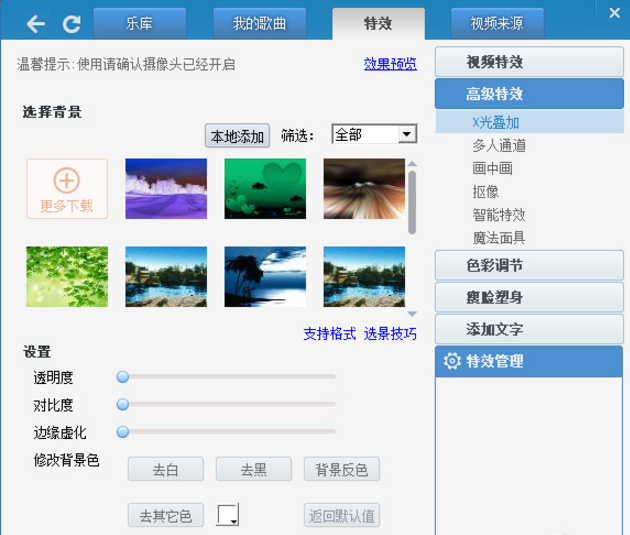
You can add personalized special effects, borders, widgets, etc. to your video. You can make it however you want and make it as beautiful as you want.
Local photography
Not only can you take photos locally, you can also take photos online on the Internet, add various special effects to your photos, upload local photos to the Internet at will, and let others share your uniqueness with you!
Media broadcast
Share your local MTV and movies with your video chat friends! You can also add special effects to the media, which makes it more interesting.
Record or broadcast video
You can record your own or other people’s videos, and you can also broadcast other people’s videos in the chat room and share them with more friends.
Magic mask
一款新颖独特的前卫效果,高质量的人脸跟踪术,让你在网络江湖上从此与众不同.

How to use 9158 virtual video
1. Add special effects to the video
1. Open the downloaded software and click the [Special Effects] button in the menu bar.
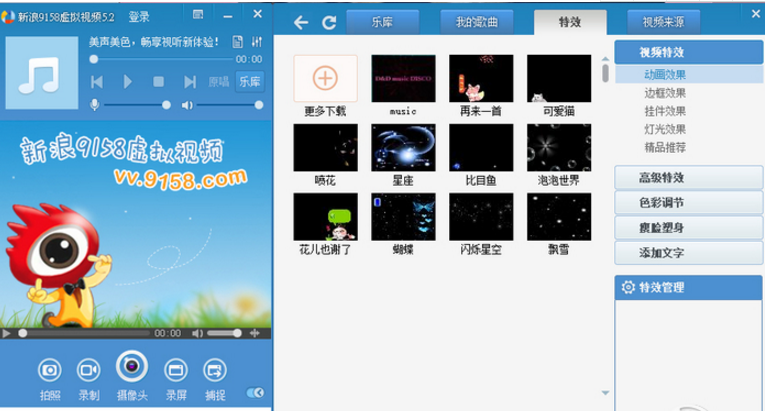
2. Select [Video Special Effects] and select the special effects according to your needs.
2. Add songs
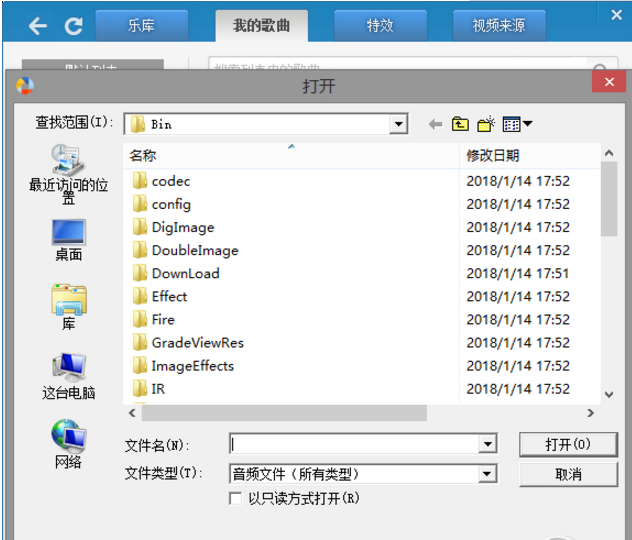
1. Click the [My Songs] button in the menu bar.
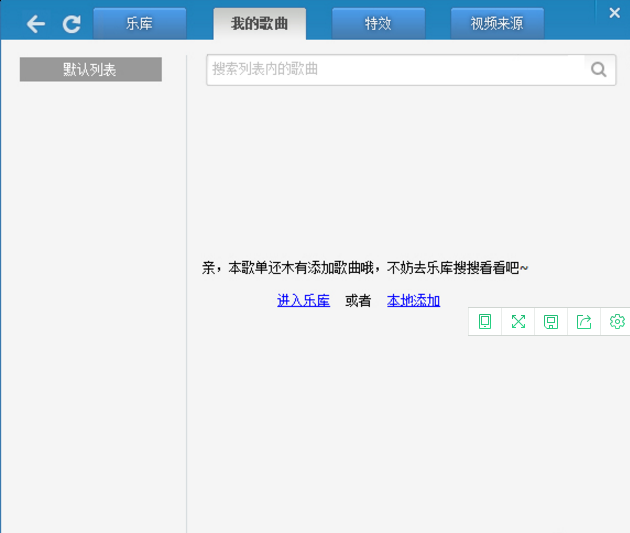
2. You can click [Enter Music Library] to add music to the music library
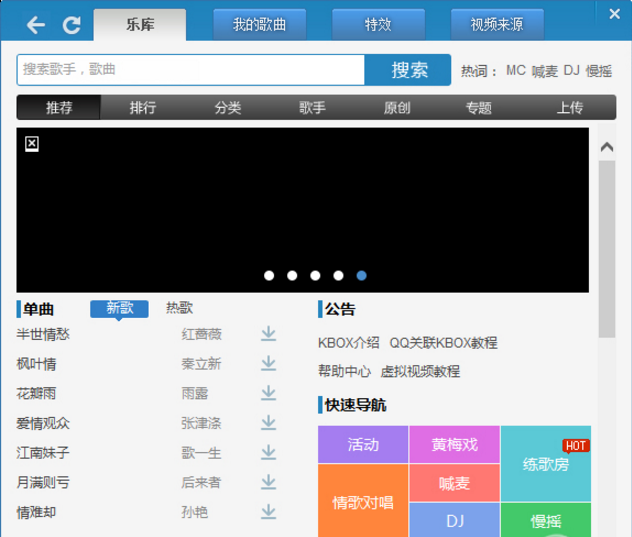
3. You can also select [Local Add] to add local music on your computer to the software.
9158 Virtual Video FAQ
1. How to change the font color of lyrics?
Select the [Lyrics Settings] tab in [Settings] and change the font color yourself.
2. Why can’t the camera be turned on?
Select [Camera Settings] in [Settings], click the [Refresh] button, select the camera you installed in the camera drop-down list, and then click the Apply button.
KBOX (formerly Sina 9158 Virtual Video) update log:
1: Brand new interface, refreshing, simple and efficient
2: Performance is getting better and better
Huajun editor recommends:
After many updates and optimizations, KBOX (formerly Sina 9158 Virtual Video) has become more user-friendly and easier to operate. The editor of Huajun Software Park personally tested it and recommends it to everyone for download. Interested friends can also download Firefox Enterprise Edition, .NET, and Batch Butler.
Version: v6.2.0.2 latest version | Update time: 2025-10-23
Similar recommendations





Latest updates





KBOX (original Sina 9158 virtual video) comments
-
1st floor Huajun netizen 2022-01-12 04:47:11KBOX (formerly Sina 9158 Virtual Video) software is very easy to use, the download speed is very fast, and it is very convenient!
-
2nd floor Huajun netizen 2021-09-16 22:43:19KBOX (formerly Sina 9158 Virtual Video) is awesome! 100 million likes! ! !
-
3rd floor Huajun netizen 2021-12-31 22:04:59KBOX (formerly Sina 9158 Virtual Video) hopes to do better and better, come on!
Recommended products








- Diablo game tool collection
- Group purchasing software collection area
- p2p seed search artifact download-P2P seed search artifact special topic
- adobe software encyclopedia - adobe full range of software downloads - adobe software downloads
- Safe Internet Encyclopedia
- Browser PC version download-browser download collection
- Diablo 3 game collection
- Anxin Quote Software
- Which Key Wizard software is better? Key Wizard software collection




