
-
Guangxuntong client
- Size: 15.07M
- Language: Simplified Chinese
- Category: Chat software
- System: Winxp






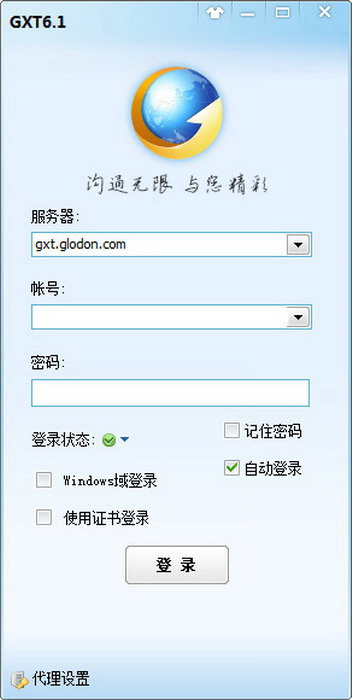
Guangxuntong client is an enterprise communication software specially built for internal communication of enterprises. It is similar toTencent RTX, Guangxuntong client can effectively speed up the efficiency of corporate content communication and improve the efficiency of corporate operations. At the same time, the Guangxuntong client is easy to use and very user-friendly. It is compatible with three platforms: iOS, Android, and PC. It effectively increases the communication between employees, provides high-quality industry application channel selection, and brings users a simple and convenient experience.
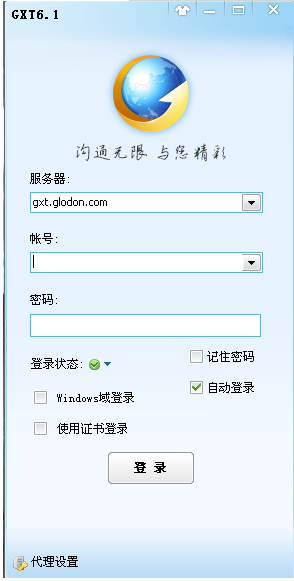
Introduction to Guangxuntong client software
Guangxuntong client supports multi-user collaborative SMS sending in enterprises, and provides high-quality industry application channel selection, address book data management and import, address book security encryption, Excel personalized content sending and other powerful functions. It has the characteristics of fast sending speed, high receiving success rate, transparent status, and support for SMS interface calls, etc. It is the industry leader.
Guangxuntong is committed to providing SMS services for corporate office, conference, logistics and other information notifications, and refuses to send any marketing advertising SMS messages that are unclear to the recipients and objectionable to mobile phone users. It also provides a variety of SMS templates such as verification codes and office notifications for users to choose and use. It guarantees better quality in terms of channels and management, so that SMS messages can arrive instantly and have a higher success rate.
Features of Guangxuntong client
Fast submission speed and high reception success rate
Support multiple users and personalized sending
短信接收快、成功率高,更有丰富短语库和短信模板帮助轻松实现内容优化。 Guangxuntong client supports multi-user parallel sending, shared address book sending and user quota sending, and is suitable for enterprise SMS applications of different sizes. Targeted sending can be carried out based on the attributes of each person in the address book (for example, different titles are automatically added to the text message content according to different recipients).

High-quality SMS channel number
Effectively improve delivery quality
The Guangxuntong client has a variety of SMS channels for users to choose independently, meeting the needs of high-quality SMS applications from office approval, meeting arrangements to website registration verification codes, etc. There are also multiple backup SMS channels to ensure the sending effect. Users can specify a company's exclusive SMS number to effectively enhance the company's brand image.

The sending status is complete and accurate
Guangxuntong client supports real-time query and full tracking
The status of the SMS sending process is complete and accurate, including to-be-sent, sent, unsuccessful, reception status of each number, and feedback information... You can see it all at a glance.

Intelligent number recognition
Information dissemination is more accurate
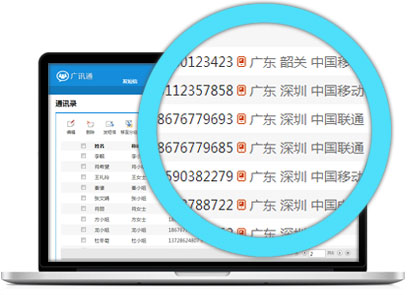
Automatic identification of the mobile phone's home location and operator, and automatic reminders of empty and wrong numbers, to help you quickly locate the area where the mobile phone number is located, select effective communication methods, and provide support for information dissemination.
Tracking historical sending records
Optimize sending effect
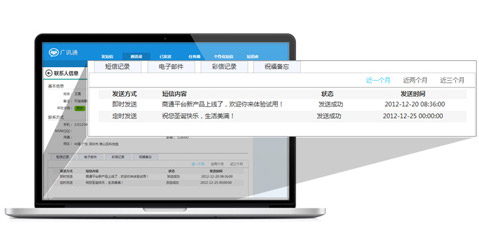
The address book supports viewing the sending details of a single contact, including sending time, text message content, feedback status and reply information, etc., which facilitates you to comprehensively analyze the receiving response behavior and optimize the sending effect.
Guangxuntong client installation steps
1. First download the Guangxuntong client software package from this site, unzip it and click to run the exe installation file to proceed with the next installation operation.
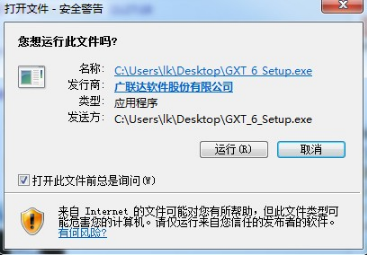
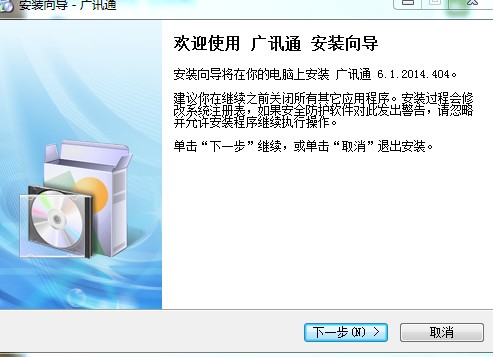
2. Click Run to enter the Guangxuntong "Installation Wizard" page, and then click Next to install.
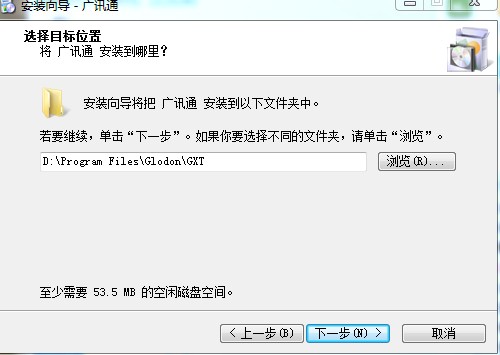
3. Browse to select the path you want to install, and click Next.
4. Select the shortcut to store the program in the Start menu folder. You can click Browse to select a different storage folder. The program is stored in the built-in Guangxuntong folder by default. Select the required storage folder and click Next.

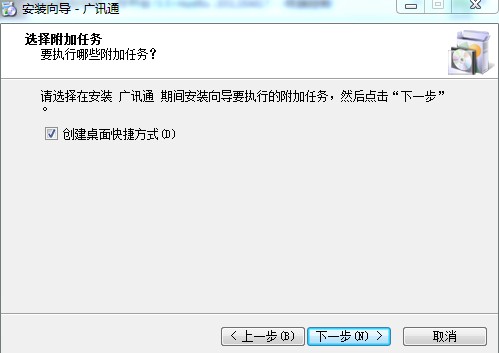
5. Select the additional tasks to be performed in the installation wizard, check to create a desktop shortcut for the Guangxuntong program, and click Next.
6. Enter the installation settings preview page and click the "Install button" to formally install the Guangxuntong program.

7. The installation wizard has completed the installation of "Guangxuntong". You can check Start Guangxuntong and click Finish to run the application. The "Guangxuntong" program group will appear in the "Programs" of "Guangxuntong". This program group contains the "Guangxuntong" program and the uninstaller. Click "Guangxuntong" to run the program.
How to use Guangxuntong client
How to take screenshots on Guangxuntong client?
1. First, log in to the Guangxuntong computer client
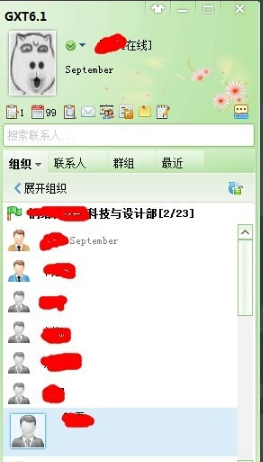
2. After logging in, the contacts will be displayed. Find a contact, double-click to open the two-day window, and then you can see the screenshot button, as shown in the figure below.
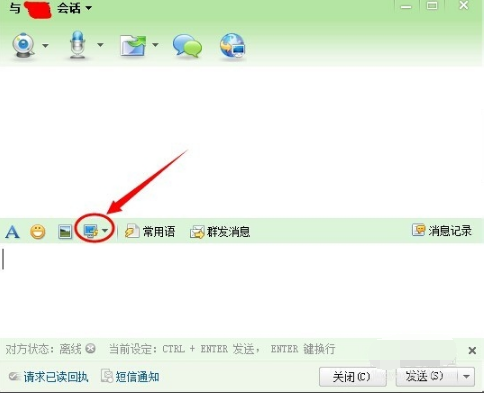
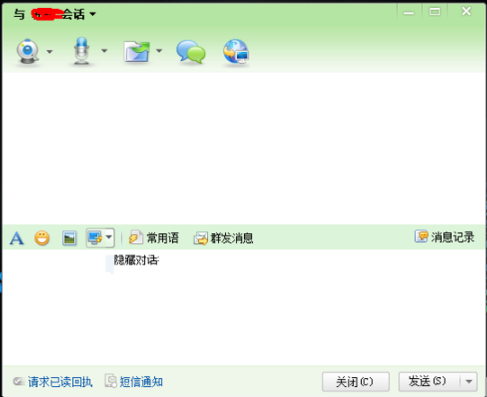
3. At this time, you will find that Guangxuntong screenshot function is more powerful than QQ screenshot, because it has two options, one is to hide the chat window screenshot, and the other is not to hide the chat window screenshot, which is much more convenient. Look at the two pictures below, one hides the window and the other does not hide the window. You can choose freely according to your needs.
4. After taking screenshots, you can save the picture to a computer folder, or you can double-click it, which is equivalent to copying, and then paste it in the chat window and send it, or paste it directly into a word document.
Frequently Asked Questions about Guangxuntong Client
1. How to solve the problem that the shortcut display of Guangxuntong software is blank?
Solution: The operating system of the computer where shortcuts cannot be seen is Windows XP SP2. Upgrading to Windows XP SP3 or upgrading the system can solve this problem.
2. How does Guangxuntong set the Sogou browser default?
On the main page of Guangxuntong, click the Guangxuntong logo in the lower left corner, click System Settings in the pop-up menu, and then click Browser Settings to set the default browser.
3. Why can’t I open documents on Guangxuntong?
首先此文件一般默认在系统盘,也就是 C 盘。 The folder is hidden, so we must "Show hidden files" first. Double-click to open "My Computer", click "Tools" --> "Folder Options" --> View in the "Menu Bar", uncheck "Hide protected operating system files (recommended)", then check "Show hidden files, folders and drives" and confirm.
Next, open the path: C:Documents and SettingsAdministratorapplication datamicrosofttemplates. You will see two files. Delete "Normal". Finally, reopen Word and see if it can start normally.
Comparison of similar software of Guangxuntong
DingTalk (mobile office) is a communication and collaborative mobile office platform specially created by Alibaba Group for small and medium-sized enterprises, making corporate communication and business communication more efficient and safer. Features: You can see at a glance whether messages have been read or not, DING phone calls must reach your mission, free multi-party calls, corporate address book to find people anytime and anywhere, multi-terminal interaction.
The computer version of Enterprise WeChat has finally been officially released! Enterprise WeChat is an office communication tool, mainly for various types of corporate and institutional users. In addition to WeChat-like chat functions, Enterprise WeChat also integrates public telephone and email functions. In terms of OA functions, Enterprise WeChat combines announcements, attendance, leave requests, and reimbursements, so users can easily complete office needs on their mobile phones. In addition, WeChat Enterprise also provides some functions that are more suitable for office scenarios, such as receiving messages and taking a break.
imo Banchao is an Internet-based network office communication platform for Chinese companies and organizations. Each company has an account, and the number of users is allocated to employees according to the size of the company; this version is a software based on the public network, and companies and customers can communicate with each other to form a pure network office environment. No matter where they are, employees can work collaboratively through text, voice, video, file transfer, electronic bulletins, remote assistance, electronic whiteboards, etc.
The above software has its own characteristics and powerful functions. They are all good tools for corporate offices. Users can choose to download and use them according to their own preferences.
Guangxuntong client update log
1: Optimized performance
2: We are serious about solving bug problems
Huajun editor recommends:
The Guangxuntong client is very easy to use. It is one of the best software among them. I believe that friends who have used it will say it is easy to use. If you don’t like it, we also have Firefox Enterprise Edition, .NET, and Cloud Machine Manager.
Version: 6.3.13000.6913 official version | Update time: 2025-01-08
Similar recommendations





Latest updates





How to delete history in Video Pioneer? -How to delete history records by Video Pioneer
How to set the skin for Video Pioneer? -How to set skin for Video Pioneer
How to upgrade software in 360 Software Manager? -How to upgrade software in 360 Software Manager
How to draw a lottery in 360 Software Butler - How to draw a lottery in 360 Software Butler
Guangxuntong client comments
-
1st floor Huajun netizen 2021-12-11 05:26:04Guangxuntong client is very useful, thank you! !
-
2nd floor Huajun netizen 2021-12-05 18:35:25Guangxuntong client interface design is very easy to use and has rich functions. I highly recommend it!
-
3rd floor Huajun netizen 2021-10-20 17:08:44Guangxuntong client software is very easy to use, the download speed is very fast, and it is very convenient!
Recommended products






- Diablo game tool collection
- Group purchasing software collection area
- p2p seed search artifact download-P2P seed search artifact special topic
- adobe software encyclopedia - adobe full range of software downloads - adobe software downloads
- Safe Internet Encyclopedia
- Browser PC version download-browser download collection
- Diablo 3 game collection
- Anxin Quote Software
- Which Key Wizard software is better? Key Wizard software collection




