
-
Jinfeiyi virtual camera
- Size: 144.80M
- Language: Simplified Chinese
- Category: Chat software
- System: Win






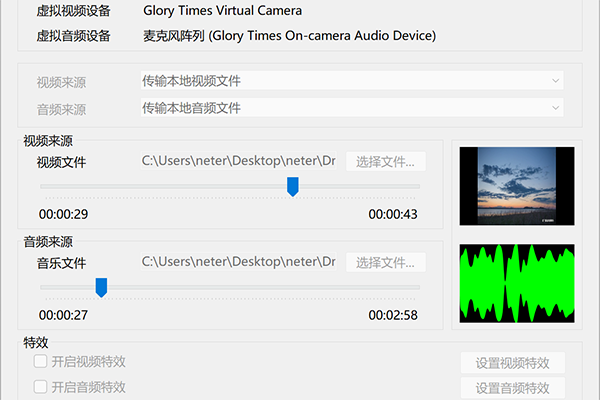
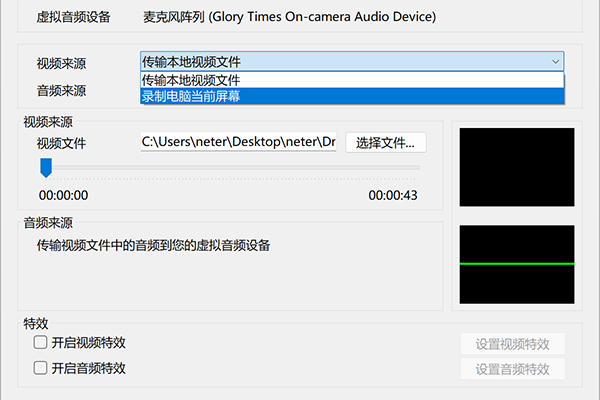
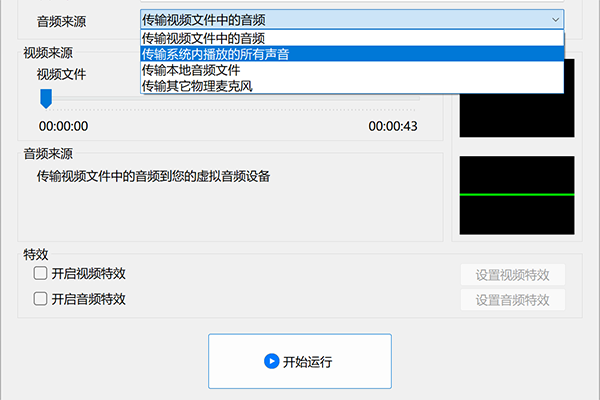
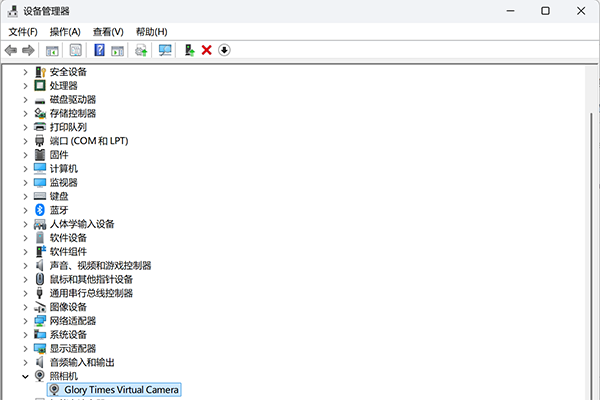
The secret weapon to create a head anchor! Jinfeiyi Virtual Camera is a video live broadcast auxiliary software that is loved by head anchors. It supports recording to live broadcast. You can transfer the recorded video content to a virtual camera, and then select the virtual camera as input in third-party video live broadcast software, thus easily converting recording to live broadcast. At the same time, it also supports real-time live broadcast of the computer screen. You can use the current real-time screen of the computer as a virtual camera input, and then realize real-time live broadcast of the computer screen with one click. Its biggest feature is that it can perform real-time special effects processing on the incoming pictures and sounds. You can use your imagination to freely create various novel gameplays. Jinfeiyi virtual camera can be widely used in many scenarios such as live video delivery, video online chat, interactive live broadcast of games and real-time computer teaching. We hope you can discover more new ways to play, please let us know.
Jinfeiyi virtual camera software functions
1. Supports 2 video sources. You can use local video files and the current live view of your computer as video sources.
2. Supports 4 audio sources. You can use sounds from local video files, local audio files, any sounds being played on the system, and physical microphones as audio sources.
3. Supports a variety of video special effects. You can apply various video effects such as horizontal inversion and vertical inversion to the input image.
4. Supports a variety of audio effects. You can apply various audio effects such as real-time voice changing and volume adjustment to the incoming sounds.
5. Support various novel ways of playing. You can easily implement various novel gameplay methods such as digital human live broadcast, unmanned live broadcast and game live broadcast.
6. High quality image. The software uses 720p video resolution internally, which maximizes the high-quality image retention of the original video while ensuring a smooth picture.
7. Good software compatibility. As a standard camera device, you can use it with almost all live video and video chat software
Jinfeiyi virtual camera update log:
Working day and night just so you can be happier
Mummy, Mummy, coax~all the bugs are gone!
Huajun editor recommends:
This software is powerful and easy to operate. I hope everyone will like it. In addition, this site also has Firefox browser, .NET, Cloud Machine Manager and other software. Welcome to Huajun Software Park to download!
Version: 25.9.2 | Update time: 2025-09-22
Similar recommendations





Latest updates




Jinfeiyi Virtual Camera Review
-
1st floor Huajun netizen 2025-09-20 00:45:31The interface design of Jinfeiyi Virtual Camera is very easy to use and has rich functions. I highly recommend it!
-
2nd floor Huajun netizen 2025-09-03 09:19:45The overall feeling of the Jinfeiyi virtual camera is good and I am quite satisfied with it. The installation and operation are very smooth! It went very smoothly following the installation step-by-step guide!
-
3rd floor Huajun netizen 2025-09-21 12:11:20Jinfeiyi virtual camera is convenient, practical and powerful, and the software is very easy to use!
Recommended products








- Diablo game tool collection
- Group purchasing software collection area
- p2p seed search artifact download-P2P seed search artifact special topic
- adobe software encyclopedia - adobe full range of software downloads - adobe software downloads
- Safe Internet Encyclopedia
- Browser PC version download-browser download collection
- Diablo 3 game collection
- Anxin Quote Software
- Which Key Wizard software is better? Key Wizard software collection




