
-
proteus7.8
- Size: 87M
- Language: Simplified Chinese
- Category: Mechatronics
- System: Winxp/vista/win7/win8






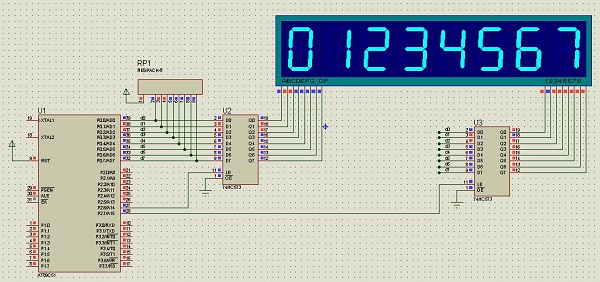

Proteus7.8 official version software is from British Labcenter Electronics' EDA tool software, Proteus software has the same principle layout, PCB automatic or manual wiring and circuit simulation functions as other EDA tools. Its revolutionary function is that its circuit simulation is interactive. For microprocessor applications, it can also directly Program on the virtual prototype based on the schematic diagram, and realize real-time debugging at the software source code level. If there is display and output, you can also see the effect of input and output after running. Virtual instruments such as oscilloscopes, logic analyzers, etc. that match the system configuration. You don't need anything else. Proteus has established a complete electronic design and development environment for you.
Proteus7.8 software features
①Achieved the combination of microcontroller simulation and SPICE circuit simulation. It has the functions of analog circuit simulation, digital circuit simulation, simulation of the system composed of microcontroller and its peripheral circuits, RS232 dynamic simulation, I2C debugger, SPI debugger, keyboard and LCD system simulation; there are various virtual instruments, such as oscilloscopes, logic analyzers, signal generators, etc.
②Supports simulation of mainstream microcontroller systems. Currently supported types of microcontrollers are: 68000 series, 8051 series, AVR series, PIC12 series, PIC16 series, PIC18 series, Z80 series, HC11 series and various peripheral chips.
③ Provide software debugging function. The hardware simulation system has debugging functions such as full speed, single step, and setting breakpoints. At the same time, the current status of each variable, register, etc. can be observed. Therefore, the software simulation system must also have these functions; it also supports third-party software compilation and debugging environments, such as KeilC51uVision2 and other software.
④Has powerful schematic drawing function. In short, this software is a simulation software that integrates microcontroller and SPICE analysis and is extremely powerful. This chapter introduces the working environment and some basic operations of ProteusISIS software.
Proteus7.8 software functions
1. Intelligent schematic design
Rich device library: more than 27,000 components, new components can be easily created;
Intelligent device search: The required device can be quickly located through fuzzy search;
Intelligent wiring function: The automatic wiring function makes connecting wires simple and fast, greatly shortening drawing time;
Support bus structure: use bus devices and bus wiring to make circuit design concise and clear;
Can output high-quality drawings: Through personalized settings, printing-quality BMP drawings can be generated, which can be easily used for various documents such as WORD and POWERPOINT.
2. Complete circuit simulation function
ProSPICE hybrid simulation: Based on the industry standard SPICE3F5, it realizes hybrid simulation of digital/analog circuits;
More than 27,000 simulation devices: You can design simulation devices by yourself through internal prototypes or using the manufacturer's SPICE files. Labcenter is also constantly releasing new simulation devices, and you can also import simulation devices released by third parties;
Various excitation sources: including DC, sinusoidal, pulse, segmented linear pulse, audio (using wav file), exponential signal, single frequency FM, digital clock and code stream, and also supports signal input in the form of files;
Rich virtual instruments: 13 virtual instruments with realistic panel operations, such as oscilloscope, logic analyzer, signal generator, DC voltage/ammeter, AC voltage/ammeter, digital pattern generator, frequency meter/counter, logic probe, virtual terminal, SPI debugger, I2C debugger, etc.;
Vivid simulation display: Color points are used to display the digital level of the pin, and the wires are represented by different colors to indicate their voltage to ground. Combined with the use of dynamic devices (such as motors, display devices, buttons), the simulation can be made more intuitive and vivid;
Advanced graphical simulation function (ASF): Icon-based analysis can accurately analyze multiple indicators of the circuit, including operating point, transient characteristics, frequency characteristics, transmission characteristics, noise, distortion, Fourier spectrum analysis, etc., and can also perform consistency analysis;
3. Microcontroller collaborative simulation function
Supports mainstream CPU types: such as ARM7, 8051/52, AVR, PIC10/12, PIC16, PIC18, PIC24, dsPIC33, HC11, BasicStamp, 8086, MSP430, etc. CPU types continue to increase with version upgrades, such as CORTEX and DSP processors will be supported soon;
proteus7.8 supports general peripheral models: such as character LCD module, graphic LCD module, LED dot matrix, LED seven-segment display module, keyboard/button, DC/stepper/servo motor, RS232 virtual terminal, electronic thermometer, etc. Its COMPIM (COM port physical interface model) can also enable the simulation circuit to achieve two-way asynchronous serial communication through the PC serial port and external circuits;
Real-time simulation: supports UART/USART/EUSARTs simulation, interrupt simulation, SPI/I2C simulation, MSSP simulation, PSP simulation, RTC simulation, ADC simulation, CCP/ECCP simulation;
Compilation and debugging: Supports editing/compilation/source code level simulation of microcontroller assembly language, with built-in assembly compilers for 8051, AVR, and PIC. It can also be combined with third-party integrated compilation environments (such as IAR, Keil, and Hitech) to perform source code level simulation and debugging of high-level languages;
4. Practical PCB design platform
Fast channel from schematic to PCB: After the schematic design is completed, you can enter the ARES PCB design environment with one click to achieve complete design from concept to product;
Advanced automatic placement/wiring function: supports automatic/manual layout of devices; supports gridless automatic wiring or manual wiring; supports pin swapping/gate swapping functions to make PCB design more reasonable;
Complete PCB design functions: can design up to 16 copper foil layers, 2 silk screen layers, 4 mechanical layers (including board edges), flexible wiring strategies for users to set, automatic design rule checking, 3D visual preview;
Support for multiple output formats: Files in multiple formats can be output, including the import or export of Gerber files, which facilitates interchange with other PCB design tools (such as protel) and PCB board design and processing.
Proteus7.8 installation steps
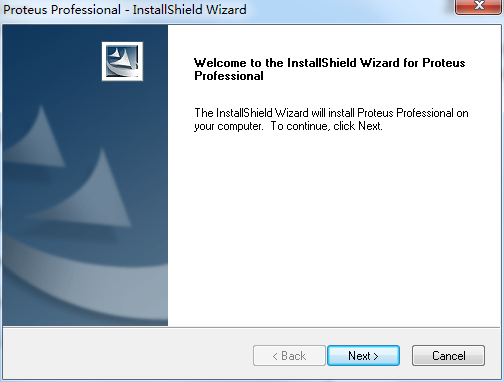
1. Download the compressed package of the official version of Proteus7.8 from Huajun Software Park. After decompressing, double-click the exe file to enter the installation interface and click next.
2. View the software license agreement and click yes

3. Select the installation type, select the second option, and click next
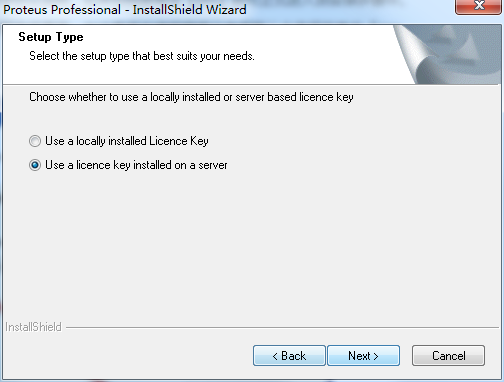
4. Click next
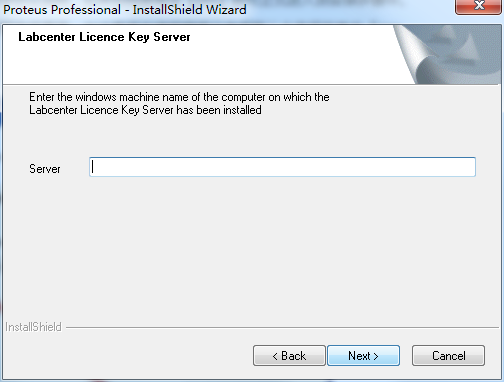
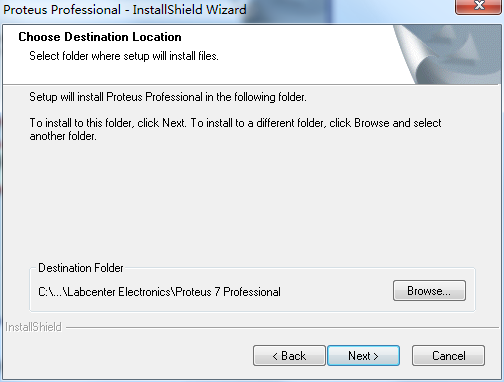
5. Set the software installation location. Click browse to freely set the software installation location. It is recommended that you choose to install on the D drive, and then click next.
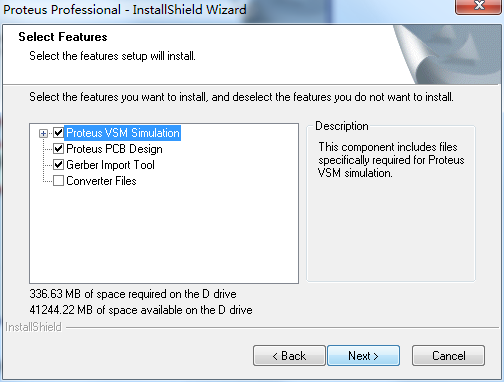
6. Click next
7. Select the program folder, the default is enough, click next

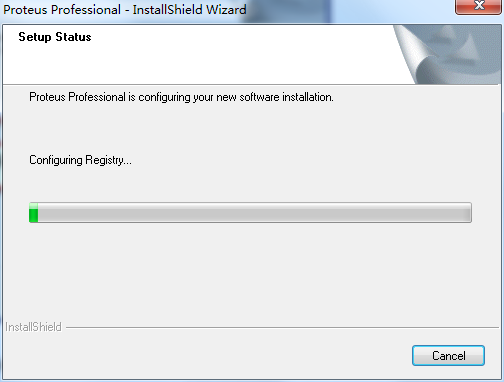
8. The official version of Proteus7.8 is being installed, we are waiting patiently.
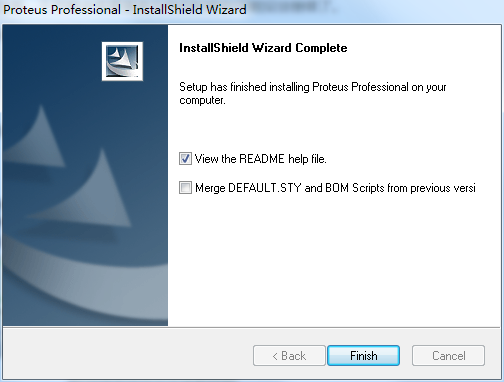
9. Software installation successful
How to use Proteus7.8
How to simulate proteus?
1. First, you need to run and open proteus, and then select the [Components] button according to the prompts in the picture.

2. Select the [p] option indicated in the picture, search for the component you want, and [ok]

3. After selecting, you can draw the picture in the operation interface.
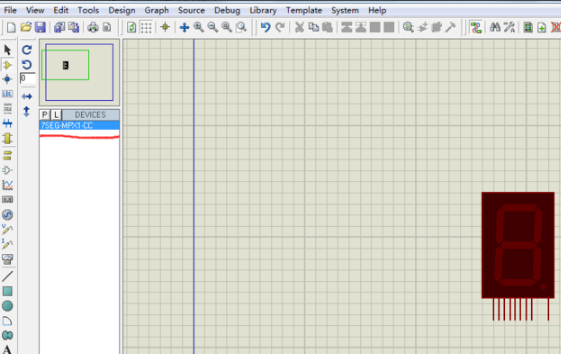
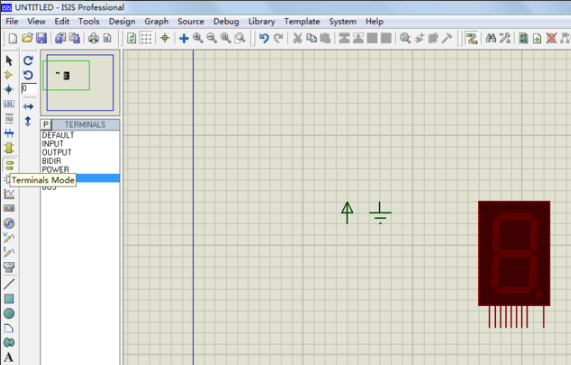
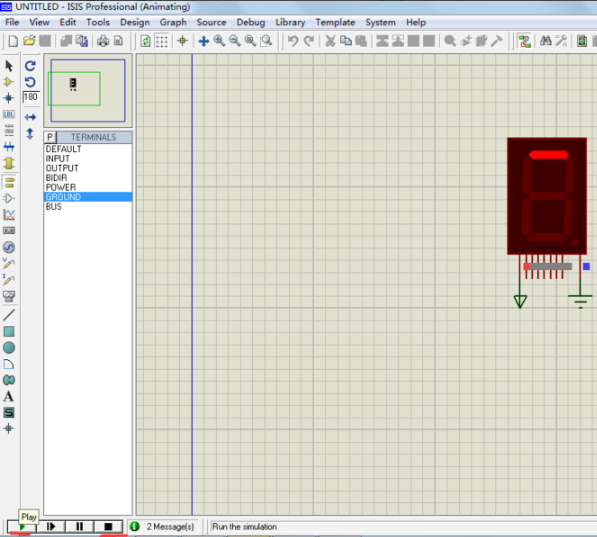
4. Finally, click the play button in the lower left corner to start the simulation. You can choose to pause and stop.
Proteus7.8 FAQ
How to draw multiple lines in Proteus7.8 official version?
Open the official version of Proteus7.8, please select the tool you need to draw lines on the left function bar, select the [p] option to enter the setting selection, and you can watch the preview of the current function on the far right of the interface.
Comparison of similar software
ADIsimPEIt is a circuit simulation software launched by ADI. It is mainly used for analog and mixed-signal circuit design and development. It has a rich library of ADI IC models and application principles, accurate/verified IC models and circuit behaviors.
ADI DiffAmpCalcIt is a differential amplifier circuit design software launched by ADI. It can simulate differential amplifiers and has powerful automated calculation functions, making it easy to determine the optimal levels of gain, terminal resistance, power consumption, noise output and input common-mode voltage.
Proteus7.8 update log
ISIS and ARES core applications:
Improved "Follow Me" routing in ISIS.
Layout technical files/technical menu
-These are valid PCB layout templates.
- Mechanical data such as board edges and drilling holes can be pre-placed.
- Design rules and network classes can be pre-defined.
- Grids, startup cells, layer usage and font sizes can be predefined.
-Technical data may be used for new designs and/or applied to existing designs.
Color sets in ARES
- Switch between different visible layers and colors from the View Layers dialog.
- Use different color sets for printing instead of editing.
-Use a non-black background color.
The dimensions of the pad pattern are displayed in the preview window.
Rewritten/improved online help system based on HTML help.
Fully compatible with Windows 7.
Huajun editor recommends:
The official version of proteus7.8 is quite excellent, realizing the combination of microcontroller simulation and SPICE circuit simulation. The editor has also carefully prepared for youCNC system configuration software
Version: Official version | Update time: 2025-10-23
Similar recommendations






Latest updates



Pixel Naruto online play entrance-Pixel Naruto web version online play-Huajun Software Park
How to add background music in python-How to add background music in python
How to configure environment variables in python - How to configure environment variables in python
How to run python - How to run python
How to create a project in python - How to create a project in python
How to make a blue sky background with scratch-How to make a blue sky background with scratch
proteus7.8 comments
-
1st floor Huajun netizen 2021-09-03 08:45:59The interface design of proteus7.8 is very easy to use and has rich functions. I highly recommend it!
-
2nd floor Huajun netizen 2021-01-09 23:37:42The proteus7.8 software is very easy to use, the download speed is very fast, and it is very convenient!
-
3rd floor Huajun netizen 2021-08-15 03:31:17proteus7.8 is great! 100 million likes! ! !
Recommended products
-

Electrician simulation teaching software
-

eplan electric p8
-
proteus7.8
-

Machining CNC milling machine simulation software
-

LedshowTV2021 (LED display control editing software)
-

RegalIgs
-

Mitsubishi PLC learning software (FX-TRN-BEG-C)
-

AutoCAD Electrical
-

CNC machine tool simulation software
-
Tianyi Computer Industry Edition
- Diablo game tool collection
- Group purchasing software collection area
- p2p seed search artifact download-P2P seed search artifact special topic
- adobe software encyclopedia - adobe full range of software downloads - adobe software downloads
- Safe Internet Encyclopedia
- Browser PC version download-browser download collection
- Diablo 3 game collection
- Anxin Quote Software
- Which Key Wizard software is better? Key Wizard software collection




