
-
MidiPiano (Virtual Piano)
- Size: 1.51M
- Language: Simplified Chinese
- Category: MIDI tools
- System: Winxp/win7/2003






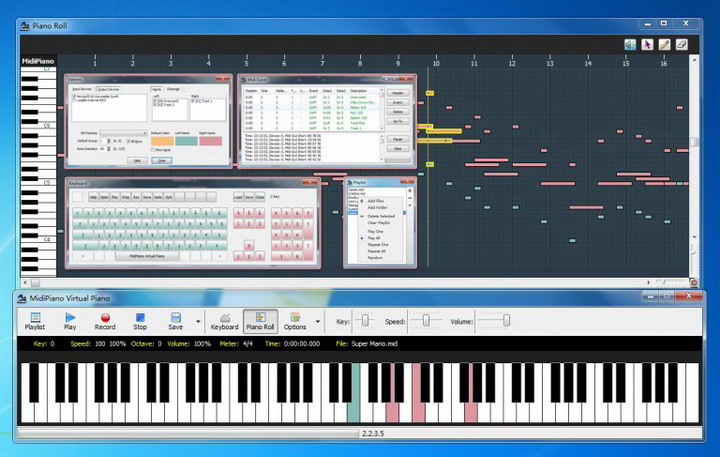
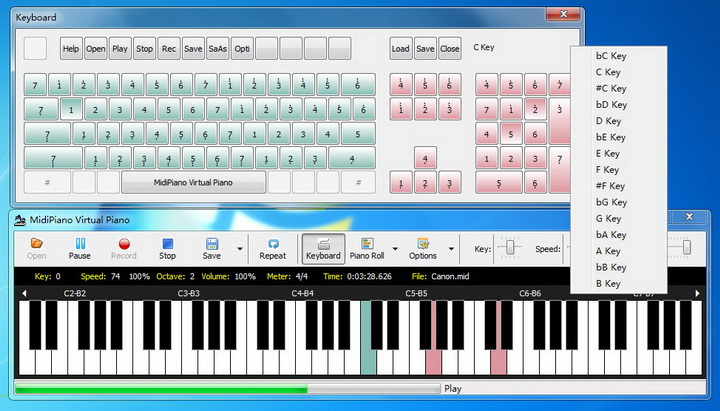
MidiPianosimulated pianois a MIDI file player, recorder and editor that allows you to create pianos quickly and easily. MidiPiano has many excellent educational features. As it plays a MIDI file, the piano keys light up, color-coded according to which hand is playing, while a useful and intuitive "piano roll" graphically displays the music.
Performance can also be slowed down to aid your learning, and the hands can be muted individually. You can also record a performance and save it as a MIDI file, using MidiPiano as an introduction to MIDI sequencing.
MidiPiano is a software that simulates piano playing by playing MIDI files. You can adjust the playback speed, change the pitch, etc. at any time. You can also set the color and mute of the left and right keys (requires file track support), so that you can quickly and easily learn piano playing. At the same time, you can also record your playing at any time and save it as a standard MIDI file for later editing and production. In the "Piano Roll" interface, there is an intuitive graphical display of notes and supports simple editing functions.
MidiPiano analog piano official introduction
MidiPiano is a small application that turns your keyboard into a piano. Play and record music in Midi format. When you open MidiPiano, you'll see a "virtual keyboard" with a piano roll window that displays what you've recorded and lets you edit it as well. It's not a full-blown recording application or anything like that, but for beginners looking for an inexpensive way to play piano keyboards, MidiPiano is very good.
The main problem with MidiPiano is that it's not easy to edit the keyboard layout, and the midi editor isn't as user-friendly. The midi sequencer Piano Roll should be easier to edit - deleting wrong notes is easy, but adding new ones is not so easy!
If you want to turn your keyboard into a simple synthesized piano, MidiPiano will get the job done. With some practice, it's not too difficult to play and is a good basic introduction to the world of music production apps.
MidiPiano (virtual piano) features
Play and record MIDI files using a virtual keyboard.
Edit MIDI files using Visual Piano Roll.
Up to 128 MIDI IN/MIDI OUT devices can work in dual harnesses.
Colorful keys represent different tracks simulating left and right hands.
Customize keyboard layout.
Supports multiple languages.
MidiPiano simulated piano installation tutorial
1. Download MidiPiano simulated piano directly from this page, unzip and run it. As follows:
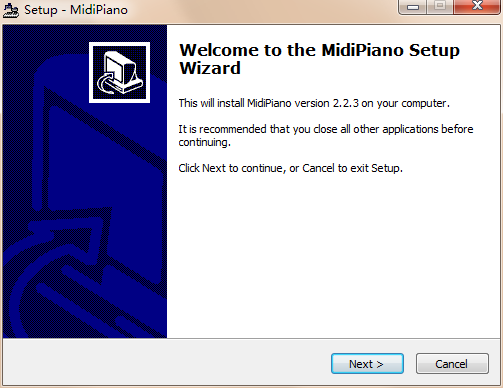
2. You need to select [netx] here
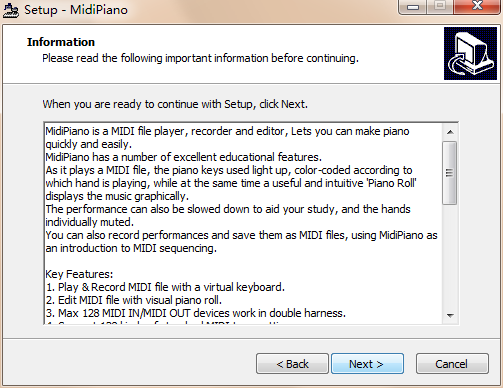
3. Here you can select the installation directory of MidiPiano simulated piano files and click [next]
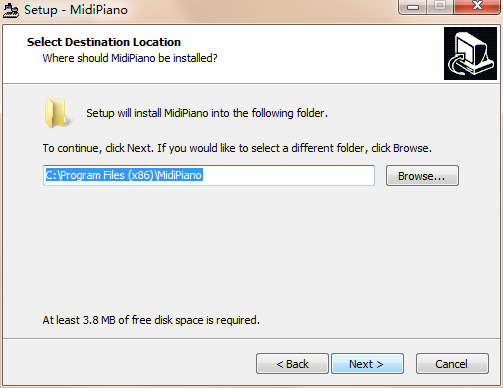
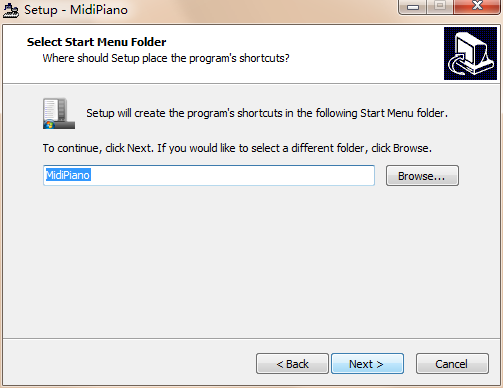
4. You can choose whether to attach the software icon to the start menu bar.
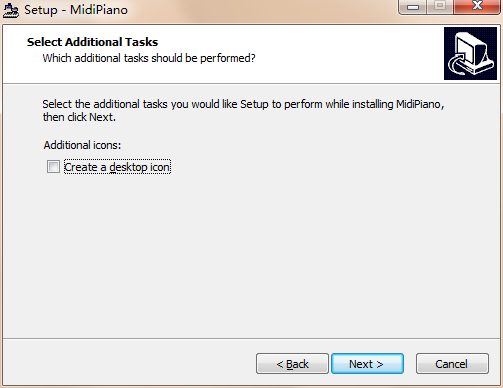
5. Whether to create a desktop shortcut so that it can be opened next time. It is recommended to check the box and click [next]
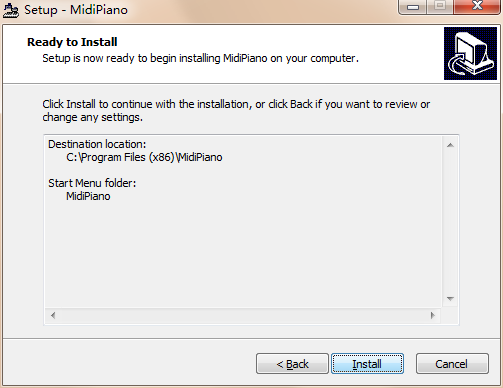
6. Confirm the installation information and click [Install]
7. Update function, you can directly skip [next]

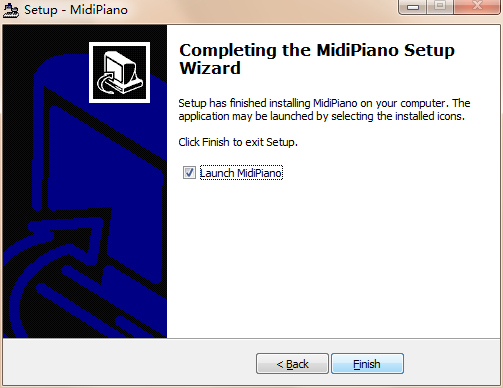
8. Whether to run MidiPiano simulated piano directly, check the box and [Finish]
MidiPiano Analog Piano Instructions
Folders and files:
-
| --Midi This folder contains some demo midi files of MidiPiano.exe
| --Layout This folder contains some "custom keyboard" configuration files.
--zh_CH.lng This is a Chinese language file, which contains English.
--MidiPiano.chm MidiPiano.exe help file, F1 displays it.
--MidiPiano.exe MidiPiano application.
--Readme.txt Hum...looks like...a text file.
MidiPiano analog piano FAQ
How to uninstall?
1. In [Start]】Find [All Programs] in the menu bar

2. Find the [MidiPiano] file and open it

3. Click the red box to start uninstalling directly.

4. Select [Yes] to start uninstallation

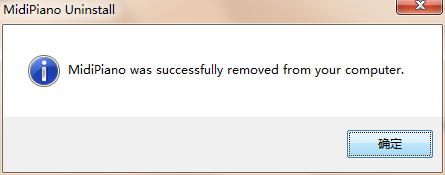
5. Uninstallation successful, [Confirm]
Comparison of electric piano and MIDI keyboard
Advantages of electric piano:
1. The electric piano has many timbres and rhythms to choose from, and can also be easily transposed. This is very convenient and practical especially for people who are not very good at piano playing, and it also greatly enhances its entertainment.
2. The electric piano can also be practiced with headphones. This means that beginners, music lovers who want to express their feelings in the middle of the night, and professionals who have a sudden burst of inspiration no longer have to worry about disturbing others.
3. The electric piano has a MIDI interface, which can be easily connected to the computer, which also expands the functions of the electric piano.
MIDI keyboard advantages:
1. Professional MIDI keyboard. The MIDI control system on it is very comprehensive and complex, and each function has independent buttons to operate. The control performance is much better than that of electric steel.
2. In addition, the sound control of a professional MIDI keyboard should be more powerful than that of an electric piano. There is also the phenomenon of low-end electric pianos having a low number of voices (32 polyphonic voices).
MidiPiano (virtual piano) update log
1. Add playlist.
2. Update the help file.
Huajun editor recommends:
The editor guarantees that as long as you use MidiPiano (virtual piano), if you don't like it, you can come and hit me! The editor has also prepared music creation master DX, Adobe Audition CC, and CD to MP3 format converter for you.
Version: 2.2.7098.12373 | Update time: 2024-12-23
Similar recommendations






Latest updates



How to delete history in Video Pioneer? -How to delete history records by Video Pioneer
How to set the skin for Video Pioneer? -How to set skin for Video Pioneer
How to upgrade software in 360 Software Manager? -How to upgrade software in 360 Software Manager
How to draw a lottery in 360 Software Butler - How to draw a lottery in 360 Software Butler
MidiPiano (Virtual Piano) Review
-
1st floor Huajun netizen 2022-03-31 02:35:06MidiPiano (virtual piano) is very useful, thank you! !
-
2nd floor Huajun netizen 2022-03-06 13:04:19The interface design of MidiPiano (virtual piano) is easy to use and has rich functions. I highly recommend it!
-
3rd floor Huajun netizen 2022-02-17 12:18:51MidiPiano (virtual piano) is awesome! 100 million likes! ! !
Recommended products
-

Music Dreamer Ukulele Music Notation Free Software
-

iDreamPiano piano simulation
-

music production master
-
Computer keyboard piano software (piano playing games)
-
MidiPiano (Virtual Piano)
-

EOP simplified musical notation master
-

Music Dreamer All-Purpose Simplified Notation and Staff Composition Software 2016
-

Cubase5
-

LRC lyrics file converter
-

CuteMIDI musical notation composer (shared version)
- Diablo game tool collection
- Group purchasing software collection area
- p2p seed search artifact download-P2P seed search artifact special topic
- adobe software encyclopedia - adobe full range of software downloads - adobe software downloads
- Safe Internet Encyclopedia
- Browser PC version download-browser download collection
- Diablo 3 game collection
- Anxin Quote Software
- Which Key Wizard software is better? Key Wizard software collection




