
-
Smart Install Maker
- Size: 3.11M
- Language: Simplified Chinese
- Category: Installation and production
- System: win7 and above






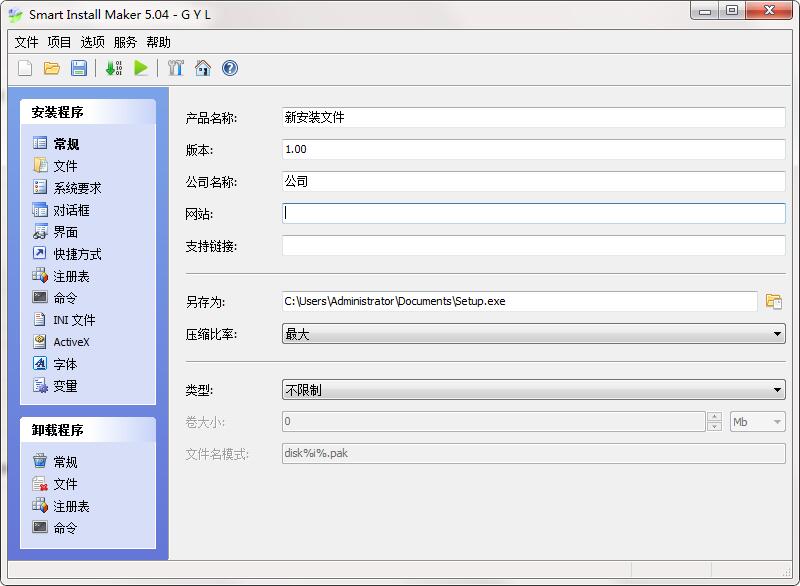
The official version of Smart Install Maker is a powerful installer interface creation software. Smart Install The latest version of Maker can create installation packages in minutes without any coding or scripting to save software deployment time. Smart Install Maker software can help users perform full-featured installations with uninstall control and feedback, access to registry keys, INI files, etc.

Smart Install Maker software introduction
Smart Install Maker is a software that creates packaged installers. Smart Install Maker is simple to use, easy to use, and fully functional. You can create a very professional installer without writing a line of code or script. It is especially suitable for novices who have never used an installer creation tool. Smart Install Maker is an installation program creation tool suitable for computer beginners. Smart Install Maker is simple to use, easy to use, and fully functional. You can create a very professional installer without writing a line of code or script. It is especially suitable for novices who have never used an installer creation tool. For those who are familiar with installers, this software can also speed up installer production. Moreover, the file header of the installation program produced by this tool is very small, which is very suitable for packaging small programs.
Smart Install Maker installation steps
1. Download the official version of Smart Install Maker installation package from Huajun Software Park. After unzipping, double-click the exe program to enter the installation wizard and click Next
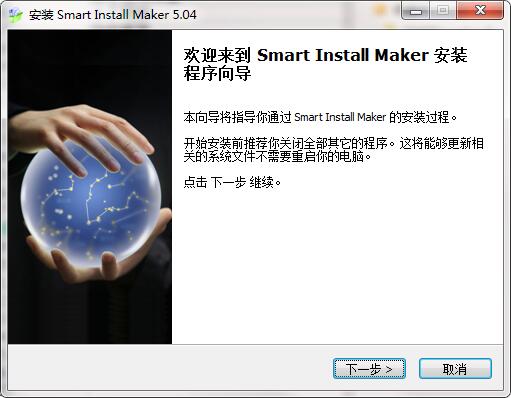
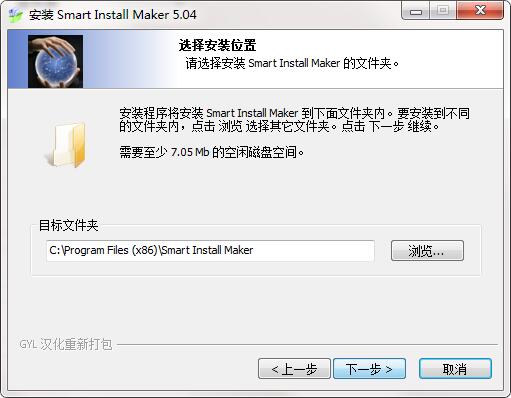
2. Click "Browse" to select the installation folder. Generally, it is installed on the C drive of the computer by default. It is recommended to install on the D drive. Click Next.
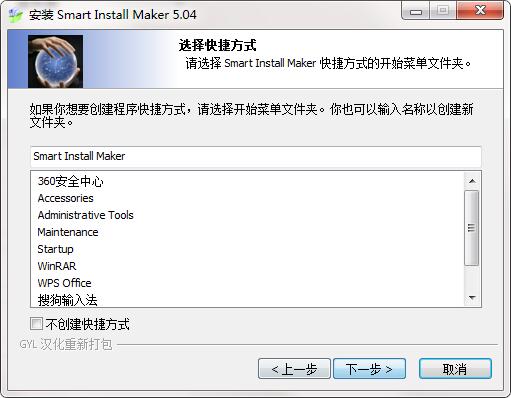
3. Select the shortcut and click Next
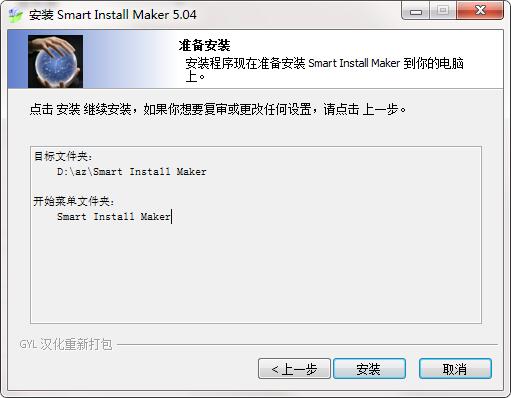
4. The installation program is ready, click Install
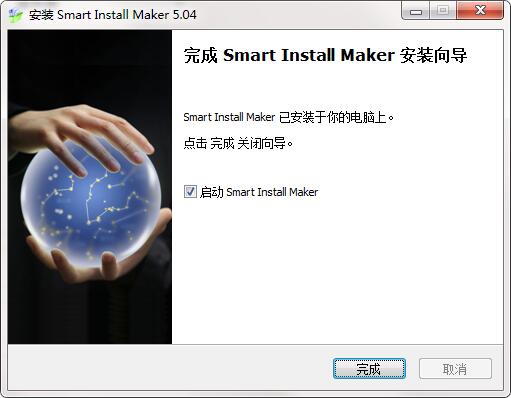
5.Smart Install Maker installation is complete, click Finish to exit the installation wizard
Smart Install Maker Instructions
1. Click the "New" button to create a new installer project. Set the general information first.
General information includes: product name, file version, company name, website link, support contact, save file location, file name, compression ratio and mode selection.
2. Add files
Supports two modes of adding files and folders. If you need to create an EXE installation package from the green version of the software, please use folder addition for more convenience.
3. Select the operating environment
You can only set up the software running environment, including windows 95/98/ne/XP/7/8/10, etc. Whether you need administrator rights or not, you need .NET environment support.
4. Settings dialog box: the installation steps seen during the installation process
Including: General, License/Information, Password, and Secure Installation Options
5. Installation interface
Supports setting the background, title, logo, language type, icon and other information of the installation interface
6. Shortcuts
When you select the "Shortcut" path, select "Start" and "Program Group", the path in the "Product Menu Group" in the "Dialog" option will take effect. If you don't want to create folders in "Start" and "Programs", you can delete the path in the "Product Menu Group" in the "Dialog" option.
7. Registration form
Insert "subkey" in the registry
8. Command
Select the files to be run after the program is installed, such as "registration files", etc. You can add multiple files and choose the order of execution. Generally, choose "after decompression" or "wait until the program is completed" to run the program to avoid errors caused by incomplete decompression of the files.
9. Other options
Others such as INI files, ActiveX, fonts, and variables are generally not used, but the following general, file, registry, and command options are used when uninstalling the program.
10. After the settings are completed, you can generate an independent file installation package in .exe format. Click the generate button on the toolbar of the Smart Install Maker program.
Smart Install Maker update log
1.Fix several bugs;
2. Optimize detailed issues;
Huajun editor recommends:
A very good installation and production, the editor also uses this software, it is powerful, green and safe. This site also provides appmaker, cc3d parameter adjustment software OpenPilot GCS, cc3d parameter adjustment software OpenPilot GCS, etc. for you to download.
Version: 5.04 official version | Update time: 2024-12-23
Similar recommendations






Latest updates




Smart Install Maker Review
-
1st floor Huajun netizen 2021-06-15 13:08:37The interface design of Smart Install Maker is very easy to use and has rich functions. I highly recommend it!
-
2nd floor Huajun netizen 2020-10-03 07:22:12Smart Install Maker is awesome! 100 million likes! ! !
-
3rd floor Huajun netizen 2009-09-20 14:45:15The overall feeling of Smart Install Maker is good and I am quite satisfied with it. The installation runs very smoothly! It went very smoothly following the installation step-by-step guide!
Recommended products






- Diablo game tool collection
- Group purchasing software collection area
- p2p seed search artifact download-P2P seed search artifact special topic
- adobe software encyclopedia - adobe full range of software downloads - adobe software downloads
- Safe Internet Encyclopedia
- Browser PC version download-browser download collection
- Diablo 3 game collection
- Anxin Quote Software
- Which Key Wizard software is better? Key Wizard software collection




