
-
wps office 2019 campus version
- Size: 248M
- Language: Simplified Chinese
- Category: Office software
- System: WinAll






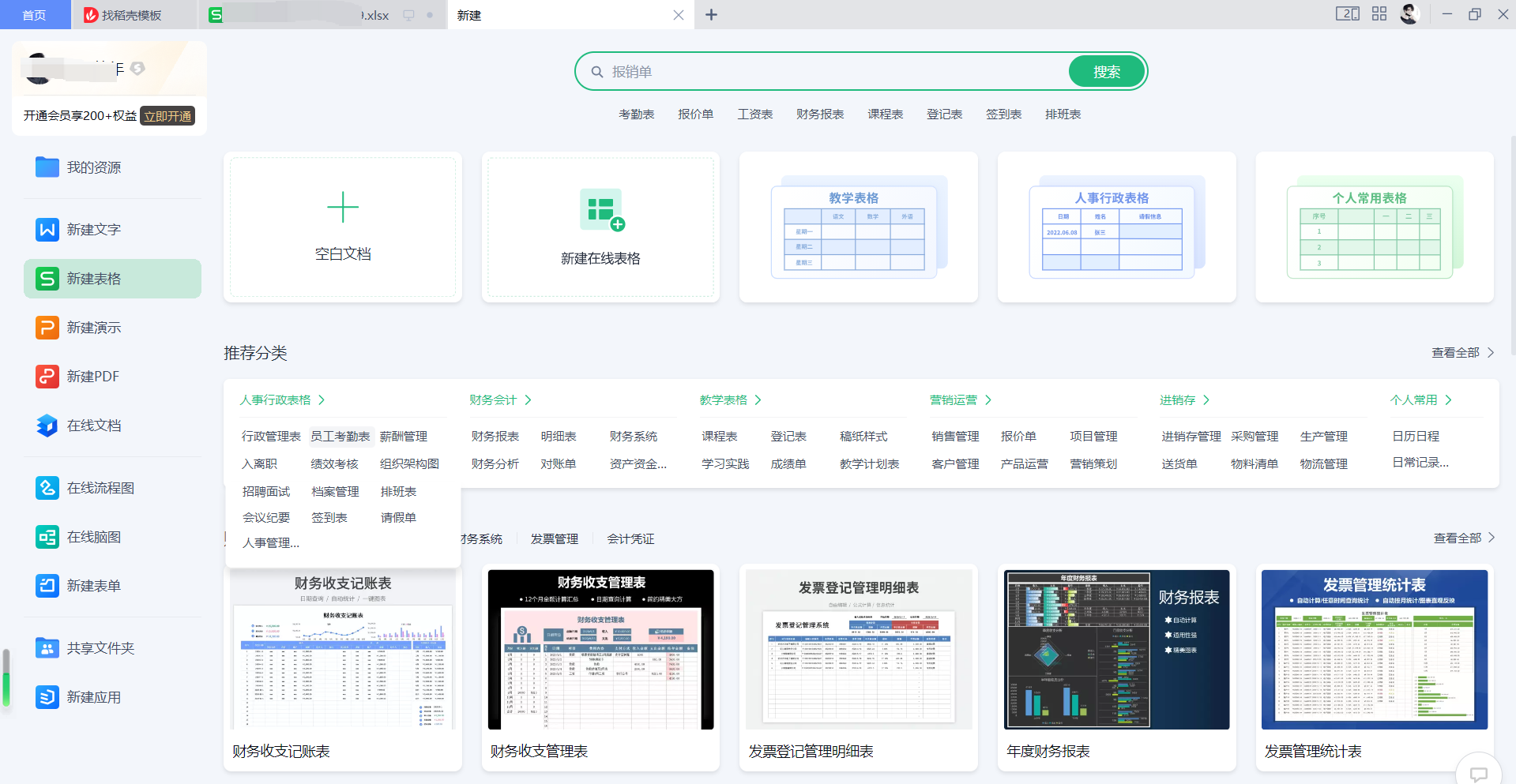

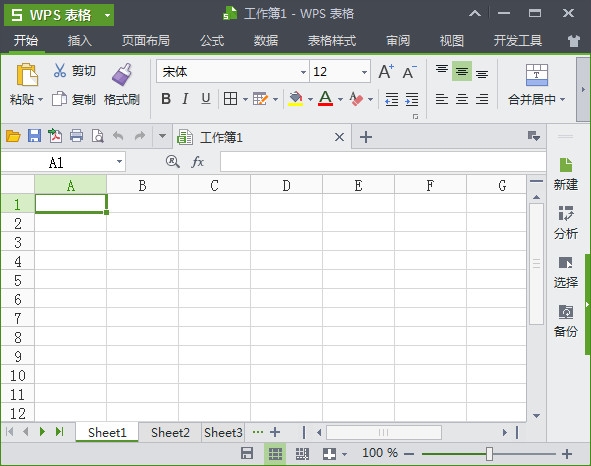

WPS Office Campus EditionIt is a software launched by Beijing Kingsoft Office Software Co., Ltd. specifically for campus teachers and students.office office software. WPSOfficeThe campus version has powerful functions. It integrates Word, Excel and PPT into one, and also addsPDF component. It is popular on campus for its low memory and fast response speed; andWPS OfficeThe campus version also provides many special scenes and functions for campus users! If you like it, come to Huajun Software Park to download and experience it!
Features of WPS Office Campus Edition software
Multi-component integration
It contains three core components: text (Word), table (Excel), and presentation (PPT), and supports the creation, editing, and viewing of common formats (such as .docx, .xlsx, and .pptx).
A new PDF component is added to support PDF reading, editing, format conversion (such as PDF to Word/Excel) and OCR text recognition to meet the needs of academic document processing.
Performance optimization
It has low memory usage, fast running speed, and the installation package is small in size (only a few hundred MB), making it suitable for devices with lower configurations.
It has strong compatibility and fully supports Office formats to avoid format confusion when editing across software.
Introduction to the functions of WPS Office Campus Edition
Collaboration sharing and cloud services
Real-time collaboration between multiple people and multiple terminals: Support team members to edit documents and tables simultaneously online, realize file distribution, statistics and summary, and improve teaching efficiency.
Cloud document team function: Create teams according to classes, clubs or campus categories to facilitate the storage and permission management of courseware, assignments and materials.
Cloud backup and security: Documents are automatically synchronized to the cloud, supporting historical version tracing and encrypted storage to ensure data security.
Professional drawing and formula tools
LaTeX formula editor: quickly generate high-quality mathematical formulas to meet the needs of scientific research and academic writing.
Geometric drawings and mind maps: built-in professional drawing tools to assist classroom teaching and structured learning.
Convenient campus tools
Paper plagiarism checking assistant: Multi-platform plagiarism checking, quickly locate repeated paragraphs and provide modification suggestions.
Resume Assistant and Defense Assistant: Provides a rich template library to generate professional resumes or defense frameworks with one click.
Conference function and mobile phone remote control: Support remote classroom synchronous playback, and mobile phone control of the lecture process to enhance the interactive experience.
Speech Recording: Automatically record classroom lecture content for easy organization and sharing.
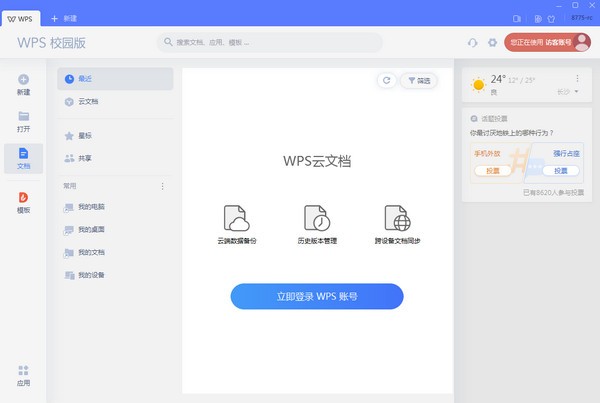
Features of WPS Office Campus Edition
Smart shortcut tools
Document translation and proofreading: supports multi-language word demarcation and word extraction, and intelligently identifies and corrects Chinese word errors.
PDF conversion and editing: Convert formats with one click, supporting text editing, adding watermarks, page cropping and other operations.
One-click beautification of PPT: automatically identify the document structure, match the beautification template, and improve the presentation effect.
Free resource library
Templates and materials: Provides a large number of educational templates (such as test papers, courseware, reports), copyrighted materials (pictures, icons, charts) and free cloud fonts (such as 107 Hanyi fonts).
Premium courses: Covering exam coaching (CET-4 and CET-6, accounting), workplace skills (communication, efficiency management), business management (investment, marketing) and other courses to help teachers and students improve their comprehensive abilities.
Advantages of WPS Office Campus EditionNo advertising interference: Compared with the personal version, the campus version removes ads and pop-ups, has a simple interface, and focuses on document editing.
Customized service: Optimize the function entrance for education users, such as setting up direct buttons such as "Quick Transfer", "Survey" and "Meeting" on the homepage to make the operation more convenient.
How to install WPS Office Campus Edition
1. Download the WPS Campus Edition 2019 version from Huajun Software Park, unzip it, open the exe file, and enter the installation wizard
2. Check "I have read and agree to the Kingsoft Office Software License Agreement and Privacy Policy"
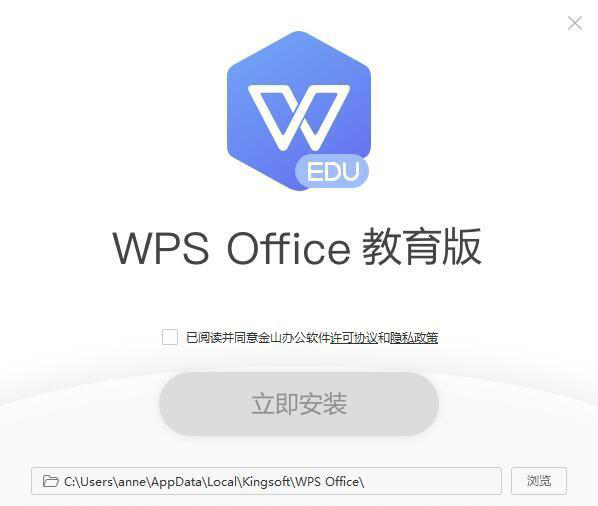
3. Select the installation location of WPS Education Edition 2019. The default is "C:UsersanneAppDataLocalKingsoftWPS" Office", you can click Browse Options to modify
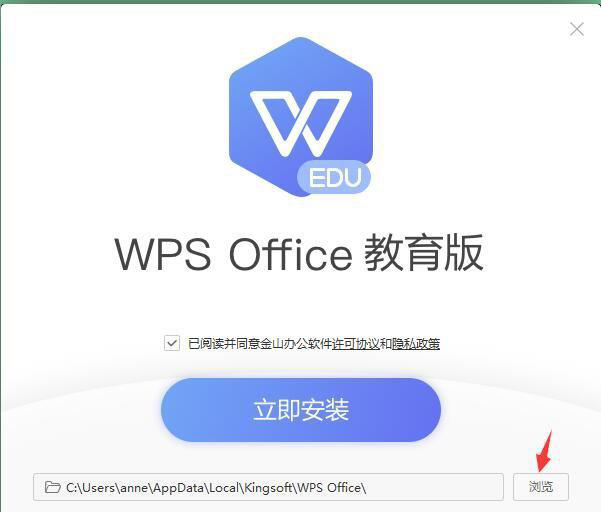
4. Check off the options you don’t need and select the ones you need.
5. Click "Install Now"
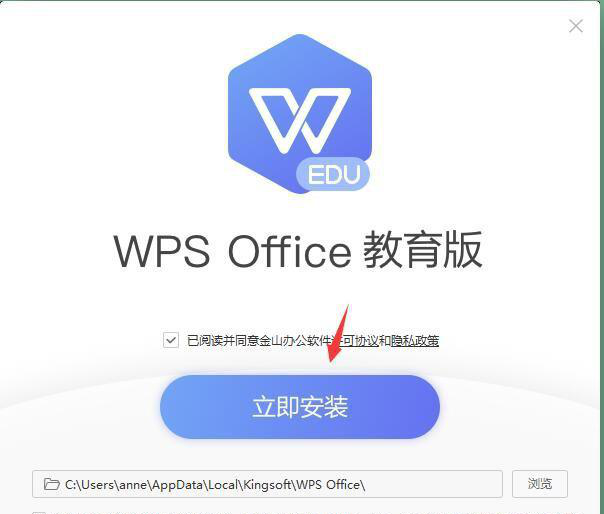
6. Installation is in progress, please wait patiently.
7. After the installation is complete, start using WPS Office Education Edition!
Installation summary: First download WPS from this site For the Office Campus Edition software installation package, unzip it and open the exe file to enter the installation wizard. Follow the steps to install according to the prompts. During installation, you can choose the default installation location or customize the installation location. After checking the corresponding shortcut, enter the installation program. After a short wait, the installation will be completed and enjoy this software.
WPS Office Campus Edition Frequently Asked Questions
1.Is WPS Office Campus Edition free?
The WPS campus version for personal use is a permanently free software. If you encounter charges during installation or use, please download the genuine version again.
2.What is the difference between WPS Office Campus Edition and Personal Edition? Which one is better to use?
The campus version eliminates some functions that students cannot use, but adds many special features specially developed for teachers and students. Therefore, the campus version and the personal version have their own characteristics, and the campus version takes up less memory and runs faster.
Wps office 2019 campus version update log:
1. Fixed BUG, the new version has a better experience
2. Some pages have been changed
Huajun editor recommends:
WPS Office 2019 Campus Edition software is a software with excellent performance. It is obvious to all. Huajun Software Park also has Hanwang Attendance Management System, Aimo Brain Map, Batch Butler and other related software that are definitely worth downloading and using. Come and choose your favorite!
Version: 12.1.0.23125 | Update time: 2025-11-27
Similar recommendations






Latest updates





Tips for setting up text paper in WPS Office 2019 How to set up text paper in WPS Office 2019?
How to turn off ads in Wps office 2019? How to turn off ads in Wps office 2019
How to show the hidden ribbon in WPS Office 2019? How to show the hidden ribbon in WPS Office 2019
How to use WPS 2019 mail merge - How to use WPS 2019 mail merge
How to install WPS office 2019 campus version-WPS office 2019 installation method
Wps office 2019 campus version review
-
1st floor Huajun netizen 2022-03-28 12:23:33The wps office 2019 campus version is very easy to use, thank you! !
-
2nd floor Huajun netizen 2022-03-05 01:54:13The interface design of wps office 2019 campus version is easy to use and has rich functions. I highly recommend it!
-
3rd floor Huajun netizen 2021-11-21 18:10:29The wps office 2019 campus version software is very easy to use, the download speed is very fast, and it is very convenient!
Recommended products









- Diablo game tool collection
- Group purchasing software collection area
- p2p seed search artifact download-P2P seed search artifact special topic
- adobe software encyclopedia - adobe full range of software downloads - adobe software downloads
- Safe Internet Encyclopedia
- Browser PC version download-browser download collection
- Diablo 3 game collection
- Anxin Quote Software
- Which Key Wizard software is better? Key Wizard software collection




