
-
OKPlus
- Size: 3.69M
- Language: Simplified Chinese
- Category: Assisted design
- System: WinAll






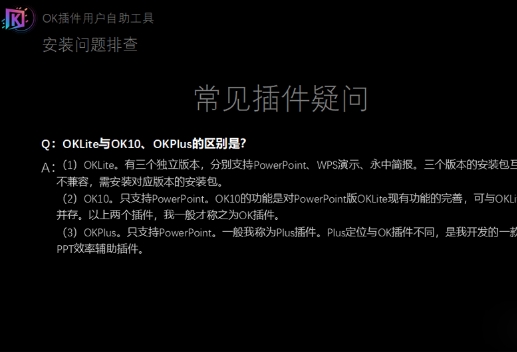
OKPlus is a PPT efficiency plug-in independently developed by "Just for Design". It is not an upgraded version of the OK plug-in, but exists as an independent plug-in that can coexist with the OK plug-in. With its simple operation interface and powerful functional features, it provides great convenience for PPT designers. Whether it is to quickly insert and copy elements, or batch crop and adjust formats, OKPlus can help designers complete PPT design work more efficiently. At the same time, although support for WPS is limited, plug-in developers still provide corresponding solutions to meet the needs of more users. Friends who like OKPlus, come to Huajun Software Park to download and experience it!
OKPlus Highlights
Quickly insert a small shape: directly click the [Shape] button to quickly insert a small shape into the PPT.
Full-screen shape insertion: Hold down the Ctrl key and click the [Shape] button to insert a full-screen shape, which is very convenient to operate.
OKPlus Features
Copy in situ: After selecting the element in the PPT, click the [Replied] button directly to copy the element in situ. This function is very commonly used in PPT design and can be displayed and verified through the [pane] function.
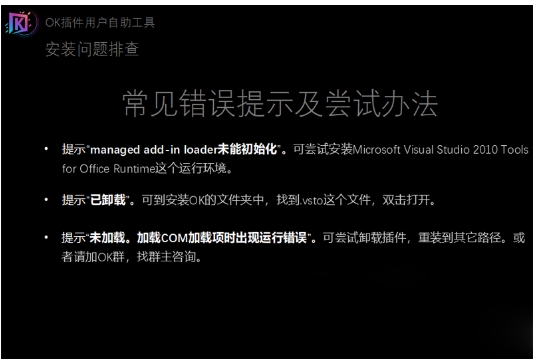
OKPlus features
Batch cropping of elements that exceed the page: When designing PPT, it is often encountered that the elements in the page exceed the boundary. At this time, select the elements that exceed the page and click the [Crop] button to batch crop these excess parts, which greatly improves the adjustment efficiency of PPT.
More convenient format brushing: The format brushing function provided by OKPlus is more convenient than the one provided by PPT. First select the initial tool element and press the Ctrl key to read its format (including color, effects, etc.). Then, select the elements that need to be formatted and click the [Grid] button to reset the format of these elements in batches.
Size reset function: Select the initial tool element and press the Ctrl key to read its size. Then, select the elements that need to be resized, and then click the [Size] button to quickly adjust the size of these elements to be consistent with the original elements.
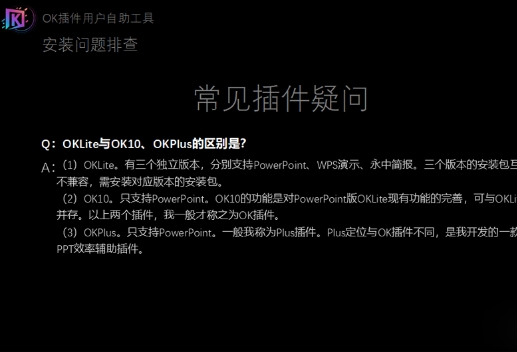
OKPlus FAQ
Q: What systems or software does OKPlus support?
A: OKPlus only supports the Windows version of PowerPoint and does not support Mac systems and WPS (but provides limited WPS compatibility features, see below for details).
Q: How to use specific functions of OKPlus in WPS?
A: If you want to use OKPlus' image coloring, image transparency and other functions in WPS, users need to install the plug-in, import the provided reg file, and reopen WPS to display and use these functions in WPS.
OKPlus update log:
1. Fixed other bugs;
2. Optimized software compatibility.
Huajun editor recommends:
OKPlus has always been the most commonly used software by most netizens. Huajun Software Park also has Jinding, Batch Butler, and Cloud Machine Manager, which are also very popular software among netizens. You can download it from Huajun Software Park!
Version: 11.0 | Update time: 2025-03-11
Similar recommendations




Latest updates




OKPlus Review
Recommended products








- Diablo game tool collection
- Group purchasing software collection area
- p2p seed search artifact download-P2P seed search artifact special topic
- adobe software encyclopedia - adobe full range of software downloads - adobe software downloads
- Safe Internet Encyclopedia
- Browser PC version download-browser download collection
- Diablo 3 game collection
- Anxin Quote Software
- Which Key Wizard software is better? Key Wizard software collection




