
-
StartAI
- Size: 13.14MBM
- Language: Simplified Chinese
- Category: Assisted design
- System: Win






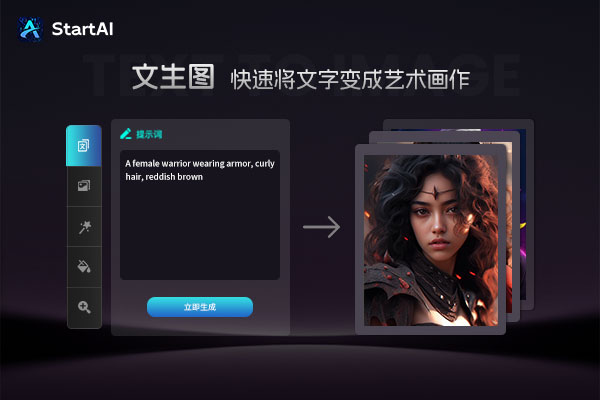
StartAIIt is based on the StartAI seriesPhotoshopA PS plug-in designed to help designers quicklyProcess images, while inspiring design inspiration. StartAI V1.0, as the latest version, provides a simple operation interface and rich and practical AI functions. On the main interface, users can find key parts such as the drawing engine, AI functions, targets, prompt words, generation size and advanced settings, as well as the generation results display. The AI function is StartAI The main functions of PS plug-in V1.0 include Vincentian drawings, generating similar drawings, partial redrawing, line drawing coloring, drawing expansion, and lossless enlargement. In addition, StartAIV1.0 provides detailed usage tutorials and FAQs to help novice users get started faster and solve problems encountered. Huajun Software Park provides you with free download of StartAI. Friends who like StartAI come to Huajun Software Park to download and experience it!
Software features
AI-driven efficient creation
Wenshengtu/Tushengtu: Generate diversified creative designs through text descriptions or reference images, and support one-click switching of 100+ style templates.
Intelligent cutout and scene fusion: automatically identify the edges of objects (such as hair, glass), achieve seamless background replacement, and avoid the "mapped feeling".
Free adjustment of parameters: Supports fine-tuning of 20+ details such as transparency, size, angle, etc., adapting to the needs of multiple scenarios such as e-commerce and advertising.
Seamless compatibility and convenient operation
Cross-platform support: Compatible with lower versions of Photoshop (CC2015+), no additional Chinese language package required.
Linkage between independent program and plug-in: StartAI can be run independently or quickly called through "Help > Plug-in" in the Photoshop menu bar.
Software function
Image generation and editing
Vincent Picture: Enter English prompt words (such as "cyberpunk city, neon lights") to generate high-definition creative images.
Generate similar images: Generate variants with similar styles based on selected content to quickly expand the design material library.
Partial redrawing: Select image areas (such as replacing product backgrounds, modifying character clothing), and AI accurately redraws details.
Drawing aid
Line drawing coloring: Automatically recognize hand-drawn lines and fill in colors based on prompt words (such as "watercolor style, pastel tones").
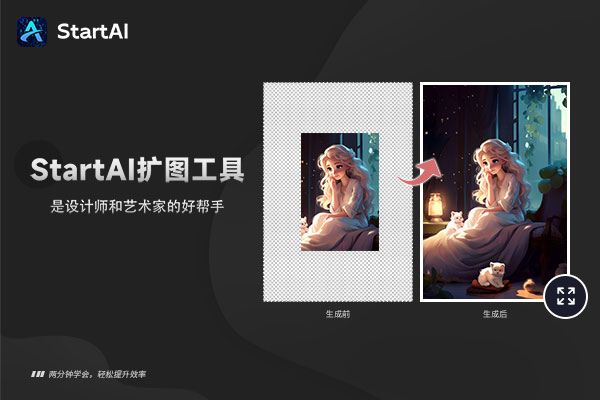
Image expansion and lossless enlargement: Intelligently expand the edges of the canvas or enlarge the image to 4K resolution to keep details clear.
Professional photo editing
HD Repair: Repair scratches and blurs in old photos and restore image texture.
Art fusion: Mix multiple art styles (such as oil painting + ink painting) to create unique visual effects.
Smart Erase: Remove excess objects with one click and automatically fill in the background.
E-commerce optimization
Product refinement: Automatically identify product outlines, adjust light, shadow, and color to enhance visual appeal.
Migration of all things: Intelligently matches the light, shadow/hue of objects and the background to achieve seamless synthesis across scenes.
FAQ
Image processing issues
Problem: Uploading artwork times out.
Solution: Check the size of the artwork (recommended <20MB), optimize the network connection; retransmit or replace the image.
Problem: Blurry appears after enlarging the image.
Solution: Select "HD Magnification" mode, or adjust the "Redraw Amplitude" parameter to enhance details.
StartAI update log:
Win "StartAI" v0.19.0 version update instructions:
【Optimize content】
1. V3 adds advanced image editing and dissolving function
2. New daily points bonus
3. Fix known bugs
Huajun editor recommends:
StartAI is a widely used and powerful free auxiliary design. The latest version of StartAI has received unanimous praise from many netizens. It is strongly recommended that everyone download and use it. In addition, vect2000 vectorization software, Jingo, and .NET are recommended for everyone to download and use.
Version: 0.19.0 | Update time: 2025-10-23
Similar recommendations




Latest updates





How to create a folder on Thunder Cloud Disk - How to create a folder on Thunder Cloud Disk
How to take screenshots in Video Pioneer? -How to take screenshots in Video Pioneer
Stickman War Legacy web version entrance-Stickman War Legacy online play
How does kimi generate PPT? -Kimi’s operation process for generating PPT
Peace Elite instant play entrance-Peace Elite web version online play entrance without login
StartAI Review
-
1st floor Huajun netizen 2023-10-17 14:51:15StartAI is very useful, thank you! !
-
2nd floor Huajun netizen 2023-10-03 21:59:38StartAI is awesome! 100 million likes! ! !
-
3rd floor Huajun netizen 2023-10-09 18:43:31StartAI is not bad, the download is very fast, I give you a good review!
Recommended products








- Diablo game tool collection
- Group purchasing software collection area
- p2p seed search artifact download-P2P seed search artifact special topic
- adobe software encyclopedia - adobe full range of software downloads - adobe software downloads
- Safe Internet Encyclopedia
- Browser PC version download-browser download collection
- Diablo 3 game collection
- Anxin Quote Software
- Which Key Wizard software is better? Key Wizard software collection




