
-
YoXun time proofreading tool
- Size: 0.21M
- Language: Simplified Chinese
- Category: alarm clock
- System: win7 and above






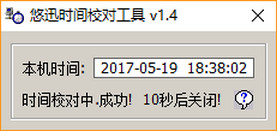
The official version of Youxun time proofreading tool is an excellent time proofreading software. The latest version of Youxun time correction tool is very suitable for users who often modify the computer time and the computer time is inaccurate (such as the motherboard battery is dead). The YoXun time correction tool mainly obtains the standard time from the Internet time server and synchronizes your computer with the standard time. The software error is small, about 2 seconds.
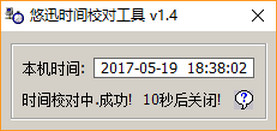
Introduction to Youxun time proofreading tool software
The interface of this software is very simple, and it is extremely simple to use. Users only need to open the software, and then the software will automatically correct the time and synchronize it with Beijing time, which satisfies the user's need to correct the time. The operation of the software is also very simple and fast. Users can perfectly control it even if they use it for the first time, and it takes up little space.
Features of YoXun time proofreading tool software
Principle: Get the standard time from the Internet time server and synchronize your computer with the standard time.
It is very suitable for users who often modify the computer time and the computer time is inaccurate (such as the motherboard battery is dead).
Advantages: The error is small, about 2 seconds.
YOSUN time proofreading tool installation steps
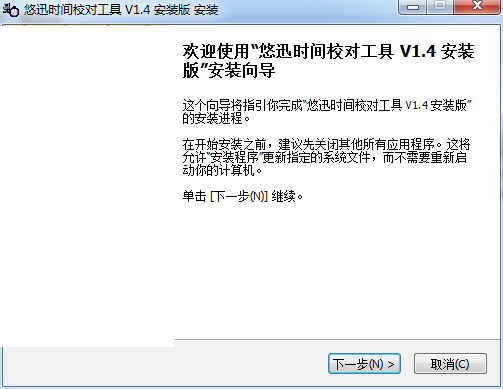
1. Download the Youxun Time Proofreading Tool installation package from Huajun Software Park, double-click the exe program to enter the installation wizard, and click Next
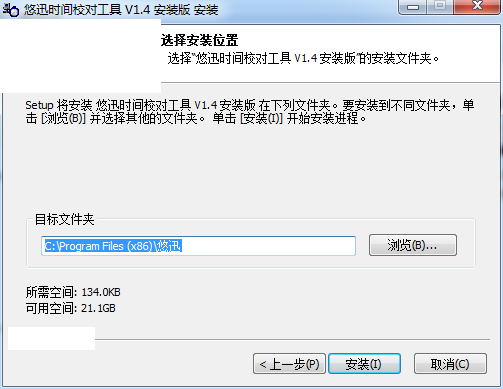
2. Click "Browse" to select the installation folder. Generally, it is installed on the C drive of your computer by default. When the installation program is ready, click Install
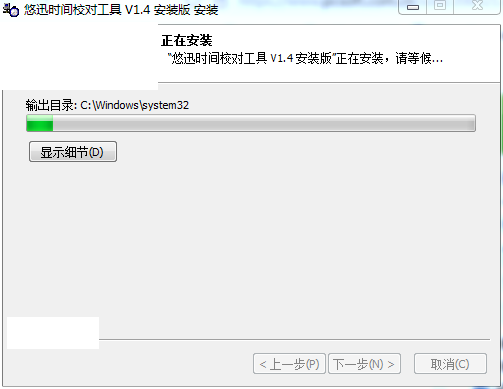
3. The software is being installed, please wait patiently.
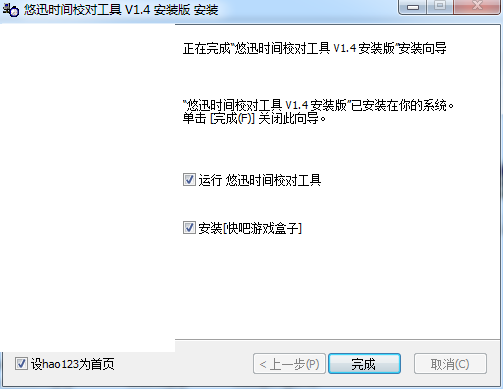
4. The installation is complete, click Finish to exit the installation wizard
YoXun time proofreading tool update log
1.Fix some bugs
2. Optimized some functions
Huajun editor recommends:
As a very good alarm clock software, the editor strongly recommends Youxun time correction tool to you. Once you download it, you will know how good it is. The editor has also prepared 99 desktop calendar, dark blue simple calendar, and cloud machine manager for you
Version: 1.4.0.0 official version | Update time: 2024-12-30
Similar recommendations





Latest updates



YoXun Time Proofreading Tool Review
Recommended products
-

365 Desktop Calendar
-

College entrance examination countdown timer
-

Mengchang alarm clock
-

Time proofreading software
-

Universal computer alarm clock
-

Heartfelt alarm clock
-

Red leaves automatic time adjustment
-

date calculator
-
Waterdrop computer alarm clock software
-
Debate timing software (Public Debate Timer)
- Diablo game tool collection
- Group purchasing software collection area
- p2p seed search artifact download-P2P seed search artifact special topic
- adobe software encyclopedia - adobe full range of software downloads - adobe software downloads
- Safe Internet Encyclopedia
- Browser PC version download-browser download collection
- Diablo 3 game collection
- Anxin Quote Software
- Which Key Wizard software is better? Key Wizard software collection




