
Hot search terms: 360 Security Guard Office365 360 browser WPS Office iQiyi Huawei Cloud Market Tencent Cloud Store
Hot search terms: 360 Security Guard Office365 360 browser WPS Office iQiyi Huawei Cloud Market Tencent Cloud Store
CAD software Storage size: 10 MB Time: 2005-12-28
Software introduction: sketchup sketch master is a new three-dimensional modeling software used in the field of architecture. The function of sketchup sketch master is very powerful...
There are many novices who don’t know how to import CAD in Sketchup Master? So the editor has brought a guide on how to import CAD in Sketchup Master. Friends who are interested can learn about it with me.
1. Open the sketchup software, enter the interface, and click "File" on the menu bar;
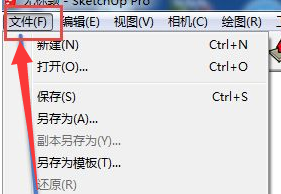
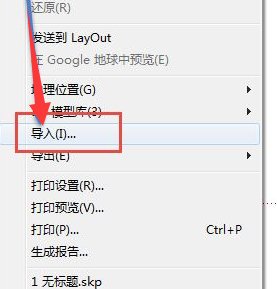
2. Click the “Import” option in the file;
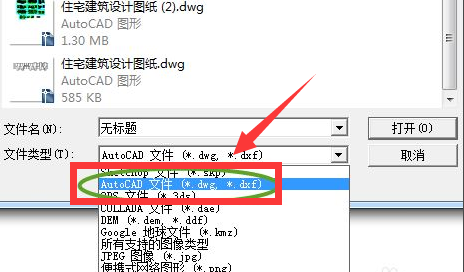
3. A file box will pop up. Select the CAD file to be imported, and select the file type as: AutoCA file (*.dwg, *.dxf);
4. Click "Options" again, select the unit as millimeters in the pop-up box, and check the two options for geometry, and click OK;
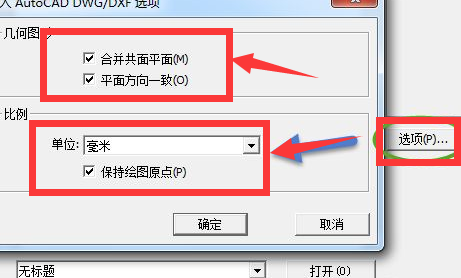
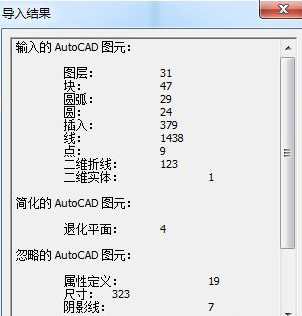
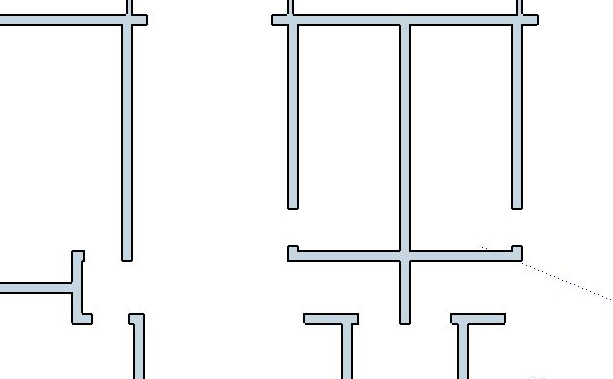
5. The import will start at this time. If the import is successful, an import result dialog box will be displayed. Just click Close and the content of the cad file just imported will be displayed on the canvas.
How to import sketchup model files:
1. Open a blank sketchup document canvas;
2. Click “File” in the upper left corner—“Import”;
3. Select the file to be imported and match the format selection! The file formats imported in Sketchup include: jpg format, skp format, png format, psd format, etc., which are also commonly used formats;
4. After confirmation, the imported model file will be displayed on the canvas!

 How to draw a lottery in 360 Software Butler - How to draw a lottery in 360 Software Butler
 Microsoft Edge browser
 Steam
Steam
 Tencent Video
 WPS Office
 iQiyi
iQiyi
 Sohu video player
 Lightning simulator
 MuMu emulator
 Eggman Party
 What to do if there is no sound after reinstalling the computer system - Driver Wizard Tutorial
 How to switch accounts in WPS Office 2019-How to switch accounts in WPS Office 2019
 How to clear the cache of Google Chrome - How to clear the cache of Google Chrome
 How to fire bullets in scratch-How to fire bullets in scratch


