Hot search terms: 360 Security Guard Office365 360 browser WPS Office iQiyi Huawei Cloud Market Tencent Cloud Store
Hot search terms: 360 Security Guard Office365 360 browser WPS Office iQiyi Huawei Cloud Market Tencent Cloud Store
CAD software Storage size: 10 MB Time: 2005-12-28
Software introduction: sketchup sketch master is a new three-dimensional modeling software used in the field of architecture. The function of sketchup sketch master is very powerful...
Many netizens use SketchUp Architectural Sketch Master but cannot extract partial blocks, so the following editor will share the operation process of SketchUp Architectural Sketch Master to extract partial blocks. I believe it will definitely help you.
Open the material model and find the blocks that need to be extracted in the model. Generally, model blocks are grouped, so multiple selections are required.
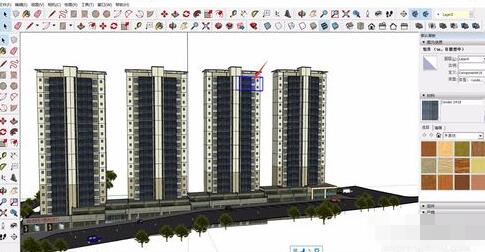
We can press the "Ctrl" key and click on the model block we need to perform multiple selections and select all required models.
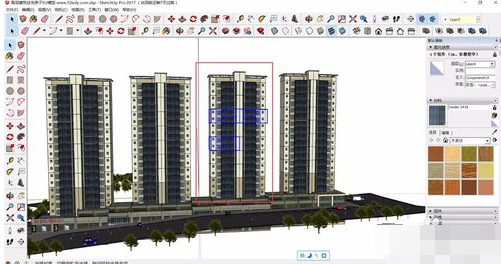
After selecting all parts, right-click the mouse and select "Create Group" in the pop-up menu bar to group the selected blocks to facilitate overall processing.
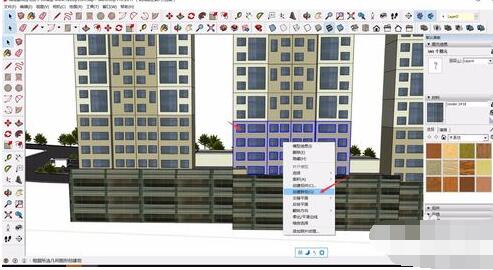
After grouping, you can directly select all the model blocks, and then press "Ctrl+C" to copy them as a whole.
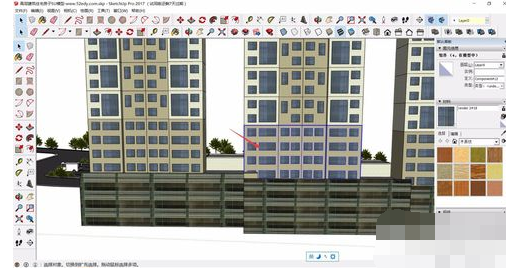
After completing the copy, we can return to the location where we need the body block and press Ctrl+V to execute the paste command, so that the copied body block will appear in the new model site.
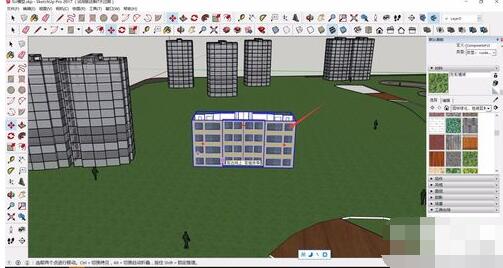
You can copy a small part of the block and then add it by overlapping to achieve the desired effect. However, be careful that directly copying a certain part may easily lead to gaps at the top of the building. Pay attention to check.
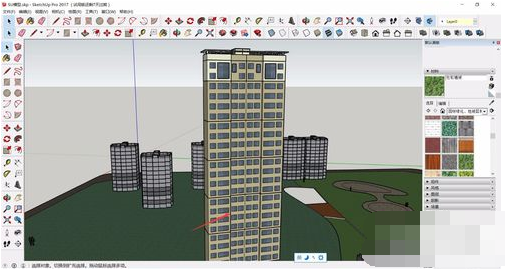
Above, I have shared with you the operation process of SketchUp Architectural Sketch Master to extract some blocks. Friends in need should hurry up and read this article.

 Microsoft Edge browser
 Steam
Steam
 Tencent Video
 WPS Office
 iQiyi
iQiyi
 Sohu video player
 Lightning simulator
 MuMu emulator
 Eggman Party
 What to do if there is no sound after reinstalling the computer system - Driver Wizard Tutorial
 How to switch accounts in WPS Office 2019-How to switch accounts in WPS Office 2019
 How to clear the cache of Google Chrome - How to clear the cache of Google Chrome
 How to fire bullets in scratch-How to fire bullets in scratch