
Hot search terms: 360 Security Guard Office365 360 browser WPS Office iQiyi Huawei Cloud Market Tencent Cloud Store
Hot search terms: 360 Security Guard Office365 360 browser WPS Office iQiyi Huawei Cloud Market Tencent Cloud Store

Text editing Storage size: 2.68MB Time: 2022-11-04
Software introduction: EditPlus is a powerful text editor that can replace Notepad and has unlimited Undo/Redo, English spell check,...
Recently, many friends have expressed that they still don’t know how to execute python code in EditPlus. So those friends who don’t know how to execute python code in EditPlus should quickly take a look at the steps of executing python code in EditPlus brought by the editor.
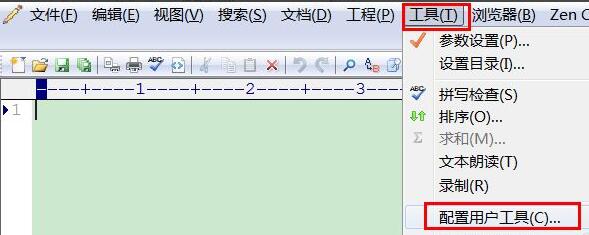
The first step is to open EditPlus, select "Tools" on the menu bar and select "Configure User Tools"
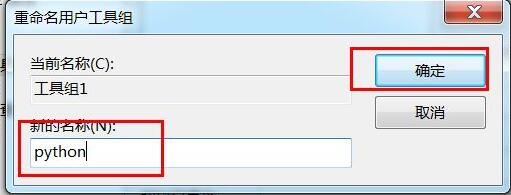
The second step is to modify the tool group name, open the parameter setting interface, click "Group Name" on the right, the name modification interface will pop up, enter the new group name, and click Confirm
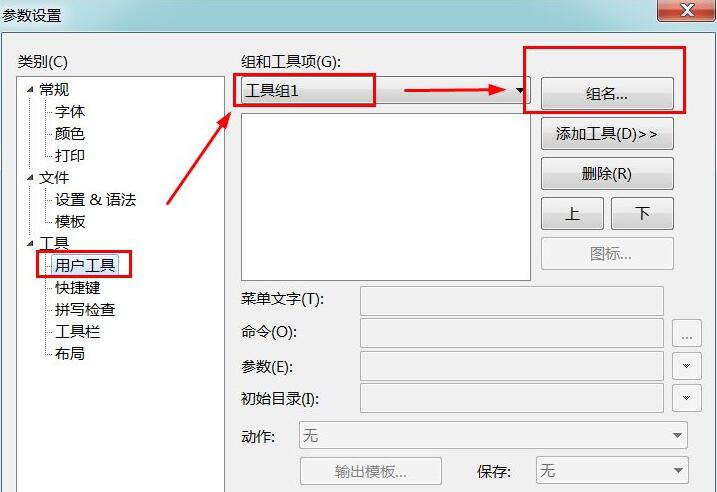
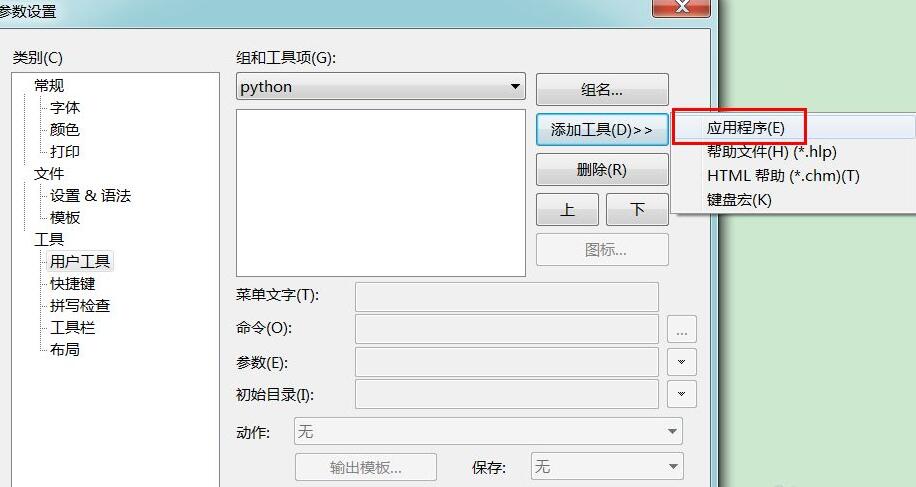
The third step is to add the running command body to the execution tool group. Click "Add Tool" on the right and select "Application". The menu text below becomes editable, and the command description is entered in the menu text.
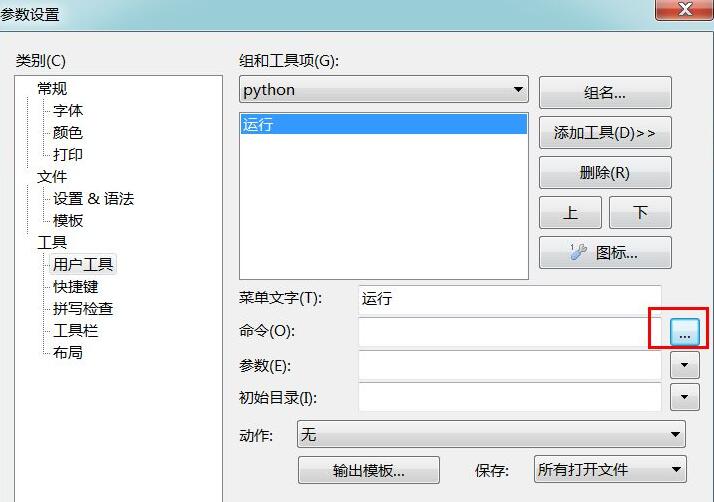
The fourth step is to select the command to be called, click the option after the command, a file command selection window will pop up, and find your python installation directory. My installation directory here is C:Python27python.exe
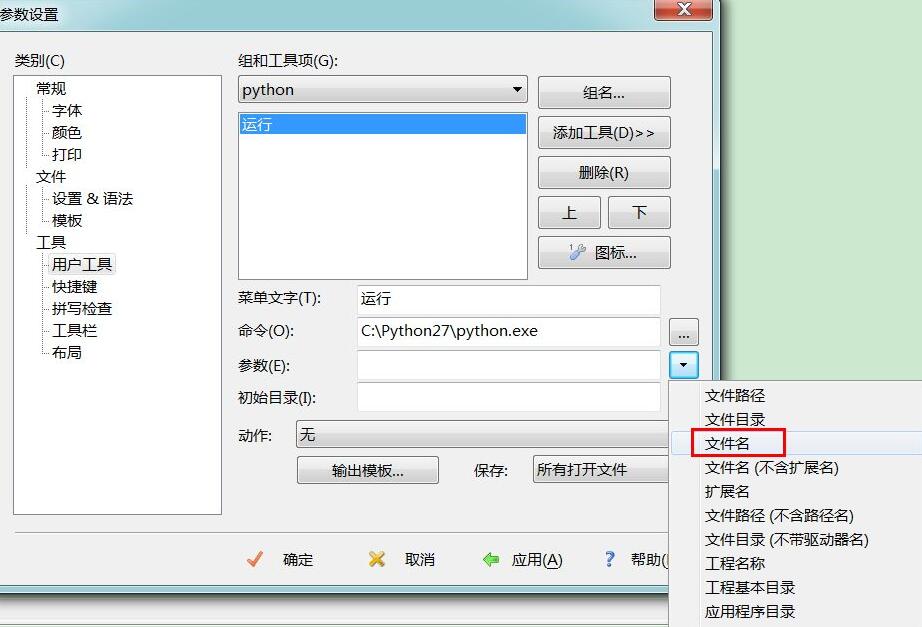
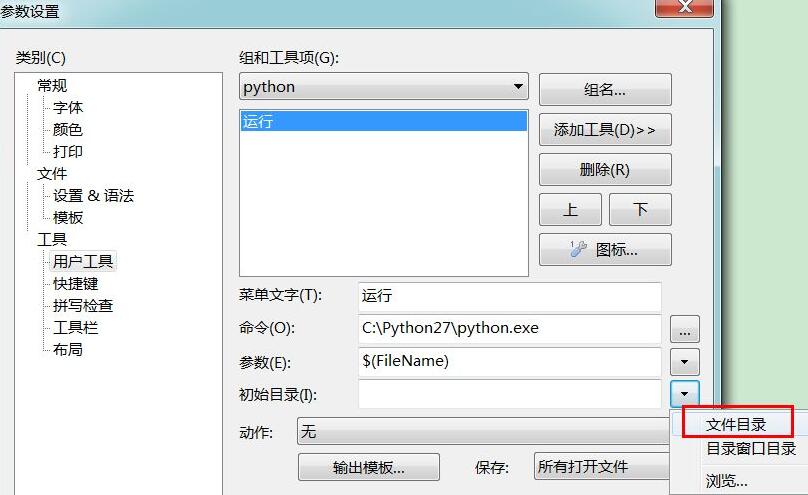
The fifth step is to select the file name as a parameter. You can also enter $(FileName). For the initial directory, select the file directory. You can also enter $(FileDir).
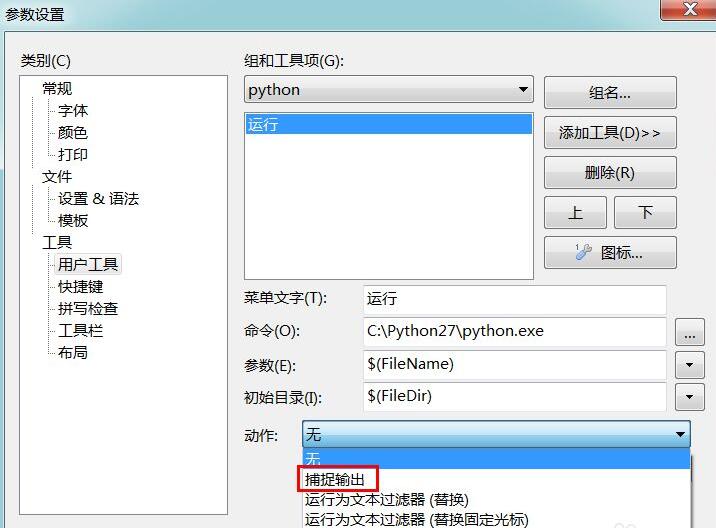
The sixth step is action output, select capture output. Select capture input, and your execution result information will be output on the editplus console. If you select None, a command window will pop up to display the execution results.
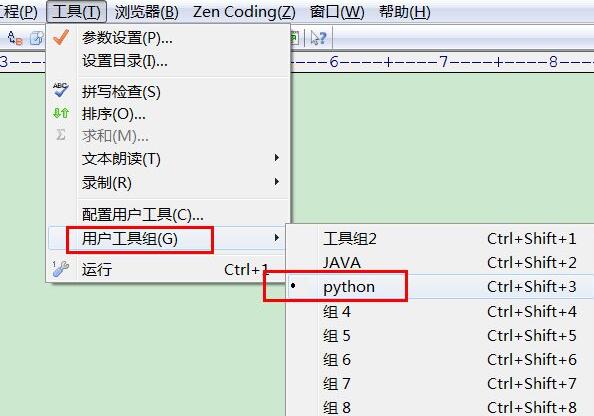
The seventh step is to click "Tools" on the menu bar, select "User Tool Group" and click on the "python" just added. The small black dot in front indicates the currently available operations.
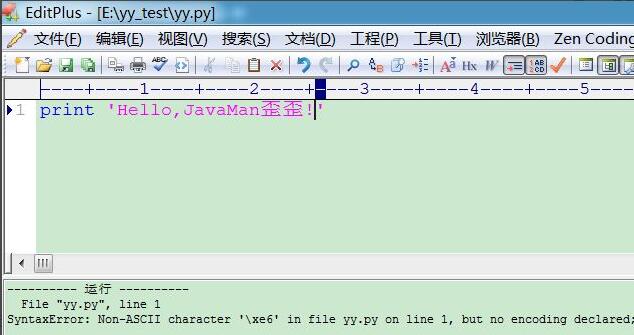
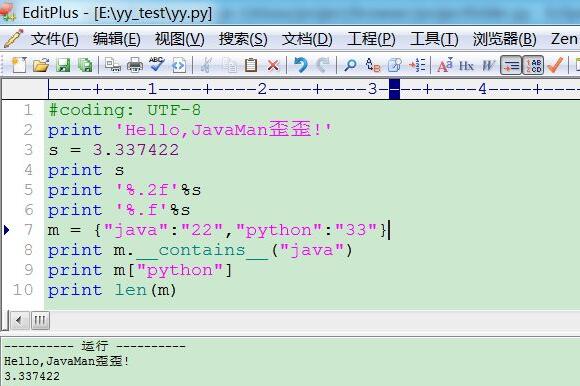
The eighth step is to create a new yy.py file, output Chinese, report a coding error, add #coding: UTF-8 at the top, and then test decimal precision retention and use map.
The above are the steps for executing python code in EditPlus brought by the editor. I hope it will be useful to everyone.

 How to upgrade software in 360 Software Manager? -How to upgrade software in 360 Software Manager
 Microsoft Edge browser
 Steam
Steam
 Tencent Video
 WPS Office
 iQiyi
iQiyi
 Sohu video player
 Lightning simulator
 MuMu emulator
 Eggman Party
 What to do if there is no sound after reinstalling the computer system - Driver Wizard Tutorial
 How to switch accounts in WPS Office 2019-How to switch accounts in WPS Office 2019
 How to clear the cache of Google Chrome - How to clear the cache of Google Chrome
 How to fire bullets in scratch-How to fire bullets in scratch


