
Hot search terms: 360 Security Guard Office365 360 browser WPS Office iQiyi Huawei Cloud Market Tencent Cloud Store
Hot search terms: 360 Security Guard Office365 360 browser WPS Office iQiyi Huawei Cloud Market Tencent Cloud Store

Firewall class Storage size: 20.14MB Time: 2021-05-15
Software introduction: The latest version of Rising Firewall is a powerful firewall tool. The official version of Rising Firewall supports safe search, attack interception, and Trojan blocking...
Maybe some friends are still not sure how to uninstall Rising Firewall? So today I will share with you how to uninstall Rising Firewall. Friends in need can come and take a look.
Method 1: Uninstall from Rising function options
1. Click the Start menu and find the "Repair Rising Firewall" option.
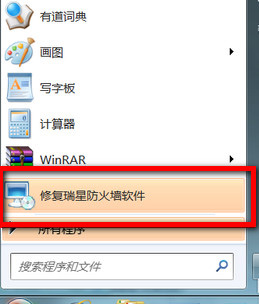
2. Start the program, and in the software world we choose to select the third "Uninstall" option.
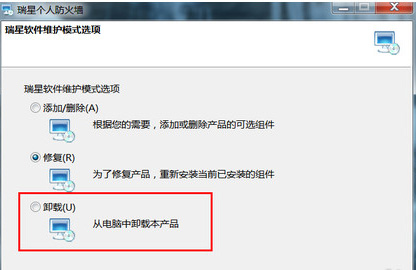
3. Click "Uninstall", then click Next. Next, enter the verification code.
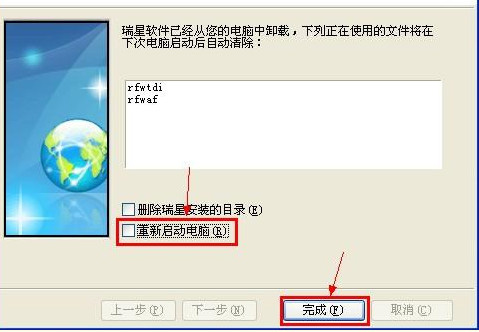
4. The uninstallation of Rising Firewall is completed. It is recommended to restart the computer to ensure that the residual information of the software is completely deleted.
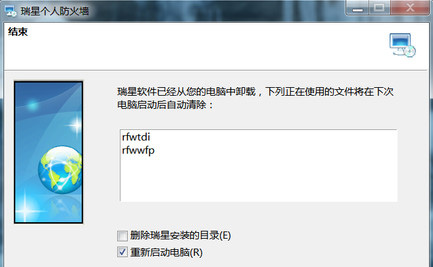
Method 2: Delete from the computer’s control panel
1. Click the "Start" menu and then select "Control Panel".
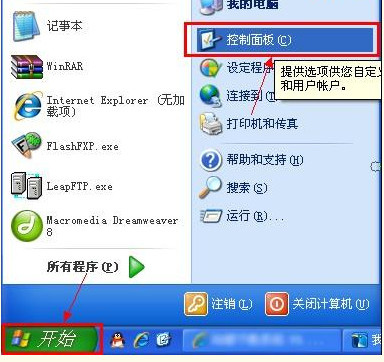
2. In the "Control Panel" window, click the "Add or Remove Programs" icon.
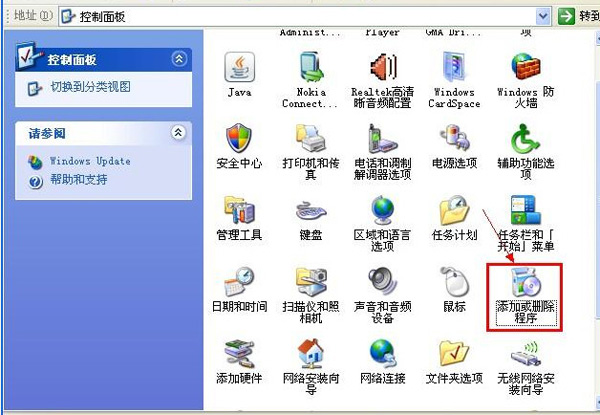
3. In the "Add or Remove Programs" window, find "Rising Personal Firewall" from the list on the right, and click the "Change/Remove" button.

4. Choose to uninstall
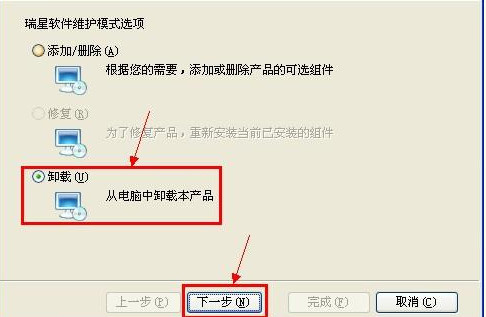
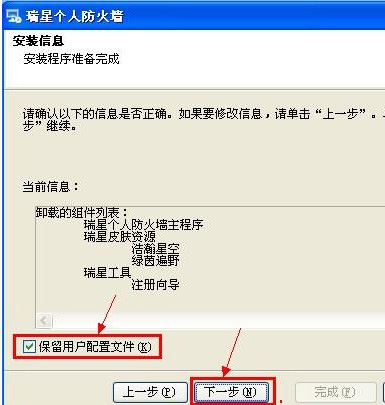
5. In the "Installation Information" window, determine whether the "Keep User Profile" item needs to be selected, and then click the "Next (N)" button.
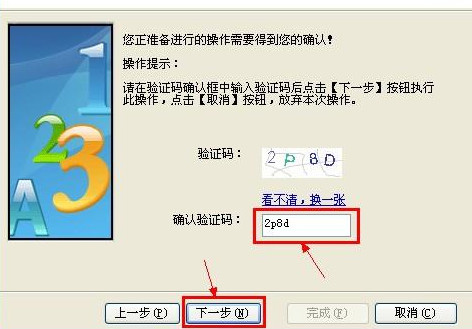
6. In the "Please enter verification code" window, enter the verification code, and then click the "Next (N)" button.
7. In the "Finish" window, it is recommended to uncheck "Restart Computer (R)" and then press the "Finish (F)" button. This completes the uninstallation operation of "Rising Personal Firewall".
The above is the operation method of uninstalling Rising Firewall shared by the editor. I hope it can help everyone.

 How to add background music in python-How to add background music in python
 How to configure environment variables in python - How to configure environment variables in python
 How to run python - How to run python
 How to create a project in python - How to create a project in python
 How to make a blue sky background with scratch-How to make a blue sky background with scratch
 Microsoft Edge browser
 Steam
Steam
 Tencent Video
 WPS Office
 iQiyi
iQiyi
 Sohu video player
 Lightning simulator
 MuMu emulator
 Eggman Party
 What to do if there is no sound after reinstalling the computer system - Driver Wizard Tutorial
 How to switch accounts in WPS Office 2019-How to switch accounts in WPS Office 2019
 How to clear the cache of Google Chrome - How to clear the cache of Google Chrome
 How to fire bullets in scratch-How to fire bullets in scratch
