
If you are looking for software to use, go to Huajun Software Park! software release AI product list

Hello, if there is a need for software inclusion, please package the software and attach the software name, software introduction, software-related screenshots, software icon, soft copy, business license (if you do not have a business license, please provide the front and back of the corresponding developer ID card and a photo of yourself holding the ID card), and send it to email http://softwaredownload4.com/sbdm/user/login

Close >>

Send to email:news@onlinedown.net

Close >>

Location: Home pageAndroid softwareApplicationOther applications Fleet Steward

97.66%

2.34%
QR code

Scan the QR code to access the mobile version

Permissions: View

The following important permissions need to be called
uses-permission:'android.permission.QUERY_ALL_PACKAGES'
uses-permission:'android.permission.POST_NOTIFICATIONS'
uses-permission:'android.permission.ACCESS_FINE_LOCATION', allows the program to receive satellite positioning information through the GPS chip
uses-permission:'android.permission.ACCESS_NETWORK_STATE', allows the program to obtain network information status, such as whether the current network connection is valid
uses-permission:'android.permission.INTERNET', allows the program to access the network connection, which may generate GPRS traffic
uses-permission:'android.permission.WRITE_EXTERNAL_STORAGE', allows the program to write to external storage, such as writing files on the SD card
uses-permission:'android.permission.ACCESS_WIFI_STATE', allows the program to obtain the current WiFi access status and WLAN hotspot information
uses-permission:'android.permission.ACCESS_COARSE_LOCATION', allows the program to obtain the user's erroneous latitude and longitude information through WiFi or mobile base stations
uses-permission:'android.permission.ACCESS_LOCATION_EXTRA_COMMANDS', allows the program to access additional location provider instructions
uses-permission:'android.permission.CHANGE_WIFI_STATE', allows the program to change the WiFi state
uses-permission:'android.permission.CHANGE_NETWORK_STATE', allows the program to change the network status, such as whether it is connected to the Internet
uses-permission:'android.permission.WAKE_LOCK', allows the background process to still run after the phone screen is turned off
uses-permission:'android.permission.VIBRATE', allows the program to vibrate
uses-permission:'android.permission.RECEIVE_USER_PRESENT'
uses-permission:'android.permission.RECEIVE_BOOT_COMPLETED', allows the program to run automatically after booting
uses-permission:'android.permission.BROADCAST_STICKY', allows the program to quickly receive the next broadcast after receiving the broadcast
uses-permission:'android.permission.KILL_BACKGROUND_PROCESSES', allows the program to call the killBackgroundProcesses(String). method to end the background process
uses-permission:'android.permission.READ_CONTACTS', allows the program to access contact address book information
uses-permission:'android.permission.REQUEST_INSTALL_PACKAGES', allows access to installed applications from unknown sources
uses-permission:'android.permission.RECORD_AUDIO', allows the program to record sound through the microphone of the phone or headset
uses-permission:'android.permission.CAMERA', allows the program to access the camera to take pictures
uses-permission:'android.permission.BROADCAST_PACKAGE_ADDED'
uses-permission:'android.permission.BROADCAST_PACKAGE_CHANGED'
uses-permission:'android.permission.BROADCAST_PACKAGE_INSTALL'
uses-permission:'android.permission.BROADCAST_PACKAGE_REPLACED'
uses-permission:'com.cheoa.admin.permission.MIPUSH_RECEIVE'
uses-permission:'com.huawei.android.launcher.permission.CHANGE_BADGE'
uses-permission:'com.vivo.notification.permission.BADGE_ICON'
uses-permission:'com.cheoa.admin.permission.PROCESS_PUSH_MSG'
uses-permission:'com.cheoa.admin.permission.PUSH_PROVIDER'
uses-permission:'com.coloros.mcs.permission.RECIEVE_MCS_MESSAGE'
uses-permission:'com.heytap.mcs.permission.RECIEVE_MCS_MESSAGE'
uses-permission:'android.permission.FLASHLIGHT', allows access to flash
uses-permission:'com.google.android.gms.permission.AD_ID'
uses-permission:'android.permission.MOUNT_UNMOUNT_FILESYSTEMS', allows the program to mount and unmount external file systems
uses-permission:'android.permission.READ_EXTERNAL_STORAGE', the program can read files in the device's external storage space (built-in SDcard and external SDCard)
uses-permission:'android.permission.READ_MEDIA_IMAGES'
uses-permission:'android.permission.READ_MEDIA_VIDEO'
uses-permission:'android.permission.READ_PHONE_STATE', allows the program to access the phone state
uses-permission:'android.permission.GET_TASKS', allows the program to obtain task information
uses-permission:'android.permission.CALL_PHONE', allows the program to make calls from non-system dialers
uses-permission:'com.cheoa.admin.DYNAMIC_RECEIVER_NOT_EXPORTED_PERMISSION'

Fleet Manager 4.2.8

Special area
Software size:103.3 MB
software language:Simplified Chinese
Software rating:
Software type:Domestic software
Software licensing:shareware
Update time:2025-07-14
Application platform:Android
Software classification:Other applications
version:4.2.8
Registration number:Zhejiang ICP No. 16002765-12A
Software vendor:Hangzhou Dot Technology Co., Ltd.

Software introduction Related topics FAQ Other versions Download address

Basic introduction
Fleet steward Duan Shou LOGO
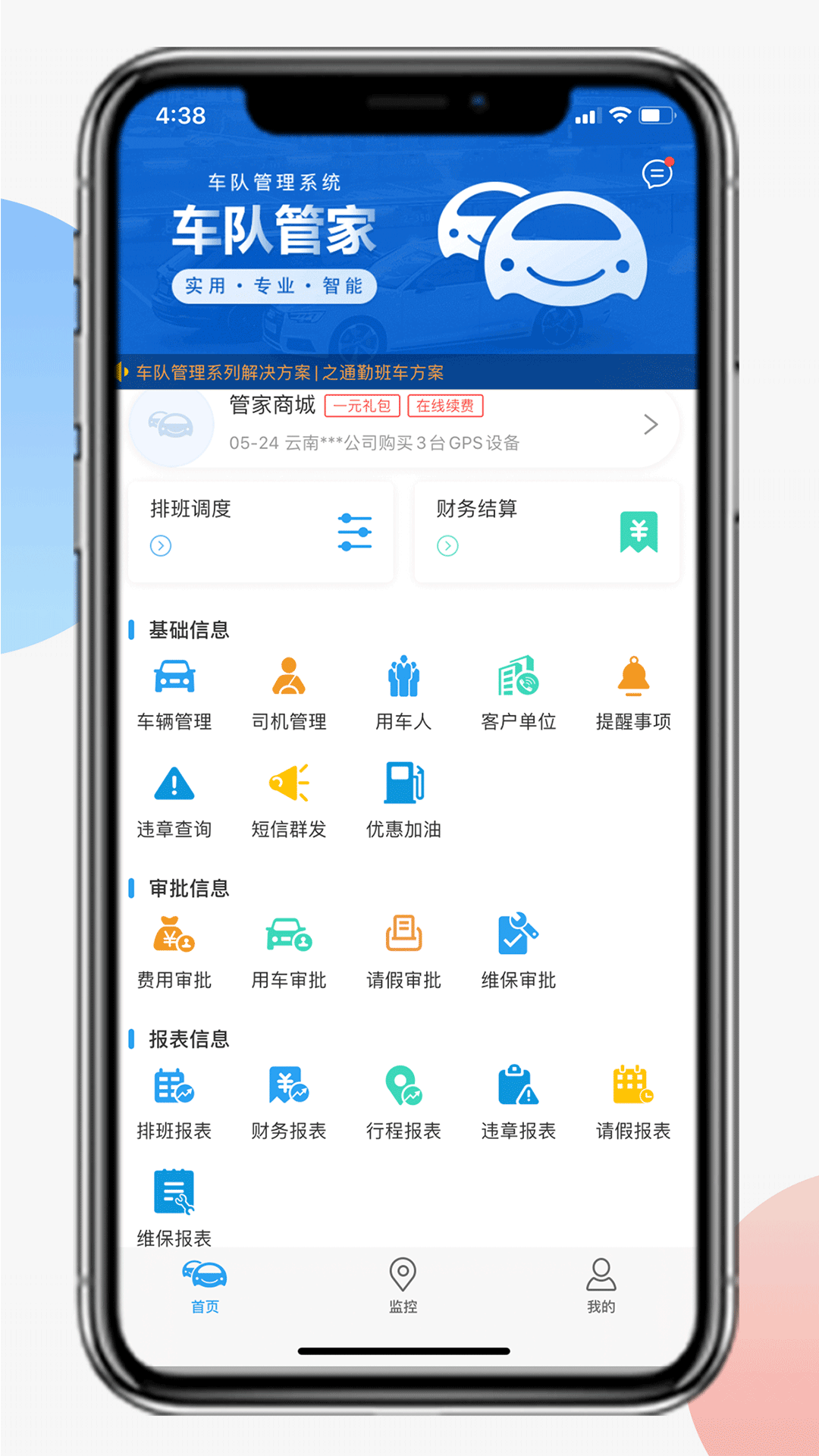
Fleet Manager is the administrator version of Fleet Manager. Drivers are asked to download the driver version app. Fleet Manager is a software specially customized for fleet management. The software system includes vehicle dispatching, vehicle GPS monitoring, finance, statistical analysis, etc. The basic services are permanently free, providing fleets with a lower-cost, safer and more convenient vehicle management experience, helping fleets promote customers more conveniently and improve fleet management efficiency. Compared with traditional manual management methods, we provide a variety of operation ports on the web and APP, allowing administrators to say goodbye to paper-based office work. Our data is stored in Alibaba Cloud, with multiple backups and data sharing among administrators, allowing you to completely get rid of the tedious process of word-of-mouth and data verification. Huajun Software Park provides the download address of the official version of the Fleet Manager app. Users in need can download and use it for free!

Fleet manager screenshot

   Features of the latest version of Fleet Manager


​ ​ 1. Compared with traditional manual management methods, we provide a variety of operation ports on the web and APP, allowing administrators to say goodbye to paper-based office work.

​​ 2. Our data is stored in Alibaba Cloud, with multiple backups and data sharing among administrators, allowing you to completely get rid of the tedious process of word-of-mouth and data verification.

​​ 3. We also provide a one-click notification function for the system. With a click of a button, the administrator-driver-car user can easily complete a good interaction, saying goodbye to phone calls and WeChat communication!

​​ 4. Our cost is lower, and the administrator can use it for free after registering.

​​ 5. No need to download, it includes multiple systems such as scheduling, monitoring, and finance. There is no need to switch back and forth, making it easier to use.

​ ​ 6. More importantly, it updates quickly and keeps pace with the times!

​ 7. It has been recognized by many well-known companies and has reached long-term cooperation, such as China FAW, China Life, China Passenger Transport, etc.
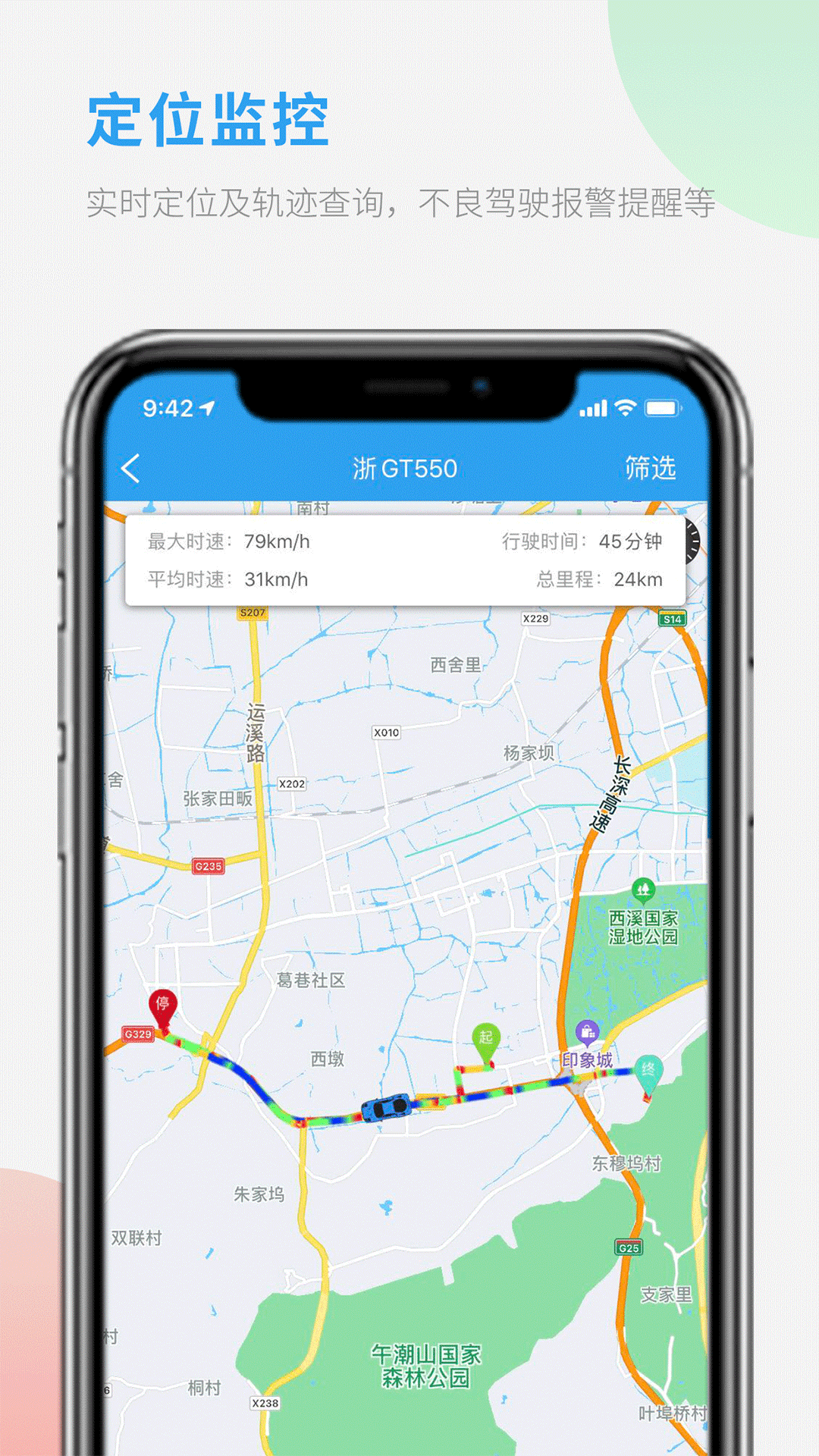
Fleet manager screenshot

FAQ


The user cannot retrieve the fleet name

Phenomenon: When car users scan the QR code or search for the fleet name, they are prompted with "No relevant fleet found."

Possible reasons:

The unit car usage applet is not open to the public.

The administrator did not add the car user to the list.

Solution:

Check the mini program settings: Administrators need to confirm whether the mini program is open to the public in "System Settings - Basic Settings" on the web page.

Add car user: The administrator manually adds car user information in "Basic Information - Car User" on the web page.

Fleet Manager update log:


1. Fixed BUG, the new version has a better experience

2. Some pages have been changed

Huajun editor recommends:

Looking around, there are software similar to this software everywhere on the Internet. If you are not used to this software, you might as well give it a try.XuRong cashier system software,Great deeds of heaven and earth,Baidu Skydisk 11,attention,random number generatorWait for the software, I hope you like it!

FAQ

Associated version