





 You may like






Common operating procedures
How does Ctrip authenticate student tickets?
1. Log in to your Ctrip travel account.
2. Select the "Student Ticket" option on the ticket booking page.
3. Enter the student ID information, including student ID number, name, school name, etc.
4. Upload a photo of your student ID card and make sure the photo is clearly visible.
5. After completing the information filling, submit it for review.
6. Wait for Ctrip travel approval to enjoy student ticket discounts.
How to cancel the ticket booking order on Ctrip?
Log in to the Ctrip Travel APP, enter the "My" page, find the "Train Ticket" option, click to enter and select "Orders", find the ticket order that needs to be canceled, click to enter the order details, select "Cancel Order", and follow the prompts to complete the cancellation operation. Please note that there may be corresponding handling fees for order cancellation. The specific fees are subject to the order details.
How to delete frequent passengers on Ctrip?
1. Open the Ctrip Travel APP and enter the "My" or "Personal Center" page.
2. Click on the relevant options of "My Orders" or "Personal Information".
3. Find the "Frequently Passengers" or "Frequently Passengers" option and click to enter.
4. In the list of frequently used passengers, find the passenger you want to delete.
5. Click the "Edit" or "Delete" button next to the passenger.
6. Confirm the deletion operation.
How to unbind bank cards on Ctrip?
Log in to the Ctrip Travel APP, enter the "My" page, click "My Wallet", then select "Bank Card Management", find the bank card that needs to be unbound, click the "Unbind" button behind the bank card, and follow the prompts to complete the unbinding operation.
How to log in to 12306 account on Ctrip?
1. Open Ctrip Travel APP.
2. Click "My" or "Personal Center" in the lower right corner of the page.
3. On the personal center page, find and click "Train Ticket".
4. After entering the train ticket page, click "Login 12306" in the upper right corner.
5. Enter your 12306 account number and password, and then click Login.
How to get concert tickets on Ctrip?
In the Ctrip Travel APP, pay attention to the concert information in advance and set reminders. Before the concert tickets go on sale, log in to the APP, enter the ticket grabbing page, select the ticket type you want to buy, click "Buy Now" and quickly complete the payment. It is recommended to bind the payment method in advance to ensure a smooth payment process. At the same time, you can follow Ctrip’s official Weibo and WeChat official accounts to get the latest ticket information.
How to upload B&Bs on Ctrip?
1. Open Ctrip Travel APP.
2. Click the "B&B/Apartment" option on the bottom menu.
3. Click the "Publish B&B" button at the top or right side of the page.
4. Follow the prompts to fill in the basic information of the B&B, including the name, address, contact information, etc.
5. Upload photos of the B&B to ensure that the photos are clear and truly reflect the B&B environment.
6. Fill in the detailed introduction of the B&B, including room type, facilities, services, price and other information.
7. Review and submit the information and wait for approval by the platform.
Ctrip travel FAQ
How to enable Alipay password-free payment on Ctrip?
After downloading and entering the Ctrip Travel app, click "My" at the bottom to enter the personal center, and click the gear on the upper right to enter the settings interface.
Found in the settings interfacepaySet options and click to enter
After entering, find the password-free payment line below and click to enter.
Then read the agreement and click to select Alipay password-free payment to complete the setup.
How to buy tickets on Ctrip?
1. Download and open the Ctrip travel app. There are many ticket purchasing services on the app, such as buying train tickets. Find [train tickets] on the top of the app;
2. Then we select the initial place, destination and date to be reached, and click Query
3. The page will display various types of tickets, and user names can be purchased according to needs.
CtripSoftware introduction
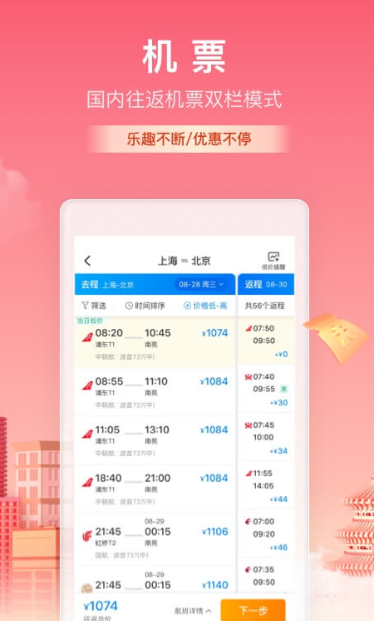
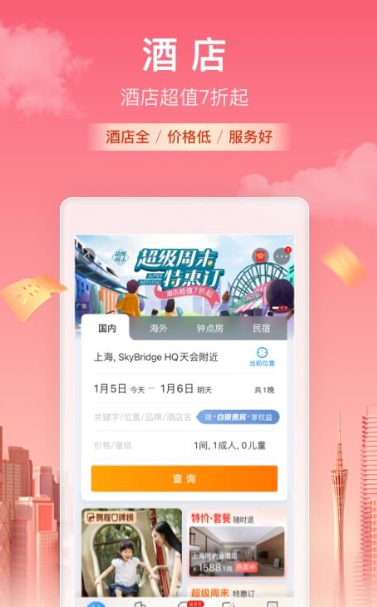
With Ctrip in hand, you can just go! As the world's leading online travel service company, Ctrip travel app provides more than 110,000 domestic hotels and serviced apartments, more than 600,000 overseas hotels, air tickets for all domestic routes and most mainstream international routes, all domestic train tickets, and more than 500 domestic cities 20 Long-distance bus tickets for more than 0,000 routes, airport transfers and self-driving car rentals in more than 150 domestic cities and more than 500 overseas cities, the most comprehensive and affordable attraction ticket booking services on the entire network, and one-stop travel services such as travel vacations, themed travel packages, attraction ticket discounts, travel strategies, travel shopping guides, travel WiFi, etc.
CtripSoftware features
【Strategy】Write a review on the strategy and you will get 100% red envelope.
[Ctrip Selected List] releases Ctrip TOP quality list, seasonal hotspot list, and popular list; covering various business lines such as hotels, attractions, food, and tourism; professional rankings provide customers with a more comprehensive travel guide.
【Travel Photography】A new travel sharing community is online! Supports the sharing of pictures and short videos, take pictures while traveling, and check out your wonderful journey!
【Car Rental】Self-driving around the world, new customers who rent a car will get an instant discount of 100 yuan.
CtripSoftware update log
1. Modify user-submitted bugs
2.Add new features
Huajun editor recommends:
The operation steps of Ctrip Travel software are very simple and very fast, so users can use it with confidence. Also recommendedShunba driver,Meituan Bicycle,Hazelnut B&B,Business Travel 100,Sinopec Gas Card Mobile Business HallDownload and use related software.







































Your comment needs to be reviewed before it can be displayed