




 You may like






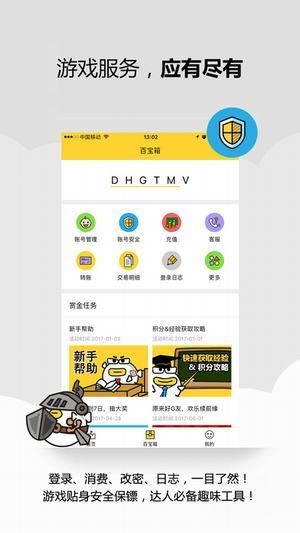
Introduction to Taoyu game
The game assistant of Taoyu app is an account manager. The Taoyu app is your account manager, portable customer service, and game assistant. You can easily keep track of game dynamics and accounts in your spare time. Daoyu app is an application software installed on mobile phones that is fully upgraded from Shanda Pass mobile version. Daoyu app is a game assistant for Shanda game players. Daoyu app provides game updates, dynamic password login, one-click login, QR code login, account management, login consumption reminder, security services and other functions. The Taoyu app will have more functions in the future, so stay tuned!
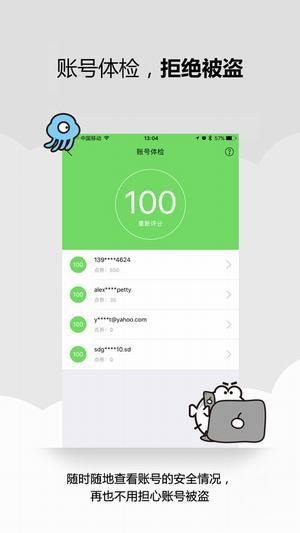
Fish Game Features
1. Private customization, game IP "Yu" entertainment circle - Yuzhai news, privileged activities, one cannot be missing! Make friends, chat while watching, and be high;
2. Account, security, control with one hand - login, consumption, password change, log, all at a glance! Game personal security bodyguard, a must-have fun tool for experts;
3. The gameplay is diverse and ubiquitous - try boldly, synchronize multiple terminals, and have comrades by your side! Move forward fearlessly, go beyond words, just talk.
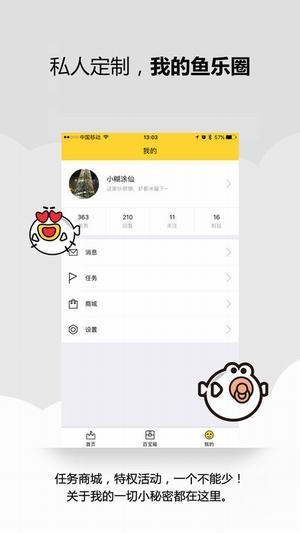
Highlights of Taoyu Game
Game dynamics, push the latest game information;
Dynamic password, supports dynamic password login to the game;
One-click login, no need to enter information; one-click login;
Scan the QR code to log in to protect the user’s account security;
Account management, manage multiple game accounts at the same time;
Consumption reminder, timely reminder of consumption in each game;
Security service to detect the risk level of game accounts at any time;
FAQ
1. Network connection problems
Poor network signal: The network signal where the user is located may be unstable or weak, causing the Taoyu software to be unable to connect to the network normally. At this time, you can try to change the network environment, such as switching from Wi-Fi to mobile data, or move to a place with better signal and try to connect again.
Network settings problem: The mobile phone network settings may not be configured correctly, resulting in the inability to connect to the network. You can try changing the access point (such as switching from CMNET to CMWAP), or resetting the network settings and reconnecting.
2. Problems using software functions
Problem with turning off dynamic passwords: Some users may not know how to turn off the dynamic password function of Baoyu software. In fact, users only need to open the Taoyu software, click "Game Lock", select the account and game, and then click "Close".
Login protection setting problem: Taoyu software provides login protection function, but some users may not know how to set it up. Users can click "Login Protection" on the homepage and then turn on login location protection. In this way, login will only be successful when logging in at the designated location. Login from other locations will be unsuccessful and you will receive a remote login reminder.
Account management issues: Taoyu software supports managing multiple game accounts at the same time, but some users may not know how to add or delete accounts. In fact, users can add or delete accounts in the account management page of Taoyu Software, and can set security settings such as login methods and password locks for each account.
Taoyu update log
1. Sweep the bug out and carry it out to the end
2. The most stable version ever
Huajun editor recommends:
Taoyu is very simple to use. The optimized operation interface allows you to easily find the functions you want. Come and download it. The editor has also carefully prepared for youGourd Man,Welfare box,ghost walk,91 mobile game network,Turn the number device















Useful
Useful
Useful