
Hot search terms: 360 Security Guard Office365 360 browser WPS Office iQiyi Huawei Cloud Market Tencent Cloud Store
Hot search terms: 360 Security Guard Office365 360 browser WPS Office iQiyi Huawei Cloud Market Tencent Cloud Store

programming tools Storage size: 63.33 MB Time: 2022-05-26
Software introduction: The official version of scratch is a graphical programming software specially created for children. In addition to Web, scratch not only provides multiple offline versions...
Scratch is a programming tool for teenagers developed by MIT. It uses a unique graphical building block interface. Users can easily create animations, stories, music and games by dragging and combining instruction blocks without typing code. It greatly lowers the threshold for programming, aims to stimulate learners' logical thinking and creativity, and is an ideal starting point for exploring the world of computer science. Next, let the editor of Huajun explain to you how to create a linked list with scratch and how to create a linked list with scratch!
first step
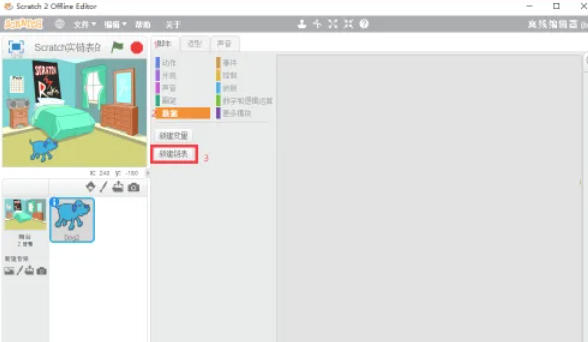
Open Scratch (online or offline version).
Step 2
Click "File" → "New" to create a blank project.
Step 3
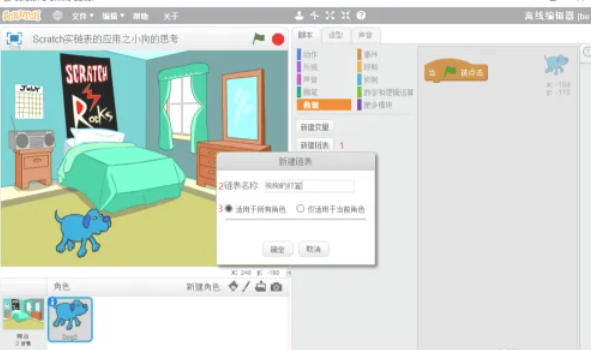
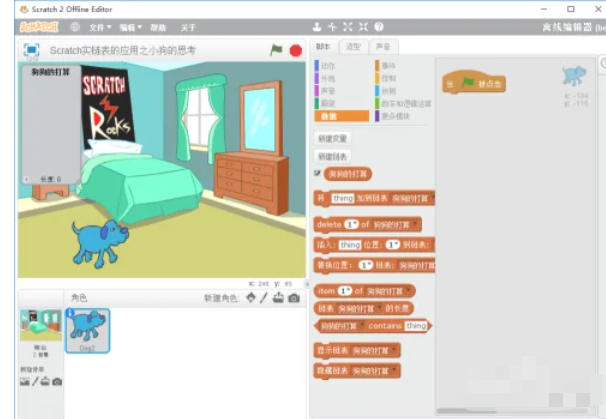
Click the "Variables" category in the "Code Area" on the left. Click "Create a new list" and enter the list name (such as "My Linked List"). After confirmation, the list will be displayed on the left side of the stage.
Step 4
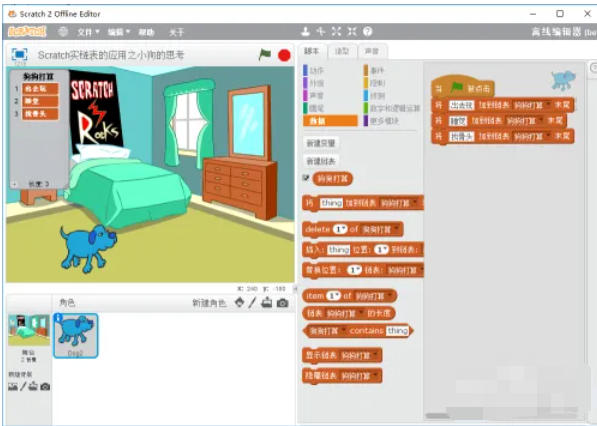
The default cat character is sufficient, or you can add custom characters (such as buttons, text boxes). Click the "List Display Box" in the upper right corner of the stage (visible when checked) to view changes in the linked list content in real time.
Step 5
After running the project: press the space bar or enter content and watch the linked list update automatically.
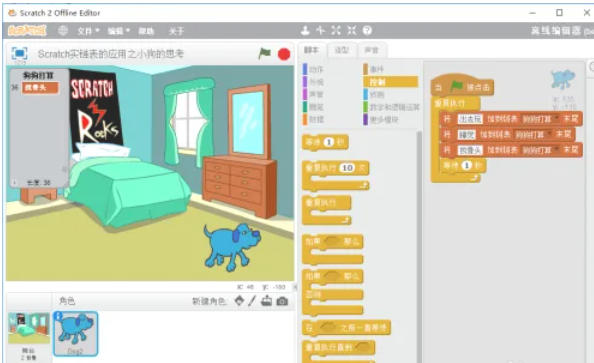
Step 6
If you need to combine character animation (such as "the character displays the contents of the linked list one by one after clicking the green flag")
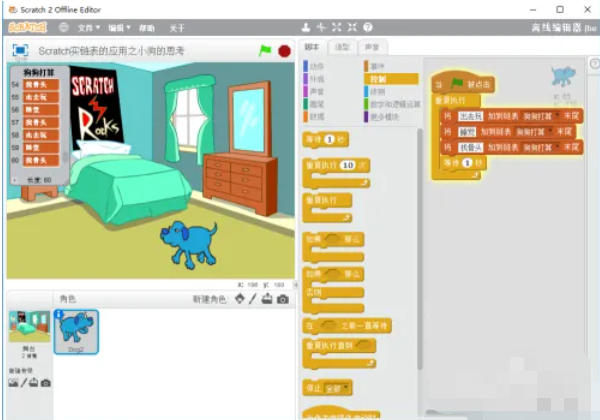
The above is how the editor of Huajun compiled for you how to create a linked list in scratch and the method of creating a linked list in scratch. I hope it can help you!

 How to add background music in python-How to add background music in python
 How to configure environment variables in python - How to configure environment variables in python
 How to run python - How to run python
 How to create a project in python - How to create a project in python
 How to make a blue sky background with scratch-How to make a blue sky background with scratch
 Steam
Steam
 Tencent Video
 WPS Office
 iQiyi
iQiyi
 Sohu video player
 Lightning simulator
 MuMu emulator
 Eggman Party
 WPS Office 2023
 What to do if there is no sound after reinstalling the computer system - Driver Wizard Tutorial
 How to switch accounts in WPS Office 2019-How to switch accounts in WPS Office 2019
 How to clear the cache of Google Chrome - How to clear the cache of Google Chrome
 How to fire bullets in scratch-How to fire bullets in scratch
