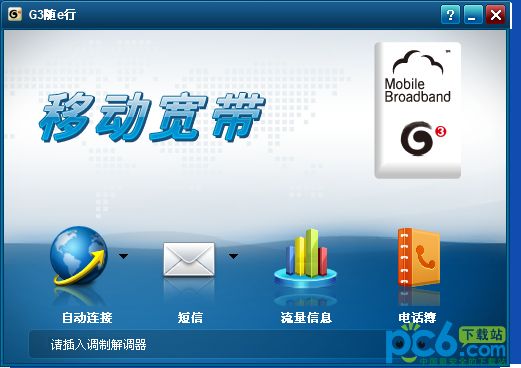
-
g3 e-line client
- Size: 8.8M
- Language: Simplified Chinese
- Category: Android flashing
- System: winall






The official version of g3 Sui eXing client is a mobile business processing platform created by China Mobile. The official version of the g3 Sui e Travel client helps you achieve a fast Internet experience and offers various preferential business services. You can log in and enjoy unlimited Internet access, giving you the effect of surfing the Internet at will with one card in hand. The g3 e-travel client collects China Mobile's major Internet application resources such as mobile mailbox, Fetion, and mobile phone directory, and timely recommends the latest preferential policies and services of China Mobile.

g3 e-travel client software features
一插即用,快速上网
Built-in driver, plug and play, no need to install CD
The latest business news and discount recommendations
Provide business favorites and integrate various mobile Internet services
The latest mobile services are delivered to your desktop in real time
Mobile’s latest discounts will be notified to you in time
Log in once and enjoy wireless Internet access
实现一点登录,全网畅游
统一手机邮箱、飞信、移动商城、自助客服等多种平台用户认证入口,形成移动互联网业务的统一门户
With one card in hand, you can access it at will
Whether in a hotel, airport or outdoors
Whether it is GPRS/EDGE/TD/WIFIWLAN
通过G3随e行统一认证,多网络接入
Conditions must be met to use g3 e-line client
1. A G3 Internet notebook (referred to as G3 notebook) or other handheld mobile Internet device (such as MID, not including mobile phone) with a built-in TD-SCDMA module, with pre-installed client software.
2. The device is within the coverage area of China Mobile’s wireless network (including GPRS/EDGE network or TD-SCDMA/HSDPA network).
3. A built-in USIM card. The built-in USIM card can only access China Mobile's APN (cmlap) before activation and binding, and does not activate cmnet/cmwap, SMS, MMS, voice, international roaming and payment functions. After binding, the built-in card only activates the cmtds function. cmnet/cmwap, SMS, MMS, voice, international roaming and payment functions are still not enabled.
Note: (1)cmtds is the Access Point of China Mobile GPRS network Name, abbreviated APN), full Internet access can be obtained through cmtds.
(2) China Mobile customers can also use the original voice SIM card instead of the built-in USIM card, but this method of use does not fall within the scope of this business.
g3 e-line client installation steps
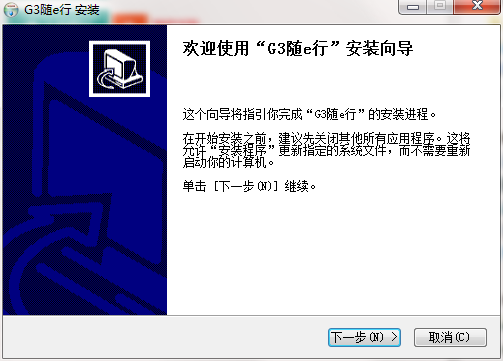
1. Download the g3 e-mobile client from Huajun Software Park and extract it to the current folder. Click on the Setup.exe application to enter the installation wizard interface, and then click Next.
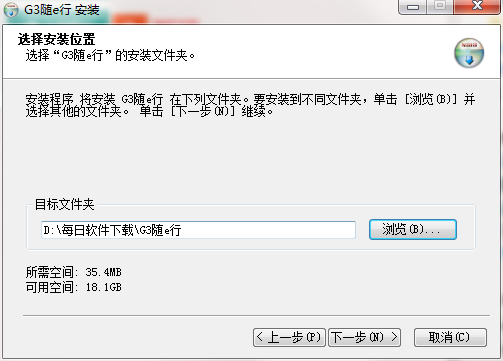
2. Select the software installation location interface. Huajun editor recommends that users install it on the D drive, select the installation location and click Next.
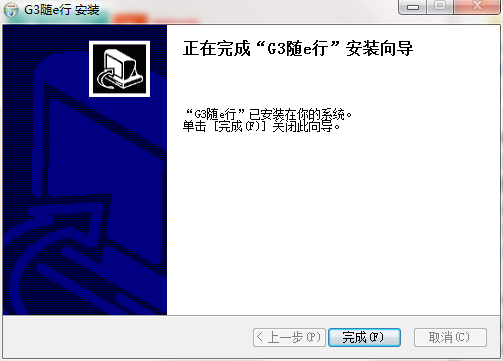
3. The g3 e-line client installation is completed, click Finish.
g3 e-line client usage instructions
1. Activate
Customers use the built-in USIM to access the self-service business platform through the client software, and perform binding activation operations on the self-service business platform.
2. Self-service business platform
启动随e行G3上网笔记本业务客户端,按照提示,使用手机号和密码可办理绑定、去绑定、套餐变更。
3. Business Hall/10086/Online Business Hall/SMS Business Hall
It can provide services such as unbinding, business suspension/resumption, active shutdown/startup of bound numbers, and built-in card loss reporting/unblocking.
(1) The customer must bring his or her ID card to the local China Mobile business hall to apply;
(2) Customers use the password to handle the process by themselves through 10086, online business hall or SMS business hall.
g3 e-line client FAQ
Question: What should I do if the g3 e-line client prompts that the network connection failed?
Answer: If your account can be used on the computer and the surrounding users are normal, it means there is no problem with the account and the network. The rest is a problem with the settings of your mobile terminal. List of possible terminal problems, it is recommended that you check them one by one:
1. IP address problem: The IP address needs to be set to automatically obtain. After connecting to CMCC, the IP address should be "183.*.*.*;117.*.*.*".
2. Browser issues: Use the browser that comes with your phone and do not use a third-party browser.
3. Cache problem: clear browser cache and cookies.
4. Login address problem: Do not use the authentication page saved in favorites. You need to automatically jump to the authentication page after entering it in the address bar.
5. The last time you went offline abnormally: turn off the WiFi switch and try again for more than 15 minutes.
Question: How to uninstall the g3 e-line client?
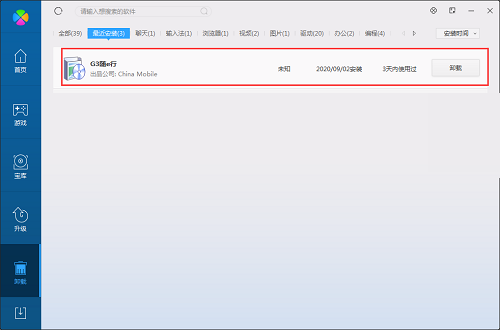
Answer: Method 1: Install and open the computer manager software, select the software management option, click the uninstall option, find the g3 e-line client in the list, and click uninstall
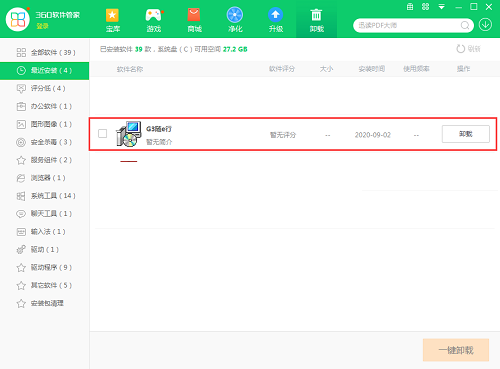
Method 2: Install and open 360 Software Manager, find the g3 e-line client in the list of uninstall options, and click to uninstall.
Comparison of similar software
e-WLANIt is the only wireless Internet management software officially released by China Mobile Communications Group Corporation. It is perfectly adapted to China Mobile WLAN hotspots. It has multiple guarantees to ensure that you enjoy a safe and fast WLAN network. It provides one-click configuration, memory-free username and password, smart hotspot reminders and other functions, bringing you a new wireless Internet experience. The updated WLAN international/Hong Kong, Macao and Taiwan roaming function (currently available in four directions: Hong Kong, Taiwan, the United States, and South Korea) allows you to travel around the world!
China MobileThe Android version is a mobile client application specially created by China Mobile for China Mobile smart terminal users. As the official unified entrance of China Mobile, the China Mobile app perfectly integrates sales and services, allowing users to handle almost all mobile services through the application, bringing a better user experience.
Huajun editor recommends:
The g3 e-travel client collects China Mobile's major Internet application resources such as mobile mailbox, Fetion, and mobile phone directory, and timely recommends the latest preferential policies and services of China Mobile. In addition to the g3 e-line client, which is a very convenient Android flashing software, there are also related software such as Perfect Flashing, Absinthe2.0, Famous Name Testing Software, etc. available for download. If you need it, please click to download and use it.
Version: 3.2.1.16 Official version | Update time: 2024-12-30
Similar recommendations





Latest updates



g3 e-line client review
-
1st floor Huajun netizen 2021-09-10 14:40:35The g3 e-travel client software is very easy to use, the download speed is very fast, and it is very convenient!
-
2nd floor Huajun netizen 2021-12-24 23:30:27The g3 e-travel client is not bad, the download is very fast, I give you a good review!
-
3rd floor Huajun netizen 2021-03-28 21:19:28I hope g3 e-line client can do better and better, come on!
Recommended products






- Diablo game tool collection
- Group purchasing software collection area
- p2p seed search artifact download-P2P seed search artifact special topic
- adobe software encyclopedia - adobe full range of software downloads - adobe software downloads
- Safe Internet Encyclopedia
- Browser PC version download-browser download collection
- Diablo 3 game collection
- Anxin Quote Software
- Which Key Wizard software is better? Key Wizard software collection




