-
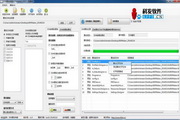
Batch rename photos by modified time tool
- Size: 0.08M
- Language: Simplified Chinese
- Category: Name changing software
- System:winall






Usually, photos taken by cameras or mobile phones are named after serial numbers, but partly because the system does not have a built-in counter, every time the previous photos are deleted or removed, the new photos are named from scratch. In this way, when exporting photos to the computer, it is easy to cause the old and new photos to have the same names (especially if all the photos are saved in the same folder on the computer).
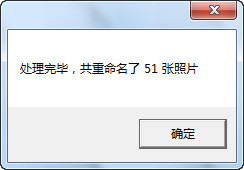
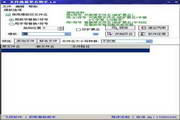
This software can rename photos in jpg format in batches based on the last modified date of the image file. The naming rule is IMG_20130616_164235 in a year, month, day, hour, minute, and second format.
How to use: Just put the extracted exe file in the same folder as the photo and double-click it.
Version: 1.0 green version | Update time: 2024-12-30
Similar recommendations






Latest updates



How to add background music in python-How to add background music in python
How to configure environment variables in python - How to configure environment variables in python
How to run python - How to run python
How to create a project in python - How to create a project in python
How to make a blue sky background with scratch-How to make a blue sky background with scratch
How to create a linked list in scratch-How to create a linked list in scratch
How to add local programs to scratch-How to add local programs to scratch
How to input Chinese in scratch-How to input Chinese in scratch
How to fire bullets in scratch-How to fire bullets in scratch
Batch Rename Photos by Modification Time Tool Reviews
-
1st floor Huajun netizen 2019-04-17 17:55:57The tool to batch rename photos according to modified time is very useful, thank you! !
-
2nd floor Huajun netizen 2019-05-21 17:04:05The interface design of the tool for batch renaming photos by modification time is easy to use and has rich functions. I highly recommend it!
-
3rd floor Huajun netizen 2021-01-20 04:50:57The tool software for batch renaming photos according to modification time is very easy to use, the download speed is very fast, and it is very convenient!
Recommended products




- Diablo game tool collection
- Group purchasing software collection area
- p2p seed search artifact download-P2P seed search artifact special topic
- adobe software encyclopedia - adobe full range of software downloads - adobe software downloads
- Safe Internet Encyclopedia
- Browser PC version download-browser download collection
- Diablo 3 game collection
- Anxin Quote Software
- Which Key Wizard software is better? Key Wizard software collection




