
-
Network debugging assistant
- Size: 0.48M
- Language: Simplified Chinese
- Category: IP tools
- System: winall






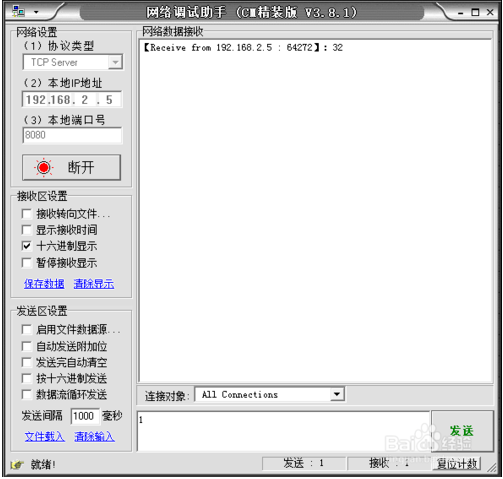
The network debugging assistant is a very suitable TCP/UDP debugging tool. The network debugging assistant can set the TCPserver TCP client. It can also monitor the data of the GPRS remote site independently. The network debugging assistant supports HEX multiple data format parsing. Friends who like it, come to Huajun Software Park to download and experience it!
How to use the network debugging assistant
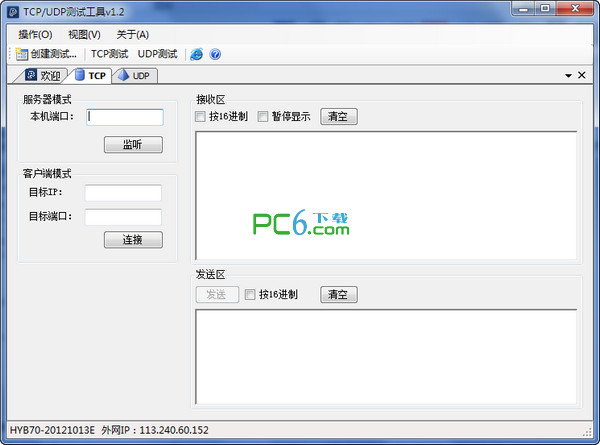
1. It can work in a manner similar to the serial port assistant. Connect to the port of a remote machine or open a port yourself for other machines to connect. Then there are two windows, one showing the received data and the other showing the sent data. It can be displayed in ASCII code and hexadecimal.
2. NetAssist network debugging assistant TCP communication port number problem A---TCP Server
3. B---TCP Client
4. The ports are set to 8080
5. The data sent from A to B shows receive from IP(A): 8080
6. The data sent by B to A shows receive from IP(B): the port is changeable, not 8080
Network Debugging Assistant FAQ
How to debug TCP using Network Debugging Assistant?
TCP server
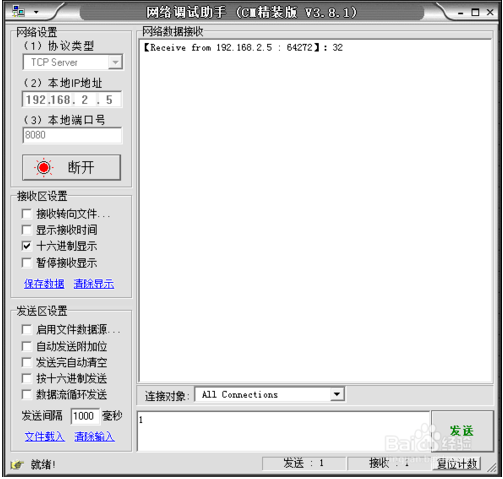
1. TCP is different from UDP. TCP must establish the server first, and then the client can connect to the server. Here test selection: Protocol Type: TCP Server.

2. Then enter the IP address of the server as shown in the figure below. The network debugging assistant will automatically identify the local IP address.
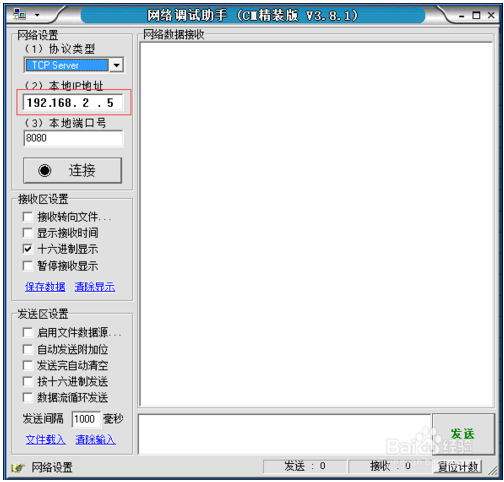
3. We choose 8080 for the port number here. If you choose another port number, keep it consistent when building the client.

4. Then click the "Connect" button to establish the server, and then wait for the client to connect.

TCP client
1. The next step is to establish the client. Select "TCP Client" for the protocol type, as shown in the figure below.
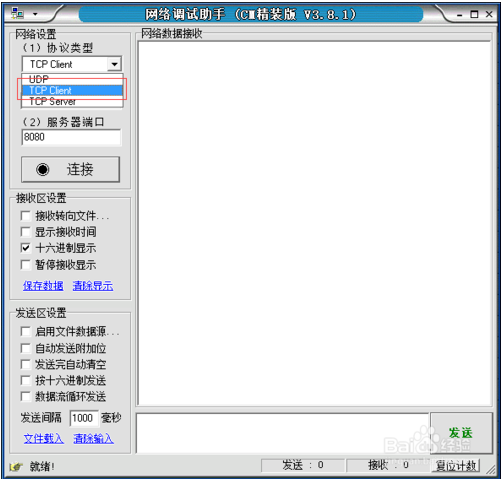
2. Server IP address Here we need to fill in the IP address of the server we want to connect to.
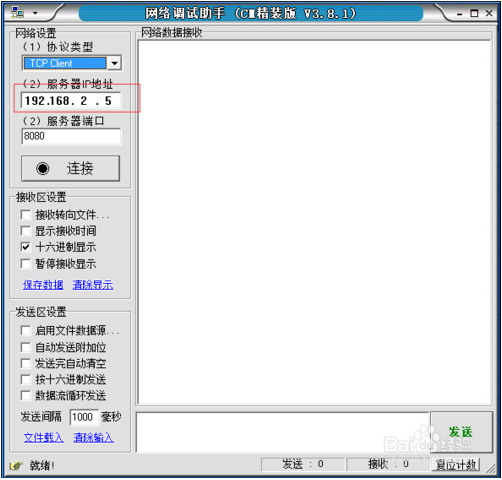
3. Then there is the port number of the server, which must be consistent with the previous setting of the server.
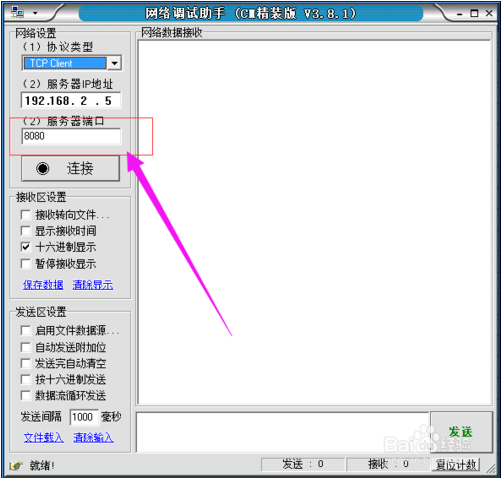
4. Click the "Connect" button to initiate the connection. If the connection is successful, the button will change to "Disconnect".

Transceiver test
1. Then you can send data at will. Enter the data on the client, click Send, and the data can be transferred to the server.
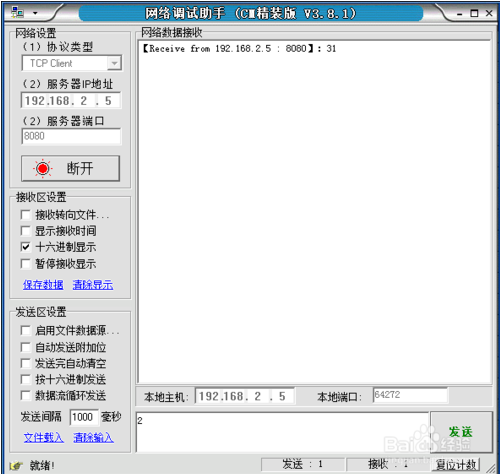
2. The server operates similarly, but the server can choose to send data to a specific object or all clients connected to the server.
Network debugging assistant update content
1. Optimized and enhanced some details related to communication.
2. Solve the problem of CPU usage when sending data in a loop
3. Added [AlwaysOnTop] button
4. Fixed the problem of error when the last number of IP address is greater than 127
Huajun editor recommends:
The network debugging assistant is professional, simple to operate, and powerful. It is one of the leaders in the software industry. Everyone is welcome to download it. This site also provides Xinlan IP automatic changer, IP search batch modification tool, batch butler, etc. for you to download.
Version: v4.3.29 Green version | Update time: 2025-10-23
Similar recommendations




Latest updates




Network Debugging Assistant Review
-
1st floor Huajun netizen 2021-03-23 12:04:21The network debugging assistant is very useful, thank you! !
-
2nd floor Huajun netizen 2021-04-18 14:47:51The network debugging assistant interface design is easy to use and has rich functions. I highly recommend it!
-
3rd floor Huajun netizen 2022-03-28 22:23:03The network debugging assistant software is very easy to use, the download speed is very fast, and it is very convenient!
Recommended products







- Diablo game tool collection
- Group purchasing software collection area
- p2p seed search artifact download-P2P seed search artifact special topic
- adobe software encyclopedia - adobe full range of software downloads - adobe software downloads
- Safe Internet Encyclopedia
- Browser PC version download-browser download collection
- Diablo 3 game collection
- Anxin Quote Software
- Which Key Wizard software is better? Key Wizard software collection




