
-
ASIO4ALL driver
- Size: 0.39M
- Language: Simplified Chinese
- Category: Dial tool
- System: WinAll







asio4allis integrated for allsound cardOne developedProfessionally driven, after installation, your integrated sound card can obtain better low-latency performance. The principle of ASIO4ALL is to bypass windowsaudio driver, to reduce multiple processing of audio sources, improve response speed (reduce latency), and is suitable for almost all sound cards and onboard AC97 sound cards. Friends who need it can download it quickly.
ASIO4ALL software introduction
ASIO4ALL is an ASIO driver developed by Wuschel. The author said that any WDM sound card can rely on it to have ASIO output to improve the sound quality of the sound card. It is an Asio driver for integrated sound cards. After installation, it can give your integrated sound card better low-latency performance. After installation, I tried it with foobar2000 player, and the effect is very good when used to open DTS-CD.
ASIO4ALL installation instructions
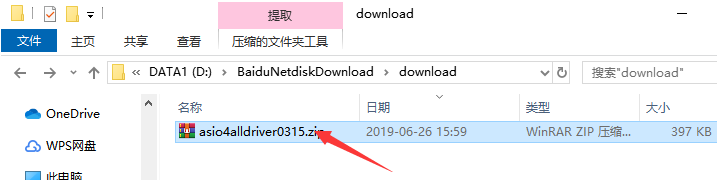
1. Download the ASIO4ALL software package from Huajun Software Park, unzip the compressed package, and double-click with the left mouse button to open the installation file.
Note: To decompress the compressed package, you need to use a compression and decompression tool. WinRAR is recommended because the technology is mature and reliable. WinRAR download address:http://softwaredownload4.com/soft/5.htm
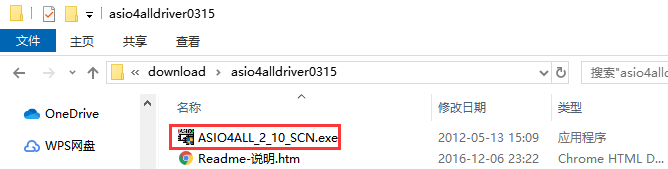
2. Enter the ASIO4ALL installation program and click "Next".
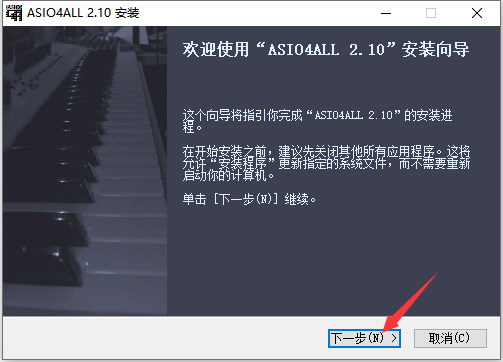
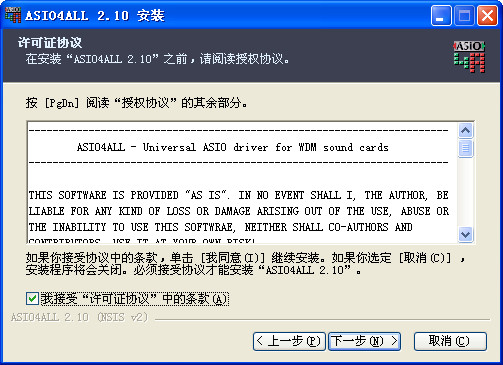
3. Read the ASIO4ALL software-related license agreement. If you have no objection, click to check the "I accept the terms in the "License Agreement"" option on the lower left, and click "Next".
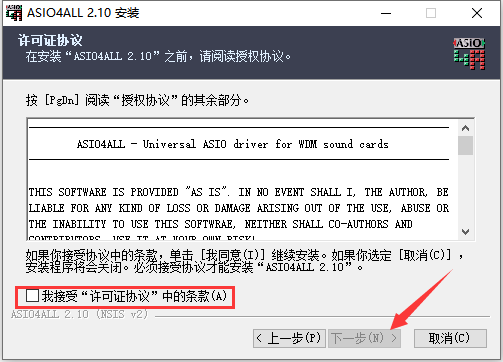
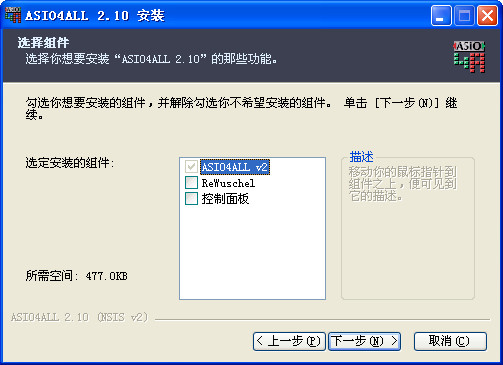
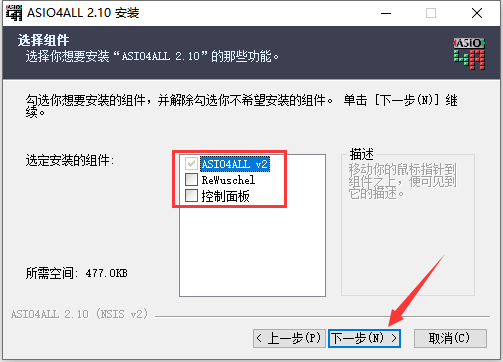
4. Select the ASIO4ALL component that needs to be installed. When you point the mouse at the corresponding component, you can see the detailed description. After selecting, click "Next".
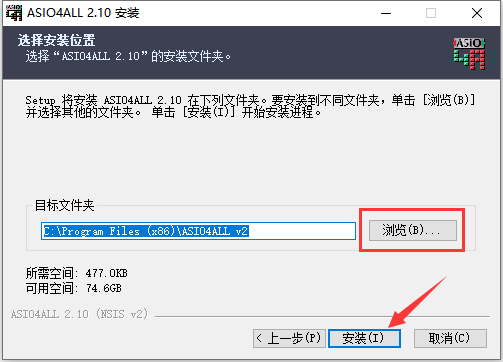
5. Click "Browse" to select the installation directory of ASIO4ALL. It is recommended not to select the C drive. After selecting, click "Install".
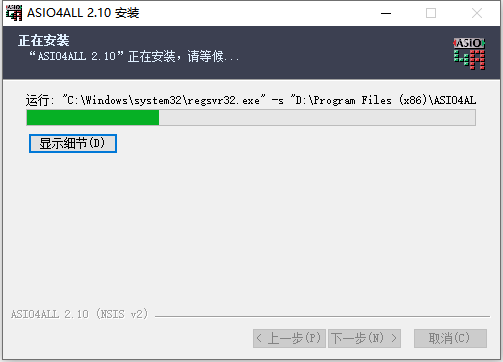
6. The installation process of ASIO4ALL takes about 2 minutes, please wait patiently.
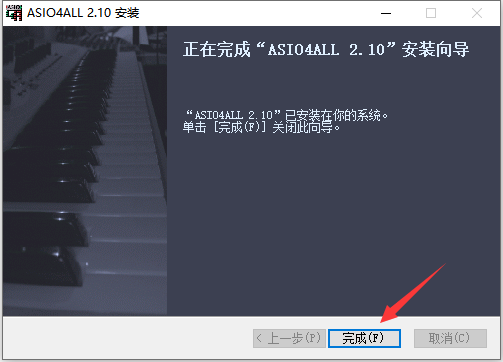
7. After the installation is completed, click "Finish" directly.
ASIO4ALL software features
Broad compatibility: Supports almost all WDM sound cards, including built-in sound cards, AC97 onboard sound cards and HD sound cards, and even some USB audio devices, covering a wide range from old hardware to modern devices.
Low-latency performance: By bypassing the Windows default audio processing path and communicating directly with the sound card, it significantly reduces the delay of audio signals from input to output and improves the response speed of real-time audio processing.
Green and installation-free: As green software, there is no need for complicated installation processes. You can run it directly after downloading, reducing the burden on the system.
Intuitive user interface: Provides a concise and clear control panel, allowing users to easily adjust parameters such as buffer size, device priority, and output channels, and preview latency changes in real time.
Multi-language support: Provides multiple language versions including English, French, and German to meet different user needs.
ASIO4ALL software features
ASIO interface simulation: Convert universal audio drivers to ASIO drivers, making non-professional sound cards compatible with professional audio software (such as Nuendo, FL Studio, Cubase, etc.).
Buffer customization settings: Allow users to adjust buffer size based on system performance, balancing latency and stability. Smaller buffers reduce latency but may increase CPU load; larger buffers improve stability but require higher latency.
Multi-device support: Supports the simultaneous use of multiple audio devices, such as USB microphone input and regular audio device output, to meet complex audio processing needs.
Hardware acceleration options: Further optimize audio stream processing efficiency by enabling hardware acceleration (such as WaveRT event-driven mode).
Real-time feedback and monitoring: Provides real-time latency estimates when adjusting settings, helping users quickly find the best configuration.
How to use ASIO4ALL
ASIO4ALL setting method
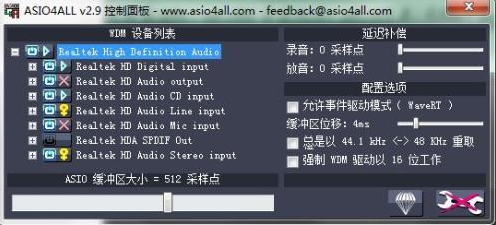
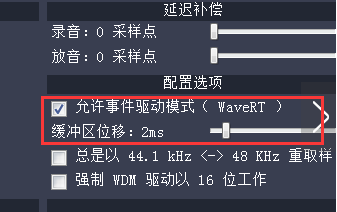
1. After installing the ASIO4ALL driver, click the ASIO4ALL icon in the toolbar in the lower right corner of the computer to open the main interface. The following figure shows the default settings.
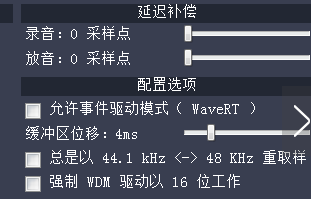
2. The default buffer displacement is 4ms. This setting needs to be scaled according to the buffer size, so if the buffer area is reduced, the buffer displacement must be reduced accordingly, such as to 2ms.
3. According to the ASIO4ALL driver official documentation, event mode (hardware buffer) is technically superior to push mode (default). Therefore, you need to check "Allow event-driven mode (WaveRT)" again.
FAQ
There is noise or popping sound in the audio output:
Check whether the audio device is subject to electromagnetic interference, such as keeping mobile phones and other electronic devices away from the audio device.
Try adjusting ASIO4ALL's sample rate and buffer size to find the best balance of audio quality and latency.
Ensure that the computer's system resources are sufficient, such as CPU and memory usage, to avoid performance issues caused by insufficient resources.
Software crashes or is unstable:
Make sure ASIO4ALL is compatible with the audio software used (such as Audition, FL Studio, etc.).
Try updating your audio software and ASIO4ALL to the latest version to fix possible bugs and compatibility issues.
If the problem persists, consider uninstalling and reinstalling ASIO4ALL and the audio software.
ASIO4ALL driver update log:
Sweep the bug out and carry it out to the end
Optimize user feedback issues and improve detailed experience
Huajun editor recommends:
ASIO4ALL is a driver that can handle the sound cards that come with many computers. It is very convenient to set up and allows users to understand it at a glance. Even if you use the default settings, it can handle most situations, which is very practical. This site has also prepared a variety of related software for you such as: Firefox browser, Batch Butler, Cloud Machine Manager, etc. You need to go to the editor of Huajun Software Park to satisfy you!
Version: 2.10 official version | Update time: 2025-11-21
Similar recommendations





Latest updates




How to add background music in python-How to add background music in python
How to configure environment variables in python - How to configure environment variables in python
How to run python - How to run python
How to create a project in python - How to create a project in python
How to make a blue sky background with scratch-How to make a blue sky background with scratch
How to create a linked list in scratch-How to create a linked list in scratch
How to add local programs to scratch-How to add local programs to scratch
How to input Chinese in scratch-How to input Chinese in scratch
How to fire bullets in scratch-How to fire bullets in scratch
ASIO4ALL Driver Review
-
1st floor Huajun netizen 2021-04-26 03:41:24ASIO4ALL driver is very useful, thank you! !
-
2nd floor Huajun netizen 2018-03-29 00:22:34The ASIO4ALL driver interface design is easy to use and has rich functions. I highly recommend it!
-
3rd floor Huajun netizen 2019-03-13 14:00:45The ASIO4ALL driver overall feels good and I am quite satisfied with it. The installation and operation are very smooth! It went very smoothly following the installation step-by-step instructions!
Recommended products






- Diablo game tool collection
- Group purchasing software collection area
- p2p seed search artifact download-P2P seed search artifact special topic
- adobe software encyclopedia - adobe full range of software downloads - adobe software downloads
- Safe Internet Encyclopedia
- Browser PC version download-browser download collection
- Diablo 3 game collection
- Anxin Quote Software
- Which Key Wizard software is better? Key Wizard software collection




