
-
DingTalk
- Size: 431.47M
- Language: Simplified Chinese
- Category: Chat software
- System: Winall







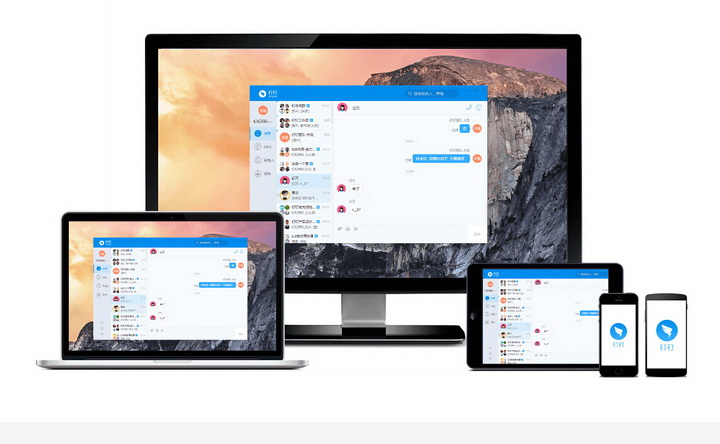

DingTalkis a product designed specifically for global enterprise organizations.SmartMobile office platform, including PC version, IPad and mobile version. Make communication more efficient! Make work and study easier! In additionDingTalk PC versionIt also supports single chat and group chat, allowing free multi-party calls with high quality.Voice, team communication becomes simpler from now on. not only supportcallfunction, you can also transfer files, voices, pictures, etc., and send various messages at any time.Provided by Huajun Software ParkDingTalk PC versionThe download address also provides other versions of DingTalk for download!

Frequently asked questions about DingTalk PC version
Can I check in on the PC version of DingTalk?
The official version of DingTalk is an easy-to-use office software. Users can use DingTalk tooffice, you can also check in attendance, but clocking in can only be done using the mobile version of DingTalk, and clocking in on the computer is not possible, because location information is required when checking in on DingTalk, and the computer cannot determine the location, so it is impossible to clock in.
How to check whether the recipient of a sent message has read/unread?
Open the chat window, and the message sent will be displayed as read or unread;
Can I save the emoticons I see in chat?
When you see an expression you like, you can click on the image, then download the original image, and you can keep it in My Expressions.
Can the PC client make direct calls?
You can find the friend you want to call on the PC, just click on the phone number and make a free call.
“搜索”功能支持搜索什么?
You can search for groups, pin friends, and people in corporate address books;
How to start a chat?
1. Click Create in the lower left corner, select "Initiate Chat", and select friends to chat;
2. Click "Contacts—Relationships—My Friends" on the left to find the corresponding contact and send a message;
3. Click "Architecture-Relationship-Select the Corresponding Enterprise-Select the Corresponding Department-Click the Corresponding Person" on the left to send a message;
4. Send messages by searching for contacts (upper left corner) on the computer client.

How to transfer files?
1. In the chat window, click the attachment button and select a local file to send. Currently, the maximum file size supported is 700M;
2. In the chat window, click the pin disk button and select the files in the pin disk to send;
3. You can send local files by dragging them to the chat window;
Who can I chat with on the computer client?
Support corporate address book personnel and DingTalk friends;
How to add friends?
Method 1: Click the "Avatar" logo in the lower right corner of the personal avatar, enter "Friends", there is "Add Friend" in the upper right corner, enter the friend's mobile phone number, if the friend has already registered with DingTalk, the search will have results, and you can add it. If the friend has not registered with DingTalk, the search will have no results;
Method 2: Click on the message list on the left, select the user you want to add as DingTalk, click on the logo in the upper right corner of the chat page, enter the user's profile, and select "Add Friend".
Function introduction of DingTalk PC version
1. Internal and external relations
Contacts within the company are shared by all employees and can find people anytime and anywhere; contacts and customer information outside the company are managed uniformly, so resources are never lost.
2. DING function
The DING message sent will be notified by phone or text message to the other party. Regardless of whether the receiving mobile phone has DingTalk installed or whether network traffic is turned on, the DING message can be received, ensuring barrier-free information delivery.
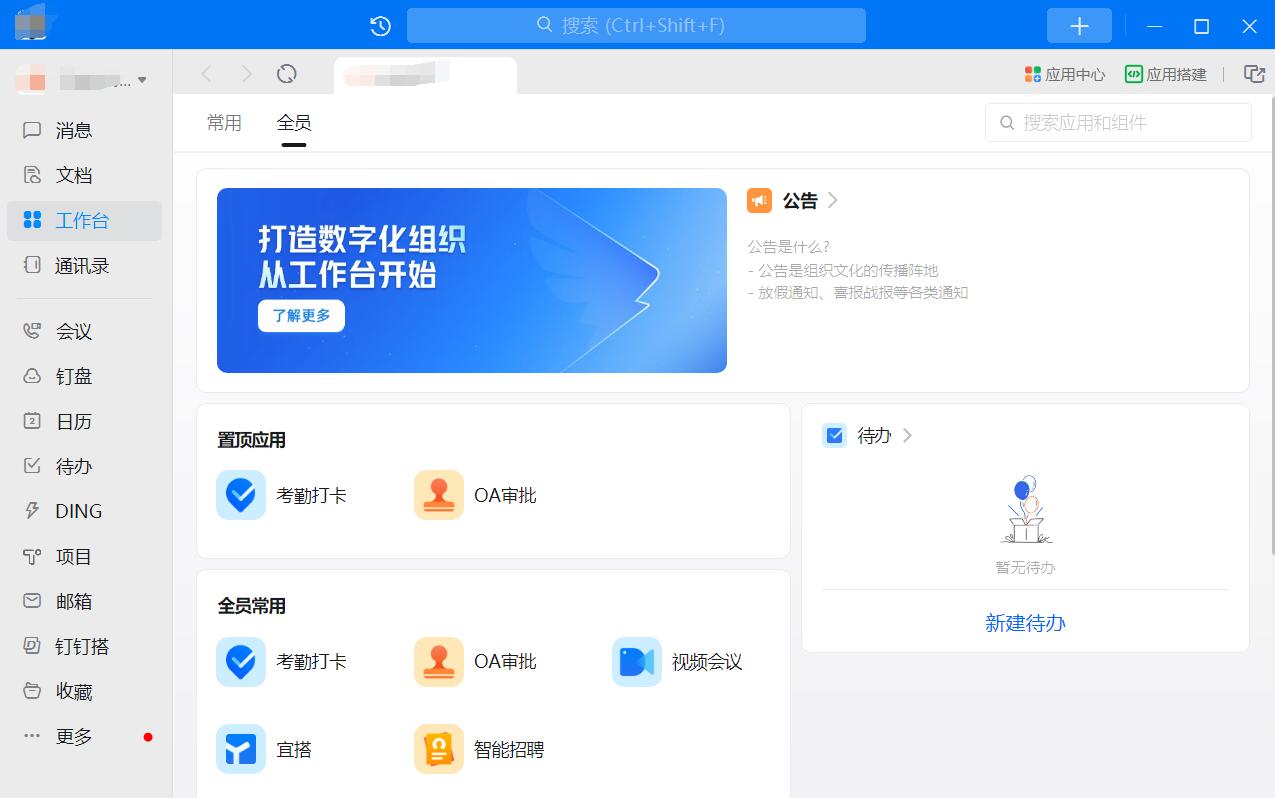
3. The message has been read but not read
Messages sent by users can be marked as read or unread by the other party, improving communication efficiency.
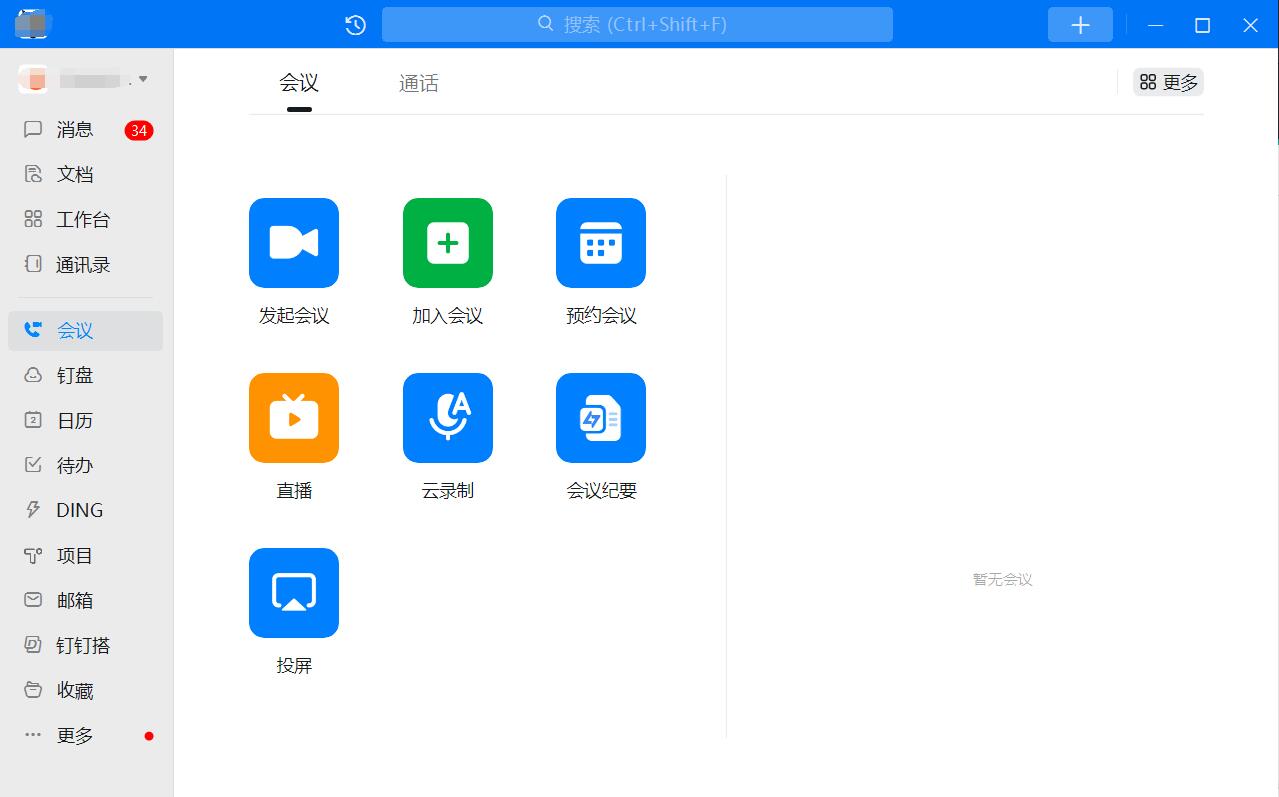
4. Video conferencing
High-definition picture quality, stable and smooth, supports up to 302 people online at the same time, and can be used for free by installing DingTalk on your computer or mobile phone.
5. Bathhouse mode
By entering “***” in the ordinary chat window, you can turn on the bathhouse safe mode. In this mode, information cannot be copied, and the chat content will disappear within thirty seconds after being read, ensuring privacy and security.
6. Intelligent personnel
Multi-dimensional comparison, accurate understanding of the team’s personnel performance anytime and anywhere. Say goodbye to tedious routine work, automatically generate to-do items, and easily realize personnel management.
How to use DingTalk PC version
After the installation is complete, open the software and click Register. You will be prompted to log in using the verification code.
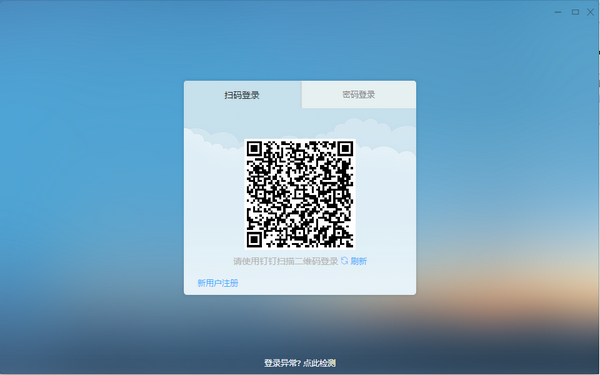
Enter your mobile phone number, be sure to have your own mobile phone number, because this is the phone number displayed on the toll-free number!

?

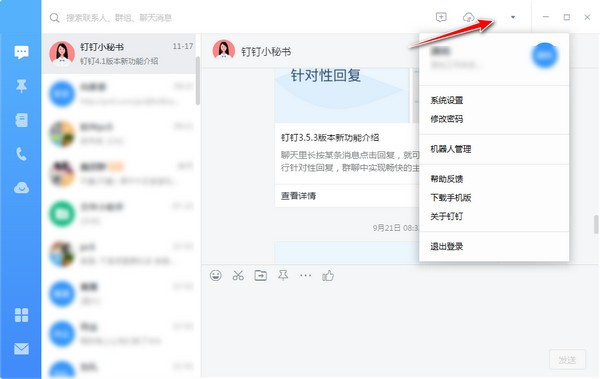
Click here to open your personal information and system settings!
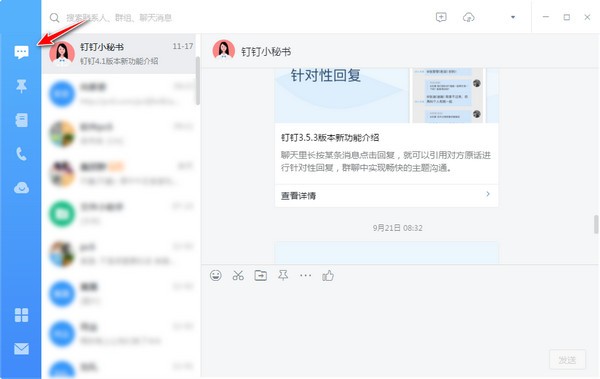
Click here for the latest news and tips!
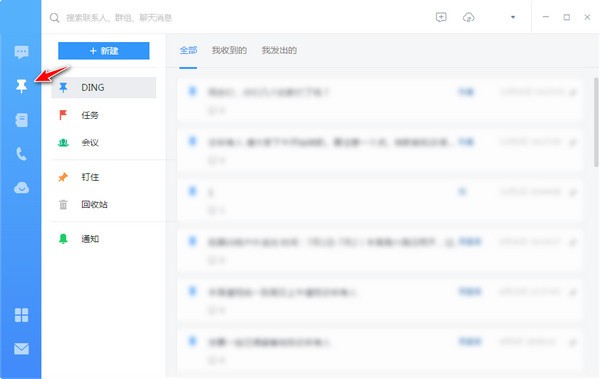
Click here to see the special function of this software. For example, if you add your friend and you want to remind him of something, just send a message here to pin him. There are three ways, one is a phone call, one is a text message, and the other is a software reminder.
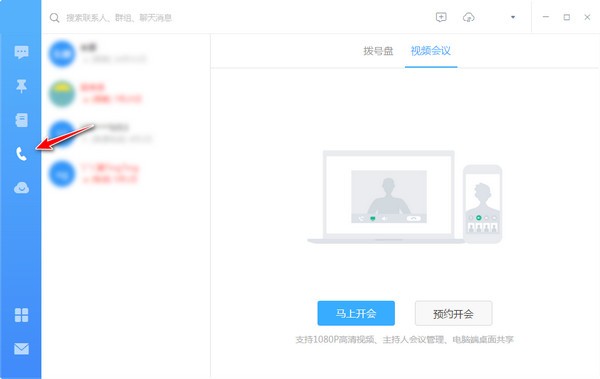
Click here, which is also the special function of this software, log and approval
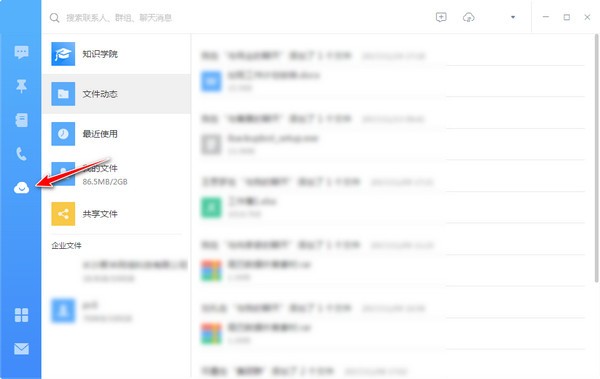
Ding Disk is an internal file sharing cloud service. Everyone can upload files to Ding Disk and download them at any time!
Features of DingTalk PC version
High concurrency and stability
Support hundreds of millions of users to be online at the same time, ensuring smooth operation of large-scale corporate meetings and live broadcasts.
Data Security and Privacy Protection
It has passed ISO 27001 certification and uses encrypted transmission and hierarchical authority management to ensure corporate data security.
AI and intelligent applications
Intelligent Translation: Supports real-time translation between Chinese and English, breaking down cross-border communication barriers.
Intelligent attendance: Automatically record attendance through face recognition and Wi-Fi positioning, reducing manual statistics costs.
Comparison of similar software on DingTalk PC version
Enterprise WeChat PC versionFinally officially released! Enterprise WeChat is an office communication tool, mainly for various types of corporate and institutional users. In addition to WeChat-like chat functions, Enterprise WeChat also integrates public phone and email functions. In terms of OA functions, Enterprise WeChat combines announcements, attendance, leave requests, and reimbursements, so users can easily complete office needs on their mobile phones. In addition, Enterprise WeChat also provides some more practical functions. For example, administrators can use the health reporting function to automatically notify employees to fill in their daily health status during the epidemic, view and export reporting statistics in real time, and conveniently collect employee health status!Enterprise qqIt is an instant communication platform tool built by Tencent specifically for small and medium-sized enterprises. Friends can choose to use Enterprise QQ to strengthen internal communication within the enterprise. Enterprise QQ already has a "friend clone" function, which allows users to move their previous friends on personal QQ to enterprise QQ. Use Enterprise QQ to establish group discussions, remote assistance, video sessions, etc.
DingTalk FAQ
1. Registration and login issues
Unable to register account
Check whether the mobile phone number is correct and make sure it is not used to register other DingTalk accounts.
Try to register using your email address, especially for users with overseas mobile phone numbers.
Check whether the network connection is stable and try the registration process again.
Forgot password
Retrieve your password through your mobile phone number or email and follow the system prompts.
If you cannot retrieve it, you can contact DingTalk customer service for help.
2. Function usage issues
Problems encountered in live teaching
Unable to use courseware: Courseware cannot be used for mobile live broadcast teaching. It is recommended to use the PC version of DingTalk on a laptop for live broadcast and use screen sharing mode.
Sound settings: Configure sound settings on the live broadcast page to ensure that the built-in microphone and speakers are set correctly to avoid howling and sound problems.
Playing the video without sound: Check the sound settings in the control panel, make sure the stereo mix is enabled, and turn on the stereo mix input volume on the live broadcast page.
Live broadcast freezes: Adjust the viewing mode to smooth mode, ensure a stable network connection, and close unnecessary running software.
File download and sharing
File download: Pictures can be downloaded directly by right-clicking, and files need to be clicked to open and then select the download item.
File sharing: Supports one-click sharing to DingTalk groups or friends. You can also copy the link and paste it in other applications to share.
Video conferencing issues
Unable to initiate a video conference: Check the network connection, make sure the DingTalk version is the latest, and try restarting DingTalk or the device.
The picture is blurry or stuck: adjust the video quality, close unnecessary applications, and ensure sufficient network bandwidth.
3. Settings and privacy issues
Personal information settings
In DingTalk, you can set personal information such as avatar, nickname, position, etc. to maintain the accuracy and timeliness of the information.
Privacy protection
Check and set privacy permissions on DingTalk to ensure the security of personal information.
In Windows and Mac systems, you also need to pay attention to the privacy settings of the operating system, such as microphone and camera permissions.
Related information
DingTalk web login portal
The DingTalk website login entrance is the official website www.dingtalk.com. Enter the URL into the browser to enter the official website. Click "Login" or "Web Version" in the upper right corner to go directly to the login interface. It supports four methods of logging in via mobile phone DingTalk code scanning (recommended), mobile phone number + verification code, account password and corporate account. It is easy to operate. There is no need to install the client in public computers or temporary office scenarios, and you can quickly access the office environment.
Use the web version of DingTalk online
DingTalk web version is a lightweight office platform that does not require installation. You can use core functions through a browser, covering instant messaging, high-definition video conferencing, multi-person document collaboration, attendance approval, DingTalk disk storage and file sharing, etc., and supports cross-end synchronization of messages and data. The interface is simple and intuitive, adaptable to various browsers, does not require device storage space, adapts to temporary office, cross-device collaboration and other scenarios, and meets the core needs of team communication and efficient collaboration.
DingTalk PC version update log
【Video conferencing optimization】
Intelligent reminder to turn on the microphone when speaking after muting
开会时,静音后一直“喂喂喂”地发言,智能提醒你开启麦克风后发言,避免你说了很多,但大家都没听见的尴尬,提升沟通效率;
View network quality status
During a meeting, the network quality status of yourself and other participants can be clearly seen at a glance. Whether the network is normal, poor, or disconnected can be sensed, making communication more efficient;
Set up beauty and virtual background before the meeting
Before the meeting, you can set your own beauty effect and virtual background effect in advance, and then initiate or join the meeting when you are ready;
The mobile phone supports setting your own virtual background
There are various picture templates and materials for you to choose from, and it also supports customized picture backgrounds to protect your own environmental privacy during meetings, trainings, and classes.
【Digital Manager-Junior Newly Launched】
or a new upgrade in digital certification, DingTalk administrator qualification certification opens up digital management of enterprises.
【To-do function upgrade】
When creating a new to-do, it supports intelligent recognition and automatic setting of deadlines. Try creating a new "Prepare meeting materials this afternoon"; set the deadline and add multiple reminders, so you will never miss important things again.
【Share subscription calendar card to group chat】
Sharing and subscribing to the calendar supports sharing cards to chat, making one-click subscription faster.
Huajun editor recommends:
After many updates and optimizations, the PC version of DingTalk has become more user-friendly and easier to operate. The editor of Huajun Software Park personally tested it and recommends it to everyone for download. Interested friends can also download Google Chrome, .NET, and Batch Butler.
Version: 8.1.5.1107 | Update time: 2025-11-17
Similar recommendations





Latest updates





DingTalk comments
-
1st floor Huajun netizen 2022-03-24 04:12:21The computer version of DingTalk is very useful, thank you! !
-
2nd floor Huajun netizen 2022-03-07 09:36:54The computer version of DingTalk is very easy to use, the download speed is very fast and very convenient!
-
3rd floor Huajun netizen 2022-03-13 02:03:33The PC version of DingTalk is awesome! 100 million likes! ! !
Recommended products








- Diablo game tool collection
- Group purchasing software collection area
- p2p seed search artifact download-P2P seed search artifact special topic
- adobe software encyclopedia - adobe full range of software downloads - adobe software downloads
- Safe Internet Encyclopedia
- Browser PC version download-browser download collection
- Diablo 3 game collection
- Anxin Quote Software
- Which Key Wizard software is better? Key Wizard software collection




