
-
Master Lu 2019
- Size: 59.86M
- Language: Simplified Chinese
- Category: System testing
- System: Win All






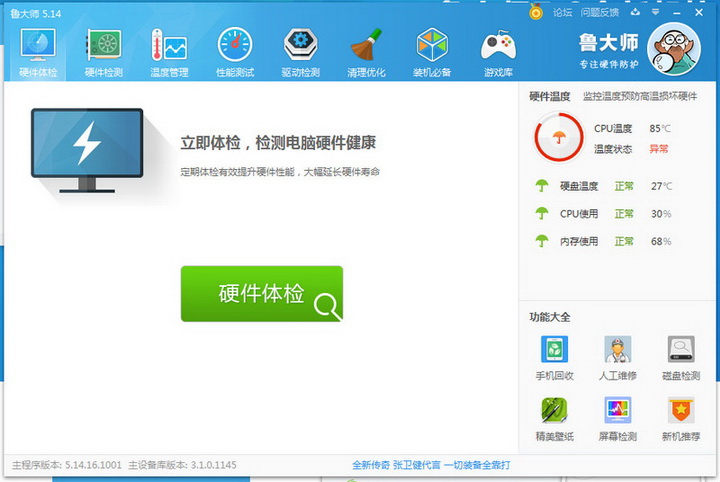
Master Lu 2019The official version is a hardware detection software suitable for use in computers. The latest version of Master Lu 2019 allows users to intuitively understand the health status of their computers, clear usage traces and memory space with one click, and avoid computer failure due to high hardware overheating. andMaster Lu 2019You can also test computers, mobile phones, etc., which is very helpful when purchasing a computer or adding hardware equipment. Master Lu 2019 version 2024 free download.

Master Lu 2019 software features
Computer performance evaluation
Through the accurate algorithm to run the computer hardware, understand the hardware performance with one click, allowing you to better understand your computer
Computer hardware identifies authenticity
Identifies the authenticity of hardware, provides clear computer hardware parameter information, and refuses to be deceived by profiteers
Safety protection and temperature monitoring
Monitor computer hardware status, easily grasp computer health, prevent hardware from overheating, protect computer security and extend hardware life
Computer hardware acceleration
及时清理电脑硬件垃圾,让硬件时刻保持最佳工作状态,拒绝卡慢
Master Lu 2019 software features
1. Professional and easy-to-use hardware detection
. It is suitable for hardware testing of various brands of desktop computers, notebook computers, and DIY compatible computers. It provides real-time monitoring and early warning of key components and comprehensive computer hardware information to effectively prevent hardware failures and protect your computer from trouble.
Battery health monitoring: Detection of battery status, battery consumption, and battery quality, effectively improving battery life and computer health.
2. System vulnerability scanning and repair
System vulnerabilities mainly refer to the backdoors in some system programs or components caused by bugs or omissions in the operating system.
3. Real-time monitoring of various hardware temperatures
In the hardware temperature monitoring, Master Lu (formerly: Z Weapon) displays the temperature change curve chart of various types of computer hardware. Hardware temperature monitoring includes the following (depending on the sensor of the current system): CPU temperature, graphics card temperature (GPU temperature), main hard disk temperature, and motherboard temperature.
Tip: When running hardware temperature monitoring, you can minimize Master Lu (formerly: Z Weapon), then run the 3D game, and after the game is over, observe the changes in the temperature of each hardware.
4. Commonly used weapons (one-click cleaning, driver upgrade, one-click optimization)
One-click cleaning scans and cleans system junk quickly and comprehensively. One-click cleaning can make the computer run cleaner, faster and safer.
Driver upgrade provides users with driver backup, restore and update functions. Driver upgrade has the advantages of clear software interface, simple operation, and user-friendly settings.
One-click optimization provides fully intelligent one-click optimization and one-click recovery functions, including optimization of system response speed, user interface speed, file system, network, etc.
Master Lu 2019 installation steps
1. Download Master Lu 2019 from the Huajun Software Park and unzip it to the current folder. Click on the ludashisetup.exe application to enter the installation wizard interface and select the software installation location interface. The editor of Huajun recommends that users install it in the D drive, select the installation location and click to install.

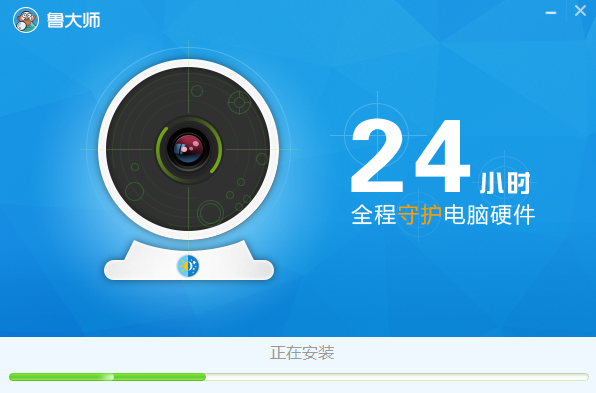
2. Master Lu 2019 is being installed, please wait patiently for a while.
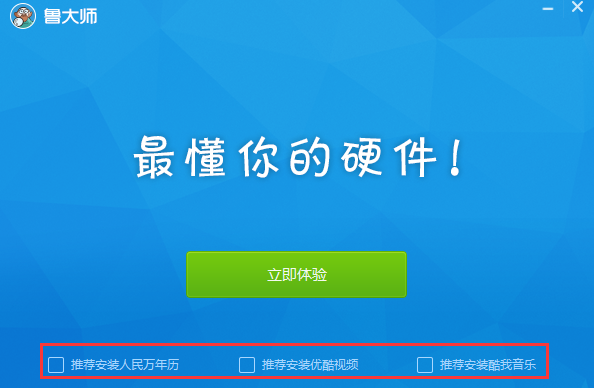
3. The installation of Master Lu 2019 is completed, click to experience it now.
How to use Master Lu 2019
How does Master Lu view computer configuration?
1. Open Master Lu, click "Hardware Detection" at the top, and then click "Detection".
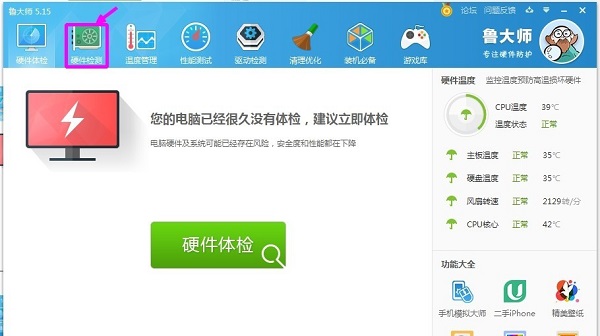
2. After testing for a period of time, when the test is completed, computer-related information will appear.
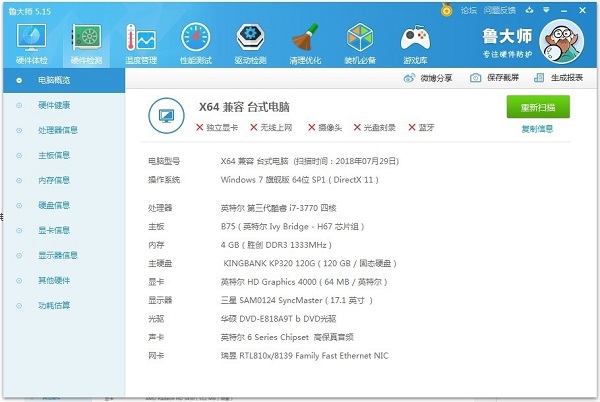
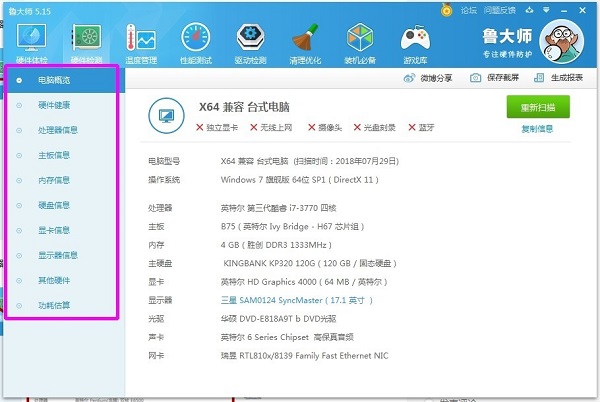
3. You can click on the column on the left to view computer information separately.
Master Lu 2019 FAQ
Question: How to obtain the most reliable hardware information in Master Lu?
Answer: 1. Re-execute the hardware detection
If Master Lu is already installed on the computer you want to buy, after confirming that Master Lu has passed the "signature verification" above, please use the "Rescan" button on the "Hardware Detection" page to let Master Lu re-read the latest hardware information:
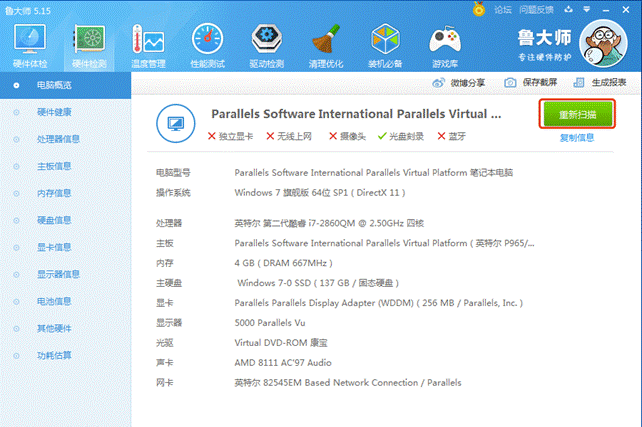
Note: If you find the following during the "rescan" process, please be vigilant:
The rescan process ends very quickly (generally, it takes 5 to 30 seconds for Master Lu to detect hardware information. If the results are returned immediately after clicking "Rescan", you should be more vigilant)
● If "rescan" cannot be performed normally, such as an error being reported after clicking, etc., then it means that Master Lu is incomplete or has been illegally tampered with other program files, and you need to be more vigilant.
2. Re-execute the performance test
For a normal computer, the four performance evaluations of "processor performance, graphics card performance, memory performance, and disk performance" provided by Master Lu should be able to be executed normally. After you confirm that Master Lu has passed the "signature verification", please click "Start Evaluation" on the "Performance Test" page:

When you encounter the following situations, you need to be more vigilant:
● When a certain project cannot be executed normally
● When an error occurs during performance evaluation
● When the performance evaluation is completed in a short time (normal execution of the four performance evaluations will take at least about 1 minute. If the performance evaluation is completed within a few seconds, then you need to be more vigilant)
Question: How does Master Lu 2019 official version test the display?
Answer: 1. First, we open Master Lu;
2. In the lower right corner of the main interface of Master Lu, you can see a "screen detection" tool;
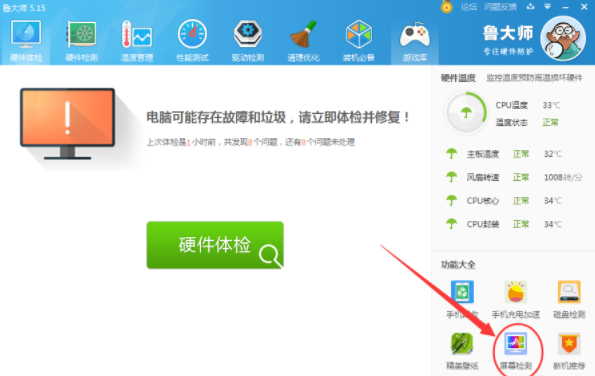
3. Click on the screen to detect and you will enter the detection mode. At this time, the entire screen will turn black, but don't worry, just follow the prompts step by step;

4. Screen detection mainly allows us to see if there is any damage by changing the screen color.
Comparison of similar software
Computer hardware testing toolsThe official version is a disk testing tool. The official version of the computer hardware testing tool is mainly used to test disk integrity, read and write speed, graphics performance, etc. It supports partition testing and is convenient for testing your mobile hard disk, U disk, local disk and other devices. The computer hardware detection tool also supports partition testing, and the total data size selection is larger than ATTO.
HWINFO32It is a computer hardware detection software. HWINFO32 can mainly display the processor, motherboard and chipset, PCMCIA interface, BIOS version, memory and other information. In addition, HWiNFO also provides performance testing functions for the processor, memory, hard disk (not available in WIN9X) and CD-ROM.
Huajun editor recommends:
Master Lu 2019The latest version allows users to intuitively understand the health status of their computers, clear usage traces and memory space with one click, and avoid computer malfunctions caused by overheating of hardware. Master Lu 2019 is a very practical and simple tool. Interested users can download and use it from the Huajun Software Park.
Version: 5.1020.1165.410 official version | Update time: 2025-02-14
Similar recommendations


Latest updates





How to add background music in python-How to add background music in python
How to configure environment variables in python - How to configure environment variables in python
How to run python - How to run python
How to create a project in python - How to create a project in python
How to make a blue sky background with scratch-How to make a blue sky background with scratch
How to create a linked list in scratch-How to create a linked list in scratch
How to add local programs to scratch-How to add local programs to scratch
How to input Chinese in scratch-How to input Chinese in scratch
How to fire bullets in scratch-How to fire bullets in scratch
Master Lu 2019 Review
-
1st floor Huajun netizen 2022-01-02 09:22:24Master Lu 2019 is very useful, thank you! !
-
2nd floor Huajun netizen 2022-03-25 02:03:48Master Lu 2019 software is very easy to use, the download speed is very fast, and it is very convenient!
-
3rd floor Huajun netizen 2021-11-05 09:27:50Master Lu 2019 is not bad, the download is very fast, I give you a good review!
Recommended products




- Diablo game tool collection
- Group purchasing software collection area
- p2p seed search artifact download-P2P seed search artifact special topic
- adobe software encyclopedia - adobe full range of software downloads - adobe software downloads
- Safe Internet Encyclopedia
- Browser PC version download-browser download collection
- Diablo 3 game collection
- Anxin Quote Software
- Which Key Wizard software is better? Key Wizard software collection




