-
office 2007
- Size: 8.28M
- Language: Simplified Chinese
- Category: Office software
- System: WinALL






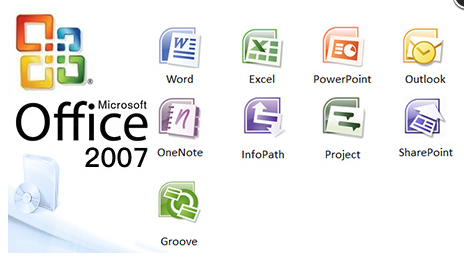
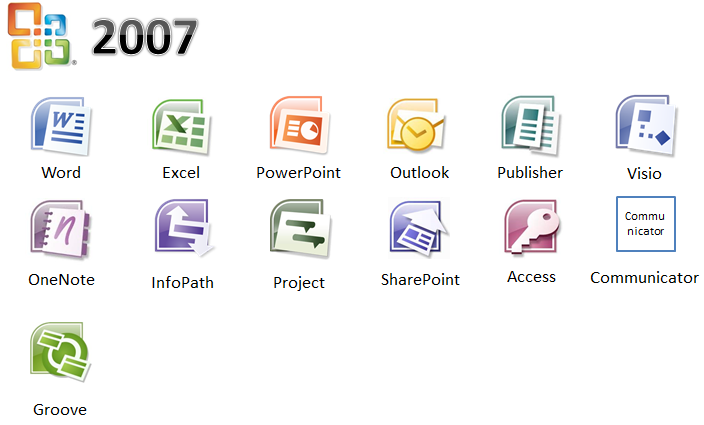
office2007Official versionThat is Microsoft Office 2007, which is developed by Microsoft for the majority of users.Office softwarecollection. Office The 2007 Chinese version almost contains Word 2007, Excel 2007, Power All components of office software such as Point. Many functions have been redesigned and improved. If necessary, download it quickly. Huajun Software Park provides you with a free download of the official version of Office 2007!
The Office 2007 installation package will be downloaded through the Microsoft official authorized product Office Assistant (software size: 5.15MB), please feel free to use it.
What should I do if office 2007 keeps showing configuration progress?
1. Modify the registry:
- Open the Run window (press Win+R keys).
- Enter the command `reg add HKCUSoftwareMicrosoftOffice12.0WordOptions /v NoReReg /t REG_DWORD /d 1`.
- Click "OK" to execute the command.
2. Rename the files in the installation directory:
- Navigate to `C:Program Files (x86)Common Filesmicrosoft sharedOFFICE12Office Setup Controller`.
- Change the name of the `setup` file to something else, such as `setup11`.
3. Run Office in compatibility mode:
- Right-click the Office 2007 shortcut or launch program.
- Select "Properties".
- Under the "Compatibility" tab, check "Run this program in compatibility mode".
- Choose an older Windows version such as Windows 7.
- Check "Run this program as administrator".
- Click "Apply" and restart Office.
4. Use the WPS Office repair tool (if WPS Office is installed):
- Open WPS Office.
- Navigate to "Configuration Tools" under "WPS Office Tools".
- In the configuration tool interface, uncheck all check boxes.
- After clicking "OK", try to uninstall WPS Office.
5. Run the Office repair tool:
- You can try to use the repair tool that comes with Microsoft Office to fix the configuration problem.
- Find Office 2007 in Control Panel and select "Change".
- Select "Repair" in the pop-up window and follow the prompts.
6. Reinstall Office:
- If none of the above methods work, you may want to consider uninstalling Office 2007 and re-downloading and installing it.
How to lock cells in Office 2007?
Select cells: Select the cells or range of cells you want to lock in Excel.
all all each all all all all the all all.
Protection options: In the pop-up dialog box, switch to the "Protection" tab and check the "Lock" option.
Protect the worksheet: Click "OK", then select "Review" > "Protect Sheet" in the menu bar and set a password to protect the locked cells.
How to open PDF files in Office 2007?
Use Office plug-in: If you install a plug-in that supports PDF, you can open PDF files directly in Word.
Use a PDF reader: If there is no plug-in, you can use Adobe Acrobat Reader or other PDF readers to open PDF files.
How to save as PDF in Office 2007?
Open document: Open the document that needs to be converted to PDF in Office.
Save as PDF: Click the "Office Button" > "Save As" > "PDF or XPS".
Setting options: In the pop-up dialog box, select the save location and file name, and click "Publish".
How to highlight duplicate items in Office 2007?
Select a data range: Select a range of cells containing data in Excel.
Conditional formatting: Click "Home" > "Conditional Formatting" > "Highlight Cell Rules" > "Duplicate Values".
Set format: Select the highlight color and click "OK" to apply the format.
How to open two windows in Office 2007?
Open document: Open the document you want to view in Excel.
New window: Click "View" > "New Window" to create a second window for this document.
Split a window: You can use View > Split to split a window into multiple parts.
How to filter in Office 2007?
Select the data area: Select the data area that needs to be filtered in Excel.
Turn on filtering: Click "Data" > "Filter", and a filter drop-down button will appear next to the title of each column.
Set filter conditions: Click the drop-down button and select the filter conditions to filter.
How to turn off the notification sound in Office 2007?
Open Excel Options: Click "Office Button" > "Excel Options".
Sound settings: In the "Excel Options" dialog box, select the "General" tab and find the "Sound" settings.
Turn off the notification sound: Uncheck the “Enable notification sound” option and click “OK” to save the settings.
Office2007 FAQ
1. After installing the official free full version of Office 2007, what should I do if I need to configure the file every time I open it?
office2007excel每次打开都要配置解决办法:http://softwaredownload4.com/article/10027915.htm
2. How to completely uninstall office 2007?
How to completely uninstall office 2007:http://softwaredownload4.com/article/10028230.htm
3. Is there a big difference between office 2007 and 2010?
Introduction to the differences between office 2007 and 2010:http://softwaredownload4.com/article/10027913.htm
4. How to convert ppt to pdf format in office 2007?
Tutorial on converting office2007 documents into pdf format:http://softwaredownload4.com/article/10028214.htm
5. How to enable macros in office 2007?
How to enable macros in office 2007:http://softwaredownload4.com/article/10028228.htm
6. How to upgrade office2007 to office2010?
Tutorial on upgrading office2007 to office2010:http://softwaredownload4.com/article/10027922.htm
7. How to upgrade office 2007 to 2016?
How to upgrade office 2007 to 2016:http://softwaredownload4.com/article/10027908.htm
Office2007 software functions
Word 2007
Document processing: Supports real-time preview format adjustment, automatic numbering of multi-level lists, document comparison and revision tracking, and a new "reading mode" to optimize the mobile reading experience.
Templates and styles: Provides a rich template library, supports quick style sets and document themes, and can unify the appearance of text, tables and graphics with one click.
Review and collaboration: A new "Review" tab is added, which supports comments, document protection, and rights management, making it convenient for multiple people to collaborate and edit.
Excel 2007
Data processing: Introducing pivot table enhancements, conditional formatting visualization tools, and supporting millions of rows of data processing (10 times higher than the 2003 version).
Formulas and functions: Extended function library to support more complex data analysis needs.
Charts and graphics: Newly added SmartArt chart library (including 120+ professional templates), supporting dynamic transition effects and batch application of slide masters.
PowerPoint 2007
Presentation production: Added SmartArt chart library, dynamic transition effects, and support for batch application of slide masters to enhance the attractiveness of presentations.
Collaboration and sharing: Supports converting presentations to PDF or XPS format for easy cross-platform sharing.
Outlook 2007
Email management: Integrated email classification tags, RSS reader, supports email tracking and permission management of Exchange Server 2007.
Schedule management: Provides to-do columns and color categories to help users manage time and communication efficiently.
Other components
Publisher 2007: Provides brochures, posters and other design templates, and supports direct PDF export.
OneNote 2007: Supports multi-format note recording, handwriting recognition, and team sharing and collaboration.
Access 2007: Database management tool that supports complex data query and analysis.
Office2007 software highlights
Interface innovation
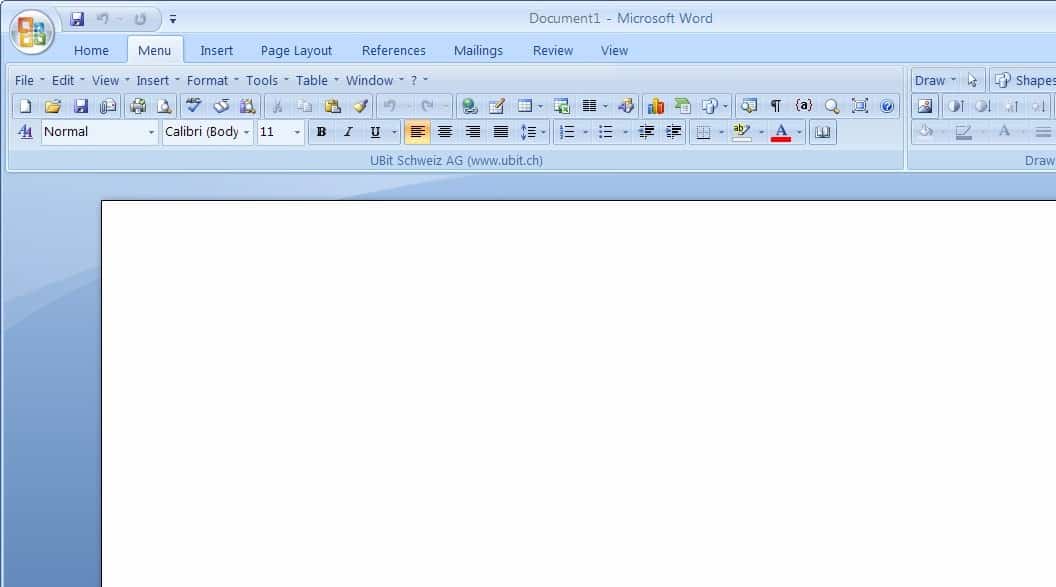
Ribbon interface: Abandon traditional menus and adopt tabbed ribbons to dynamically display contextual tools (such as the "Picture Tools" tab that automatically pops up during picture editing), improving operating efficiency by 40%.
Hide toolbar: When text or paragraph is selected, move the mouse to the upper right corner of the last character to quickly call up commonly used tools to improve editing efficiency.
Format compatible
Natively supports XML formats: using .docx, .xlsx, .pptx and other formats, with smaller file size and higher security.
Compatibility package support: Office 2003 users can open new format files through the compatibility package to solve cross-version collaboration problems.
security mechanism
Document protection: supports digital signature and password encryption, and document rights management (IRM) can restrict printing, copying and other operations.
Document Inspector: Detects and removes comments, hidden text, and personally identifiable information to ensure documents are published without revealing sensitive data.
Office2007 installation steps
1. After downloading office2007 from this site, get a compressed package locally on your computer. After decompression is completed, double-click the setup.exe file. (Note, if users who have installed the office series before want to uninstall the previous one cleanly to avoid installation failure, it is recommended to use the uninstall tool:Office powerful uninstall tool).
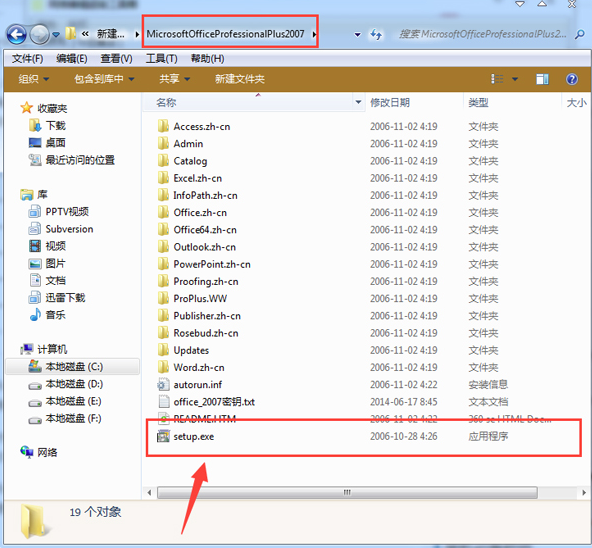
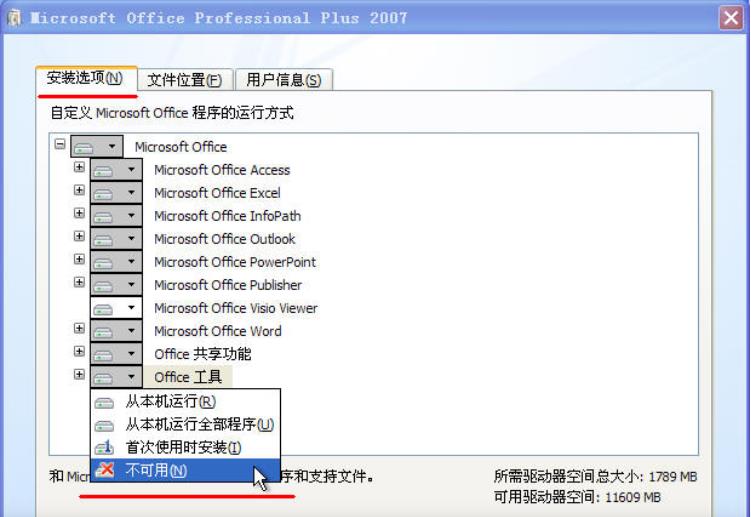
2. Enter the Office 2007 free version installation interface, you can click [Install Now], and the software will be installed by default. Or you can click [Customize].

4. After clicking Customize, the following window will open. Select the office component you want to install. You can choose to install the office component yourself. After selecting, click [Install Now].
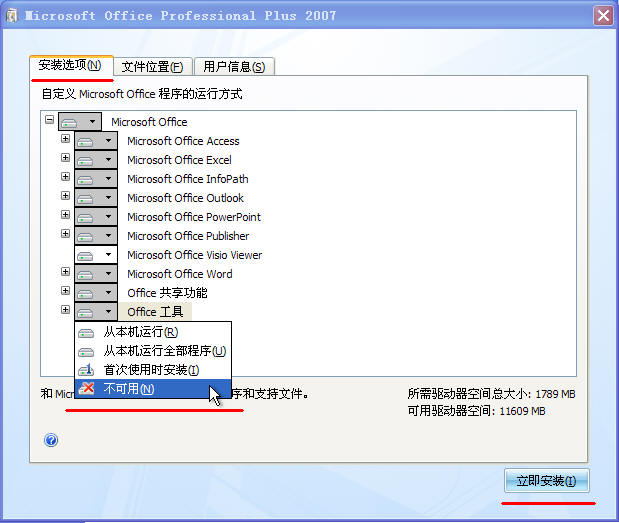
5. Select the installation location of the office 2007 free version file. You can default to the software installation location, or you can click [Browse]. When the installation location interface opens, you can choose the software installation location. After selecting, click [Install Now].

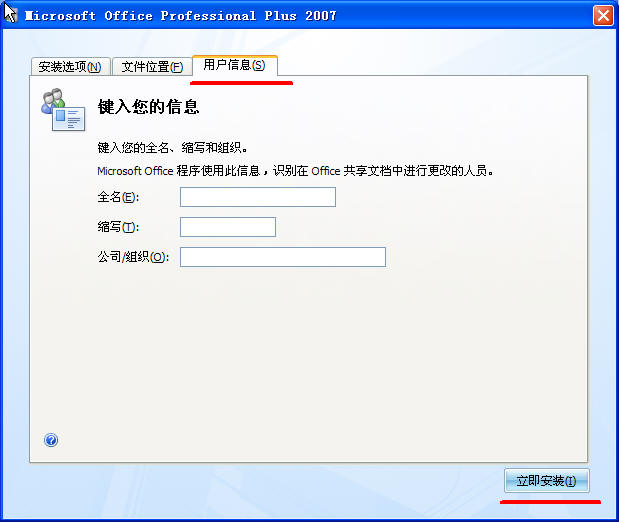
5. Enter your user information and click [Install Now] after completing the input.
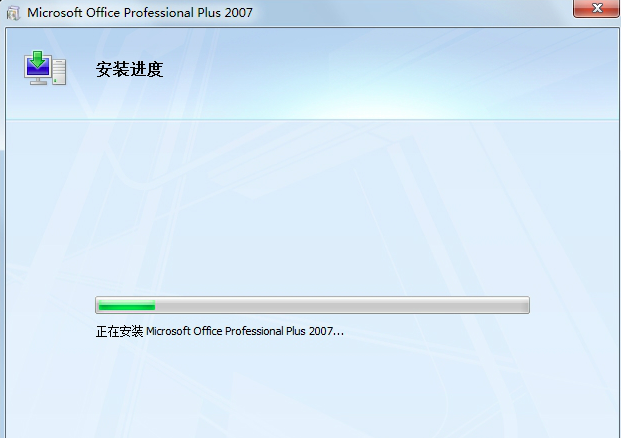
6. The free version of Office 2007 is being installed. You need to wait patiently for the software installation to be completed.
7. Click the Start menu in the lower left corner of the computer, and you can see the Office products you installed in the pop-up options.

Office 2007 update log:
1. Fixed BUG, the new version has a better experience
2. Some pages have been changed
Huajun editor recommends:
A very good office software, the editor also uses this software, it is powerful, green and safe. This site also provides Hanwang attendance management system, Aimo Brain Map, Batch Butler, etc. for you to download.
Version: 4.3.5.22 | Update time: 2025-10-23
Similar recommendations





Latest updates





How to uninstall office2007 quickly-How to uninstall office2007 quickly
How to save pdf in office2007-How to save pdf in office2007
How to set page margins in office 2007 - How to set page margins in office 2007
How to set a custom sequence in office 2007 - How to set a custom sequence in office 2007
How to cut out pictures in office 2007 - How to cut out pictures in office 2007
How to close the ribbon in office 2007 - How to close the ribbon in office 2007
How to fully activate office2007-How to fully activate office2007
How to set up automatic saving in office 2007 - How to set up automatic saving in office 2007
office 2007 review
-
1st floor Huajun netizen 2021-01-10 12:43:49Office 2007 is very useful, thank you! !
-
2nd floor Huajun netizen 2022-02-26 18:47:14Office 2007 interface design is easy to use and has rich functions. I highly recommend it!
-
3rd floor Huajun netizen 2021-05-12 07:39:51office 2007 is awesome! 100 million likes! ! !
Recommended products







- Diablo game tool collection
- Group purchasing software collection area
- p2p seed search artifact download-P2P seed search artifact special topic
- adobe software encyclopedia - adobe full range of software downloads - adobe software downloads
- Safe Internet Encyclopedia
- Browser PC version download-browser download collection
- Diablo 3 game collection
- Anxin Quote Software
- Which Key Wizard software is better? Key Wizard software collection




