-
iWork 2013
- Size: 871.58M
- Language: Simplified Chinese
- Category: application
- System: Mac OS X






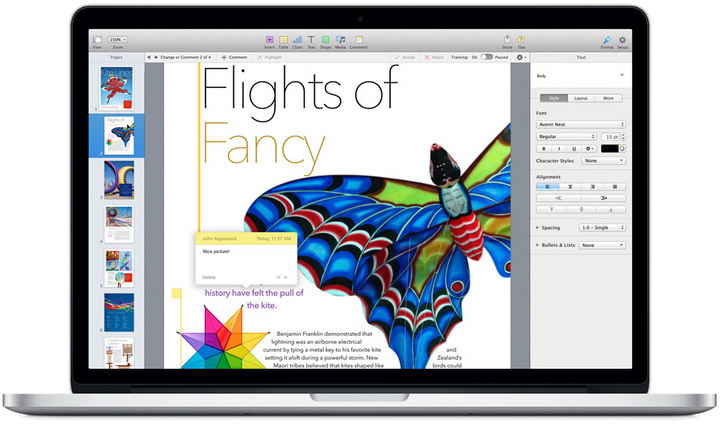
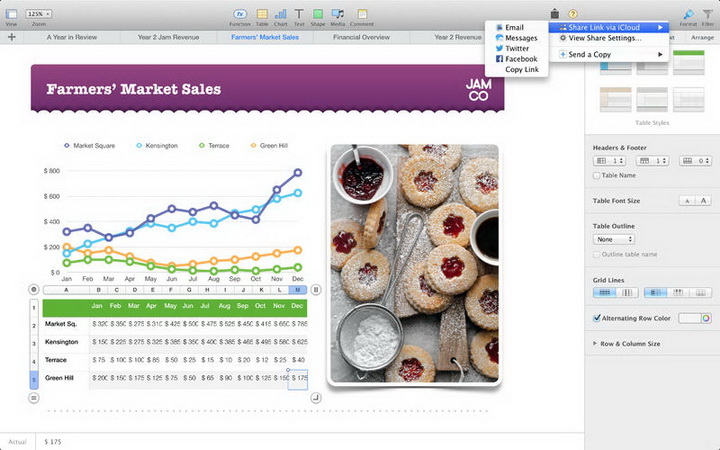
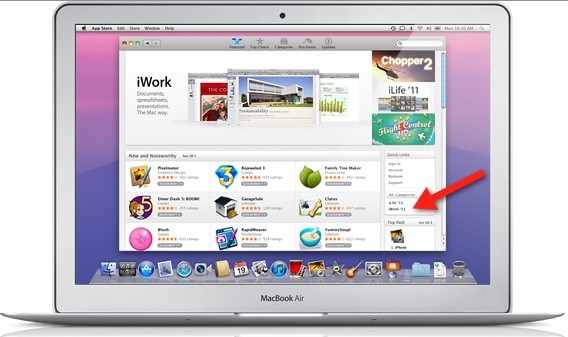
iWork It is an office software developed by Apple for OS X and iOS operating systems. The original suite included Keynote, a presentation software originally sold separately, and Pages, an integrated word processing and page layout application. iWork is also available for iPad, iPhone, and iPod touch, running smoothly across all three devices. So, buy once and enjoy anytime, anywhere.
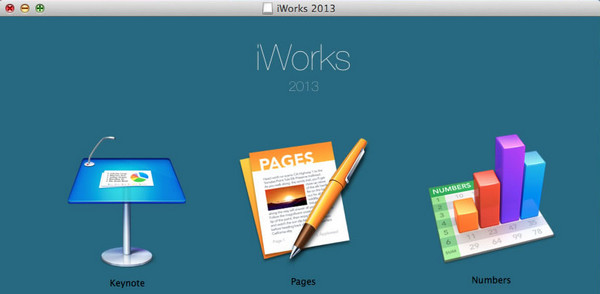
iWork function introduction
Pages
Pages is a word processing application with an emphasis on presentation. It's more useful than other word processing applications on many projects. It includes templates designed by Apple including news reports, newspapers, invitations, office, resumes, educational projects, marketing projects.
Pages and Keynote can be tightly integrated with the iLife suite. It includes a media browser that can insert pictures, music and videos from iPhoto, iTunes, and iMovie.
Pages allows users to save or export the following file formats: Pages files (.pages), Microsoft Word files (.doc), Adobe PDF files (.pdf), webpage files (.html), rich text files (.rtf), and plain text files (.txt).
Keynote
Keynote is a slideshow application focused on presentations. It is in many ways lighter than Microsoft's Powerpoint software, but offers many of the novel features of the iWork suite. Like Page, it can insert pictures, music and videos from iPhoto, iTunes, and iMovie through a media browser. It can also generate slideshow animation files.
Keynote supports and saves many file formats, including: Keynote presentation files (.key), Microsoft [Powerpoint]] presentation files (.ppt), QuickTime movie files (.mov), Macromedia's Flash animations (.swf), and PDF files (.pdf).
Keynote can import any image recognized by QuickTime, and can export several image forms, including .jpg, .png, and .tiff.
Numbers
Numbers is a newly added electronic form application in iWork '08. Its main features include smart forms, movable sketchpads, interactive printing, etc.

iwork software features
1. New features of Pages
1. 60+ Apple-designed templates
By choosing to add a new file, you can use the built-in templates of pages. We see that on the page where you choose a new template, the types of templates are far more than those of the old version. According to irresponsible statistics, the old version has 17 templates, while the new version has more than 60 types!
When using a template in iWork, you generally need to clear the original content and then add editing content in the area.
2. Keyboard format shortcut keys, tap to modify the format
When editing a document and the keyboard pops up, we see that the new version of the keyboard has an additional row of toolbars, which include the most commonly used text formats, helping you to easily edit formats while typing. However, this function was not available in the old version.
3. Use comments and highlights to share comments and feedback with others
After selecting a word or paragraph, in the new version, you will see a comment button. You can highlight the article or enter modification comments. Of course, this is a commonly used function in other applications. Now that it is implemented in pages, it is still very popular.
4. Plot data using new interactive column charts, bar charts, scatter plots, and bubble charts
In the Pages editing page, select the "+" in the upper right corner to insert graphics charts, as shown in the figure below. We see that the new version has added the "interactive" function (the old version only has two dimensions and three dimensions), making your documents even more interactive!
5. Export your documents to ePub format to create e-books
In the past, the conversion of Pages documents into ePub format was achieved through other tools. Now, as long as you pay enough attention when editing the document, you can convert it into a perfect ePub e-book directly in the application.
Select the share button and select the sharing medium to see the available formats! !
PS: The new version of Pages improves support for Chinese, Japanese and Korean and provides Arabic and Hebrew versions.
2. New features of Numbers
1. Brand new template designed by Apple
There are more than 20 kinds of built-in templates, a dozen more than before! And it is divided into common types such as basic, financial, personal, business, education, etc. Not only has the quantity and quality been significantly improved, but the practicality has also been enhanced!
2. Plot data using new interactive column charts, bar charts, scatter plots, and bubble charts
Like the above Pages, numbers also adds a new interactive column chart! The so-called interaction will produce corresponding dynamic effects through the presenter's operations on the graphics. This is not only more effective, but also very convincing in the presentation of tabular data~
3. New calculation engine speeds up calculations
The popularity of table documents lies not only in the convenience of data entry, but more importantly, in its ability to process data with a variety of built-in functions. Nowadays, the latest version of Numbers has optimized the calculation engine, so you can get calculation results instantly and experience a smoother experience!
4. Export to CSV format
CSV is currently our commonly used text format, such as address books, etc. Now Numbers can save the format as CSV and share it. Greatly improve work efficiency and save the trouble of conversion in other applications.
3. New features of Keynote
1. A new theme designed by Apple
Now, the latest Keynote has 30 templates, more than double the previous 12. In short, the new version of iWork has spared no effort in increasing the number of document templates! Users will have a wider range of choices, and the iWork series will come alive as a result!
2. New animations and effects, including updated Magic Moves, Clotheslines and more
Friends who have used Keynote must have a deep memory of its animation and slide transition effects. Now, in the new version of Keynote, you can use more cool and crazy animation effects to let everyone marvel at your presentation effect!
3. Plot data using new interactive column charts, bar charts, scatter plots, and bubble charts
Since interactive graphics are used in Pages and Numbers, they are even more indispensable in Keynote. Just imagine that when you make a report, the graphics will change with your fingers. Isn't it full of superiority? Of course the effect of the speech will be better!
Version: Free version | Update time: 2024-12-26
Similar recommendations






Latest updates





iWork 2013 Review
-
1st floor Huajun netizen 2022-03-07 23:50:31iWork 2013 is very useful, thank you! !
-
2nd floor Huajun netizen 2017-10-21 21:03:28The interface design of iWork 2013 is easy to use and has rich functions. I highly recommend it!
-
3rd floor Huajun netizen 2021-03-25 11:03:20iWork 2013 software is very easy to use, downloads quickly and is very convenient!
Recommended products








- Diablo game tool collection
- Group purchasing software collection area
- p2p seed search artifact download-P2P seed search artifact special topic
- adobe software encyclopedia - adobe full range of software downloads - adobe software downloads
- Safe Internet Encyclopedia
- Browser PC version download-browser download collection
- Diablo 3 game collection
- Anxin Quote Software
- Which Key Wizard software is better? Key Wizard software collection




