
-
Ghost installer
- Size: 17.67M
- Language: Simplified Chinese
- Category: System assistance
- System: Winxp/vista/win7/2000/2003







Ghost installerIt is a fast hard disk with ghost as the core.backupRestore tool, users can use it on Windows platform, suitable for wirelessCD-ROM driveOr use the boot disk. The new version of the Ghost installer is based on the Ghost 11 kernel, and the operation is simple and fast. Huajun Software Park provides you with a free download of Ghost Installer 2024. Like itGhostInstaller friends, come to Huajun Software Park to download and experience it!
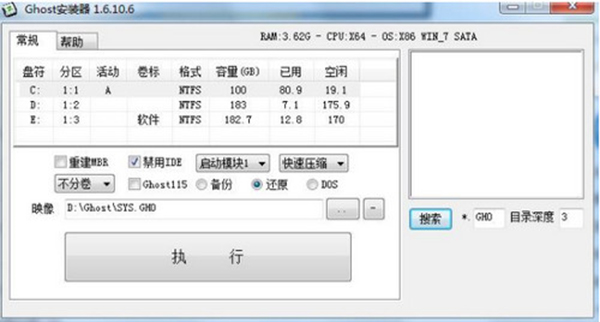
Ghost Installer Instructions
1. System automatic backup
Select "Backup" - click "..." - select the save directory - execute.
2. System automatic restore
Select "Restore" - click "..." - select Ghost image - execute.
3. Restore Ghost image from ISO
Select "Restore" - click "..." - File type: CD image (*.ISO) - Select the ISO file - Execute.
4. Restore the Ghost image from the network
Select "Restore" - click "..." - browse the machines on the network - select the Ghost image - execute.
5. Automatically install Ghost system image
The same directory as the program, and the Ghost image is named SYS.GHO—execute.
6. Enter the pure DOS environment
Select "DOS" - Execute - Manual Ghost.
Ghost installer installation tutorial
How to install the system using ghost installer?
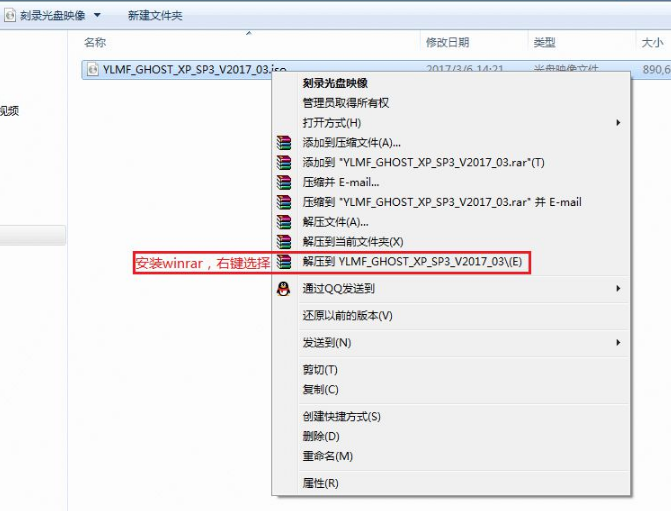
1. Taking the xp system as an example, download the ghost installer v1.6 and the Ghost xp system image "YLMF_GHOST_XP_SP3_V2017.iso" to the local hard disk (here downloaded on the D drive). After downloading, right-click to decompress to YLMF_GHOST_XP_SP3_V2017 (winrar is recommended);
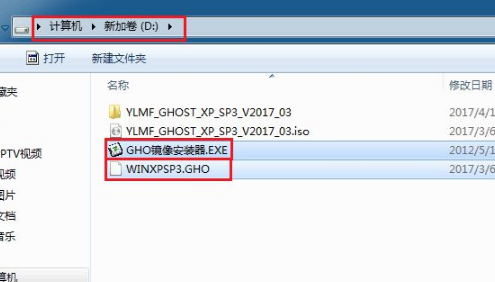
2. Copy the two files "WINXPSP3.GHO" in the system image and the "ghost installer.exe (GHO image installer)" we downloaded to the root directory of the disk. Here, choose to put them in the D drive. Be sure not to put them in the C drive or desktop;
3. Double-click "GHO Image Installer.EXE", click "C drive" for the installation location (C drive is the system disk), the image file will be automatically extracted to WINXPSP3.GHO, and then click Execute;
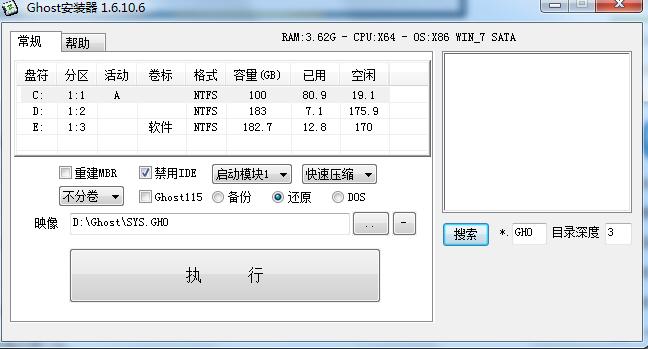
4. Select "After Execute" and the computer will automatically restart, format the C drive, and restore data to the C drive;
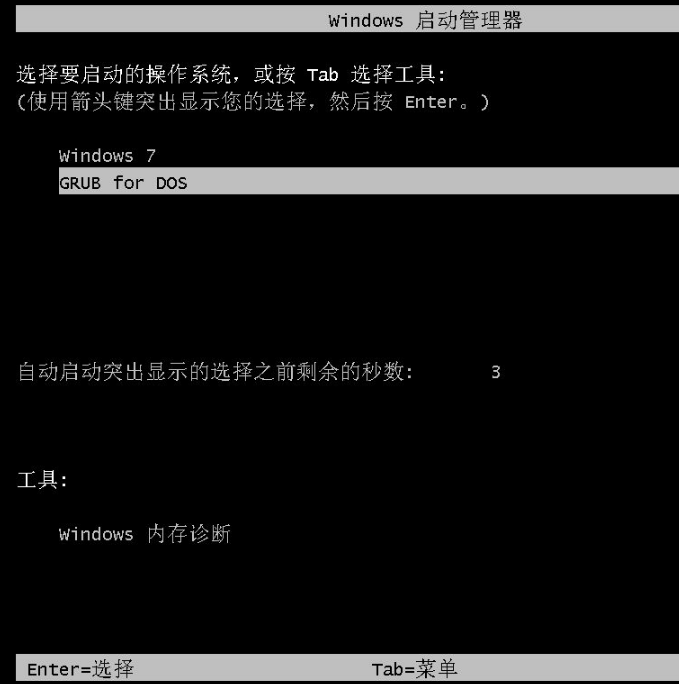
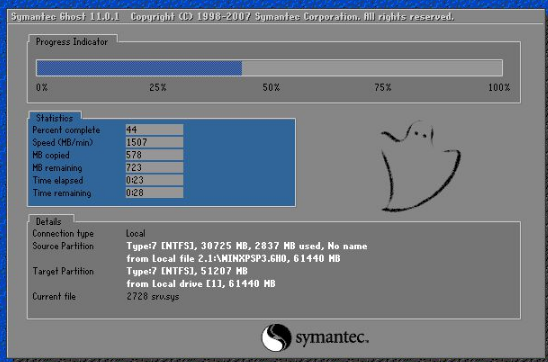
5. After the data is restored, the computer will automatically restart and then enter the XP system installation interface;
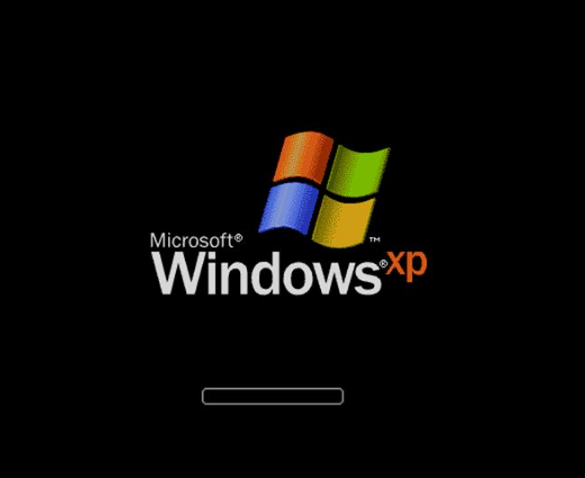
6. Driver installation process
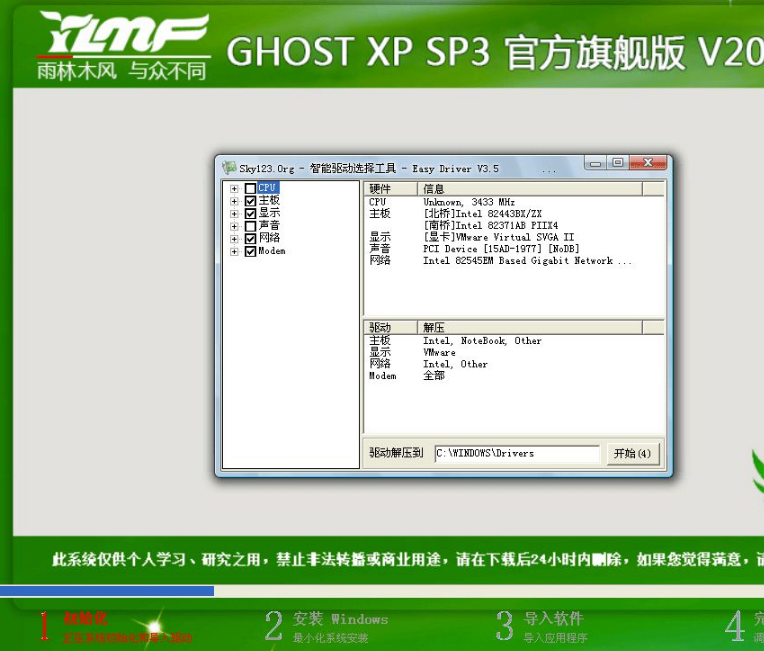
7. Installation process of system components
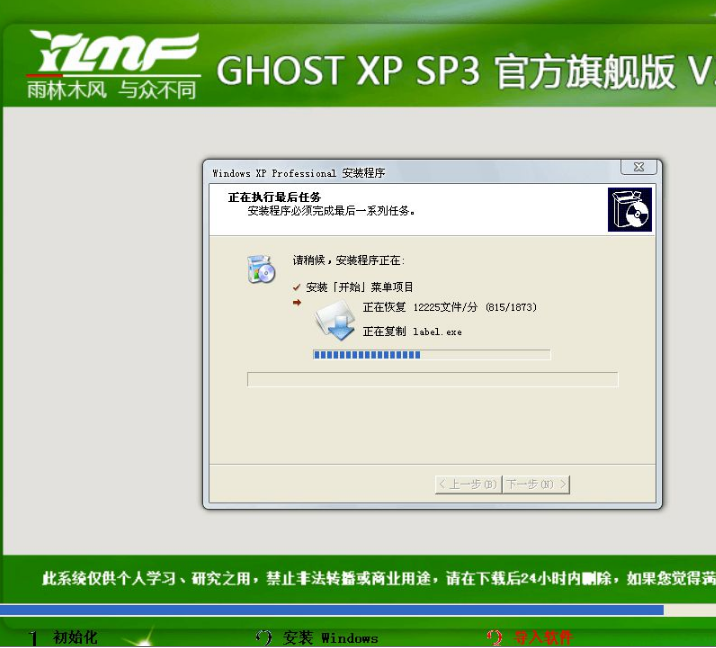
8. System component installation is completed
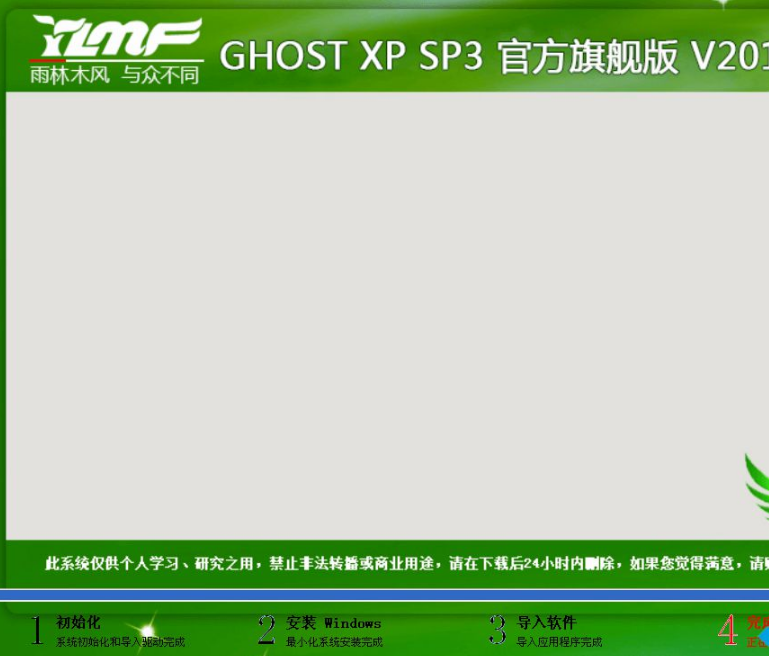
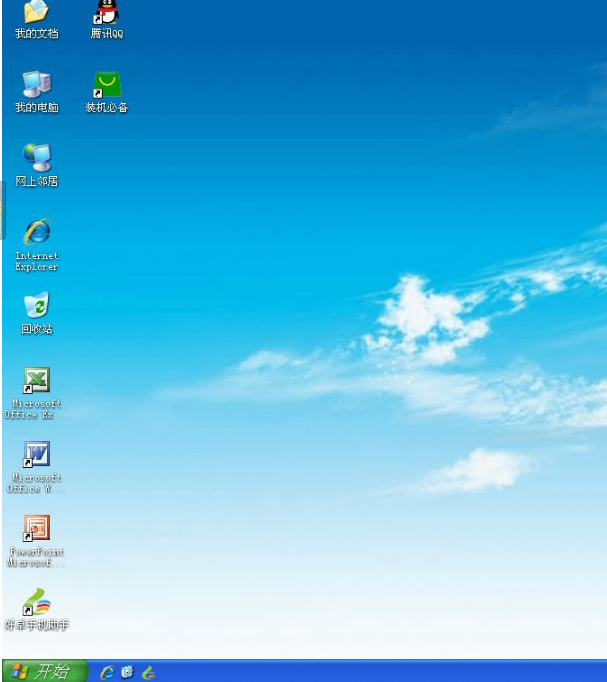
9. After the driver installation is completed, restart again and enter the new WinXP system interface. The XP system will be installed.
Ghost Installer FAQ
How to remove the GHOST option at startup?
Answer: Open the C drive → find the boot.ini file → right-click the boot.ini file and select properties → cancel the read-only attribute → open boot.ini and find the line where you ghosted with one click → delete → save. It should be ok, try to back it up.
When restoring or installing the system with Ghost, error A: GHOSTERR.TXT is prompted midway.
Answer: The solution to this situation is to enter pe during installation and format the C drive before installing, or use a pure version of the installation disk to install the system, do not use the GHOST version to install.
Ghost installer update log:
Update startup module
Huajun editor recommends:
Ghost installer is a fool-like installation system tool. It is easy to operate even if you are a computer novice. It is very practical. At the same time, Ghost installer can help you solve many problems and will make you put it down. Friends in need should not miss it. In addition, the editor also recommends you Cloud Machine Manager, .NET, and Cloud Machine Manager.
Version: 1.6.10.6 Official version | Update time: 2025-10-23
Similar recommendations


Latest updates





What to do if the ghost installer fails to boot - Solution to the ghost installer failing to boot
How to clone the system with GHOST installer-How to clone the system with GHOST installer
How to install Win10 with Ghost installer-How to install Win10 with Ghost installer
How to install the system using ghost installer-ghost installer system installation tutorial
How to use ghost hard disk installer-ghost hard disk installer operation tutorial
How to reinstall the system with ghost installer - How to reinstall the system with ghost installer
How to install win7 system with ghost installer-ghost installer tutorial
How to back up and restore the system using ghost installer - ghost installer tutorial
Ghost Installer Review
-
1st floor Huajun netizen 2021-06-18 22:44:39The Ghost installer is very useful, thank you! !
-
2nd floor Huajun netizen 2022-02-27 02:38:22The Ghost installer software is very easy to use, downloads quickly and is very convenient!
-
3rd floor Huajun netizen 2022-03-17 08:44:28The Ghost installer is not bad and downloads very quickly. I would like to give you a good review!
Recommended products









- Diablo game tool collection
- Group purchasing software collection area
- p2p seed search artifact download-P2P seed search artifact special topic
- adobe software encyclopedia - adobe full range of software downloads - adobe software downloads
- Safe Internet Encyclopedia
- Browser PC version download-browser download collection
- Diablo 3 game collection
- Anxin Quote Software
- Which Key Wizard software is better? Key Wizard software collection




