-
iTunes
- Size: 171.81M
- Language: English
- Category: media management
- System: Win7 and above






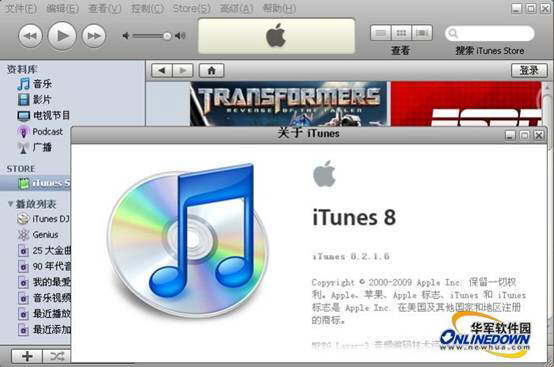
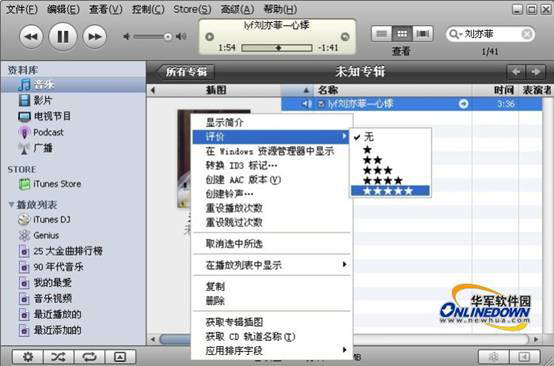
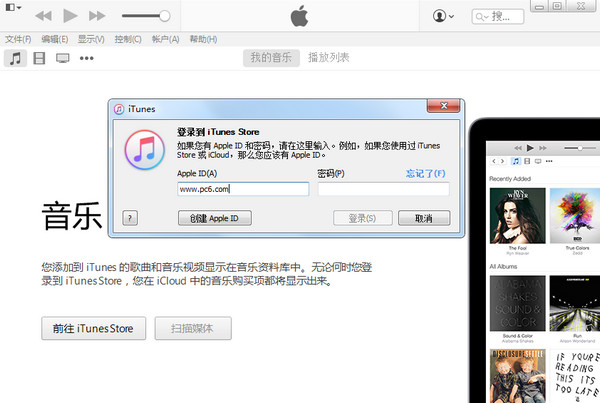


iTunesIt is a free digital media playback application officially launched by Apple. The official version of iTunes is powerful and can provide users with downloads of music, videos and applications. Here is what I will bring to youiTunesDownload and installWaiting for the relevant tutorials to explain, I hope it can help everyone better download and use iTunes.Huajun Software Park provides you withiTunesDownload and come and experience it!
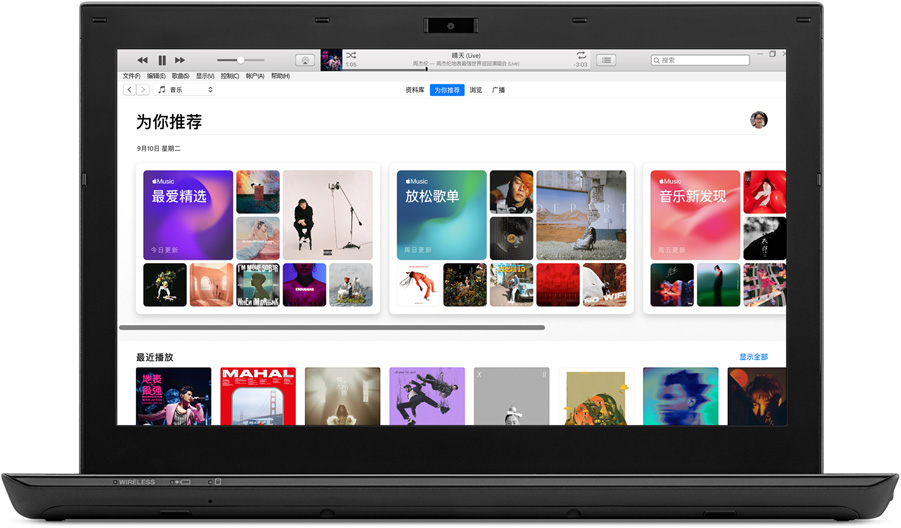
iTunes new version features
iTunes gets a new look with macOS Mojave.
1. The latest version of iTunes is now pre-installed in macOS Mojave. Upgrade now to enjoy your favorite music and podcasts.
2. You can also join Apple Music through iTunes to listen to tens of millions of songs, whether playing them online or downloading them for offline listening.
3. No need to worry about advertising interruption.
Tens of millions of songs, can be listened to on various devices.
1. Use Apple Music to enrich your listening experience.
2. Apple Music is built into iPhone and iPad. When you use these two devices, you only need to open the Music app and click "Free Trial".
3. Whether online or offline, you can listen to your favorite music on various devices without worrying about being interrupted by advertisements.
4. Start a three-month free trial and cancel at any time.

Your Android device can also listen to Apple Music.
1.Apple Music is also available for Android devices.
2. You can listen online or download it, whichever you like.
Where is the firmware downloaded from iTunes?
The first step is to click "Start", enter "itunes" in the search box, click "itunes", and click "Open file location".
The second step is to swipe up to find the "itunes wtf objc" folder, and open it to find the firmware downloaded by itunes.
Where are files downloaded from iTunes stored?
1. If your iTunes program is downloaded by default, then the downloaded file must be in the administrator folder, and the downloaded file is stored on the desktop.
2. If the iTunes program is not downloaded by default, it is recommended to install everything to search. everything is a very good file search tool. Everything download address:http://softwaredownload4.com/soft/85579.htm
How to install iTunes after downloading it?
1. Use the left mouse button to double-click to open the downloaded iTunes installation package.
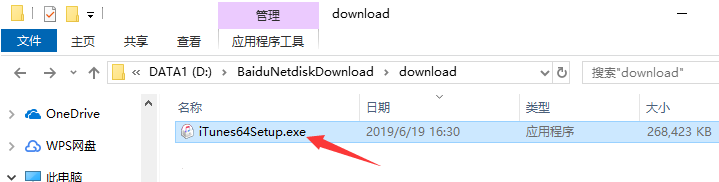
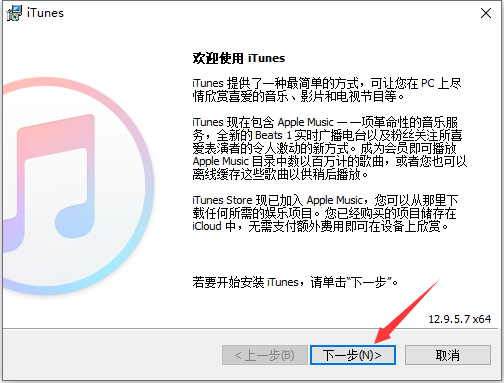
2. Enter the iTunes installation program and click "Next".
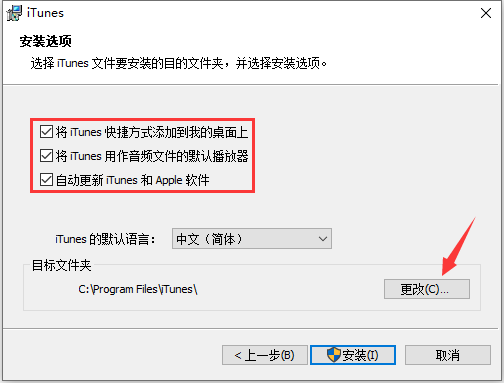
3. Set iTunes installation options. We can choose whether to "add desktop shortcut", "set iTunes as the default audio player" and "keep automatic updates" as needed. The default language below is "Chinese (Simplified)", which can be modified by users with special needs. Then click "Change" to select the iTunes installation directory. It is not recommended to install on the C drive. If there are too many files on the C drive, it will affect the running speed of the computer. After selecting, click "Install".
4. The iTunes installation process takes about 3 minutes, please wait patiently.
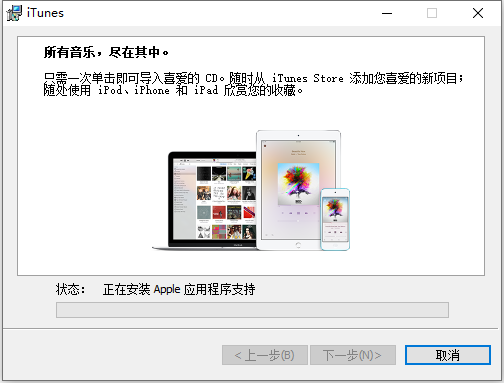
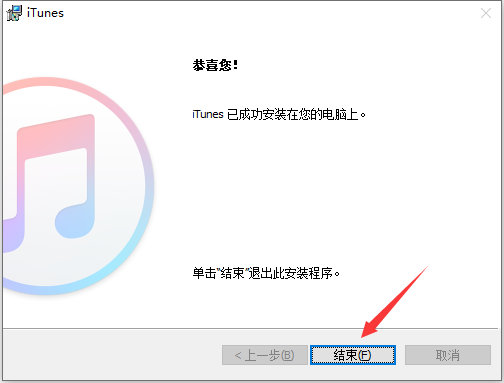
5. After the installation is completed, just click "End".
iTunes similar software recommendations
iTunes: It is an Apple device management program officially launched by Apple. It provides a bridge between PC users and Apple. iTunes has comprehensive functions and can easily manage pictures, applications, music, videos and other files in Apple devices.
iTools: It is an industry-leading Apple device synchronization management software, unofficially produced. Users can use the iTools assistant to easily complete information viewing, music/ringtones/photos/books/file synchronization, software installation, Internet resource downloads, and even device system modifications on Apple devices (ios systems, including iPhone, iPad, and iPod touch).
These two softwares have their own characteristics. Users can choose the appropriate software to download and use according to their own needs.
iTools download address:http://softwaredownload4.com/soft/115681.htm
iTunes FAQ
What should I do if problems occur during the backup or recovery process, such as backup failure or recovery interruption?Check disk space: Make sure there is enough disk space on your computer for backup or restore.
Use other backup methods: If iTunes backup fails, you can try to use iCloud or other third-party backup software for backup.
Check the backup log: Check the backup log in iTunes to understand the specific reason for the backup failure.
Safe Mode Recovery: During the recovery process, you can try to put your iOS device into recovery mode and then use iTunes to restore it.
iTunes update log
- Fixed an issue where albums might play out of sequence;
- Fixed the issue where lyrics could not be displayed when listening to Beats 1;
Huajun editor recommends:
iTunes is officially produced. Its various functions are very simple and easy to operate. It is an indispensable tool for mastering and managing Apple devices. If you are also an Apple user, come and download it! This site also has software similar to Magic Show Live Companion, Paracraft Creative Space, and .NET, which we recommend you download!
Version: 12.13.4.4 official latest version | Update time: 2025-10-23
Similar recommendations





Latest updates





How to completely uninstall itunes-How to completely uninstall itunes
Solution to unable to connect to iTools after updating iTunes 12.1.0
How to sync iTunes? Super detailed usage tutorial introduction
How to synchronize data in itunes
How to deal with failure to install iTunes on Win8.1 system?
What should I do if iTunes on Win8 system keeps failing to install repeatedly?
How to restore ipad in itunes? -How to restore iPad with iTunes
how to use itunes? -How to use itunes
iTunes backup password artifact has tips for retrieving passwords
How to solve the problem that iTunes update app is unresponsive?
iTunes review
-
1st floor Huajun netizen 2021-12-31 12:32:31The overall feeling of iTunes is good, I am quite satisfied, the installation and operation are very smooth! It went very smoothly following the installation step-by-step guide!
-
2nd floor Huajun netizen 2022-02-10 23:36:24iTunes hopes to do better and better, come on!
-
3rd floor Huajun netizen 2022-03-19 20:56:02iTunes is convenient, practical and powerful. The software is very easy to use!
Recommended products
-

tap lightly
-

VideoStudio Pro X8
-

VideoStudio X7 (Corel VideoStudio)
-

Simplified musical notation software
-

Corel VideoStudio Pro X8
-

Realtek HD audio manager (Realtek HD audio)
-
Realtek HD audio manager (Realtek HD audio)
-
Realtek HD audio manager (Realtek HD audio)
-
Realtek HD audio manager (Realtek HD audio)
-
Realtek HD audio manager (Realtek HD audio)
- Diablo game tool collection
- Group purchasing software collection area
- p2p seed search artifact download-P2P seed search artifact special topic
- adobe software encyclopedia - adobe full range of software downloads - adobe software downloads
- Safe Internet Encyclopedia
- Browser PC version download-browser download collection
- Diablo 3 game collection
- Anxin Quote Software
- Which Key Wizard software is better? Key Wizard software collection




