
-
Synthesia
- Size: 12.57M
- Language: Simplified Chinese
- Category: recording software
- System: winall






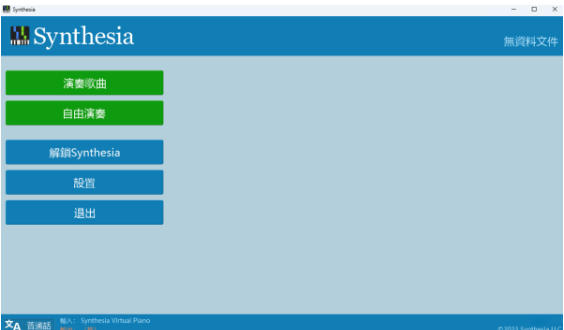
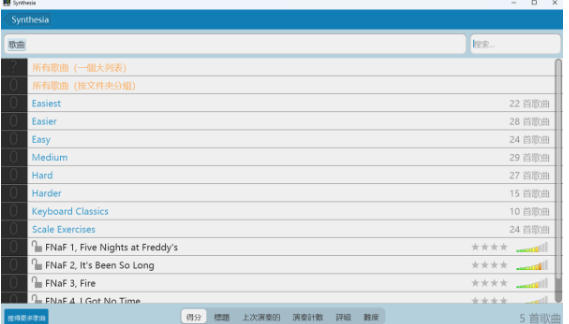
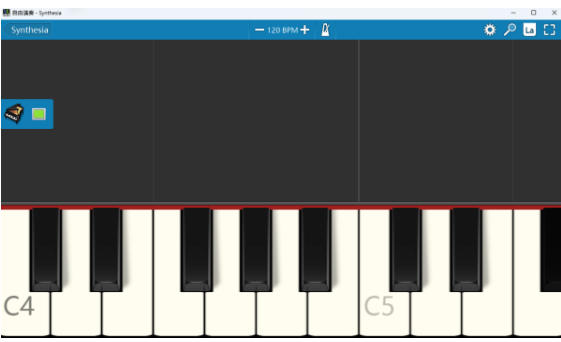
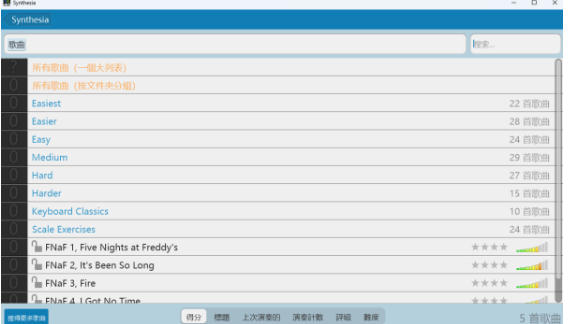
Synthesia is a piano simulation software that transforms traditional piano learning into a visual interactive experience through virtual keyboard and MIDI technology. Users can learn piano playing through the virtual keyboard keys on the screen without mastering staff or simplified musical notation. It also supports connecting to a physical MIDI keyboard for real-time feedback practice.
Software features
Rich instrument and sound library
In addition to piano, it provides more than 100 musical instrument sounds such as guitar, accordion, bass, trumpet, violin, saxophone, guzheng, and drums to meet the needs of diversified music creation.
Directly call VSTi audio sources without installing virtual MIDI devices, simplifying the audio configuration process.
Visual learning aid
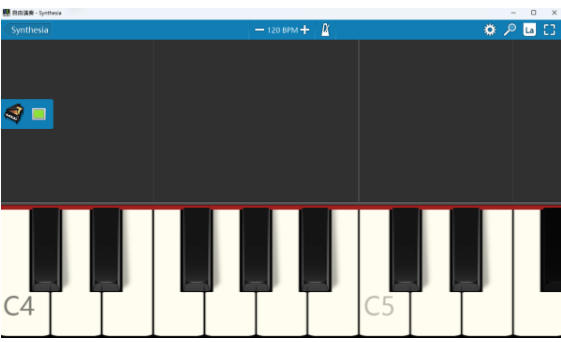
Illuminated keyboard adaptation: Highlight notes about to be played on the virtual keyboard to help users quickly locate keys.
Finger numbering reminder: Remind the best fingering method through simple gestures, lowering the learning threshold.
Part-part practice mode: supports left and right hands to practice alone or both hands to play simultaneously, adapting to different learning stages.
Software function
Core performance and practice features
Virtual keyboard dynamic guidance: The screen displays virtual piano keys, provides real-time feedback on key accuracy, and supports customized key display and functions.
MIDI file import and playback: Compatible with any MIDI file (.mid format), users can import custom tracks or use the built-in 150 song library.
Loop practice and speed adjustment: Practice difficult points repeatedly by creating loop passages, and support adjusting the playing speed to suit different skill levels.
Advanced creation and export capabilities
Multi-track recording: Use a simple recorder in free performance mode (activation code required to unlock) to record creative inspiration.
Video export: Supports exporting the performance process to MP4 or AVI format video for easy sharing and review.
Score display and bookmarks: Enable music score mode to browse songs, and support adding bookmarks to mark key passages on the score.
Hardware connectivity and real-time feedback
MIDI keyboard support: Connect to a physical keyboard via a MIDI TO USB cable to achieve low-latency real-time performance feedback.
Bluetooth MIDI Compatible: Bluetooth MIDI synthesizer is supported on Windows 10 and macOS, improving wireless convenience.
FAQ
Virtual keyboard keys malfunction
Reasons: software conflicts, improper permission settings, and old system versions.
Solution: Restart the device or reinstall the software; check application permissions to ensure that you have necessary permissions such as "enable input method"; update the operating system to the latest version.
MIDI keyboard connection failed
Reason: The driver is not installed, the interface does not match, and the device is not recognized.
Solution: Visit the official website of the keyboard to download the corresponding driver; use the HOST TO USB cable (selected according to the keyboard interface); manually select the music input/output device in the Synthesia settings.
Synthesia update log:
Sweep the bug out and carry it out to the end
Optimize user feedback issues and improve detailed experience
Huajun editor recommends:
Synthesia software feels really good! The editor specially tested it for this purpose, and it is really great to use. Jinzhou voice chat recording software, yy recording software, Adobe Audition CC, etc. are all very good software tested by the editor. Come and choose the one that suits you!
Version: 10.9.5903 | Update time: 2025-11-04
Similar recommendations






Latest updates




Synthesia Review
Recommended products









- Diablo game tool collection
- Group purchasing software collection area
- p2p seed search artifact download-P2P seed search artifact special topic
- adobe software encyclopedia - adobe full range of software downloads - adobe software downloads
- Safe Internet Encyclopedia
- Browser PC version download-browser download collection
- Diablo 3 game collection
- Anxin Quote Software
- Which Key Wizard software is better? Key Wizard software collection




