
-
Quick Ping Monitor (graphical IP monitor)
- Size: 13.14MBM
- Language: Simplified Chinese
- Category: Network detection
- System: WinAll






Quick Ping Monitor (graphical IP monitor) is an excellent graphical IP monitor. If you need an excellent IP monitor, download this excellent and all-Chinese Quick Ping Monitor (graphical IP monitor) immediately and use it.
Basic introduction
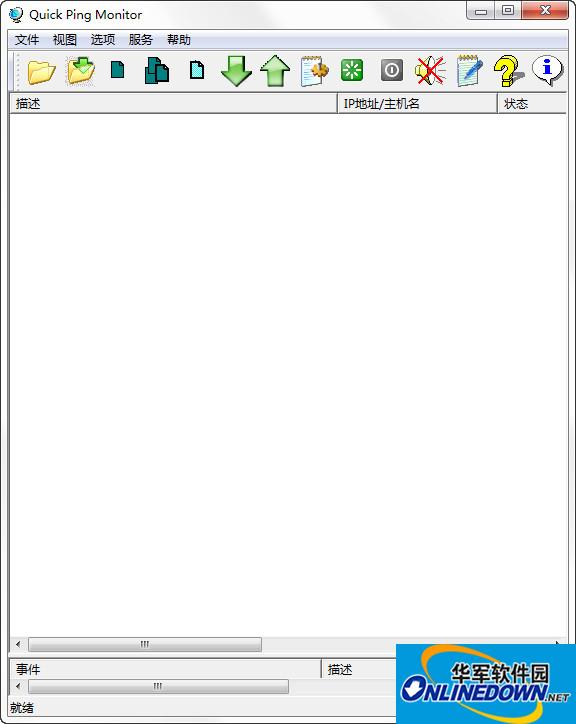
Quick Ping Monitor is a powerful graphical IP monitoring tool that can monitor the status of thousands of network devices at the same time and send messages to the administrator when the device status changes. Quick Ping Monitor is very useful for network administrators, server administrators, more than 30 countries and many large companies are using Quick Ping Monitor. It is an upgraded version of SuperPinger, with more stable operation, higher efficiency and richer functions.
Function introduction
1. Check the network connection/server/switch/router status of this machine and the network status of other IP machines.
When a network failure occurs, Quick Ping Monitor will quickly notify you, execute selected programs, and save log information.
This feature is especially suitable for users or companies with large network connections and servers. For example, when an internal network has multiple lines, even if one line fails, the entire network still looks normal. In this case, it becomes difficult to troubleshoot the problematic line. However, if the problem is not solved in time, it will cause the network to collapse when all lines fail. Therefore, it becomes very important to check the status of all lines in real time. Using Quick Ping Monitor, you can view the network status of all computers. When there is a problem on any line, Quick Ping Monitor can quickly issue a notification.
2. Check whether a specific IP address is available or whether other computers on the network are running.
Quick Ping Monitor can detect up to 65536 consecutive IP addresses in a segment at the same time. You can add all IP addresses to be monitored to Quick Ping Monitor to view the available IP addresses used and whether the corresponding computers are turned on.
Quick Ping Monitor (registered version) can monitor the status of thousands of network devices at the same time (the maximum monitoring volume depends on the processing power of the CPU), send Ping commands to all target machines at the same time, and receive responses without affecting each other on the monitored machines. This method can significantly shorten the waiting time compared to the traditional method. At the same time, Quick Ping Monitor will display real-time information in a list, including minimum delay, maximum delay, average delay, TTL and packet loss rate, etc.
How to use
1. After downloading, do not run the software in the compressed package and use it directly. Unzip it first;
2. The software supports both 32-bit and 64-bit operating environments;
3. If the software cannot be opened normally, please right-click and run in administrator mode.
Version: Official version | Update time: 2024-12-30
Similar recommendations






Latest updates




Quick Ping Monitor (Graphical IP Monitor) Reviews
-
1st floor Huajun netizen 2022-03-29 07:55:01The interface design of Quick Ping Monitor (graphical IP monitor) is easy to use and has rich functions. I highly recommend it!
-
2nd floor Huajun netizen 2020-05-28 06:16:54Quick Ping Monitor (graphical IP monitor) software is very easy to use, downloads quickly and is very convenient!
-
3rd floor Huajun netizen 2020-11-26 18:00:08The overall feeling of Quick Ping Monitor (graphical IP monitor) is good, I am quite satisfied, the installation and operation are very smooth! It went very smoothly following the installation step-by-step guide!
Recommended products










- Diablo game tool collection
- Group purchasing software collection area
- p2p seed search artifact download-P2P seed search artifact special topic
- adobe software encyclopedia - adobe full range of software downloads - adobe software downloads
- Safe Internet Encyclopedia
- Browser PC version download-browser download collection
- Diablo 3 game collection
- Anxin Quote Software
- Which Key Wizard software is better? Key Wizard software collection




