
-
PS2 emulator
- Size: 20M
- Language: Simplified Chinese
- Category: PC emulator
- System: WinAll






PCSX2 is a Playstation 2 'emulator', a free program that attempts to replicate a Playstation 2 console, allowing you to play PS2 games on your PC. This PCSX2 simulator is released under the GNU General Public License and is a green, free and open source game auxiliary tool. Come to Huajun Software Park to download the pcsx2 simulator and open the game to experience the effect.
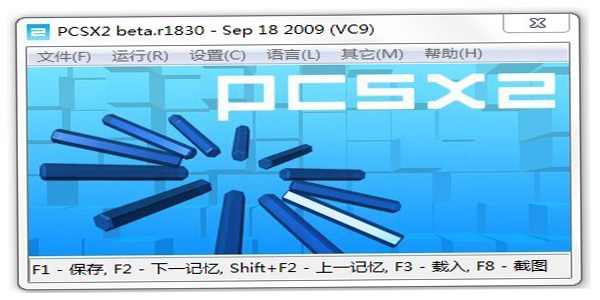
PS2 emulator installation instructions
This version is the Chinese version of PS2 emulator PCSX2.
You can directly unzip it and run it. It is a Chinese version. Contains Chinese optimized version, just run pcsx2.exe.

PCSX2 emulator installation tutorial
1. Select any address from this page to download the pcsx2 simulator software package locally and unzip it to run the installation program in the package. As follows:
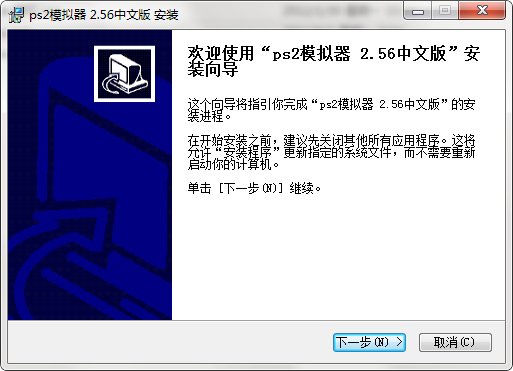
2. Please run [Next] directly to enter the pcsx2 simulator installation path setting interface.

3. Select [Browse] to set up, and continue [Next] after setting the pcsx2 simulator installation path.
4. Finally, the pcsx2 simulator is installed, click [Finish] to start the experience.

How to use PS2 emulator
1. Please prepare the iso image file of the game first, and then run and open the pcsx2 emulator.
2. Open the downloaded pcsx2 simulator software package and select the pcsx2.exe file, double-click to run.

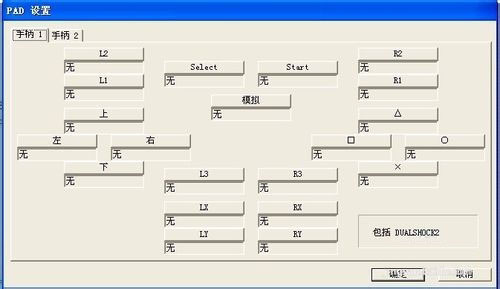
3. If we want to play games, we need to set the commonly used keys first, as follows:
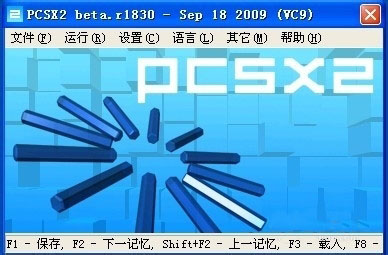
4. After we open it, select the file--Run the ISO image.
5. Select the iso image game file we downloaded before, and then select [Open] to load the game.
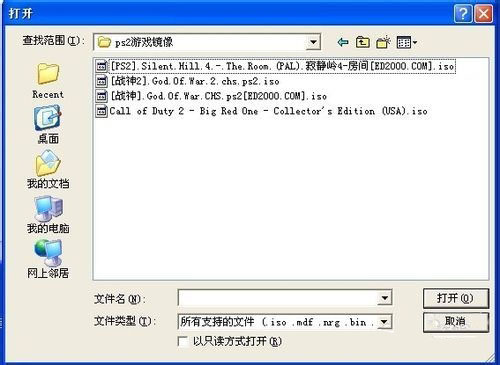
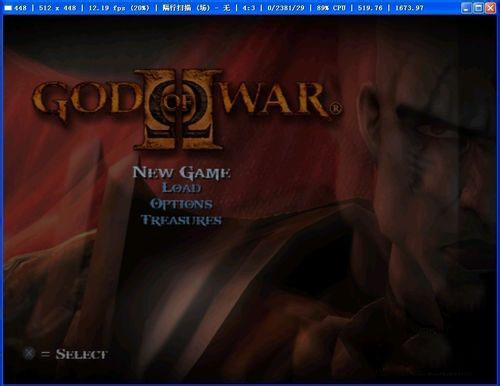
6. After the game is imported, you can choose to start experiencing it, as follows:
ps2 emulator FAQ
1. How to set up ps2 emulator (PCSX2)?
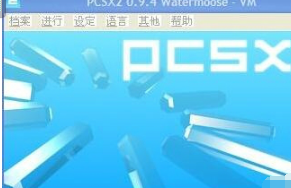
1. Run and open the pcsx2 simulator, as follows:
2. Open [Settings] to select screen settings, controller, sound, USB, etc. for settings.
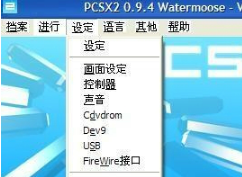
3. Select [Settings] to open and enter the general setting interface of the pcsx2 simulator.

4. We can choose "First Controller" to set LilvPad0.84 or SSSPSX.
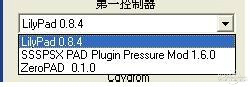
5. Then set "Bios", select the parameter information that suits you and confirm to close the interface.
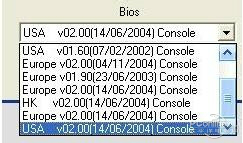
2. How to set the controller in ps2 emulator?
1. Run and open the pcsx2 emulator, select [config settings] - [control] - [plug-in settings]
2. [Global] - [Peripherals] - Check "Direct Input" - Controller - Check "Port 1 Transfer"
3. According to the prompts in the picture, do not select joysick and use analogy mode.
4. Next we need to select "Player 1A", and then choose to set the corresponding keys in the PS2 key mode of the controller. Such as:
Four additional keys:L1, L2, R1, R2;
Eight primary keys:Up, down, left, right, tip, frame, fork, circle;
Two joysticks: L3, R3,A "beginning", a "choice";
When setting, you only need to press the button first and then press the corresponding key on the handle to set up successfully.
5. Finally, we select [Apply] and then [Confirm]
6. Start experiencing the game.
Precautions for pcsx2 simulator
Because the PS2 emulator is a new version of the emulator, it requires the support of DirectX address: http://softwaredownload4.com/soft/120082.htm and Visual C++ address: http://softwaredownload4.com/soft/988983.htm.
1. If the simulator cannot find the plug-in, please set the plug-in search path to the simulator's Plugins folder.
2. If the BIOS cannot be found, please set the BIOS search path to the Bios folder of the emulator.
3. If the game cannot be archived, please set the memory card search path to the Memcards folder of the emulator.
ps2 emulator update log:
Improve simulation speed
Fixed support for some games
Support progressive scan time control
Implement multi-threaded VU
|
Huajun editor recommends: The PCSX2 simulator shared by the editor is programmed in C language and can be run under Windows and Linux systems. The PCSX2 simulator can also support a variety of plug-ins and enhanced Chinese operations. If you are interested, you can download it and experience it. In addition, the editor also provides you with the Yeshen Android simulator and IOS mobile game simulator for you to choose and download. |
Version: 2.56 Chinese version | Update time: 2025-10-23
Similar recommendations







Latest updates




How to use ps2 emulator-How to use ps2 emulator to play games
How to use the ps2 simulator-How to use the ps2 simulator to set the buttons
How to use the ps2 simulator-How to set up the controller using the ps2 simulator
How to use the ps2 emulator - How to set up the ps2 emulator
PS2 emulator classic game download list Chinese version download (9)
Is the PS3 emulator nearly perfect? Run God of War 3/Uncharted 3 smoothly
PS3 emulator reaches new level
How to draw a lottery in 360 Software Butler - How to draw a lottery in 360 Software Butler
PS2 emulator review
-
1st floor Huajun netizen 2021-12-28 00:19:15The PS2 emulator is very interesting and I highly recommend it~
-
2nd floor Huajun netizen 2020-08-27 20:37:30I love the PS2 emulator, it downloads very quickly! !
-
3rd floor Huajun netizen 2022-02-03 05:43:34PS2 emulator must be praised first! ! !
Recommended products









- Diablo game tool collection
- Group purchasing software collection area
- p2p seed search artifact download-P2P seed search artifact special topic
- adobe software encyclopedia - adobe full range of software downloads - adobe software downloads
- Safe Internet Encyclopedia
- Browser PC version download-browser download collection
- Diablo 3 game collection
- Anxin Quote Software
- Which Key Wizard software is better? Key Wizard software collection




