
-
SecureCRT
- Size: 89M
- Language: English
- Category: Server class
- System: Winall






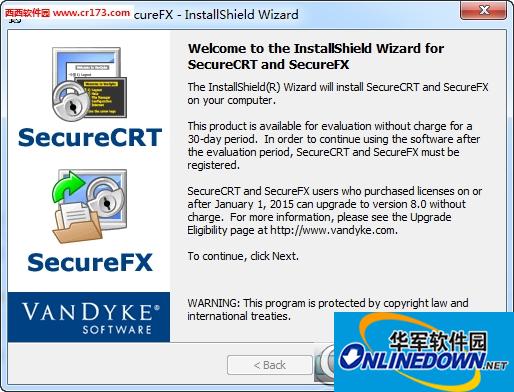
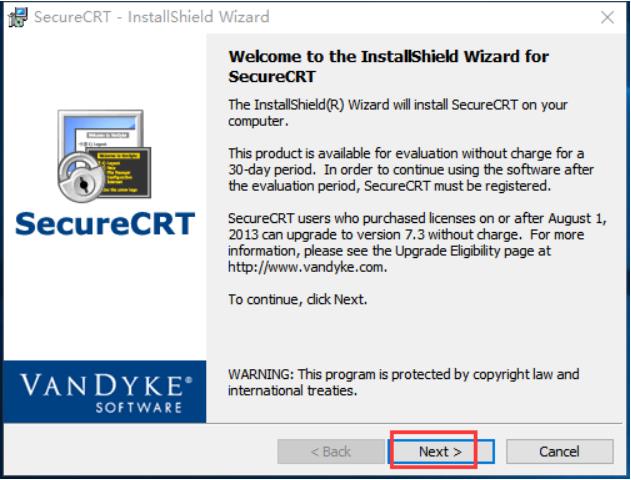
SecureCRTThe power of SecureCRT is that you can directly monitor your device remotely without using a computer. Features of SecureCRT include text scripts, easy-to-use toolbars, user keymap editors, customizable ANSI colors, etc. SecureCRT's SSH protocol supports DES, 3DES and RC4 ciphers and passwords with RSA authentication. Friends who like SecureCRT come to Huajun Software Park to download and experience it!
SecureCRT Highlights
Security authentication and encryption
Multi-factor authentication: Supports password, public key, keyboard interaction and Kerberos verification to enhance authentication security.
Key management: Built-in public key assistant simplifies the public key upload process; supports RSA, Ed25519, ECDSA and other key types, and is compatible with smart cards and PKCS#11 tokens.
FIPS 140-2 Validated Library (Windows only): Meets the stringent security compliance requirements of the government and financial industries.
File transfer and integration
SFTP/SCP: Secure file transfer via VCP and VSFTP command line tools.
Drag-and-drop operation: The visual interface supports dragging files directly to complete upload/download without the need for a command line.
Integrated with SecureFX: Seamlessly switch terminal emulation and file transfer functions to improve work efficiency.
Scripting and Automation
Multi-language support: Supports VBScript, JScript, Python and PerlScript, and can write scripts to execute commands in batches, automatically log in, or complete complex operation processes.
Script Recorder: Record user operations and generate scripts to quickly reproduce the task process.
Command window: Edit text in advance and support history recording, making it easy to repeatedly send commands or edit files.
SecureCRT software features
Cross-platform compatibility: Supports Windows, macOS and Linux to meet the needs of users with different operating systems.
Customizable interface: adjust the layout of the toolbar, status bar, and button bar, customize shortcut keys and double-click word separators.
Log audit function: Automatically record complete session logs, support classified storage by timestamp and session name, and meet compliance inspection requirements.
Anti-idle mechanism: Periodically send signals or custom keys (such as the space bar) to prevent the device from automatically disconnecting due to no input.
Bastion machine jump: Use the "firewall" function to jump directly from the bastion machine to the target device, simplifying the operation process.
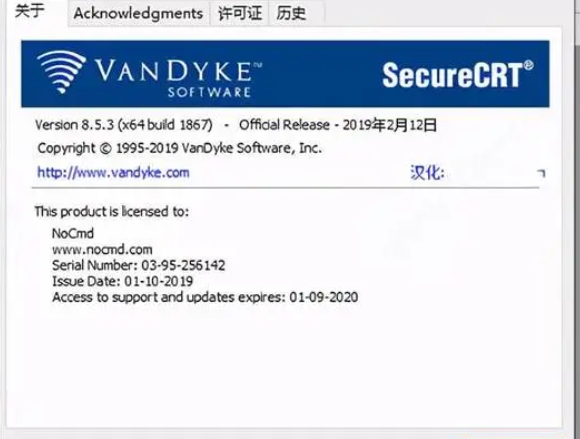
Software function
Multi-protocol support
SSH1/SSH2: Provides encryption algorithms such as AES, Twofish, Blowfish, and 3DES, and supports port forwarding, X11 forwarding, and dynamic forwarding to ensure data transmission security.
Telnet/RLogin: compatible with traditional protocols and suitable for scenarios with low security requirements.
Serial/TAPI: Supports serial port connection for debugging embedded devices or industrial control systems.
RDP (Windows only): Integrated Remote Desktop Protocol provides direct access to Windows server desktops.
Multi-session management
Tabbed interface: Supports opening multiple tabs or windows at the same time, making it easy to switch between different device connections.
Session grouping: Manage sessions by project or device type to improve search efficiency.
Synchronization operation: Enter commands in a window to synchronize to other associated sessions and perform repetitive tasks in batches.
Advanced terminal emulation
Broad compatibility: Supports terminal types such as VT100, VT102, VT220, ANSI, SCO ANSI, Xterm, Wyse 50/60 and Linux console to meet diverse needs.
Customize the display: Adjust fonts, colors, character encoding, and screen buffer size to optimize the visual experience.
Hexadecimal view: When debugging serial communication, the session output is displayed in hexadecimal format to facilitate data analysis.
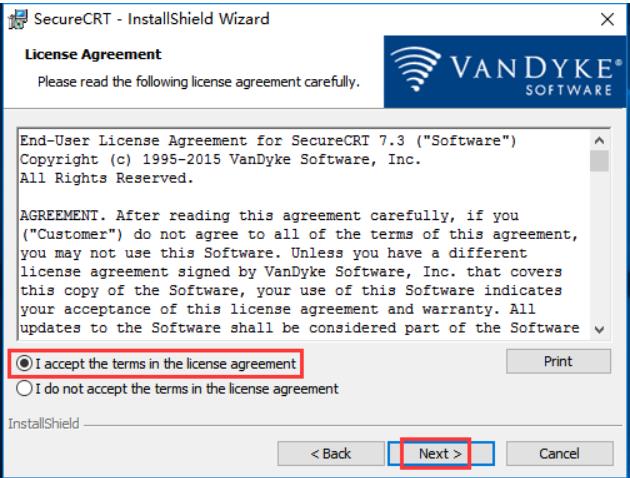
SecureCRT FAQ
Unable to connect to remote server
Reasons: Network failure, firewall blocking, SSH/Telnet service not started, port error.
Solution:
Check the network: Use ping or traceroute to test network connectivity.
Verify service status: Execute netstat -tuln | grep 22 (SSH) or telnet localhost 23 (Telnet) on the server to confirm that the service is running.
Check the port: Confirm that the port configured in SecureCRT is consistent with the server (such as SSH default 22, Telnet default 23).
Turn off the firewall for temporary testing: such as sudo ufw disable (Ubuntu) or systemctl stop firewalld (CentOS).
SecureCRT update log
1. Fixed BUG, the new version has a better experience
2. Some pages have been changed
Huajun editor recommends:
SecureCRT has the same complete functions as the official product, the interface is more beautiful and elegant, and the design is more complete. It continuously meets the needs of users. Welcome to download. If you are interested, you can also download Quick Easy FTP Server, Foxmail Server, and Firefox browser
Version: Official version | Update time: 2025-09-19
Similar recommendations







Latest updates





How to transfer files using SecureCRT? -Transfer files using SecureCRT
How to set up SecureCRT in Chinese? -SecureCRT settings Chinese
How to set font size in SecureCRT? -SecureCRT set font size
How to set white fonts on black interface in SecureCRT-How to set white fonts on black interface
How to set the default protocol in SecureCRT-How to set the default protocol in SecureCRT
How does SecureCRT modify the cursor style - How does SecureCRT modify the cursor style?
How does SecureCRT modify the character encoding - How does SecureCRT modify the character encoding?
How to set font size in SecureCRT-How to set font size in SecureCRT
SecureCRT Review
-
1st floor Huajun netizen 2021-12-03 00:07:07SecureCRT software is very easy to use, downloads quickly and is very convenient!
-
2nd floor Huajun netizen 2022-01-07 13:15:59SecureCRT is awesome! 100 million likes! ! !
-
3rd floor Huajun netizen 2022-01-20 05:54:44The overall feeling of SecureCRT is good and I am quite satisfied with it. The installation and operation are very smooth! It went very smoothly following the installation step-by-step guide!
Recommended products








- Diablo game tool collection
- Group purchasing software collection area
- p2p seed search artifact download-P2P seed search artifact special topic
- adobe software encyclopedia - adobe full range of software downloads - adobe software downloads
- Safe Internet Encyclopedia
- Browser PC version download-browser download collection
- Diablo 3 game collection
- Anxin Quote Software
- Which Key Wizard software is better? Key Wizard software collection




