
-
WampServer
- Size: 644M
- Language: English
- Category: Server class
- System: Windows All






WampServerIt is a powerfulPHPIntegrated installation environment. With this wampserver, you save the need to manually configure apache, php,mysql, you can complete the installation of the php environment with just one click. It also saves you time and configuration errors. Huajun Software Park provides you with free download of WampServer2024 and free download of WampServer2024.
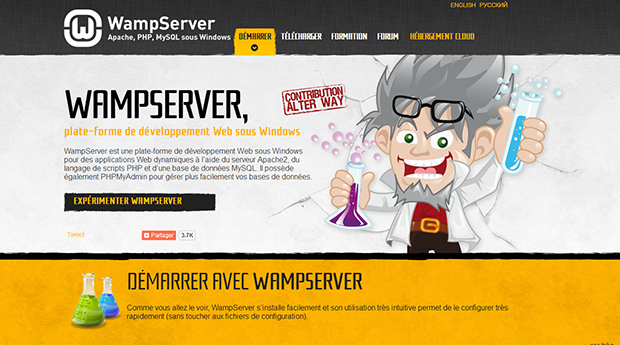
wampserver software features
1. Supports Chinese language, one-click installation, saving time and effort; anyone can easily build it;
2. Integrate Apache/MySQL/PHP/PhpMyadmin; support PHP extension and Apache’s mod_rewrit;
3. Start, restart, stop all services with one click, switch to offline state with one click, etc.
wampserver installation steps
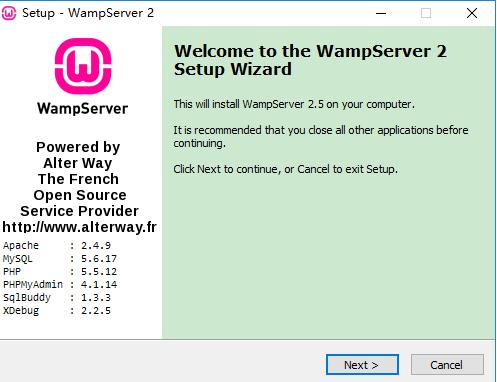
1. Download the Wamp Server installation package from Huajun Software Park, get a compressed package locally on your computer and use 360 compression software to decompress it, double-click the .exe file to enter the Wamp Server installation guide interface, and click [next].
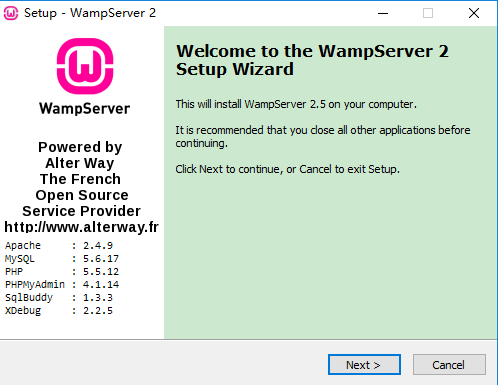
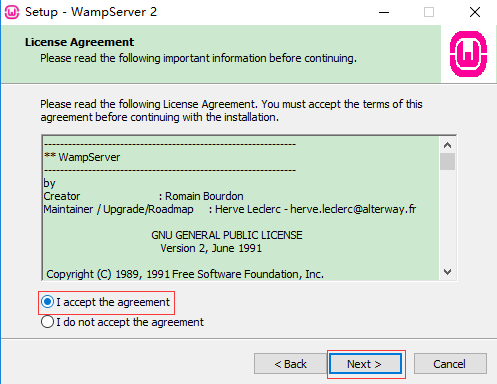
2. Enter the Wamp Server installation license agreement interface, which mainly contains some author and usage statement information of wamp. You can select [I accept] without looking at it and click [next].
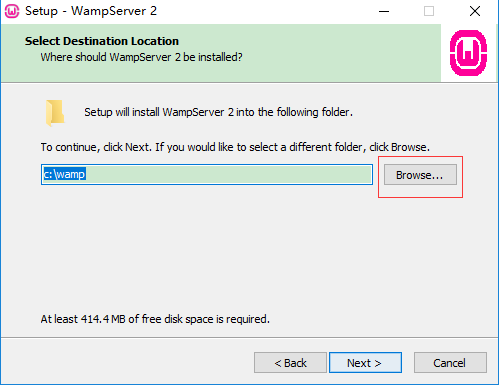
3. Select the installation location to install Wamp Server. You can click [next] directly and the software will be installed by default. Or you can click [Browse] to pop up the installation location interface. You can choose the Wamp Server installation location yourself, and click [next] after completing the selection.
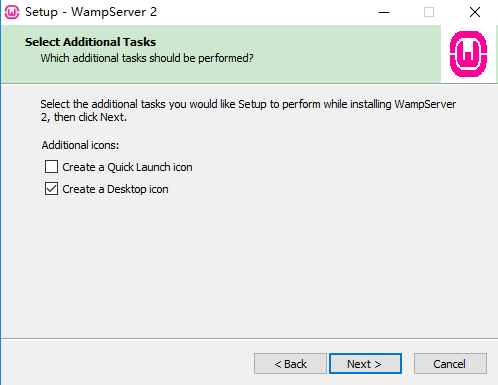
4. Enter the Wamp Server installation options interface. You can choose whether to check Create Desktop icon (create a wound shortcut) and Create a Quick Launch icon (create a launch bar shortcut). Click [next] after the selection is completed.
5. When preparing to install Wamp Server, you can first check whether the installation location is correct. If there is no error, click [install].

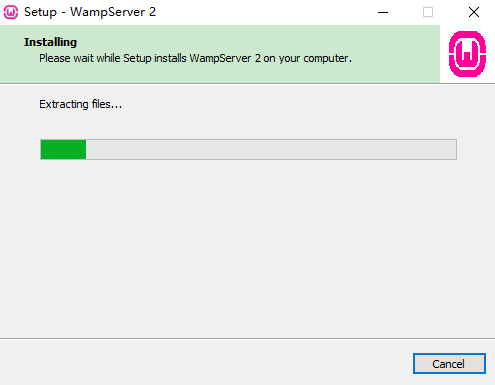
6. Wamp Server is being installed, you need to wait patiently for the installation to complete.
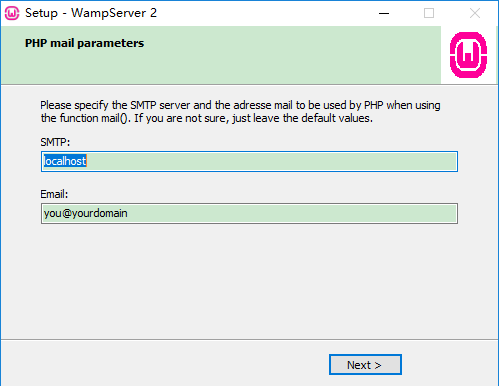
7. You are required to set up SMTP and enter your email address. After completing the input, click [next].
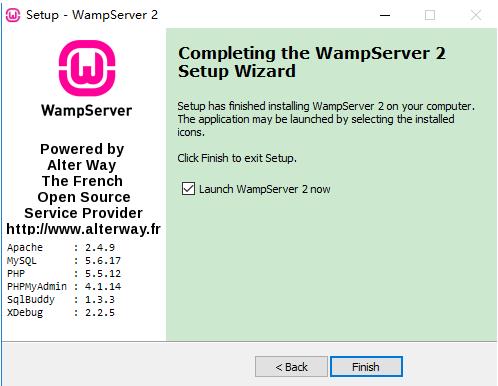
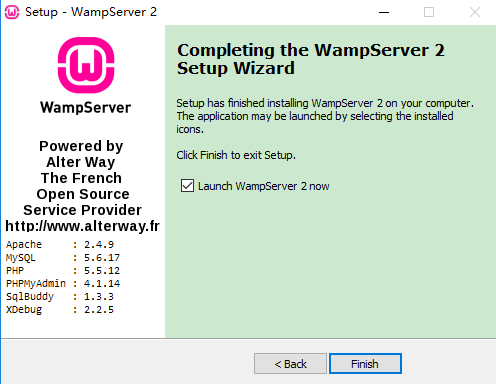
8. After the Wamp Server installation is completed, you can check "Run Wamp Server software now" and click [finish] to automatically open the software.
wampserver usage tips
How to set up Wamp Server in Chinese
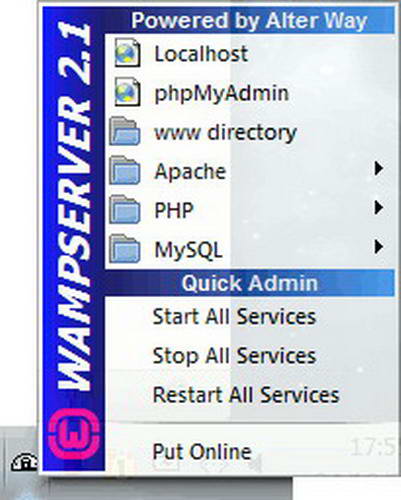
1. Right-click the small icon of Wamp Server in the lower right corner of the computer.

2. Select “Language” from the pop-up options, and select “Chinese” from the secondary menu.

WampServer modifies the project root directory
Left-click the small icon of Wamp Server in the lower right corner of the computer, and then click "www directory" to open the default installation directory of Wamp Server. The folder where the project is stored is not in the default installation directory. If you want to modify it, you can open it by executing:
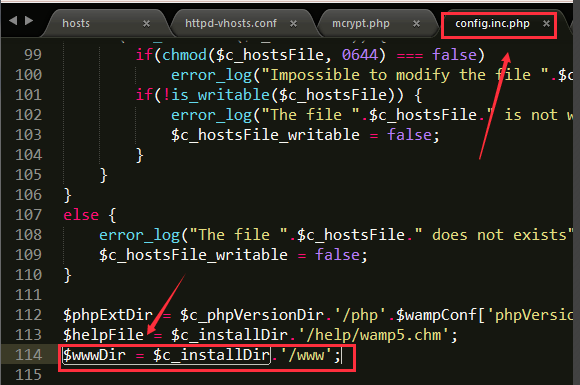
Wampserver installation directory, open the config.inc.php file
Path: drive letter:wamp64scriptsconfig.inc.php
Find: $wwwDir = $c_installDir.'/www'; (Just change it to the directory where the project is located, for example: D:web)
Modification: $wwwDir = ‘D:/web’; (Note: under Windows, the backslash “” must be changed to a forward slash “/”)
Refreshing wampserver takes effect.
(Note: The modification is only a link on wampserver. It is not recommended to change it unless there is a special need.)
MySQL configuration
1. Left-click the small icon of wampserver in the lower right corner of the computer, click phpmyadmin in the pop-up options, the phpmyadmin login interface will pop up, enter the user name root, leave the password empty, and click execute.

2. Enter the phpmyadmin interface and click [Change Password] in the general settings.
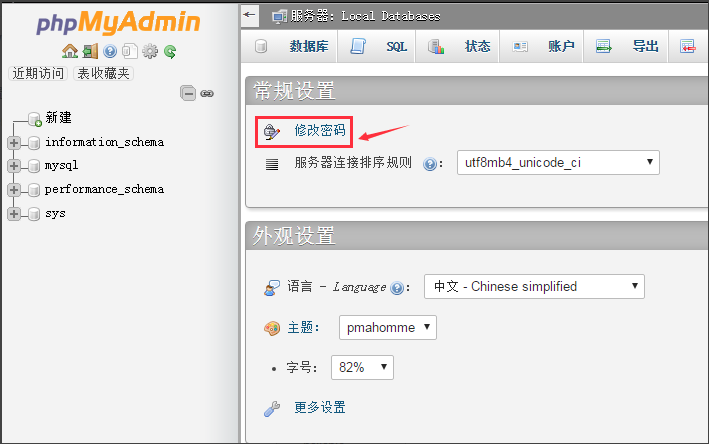
3. Enter the password modification interface, you can change the password. After you need to enter the password, re-enter the password to ensure that the password entered twice is the same, and click Execute.

4. After changing the password, restart MySQL and refresh the page. You may be prompted with an error.

5. You need to open phpmyadmin in the wampserver installation directory, open the phpmyadmin folder and find the config.inc.php file to open, find $cfg['Servers'][$i]['password'] = ''; enter the MySQL password you just modified in two single quotes, and save it.

wampserver related issues
How to start wampserver (icon color changes to green)
1. Right-click My Computer and click [Manage] in the pop-up options.

2. Open the computer management interface and find [Services] on the left, and then find the "SQL Server Reporting Server" option on the right.
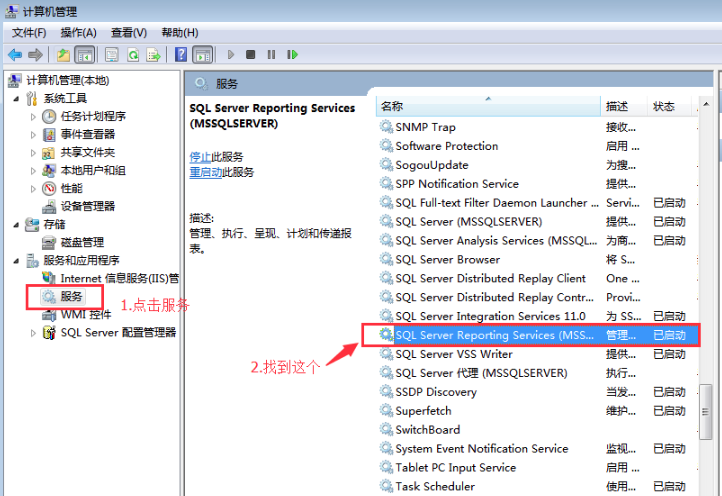
3. Right-click to stop.

4. Re-run WampServer. If the icon has changed to green, it means the operation was successful. If it is still orange, please continue reading.
5. Then return to the management interface, click the [Internet] option you made, and click [Stop] on the management server on the right.

6. Re-run WampServer, and the small orange icon will turn to green.
Wampserver changes the default port number
1. Click the small icon of wampserver in the lower right corner of the computer, click "Apache" in the pop-up options, then click "httpd.conf" in the secondary menu and open it.
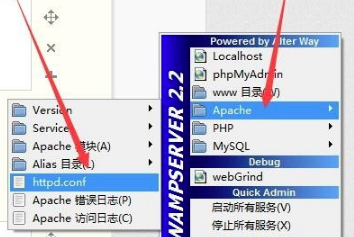
2. After opening "httpd.conf", use the Ctrl key + F key to search for "Listen". Once you find it, you can modify the port number and save it.

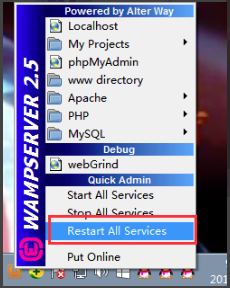
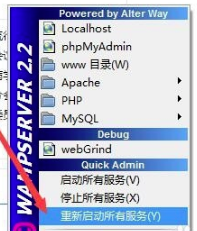
3. Click the small wampserver icon in the lower right corner of the computer, and click "Restart all services" in the pop-up options
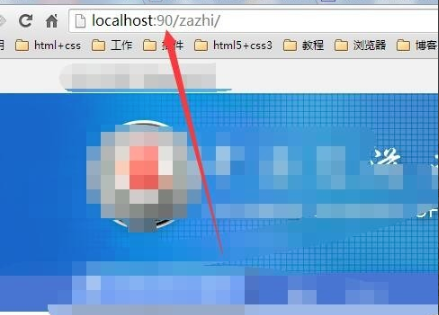
4. Then when opening the website, you need to add the port number.
WampServer update log:
1.Fix some bugs
2. Optimized some functions
Huajun editor recommends:
The editor of WampServer personally verified it, and it is clear that no one can be deceived! This site also has similar software Telnet Server, Foxmail Server, and Firefox Enterprise Edition. Welcome to click to download and experience it!
Version: 3.3.2 Latest free version | Update time: 2025-10-23
Similar recommendations







Latest updates





Introduction to processing operations when the WampServer icon turns red and then turns orange
Tutorial on how to handle the failure to open localhost after wampserver is installed
Tutorial on how to change the www directory using wampserver
Tutorial on how to create multiple sites locally with wampserver software
WampServer opens xdebug function method tutorial
How to upgrade software in 360 Software Manager? -How to upgrade software in 360 Software Manager
WampServer Review
-
1st floor Huajun netizen 2022-02-08 13:56:20The interface design of WampServer is easy to use and has rich functions. I highly recommend it!
-
2nd floor Huajun netizen 2021-11-22 09:55:31WampServer is awesome! 100 million likes! ! !
-
3rd floor Huajun netizen 2022-02-10 22:21:23WampServer is not bad, the download is very fast, I give you a good review!
Recommended products







- Diablo game tool collection
- Group purchasing software collection area
- p2p seed search artifact download-P2P seed search artifact special topic
- adobe software encyclopedia - adobe full range of software downloads - adobe software downloads
- Safe Internet Encyclopedia
- Browser PC version download-browser download collection
- Diablo 3 game collection
- Anxin Quote Software
- Which Key Wizard software is better? Key Wizard software collection




