
-
Hi Format Compression Master
- Size: 1.91M
- Language: Simplified Chinese
- Category: Compression and decompression
- System: Win All






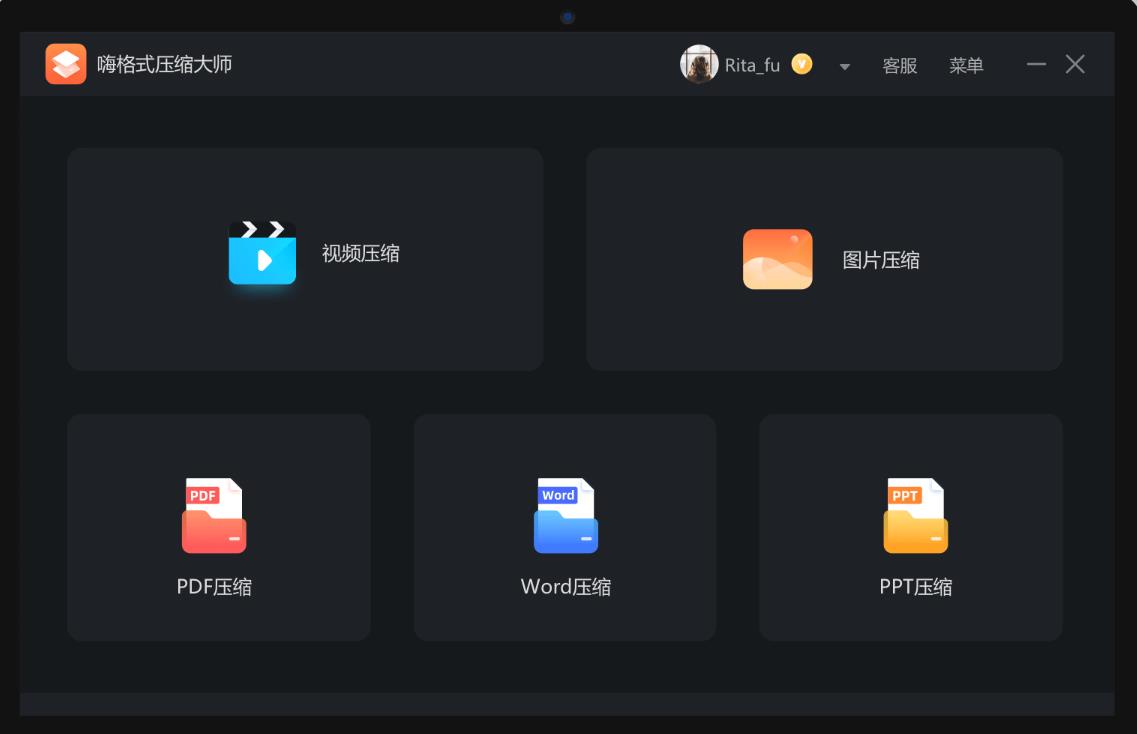

HiFormat Compression Master is a professional file compression and optimization tool that focuses on efficiently reducing file size while maintaining original quality. It supports lossless or lossy compression of multiple common file formats such as videos, pictures, PDF, Word, and PPT. It optimizes the file structure through intelligent algorithms and is suitable for scenarios such as saving storage space, accelerating file transfer, meeting upload restrictions, etc., taking into account individual user and office needs. Free to download and experience. Friends who like HiFormat Compression Master, come to Huajun Software Park to download and experience it!
Features of HiFormat Compression Master software
Extreme compression efficiency
High compression ratio: Using industry-leading compression technology solutions, videos, pictures and other files have higher compression rates and stronger compression effects.
Speed advantage: With the support of multi-threading technology, the compression speed is 30%-50% faster than similar software, significantly improving work efficiency.
Lossless compression option: Provides "lossless compression" mode for PDF, Word and other documents to ensure that the content is completely unchanged and meets users' high requirements for file quality.
User friendly design
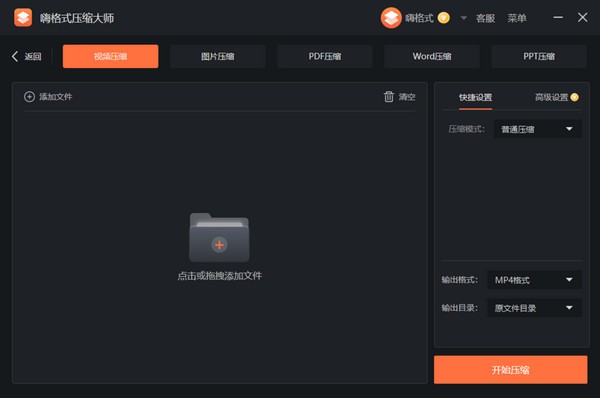
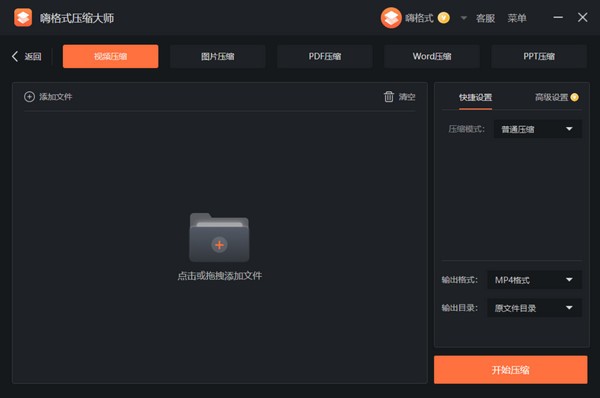
Drag and drop operation: Drag files directly to the main interface to start compression, the operation is simple and fast.
One-click compression: Preset three shortcut modes: "normal compression", "clear compression" and "extreme compression". No need to manually adjust parameters, suitable for different user groups.
Progress visualization: Display the compression progress bar and remaining time estimate in real time, allowing users to keep track of the compression progress at any time.
Security and privacy
Local processing: All compression operations are completed locally, and files are not uploaded to the cloud to avoid the risk of leakage.
Automatic deletion: After the compression is completed, you can choose to automatically delete the original files, saving manual cleaning steps and improving user experience.
Pure and ad-free: The software is pure and ad-free, has no bundled installation, takes up little memory space, and provides a smooth user experience.
Hi Format Compression Master Software Features
Multiple format support
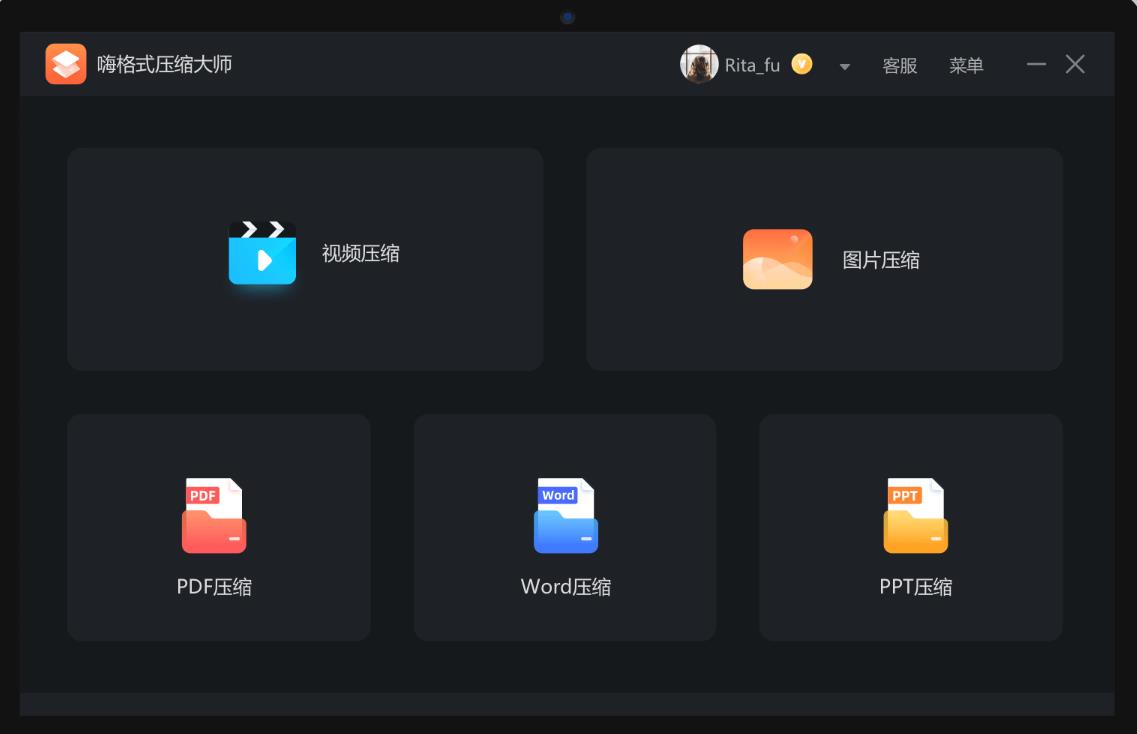
Video compression: Supports mainstream formats such as MP4, AVI, MOV, FLV, and MKV. Parameters such as resolution, bitrate, and frame rate can be customized. The compression rate can reach more than 80%. For example, a 1GB video can be compressed to 200MB.
Image compression: Compatible with JPG, PNG, BMP, GIF and other formats, it provides three modes: "Clear Priority", "Balanced Compression" and "Extreme Compression", with a compression rate of 90%. For example, a 5MB image can be compressed to 500KB, and it also supports retaining EXIF information.
PDF compression: Supports batch compression of scanned documents or text-based PDFs, retaining bookmarks, hyperlinks and other elements. Users can choose the compression quality and size independently.
Office document compression: Optimized for Word, PPT, and Excel files, reducing the size of embedded images and fonts, and improving file transfer efficiency.
Other formats: Supports compression of special formats such as GIF dynamic images, WEBP images, etc. to meet the diverse needs of users.
Intelligent compression algorithm
AI optimization: Automatically analyze file content and adopt differentiated compression strategies for different scenes (such as portraits, landscapes, text) to ensure compression effects.
Batch processing: Supports compressing hundreds of files at the same time, completing batch operations with one click, saving time and efficiency.
Preview function: You can preview the effect before compression, and view volume changes in real time after adjusting parameters to avoid ineffective compression.
Advanced setup options
Video parameters: You can manually set the resolution (such as 1080P→720P), encoding format (H.264/H.265), and CRF value (controlling image quality and volume balance).
Image quality: Adjust the compression strength (1%-100%) through the slider bar to meet the personalized needs of users.
PDF paging: You can choose to compress all pages or specify a page number range to flexibly control the compression range.
Output path: Customize the storage location of the compressed file to avoid overwriting the original file and facilitate file management.
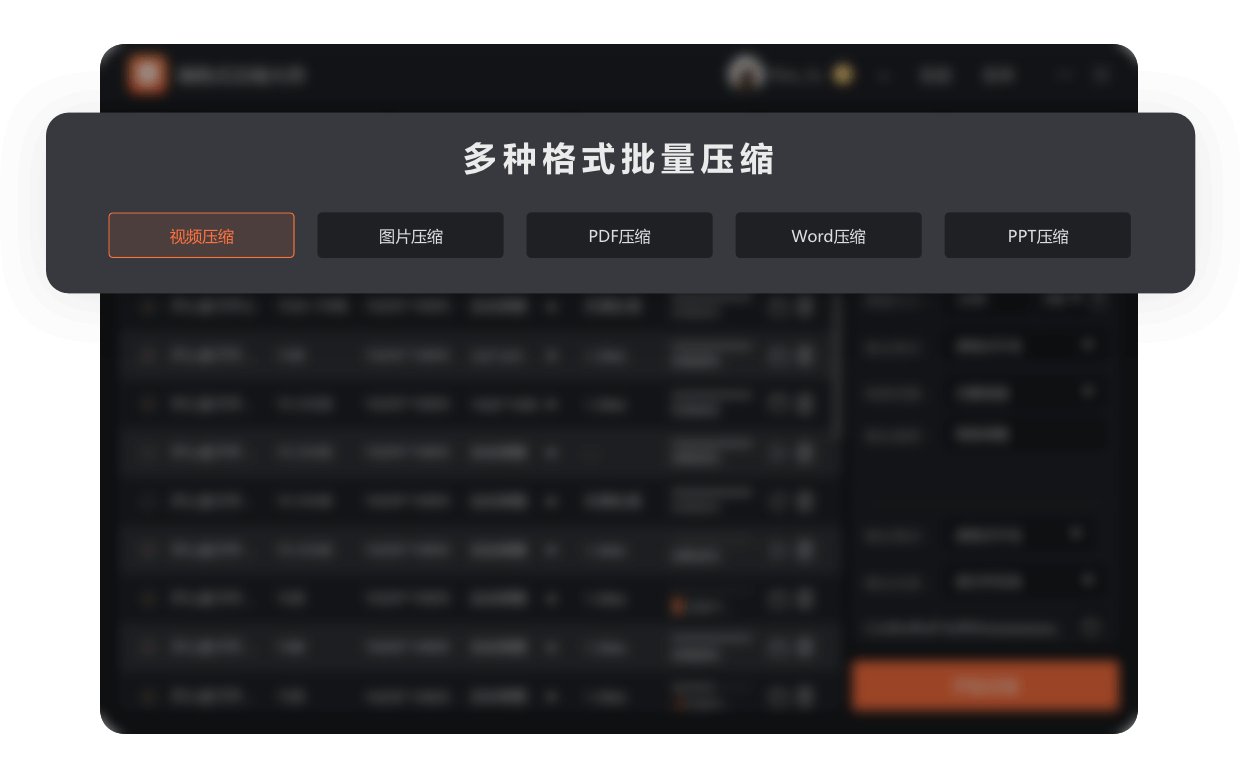
Hi Format Compression Master Features
Simple and easy to use
The interface design is simple and supports one-click dragging and dropping files for compression. Users can complete the compression task without complicated operations.
Efficient compression performance
Adopting industry-leading compression technology solutions, the compression rate is higher, the compression speed is faster, and the compression effect is stronger, meeting various needs of daily work and life.
Document Security
The entire compression process runs locally and does not involve cloud transmission, ensuring the security of file information; it supports custom output directories to facilitate users to manage compressed files.
No ads, no bundling
The software is pure and ad-free, has no bundled installation, takes up little memory space, and provides a smooth user experience.
Hi Format Compression Master installation steps
1. Double-click to open the downloaded HiFormat Compression Master installation package. You can choose the default location for the installation location or select "Custom Installation" to install in other installation locations, and then click [Install Now];
2. Installation is in progress, please wait patiently for the installation of HiFormat Compression Master to be completed;

3. After the installation of HiFormat Compression Master is completed, click [Experience Now] to run the software and start compression;
Hi Format Compression Master FAQ
What should I do if the compression speed is slow?
First, check whether your device performance meets the requirements for the software to run. If the device has lower performance, it may affect the compression speed.
Try closing other running programs to free up system resources and increase compression speed.
HiFormat Compression Master uses advanced compression algorithms and can usually complete compression tasks in a shorter time. If the speed is still not ideal, you can check whether the software is the latest version and try updating to the latest version for better performance.
Hi Format Compression Master update log:
1. Optimized some functions
2. Solved many unbearable bugs
Huajun editor recommends:
The editor has also used Batch Butler, .NET, Batch Butler and other software with similar functions to this software. Huajun Software Park provides them and can be downloaded and used!
Version: 3.6.18.177 | Update time: 2025-11-25
Similar recommendations



Latest updates





Hi Format Compression Master Review
-
1st floor Huajun netizen 2023-10-03 18:17:33The overall feeling of Hi Format Compression Master is good, I am quite satisfied, the installation and operation are very smooth! It went very smoothly following the installation step-by-step guide!
-
2nd floor Huajun netizen 2023-09-21 23:21:48Hi Format Compression Master is not bad, the download is very fast, I give you a good review!
-
3rd floor Huajun netizen 2023-10-09 11:20:19Hi Format Compression Master is convenient, practical and powerful. The software is very easy to use!
Recommended products








- Diablo game tool collection
- Group purchasing software collection area
- p2p seed search artifact download-P2P seed search artifact special topic
- adobe software encyclopedia - adobe full range of software downloads - adobe software downloads
- Safe Internet Encyclopedia
- Browser PC version download-browser download collection
- Diablo 3 game collection
- Anxin Quote Software
- Which Key Wizard software is better? Key Wizard software collection




