
-
Google Chrome
- Size: 274.25M
- Language: Simplified Chinese
- Category: web browsing
- System: Android
- Manufacturer:Google Inc.

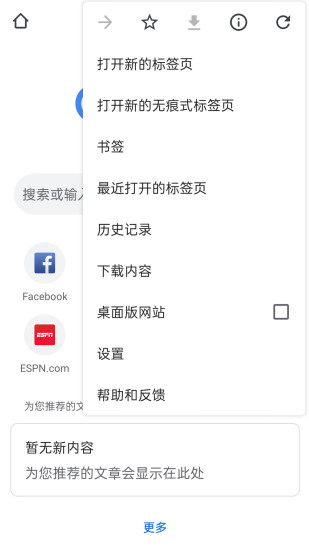

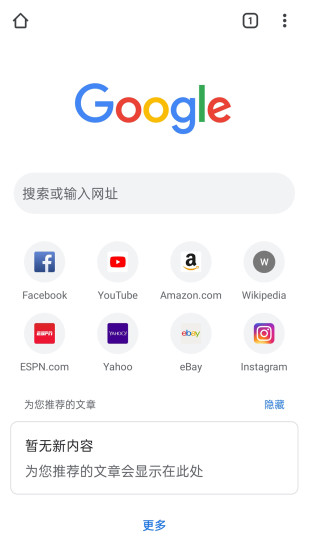
Google Chromeappis a fast, easy-to-use and secure networkBrowser. This version of Google Chrome is specially designed for Android phones and is not only recommended for youNewscoverage, with quick links to your favorite sites and downloads, even built-inGoogleSearch and Google Translate. Download this version nowChrome, in all yourEquipmentEnjoy a consistent Chrome network onBrowserExperience it. Huajun Software Park provides the download address of the official version of Google Chrome. Users in need can download and use it for free!

Google ChromeappHow to set Chinese
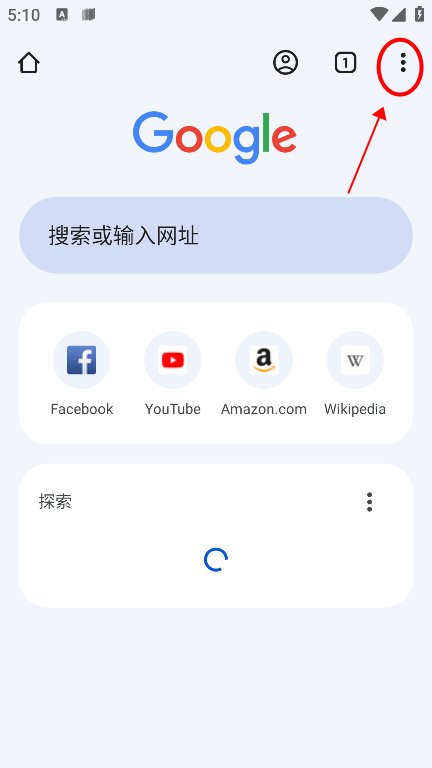
1. First we download and installGoogleAfter opening the browser and opening the software, click on the three dots in the upper right corner of the screenlogo, as shown in the figure below;
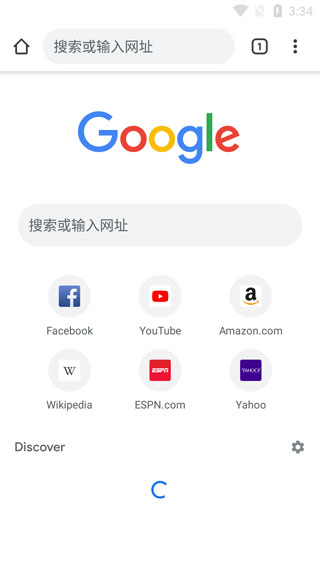
2. Then a small expansion page will pop up. Scroll down here, find "Settings" and click
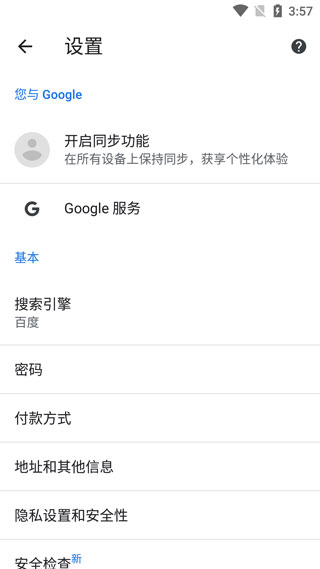
3. In the "Settings" page, we can find the "Languages" language option and click;
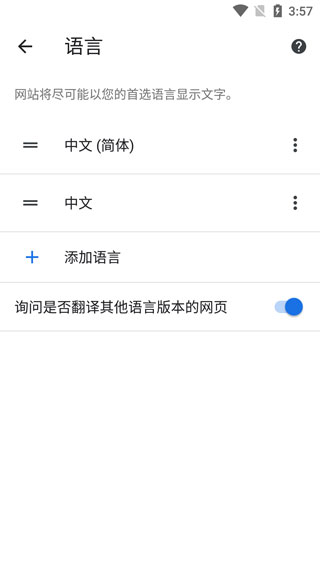
5. Users can scroll down to find their goalsLanguage, click it after you find it. The editor takes Chinese as an example;
6. After determining the language that needs to be changed, you will return to the previous page. We click "Restart Chrome" at the bottom right of the screen and restartBrowser, enter again, and you will find that the text on the page has changed to Chinese.
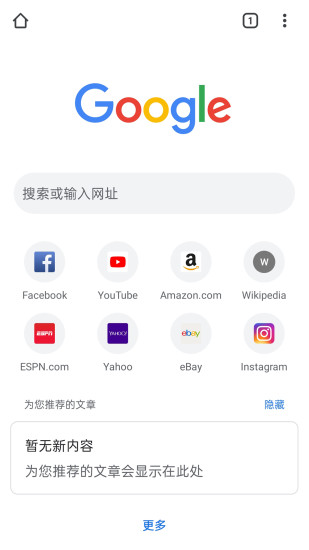
How to turn off private browsing in Google Chrome app?
Click the three dots icon in the upper right corner of the homepage to open the menu;
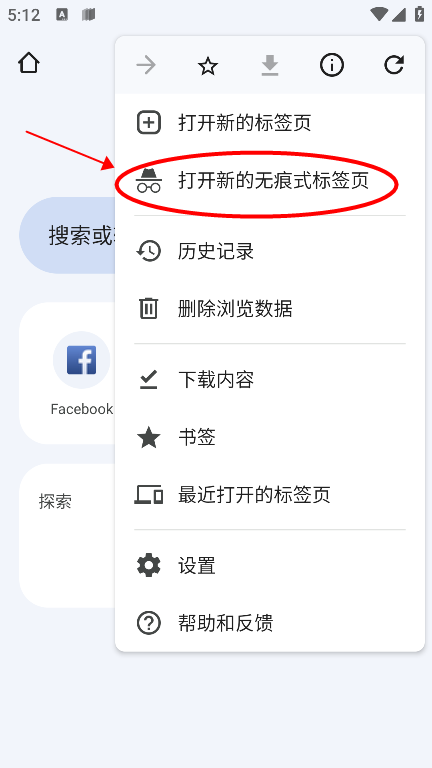
Select "New Incognito Tab" to enable incognito browsing.
When in incognito mode, click the three dots icon in the upper right corner (the interface will display the "Incognito Mode" logo)
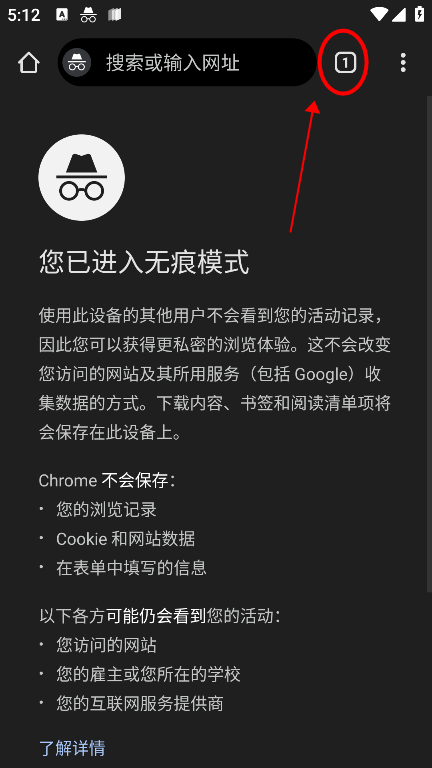
In the pop-up menu, you can view all open incognito windows. Select "Close incognito windows" to exit the current incognito mode.
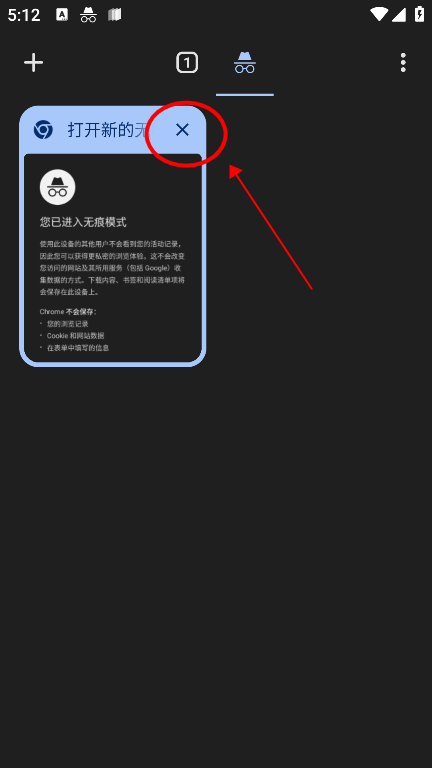
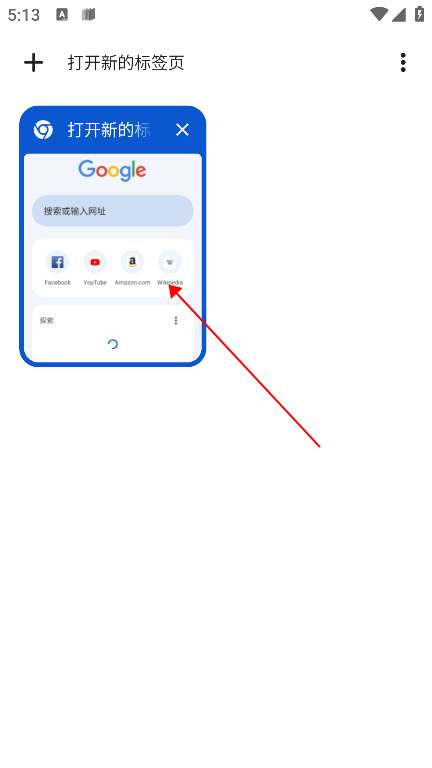
If you need to completely end the incognito state, click the "Home" button at the bottom to return to normal browsing mode.
Google ChromeappHowSave account password
1. First, we start the browser and navigate to a page that requires loginVerifywebsite platform. Well-known domestic search engineBaiduAs an example, let's click the "Log In" button in the upper left corner of the page to begin our account verification process.

2. Then, we tap “Login” option to enter the accountCertificationinterface.
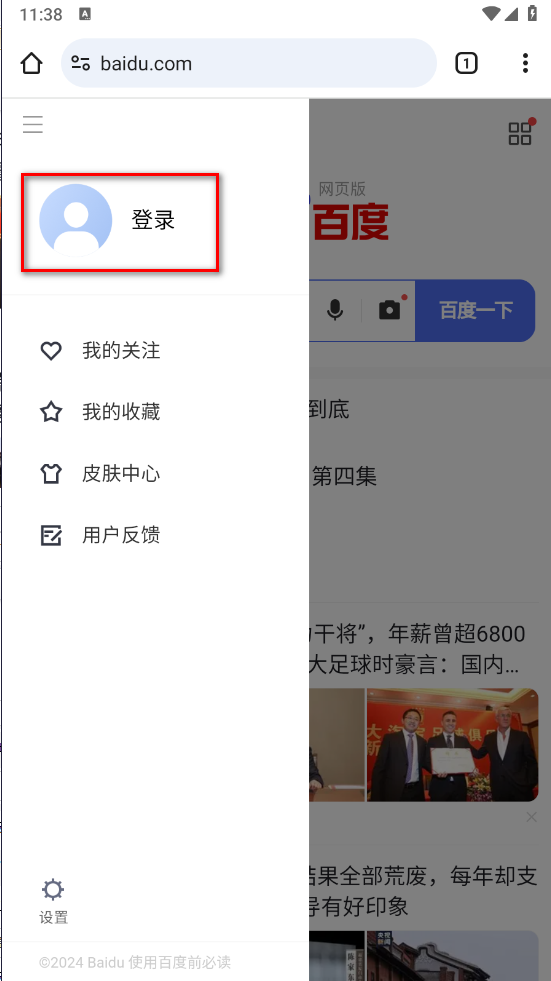
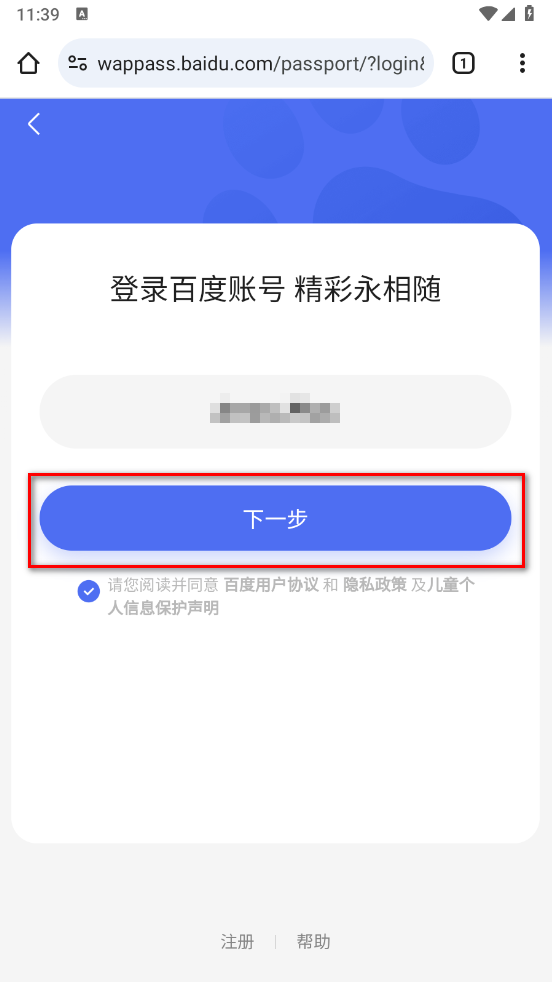
3. In the next steps, we enter our ownAccountInformation, carefully read and check to agree to the relevant service agreement of the website, and then click "Next" to continue.
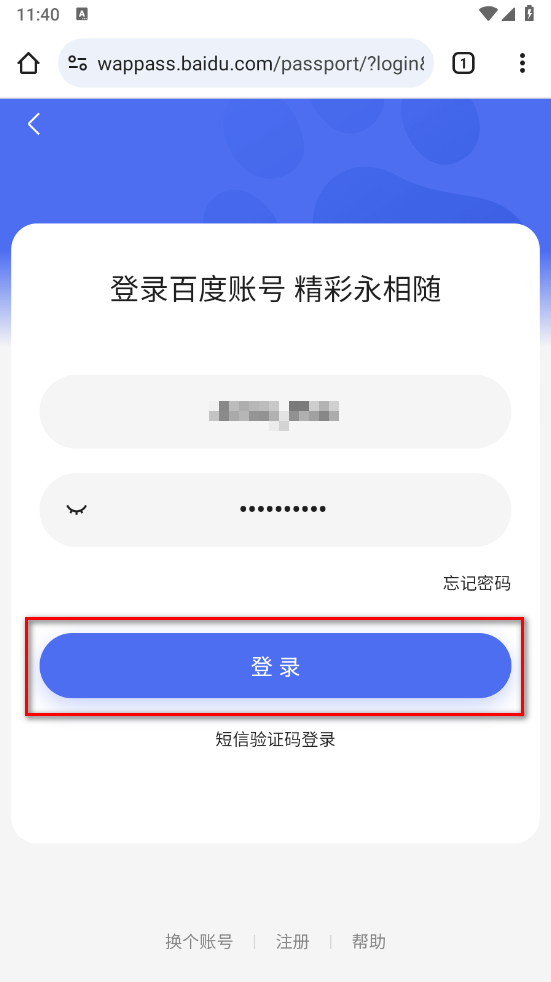
4. Next, we enter the preset password in the password field.Password, after confirming it is correct, click "Login"buttonSubmit our credentials.
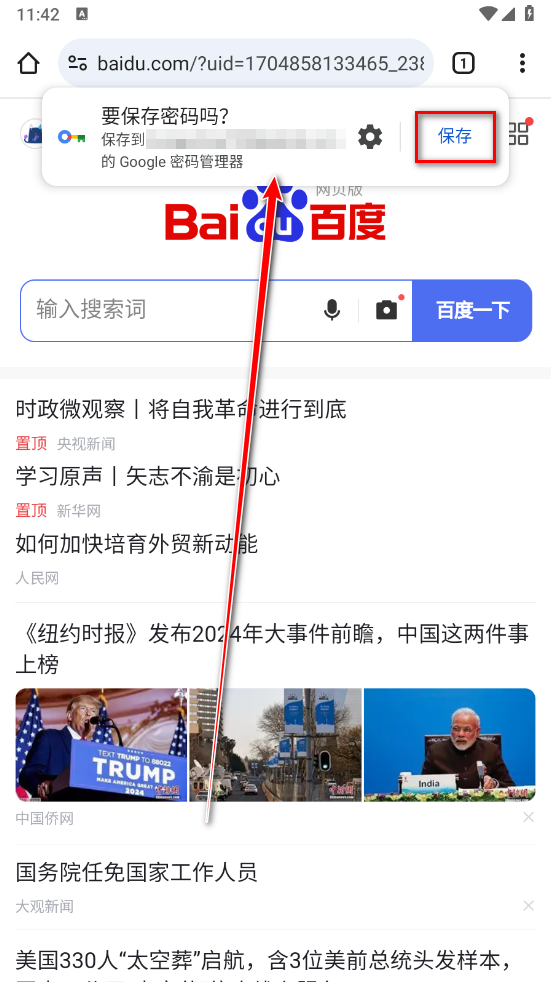
5. Once the login process is successful, a successful login message will pop up at the top of the page. We just click "save” button to ensure ourLoginThe status is maintained.
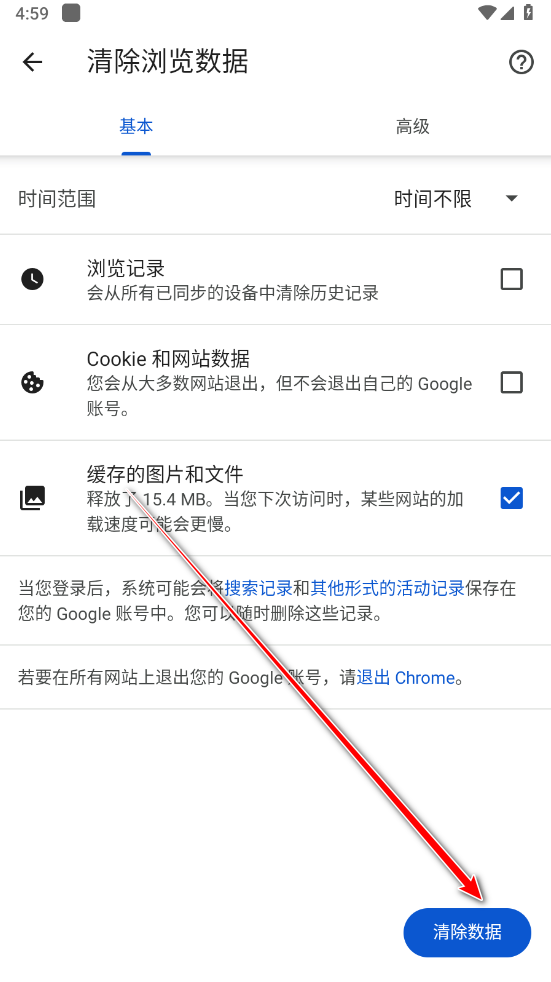
Google ChromeappHow to clear browsercache
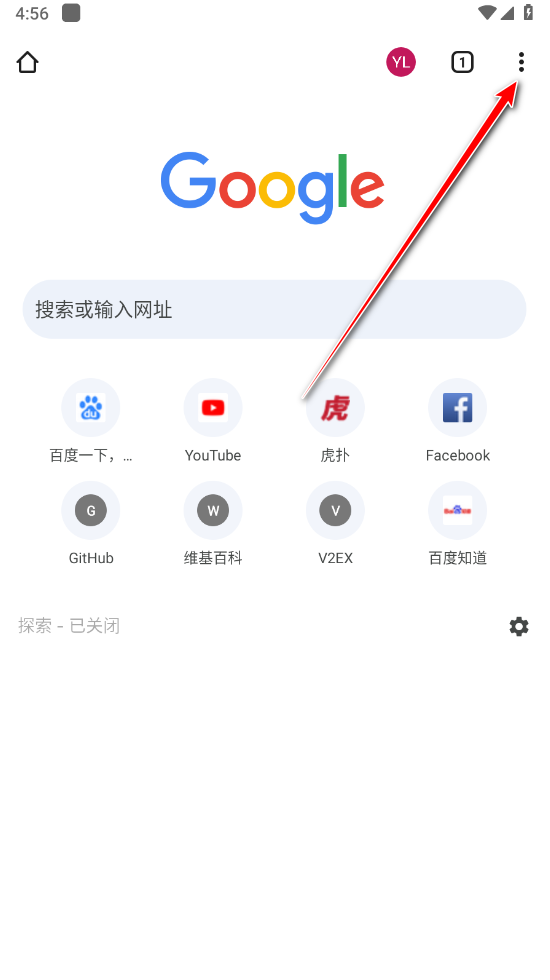
1. Please tap the menu in the upper right corner of the screenicon.
2. Next, select the “Settings” option.
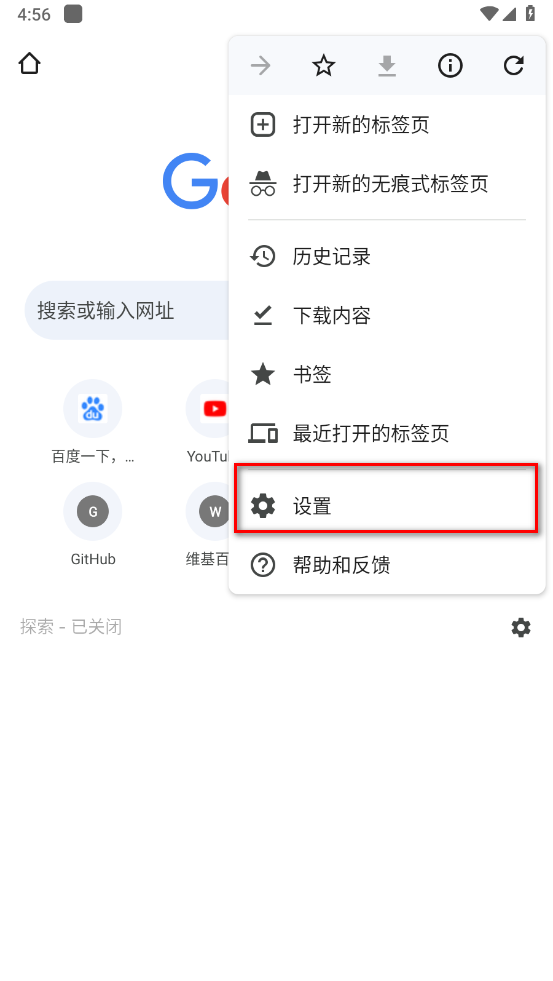
3. In the settings menu, scroll down toPrivacyand Security" section.
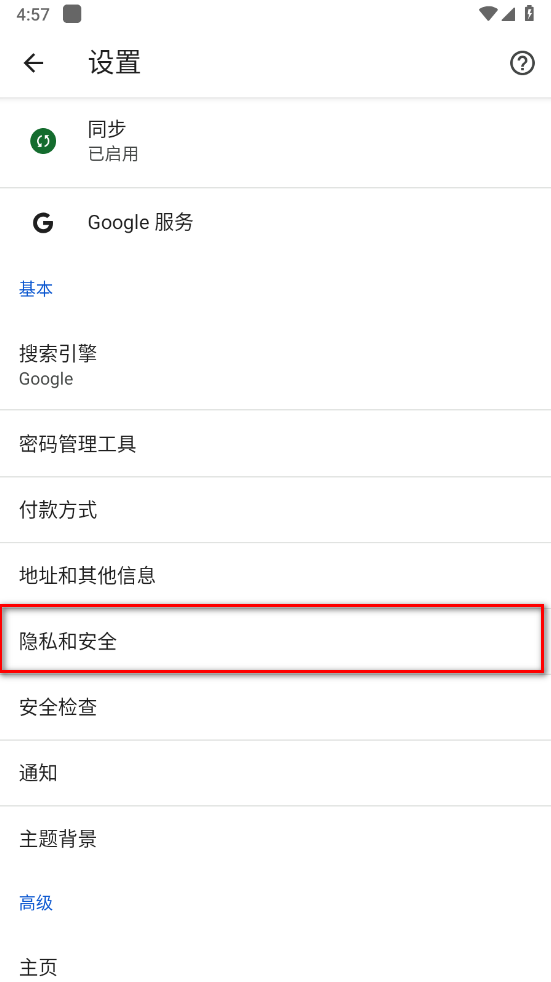
4. In this area, select ClearBrowse data"function.
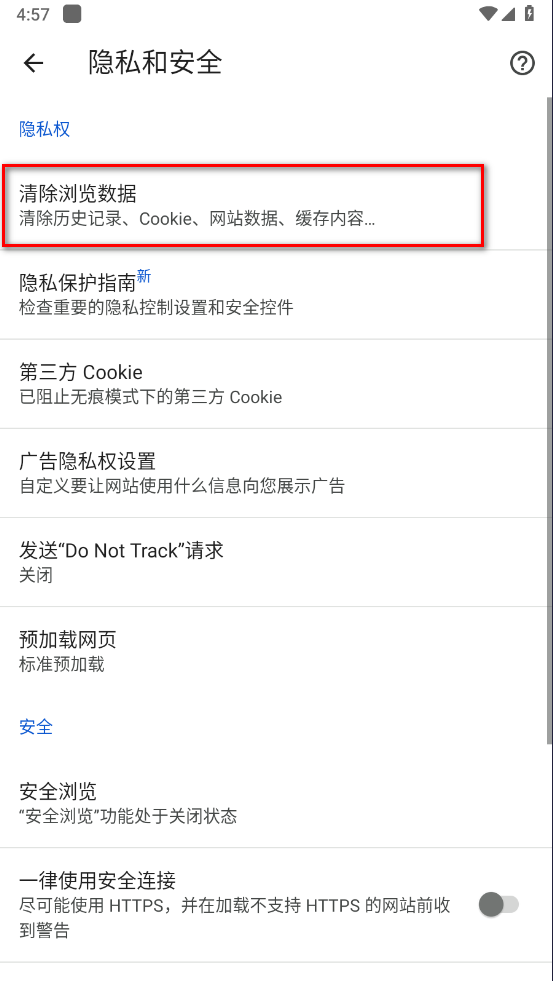
5. Make sure "CachedpicturesandFile" option.
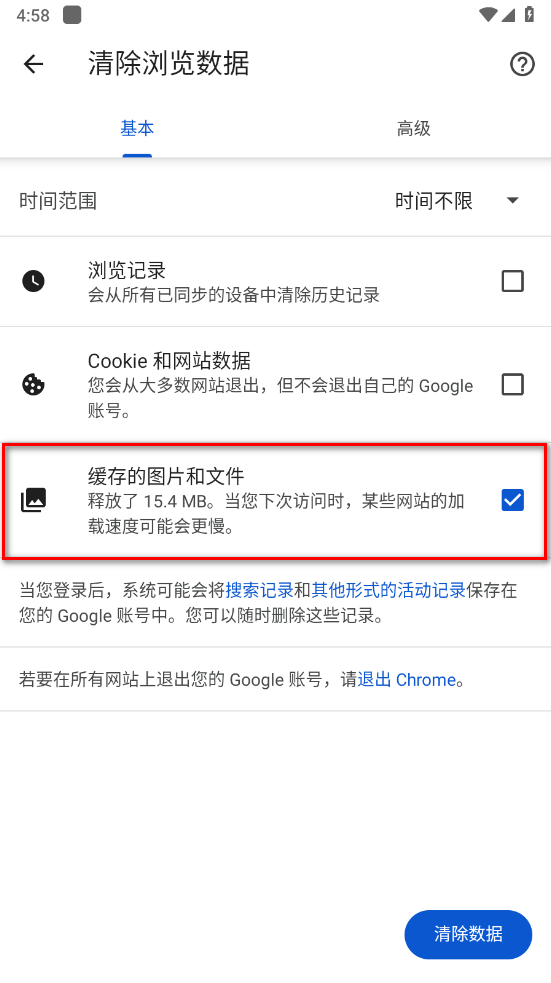
6. Finally, click Cleardata” button to complete the operation.
Google ChromeappexpandHow to add exhibition program
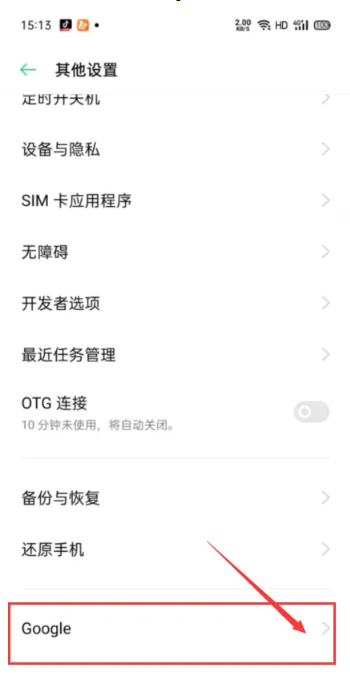
1. First, power on your smartphone and tap the screen toactivateSettings menu (as shown in the picture).

2. In the settings interface, scroll down to the bottom, locate and click "Google" option.
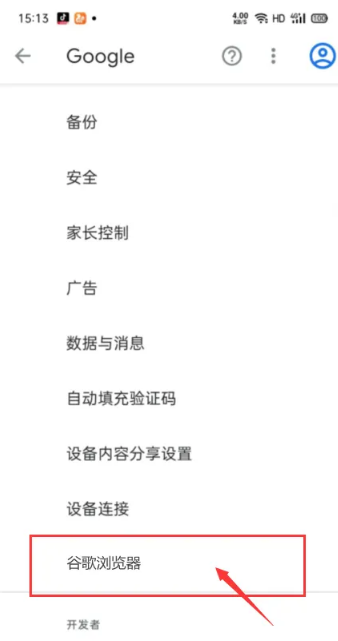
3. Next, select and open "GoogleBrowser" application.
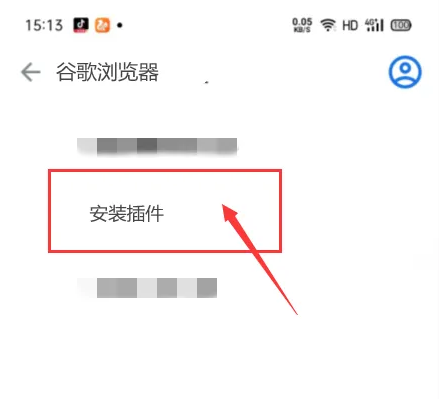
4. Finally, tap Installplug-in” button and follow the prompts to complete the installation process.
Google ChromeappHow to translate the page into Chinese?
1. We visit one at willEnglishwebsite
2. Click the menu icon in the upper right corner to open GoogleBrowsermenu options
3. Select the translation function
4. Now we can see that the page has been successfully translated intoChineseGot it
Google BrowsebrowserappFeatures
Browse quickly with Google Chrome and reduce typing operations.
Choose from instant, personalized search results or quickly browse previously visitedweb page. You can also use AutoFill to fill out forms quickly.
Browse incognito with Google Chrome.
You can browse in incognito modeInternet - In this mode, your history will not be saved. Browse privately on all your devices.
Sync Chrome across multiple devices.
When you sign in to Chrome After that, yourbookmark, passwords, and settings will automatically stay in sync across all your devices. Seamlessly access all your information on your phone, tablet or laptop.
View all of your collection with just one click.
Chrome isn't just for quickly executing Google Search, but designed to browse with just one tapCollectionall content. You can tap your favorite news sites or social media directly from the new tab.
Google Chrome also provides a "tap to search" feature - This feature is available on most web pages. Just tap any word in the page you're browsing orphraseto start a Google search without leaving the page.
Google ChromeappAdvantages
Protect your phone with Google Safe Browsing.
Google Chrome has built-in Google Safe browsing features. This feature keeps your phone safe by showing you warnings when you try to visit dangerous websites or download dangerous files.
Quickly download and view web pages and videos offline.
Google Chrome has a dedicated download button to download videos, images, and entireweb page. Chrome also has a downloadable content area (right under within Chrome), where you can access everything you've downloaded, even when you're offline.
Google Voice Search.
Google Chrome It is a truly voice-enabled web browser. You can find answers anytime, anywhere just by giving a voice command instead of typing. No matter where you are, you can always use your voice to browse and find the information you need faster.
Built-in Google Translate: quickly translate entire web pages.
Google Chrome has Google built-inturn
Version: 138.0.7204.45 | Update time: 2025-11-28
Similar recommendations






Latest updates





Use Google Chrome online www.google.cn _Google Chrome web version entrance
Google Chrome app updates version 120, new bookmark interface design is online
How to log in to an account on Google Chrome - How to log in to an account on Google Chrome
How to add an address to Google Chrome - How to add an address to Google Chrome
How to set up a clone in Google Chrome - How to set up a clone in Google Chrome
How to reset Google Chrome - How to reset Google Chrome
How to reset Google Chrome - How to reset Google Chrome
How to reset Google Chrome - How to reset Google Chrome
How to log in to your account on Google Chrome - How to log in to your account on Google Chrome
How to change the language in Google Chrome - How to change the language in Google Chrome
Google Chrome Review
Recommended products





- Diablo game tool collection
- Group purchasing software collection area
- p2p seed search artifact download-P2P seed search artifact special topic
- adobe software encyclopedia - adobe full range of software downloads - adobe software downloads
- Safe Internet Encyclopedia
- Browser PC version download-browser download collection
- Diablo 3 game collection
- Anxin Quote Software
- Which Key Wizard software is better? Key Wizard software collection




