
-
wireshark
- Size: 83.21M
- Language: Simplified Chinese
- Category: Network detection
- System: winall







wireshark official versionIt is a tool dedicated to network packets. The latest version of wireshark is suitable for network management and security engineering careers. Free and open source analysis by using Wireshark. Wireshark provides current and future network engineers, network architects, application engineers, network consultants and other IT professionals with educational tools on best practices for troubleshooting, securing, analyzing and maintaining efficient and effective network infrastructure. wireshark free download.
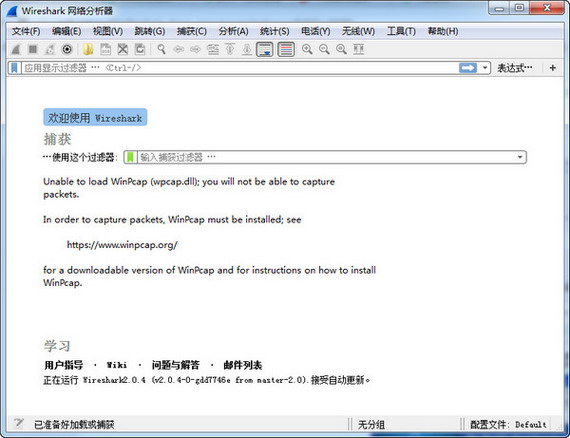
wireshark software highlights
Open source and free:
The code is open and auditable, there are no commercial software licensing restrictions, and it is suitable for personal and corporate use.
Comprehensive functionality:
It integrates packet capture, analysis, filtering and statistics, replacing multiple special tools (such as Fiddler, tcpdump).
Community support is strong:
The official forum and GitHub repository provide a large number of protocol analysis templates and question answers, and are updated frequently (new versions are released every month).
wireshark software features
The wireshark software includes a rich display filter language and the ability to view TCP session reconstruction streams;
Wireshark supports hundreds of protocols and media types;
There is a command line version called tethereal similar to tcpdump (a network protocol analysis tool under Linux);
In the past, network packet analysis software was very expensive or specialized for commercial applications;
The emergence of Ethereal changed everything;
In GNU Under the protection scope of the GPL general license, users can obtain software and its code for free, and have the right to modify and customize its source code. Ethereal is one of the most extensive network packet analysis software in the world.
wireshark software features
1. Protocol layer analysis
Function: A tree diagram displays the traffic proportion of each protocol (for example, HTTP accounts for 60%, DNS accounts for 10%).
Purpose: Quickly locate network bottlenecks or abnormal protocols.
Operation: Statistics → Protocol Hierarchy.
2. Custom protocol analysis (Lua script)
Function: Use Lua script to parse proprietary protocols (such as industrial control protocols, internal application protocols).
Purpose: Analyzing non-standard communications (e.g. Modbus, MQTT variants).
Example: To parse Modbus data of port 502, the script is loaded through Preferences → Lua Script.
3. TCP/UDP stream reassembly
Features: Restore full request/response or files (e.g. HTTP downloads, malware samples).
Operation: Right-click the data packet → Follow → TCP/UDP Stream, supports text/hex/raw data export.
4. Real-time traffic statistics
Function: Dynamic charts display throughput, error rate, protocol distribution, etc.
Purpose: Monitor network health or signs of attacks (such as DDoS traffic surges).
Operation****: Statistics → IO Graphs, you can customize filter conditions (such as tcp.analysis.retransmission).
5. Packet coloring and highlighting
Features: Automatic coloring by protocol, port or error status (e.g. red marking TCP retransmissions).
Purpose: Quickly identify abnormal traffic (such as packet loss, malicious scanning).
Operation****: View → Coloring Rules, add custom rules (such as tcp.port == 80 && http.request marked blue).
6. Expert system diagnosis
Function: Automatically detect network problems (such as retransmissions, out-of-order, checksum errors).
Purpose: Locate faults (such as packet loss caused by Wi-Fi interference) without manual analysis.
Operation: Analyze → Expert Info, displayed by severity (Error/Warn/Chat/Note).
wireshark FAQ
What should I do if there is a packet parsing error?
1. Check whether the data packet is intact and intact, and try to update Wireshark to the latest version to obtain the latest protocol parser support. If the problem persists, you can contact the Wireshark developer or visit the relevant forum for help.
2. When capturing a large number of data packets, Wireshark may experience performance degradation, such as interface freezes, slow response, etc.
3. Optimize Wireshark settings, such as reducing the number of captured packets, reducing the capture speed, turning off unnecessary display options, etc. In the meantime, consider upgrading your computer hardware or using a more efficient hardware capture device to improve performance.
wireshark update log
1: Brand new interface, refreshing, simple and efficient
2: Performance is getting better and better
Huajun editor recommends:
In addition to wireshark, a very convenient network detection tool, there are also related software such as network camera search tool, TrafficMonitor (computer network speed monitoring floating window), batch manager, etc. available for download. If you need it, please click to download and use it.
Version: 4.4.9 | Update time: 2025-09-03
Similar recommendations






Latest updates




How to convert text in wireshark - How to convert text in wireshark
How to print with wireshark - How to print with wireshark
How to capture packets in wireshark - How to capture packets in wireshark
How to open the menu in wireshark - how to use wireshark
How to install wireshark-How to install wireshark
How to add a journal file in wireshark - How to add a journal file in wireshark
How to change wireshark to Chinese - How to change wireshark to Chinese
How to set the highlight color in wireshark - How to set the highlight color in wireshark
How to add and modify columns in wireshark - How to add and modify columns in wireshark
How to automatically save files in wireshark - How to automatically save files in wireshark
wireshark review
Recommended products










- Diablo game tool collection
- Group purchasing software collection area
- p2p seed search artifact download-P2P seed search artifact special topic
- adobe software encyclopedia - adobe full range of software downloads - adobe software downloads
- Safe Internet Encyclopedia
- Browser PC version download-browser download collection
- Diablo 3 game collection
- Anxin Quote Software
- Which Key Wizard software is better? Key Wizard software collection




