
-
Microsoft Remote Desktop for Mac
- Size: 116.61M
- Language: Simplified Chinese
- Category: Network tools
- System: Mac OS X






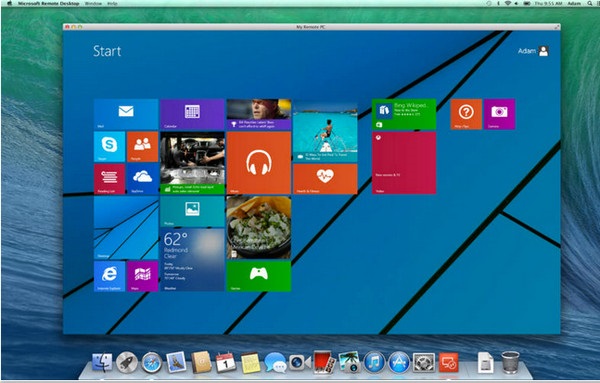
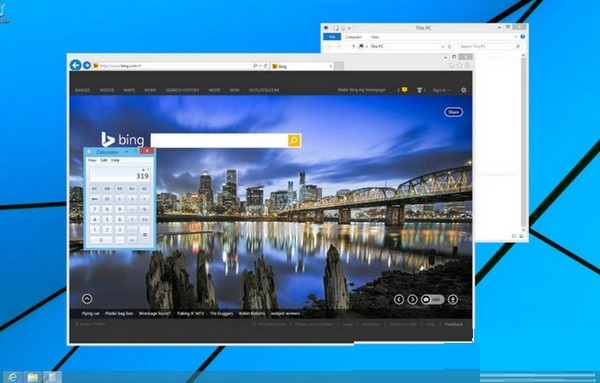
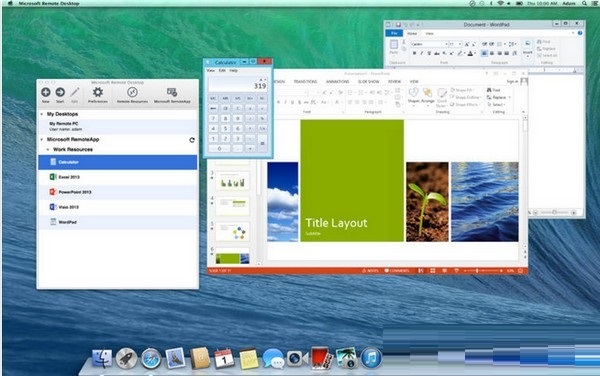
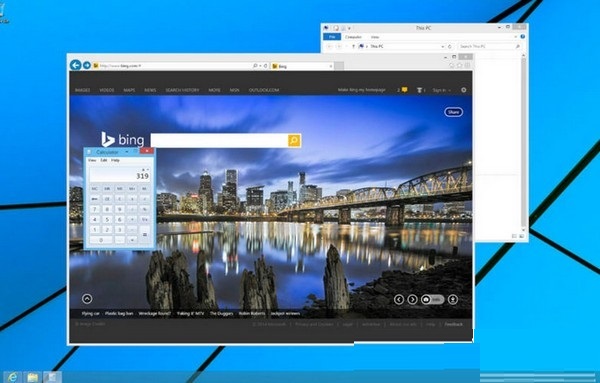
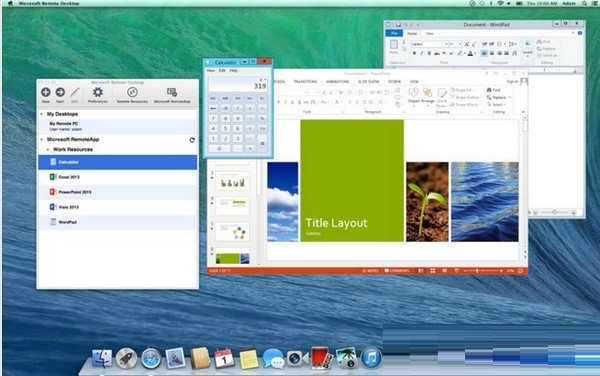
The latest version of Microsoft Remote Desktop for Mac is a remote control software developed by Microsoft. In Microsoft Remote Desktop for Mac Users of the latest version of Mac can control Windows computers through MacBook, and the operating experience is still very good! You can use Microsoft Remote Desktop for Mac to control Windows or Mac OS devices to complete your work.
Things to note:
Friends who use Mac to install or download application software often encounter the following three error situations. The editor here provides you with solutions to help you solve the Mac error problem:
1. "...the software is damaged and cannot be opened. You should move it to the Trash"
2. "The xxx software cannot be opened becauseApple can't check if it contains malware"
3. "Cannot open xxxsoftware because it comes from an unidentified developer"
Don’t panic if you encounter the above three situations, follow the editor’s instructions and solve them easily.
1. Turn on any source in the computer settings.Open any source.
2. Opening any source will solve the problem of most software error reports. If it does not work, it means that you need to bypass application signature authentication by executing command line code. Execute command bypassiosnotarizationGatekeeper.
3. If the above operations still cannot solve the problem, then you need tocloseSIPSystem integrity protectionOnly then can.
Microsoft Remote Desktop for MacSoftware Highlights
High security: Relying on the encryption and authentication mechanism of the Microsoft ecosystem, it is suitable for enterprise environments that handle sensitive data.
Stable performance: The RDP protocol optimizes transmission efficiency and reduces delays, making it suitable for scenarios that require high response speed (such as remote development and design).
Comprehensive functions: Supports advanced functions such as multiple monitors and audio redirection to meet complex work needs.
Cross-platform compatibility: Works seamlessly with Windows, macOS, iOS, and Android devices to achieve cross-device remote access.
Microsoft Remote Desktop for MacFunction introduction
Cross-platform remote connection
Supports macOS users to seamlessly connect to Windows remote desktops, including physical machines, virtual machines (such as Azure Virtual Desktop, Windows 365) and servers (Remote Desktop Services).
The desktop screen is reconstructed through the RDP protocol to achieve efficient transmission and maintain smooth operation, especially in low-bandwidth environments.
Enterprise-grade security and integration
Deeply integrated with the Microsoft ecosystem: Seamless integration with Azure AD and Windows Server authentication mechanisms, supporting multi-factor authentication (MFA) and end-to-end encryption to ensure data transmission security.
Unified management: IT administrators can manage remote desktop resources through a centralized console, simplifying the deployment and maintenance process.
Efficient collaboration and productivity tools
Multi-monitor support: You can connect multiple monitors or projectors for presentations to improve multi-tasking efficiency.
Clipboard and local resource mapping: realizes cross-device file sharing and clipboard synchronization, supports local printer and drive mapping, and facilitates resource calling.
Audio redirection: Supports remote audio playback and microphone input to meet video conferencing and voice communication needs.
Personalized configuration and user experience
Custom resolution and display mode: Supports full-screen and windowed display, adapting to high-resolution displays (such as Retina screens).
Session management: Centrally manage all remote connections in the connection center, supporting quick switching and saving of commonly used configurations.
Friendly name settings: Add easily identifiable names to connections to make it easier to manage multiple remote desktops.
Microsoft Remote Desktop for MacSoftware features
Corporate office: Employees can remotely access company Windows computers through Mac to process documents and run professional software.
IT support: Administrators remotely maintain servers or user devices to quickly resolve issues.
Hybrid work mode: Combine with Microsoft 365 suites (such as OneDrive, Teams) to achieve remote collaboration and file synchronization.
Education field: Teachers or students remotely access laboratory computers to complete teaching or experimental tasks.
FAQ
Multiple monitor support issues
Symptom: When using multiple monitors, all screens may not be fully utilized.
Solution:
In the Remote Desktop Connection settings, enable the "Use all monitors" option for multi-screen extension.
Audio and input device configuration
Phenomenon: Problems such as the inability to transmit sound or abnormal microphone or keyboard input may occur.
Solution:
Check the remote audio settings in the local resource options to make sure the audio output/input device is configured correctly.
For international keyboard layouts, you need to manually set the remote session's keyboard language to match local input.
Microsoft Remote Desktop for Mac update log
The developer of GG said that there are really no bugs this time~
Huajun editor recommends:
Microsoft Remote Desktop for Mac is a software that is completely fool-proof and super simple to operate. In addition, the editor also recommends downloading and using related software such as Open Course Cloud, Mac OS X, and Cloud Machine Manager.
Version: 11.2.4 | Update time: 2025-12-03
Similar recommendations





Latest updates





Microsoft Remote Desktop for Mac review
-
1st floor Huajun netizen 2022-03-15 14:32:43Microsoft Remote Desktop for Mac is very useful, thank you! !
-
2nd floor Huajun netizen 2022-03-12 02:38:04Microsoft Remote Desktop for Mac software is very easy to use, downloads quickly and is very convenient!
-
3rd floor Huajun netizen 2022-03-09 14:35:07The overall feeling of Microsoft Remote Desktop for Mac is good, I am quite satisfied, the installation and operation are very smooth! It went very smoothly following the installation step-by-step guide!
Recommended products







- Diablo game tool collection
- Group purchasing software collection area
- p2p seed search artifact download-P2P seed search artifact special topic
- adobe software encyclopedia - adobe full range of software downloads - adobe software downloads
- Safe Internet Encyclopedia
- Browser PC version download-browser download collection
- Diablo 3 game collection
- Anxin Quote Software
- Which Key Wizard software is better? Key Wizard software collection




