
-
learning pass
- Size: 143.85M
- Language: Simplified Chinese
- Category: computer learning
- System: win7 and above








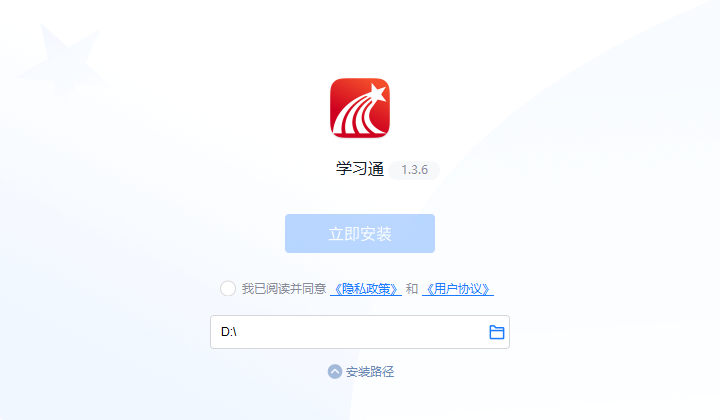
XueTong computer versionThe official version is a professional and efficientOnline learning platform. The latest version of XueTong brings together high-quality course resources and has a complete course system. Users can freely choose study groups, and combine courses and exercises to continuously improve their performance. The PC version of Xuedutong covers knowledge management, course learning, and special topic creation.Office applicationsand other functions to meet the various learning needs of users. Friends who like Xuexuetong come to Huajun Software Park to download and experience it!

How to watch TV series on Xuetong?
1. First, make sure you have downloaded and installed the Xuetong APP on your mobile phone.
2. Open the XueTong APP and enter the home page.
3. In the navigation bar at the bottom of the screen, find and click the "Video" or "Video Learning" button.
4. After entering the video learning page, there will be a classification bar at the top of the page, including the first channel, short video, network channel, theory, party history and other categories.

5. Slide the category bar to the right, find and click the "TV Series" category.
6. Under the TV series category, you can see a list of various TV series and select the one you are interested in.
7. Click on the selected TV series to start playing.
Can't I bind a unit with XueTong?
1. Network problem: Please check whether your network connection is stable, try refreshing the page or try again later.
2. Information errors: Confirm whether the unit information you entered is correct, including unit name, invitation code, etc., and whether there are any spelling errors or omissions.
3. System maintenance: The Xuetong server may be undergoing maintenance and the binding operation is temporarily unavailable. You can try again later.
4. Permission settings: Your organization may have set specific binding permissions. You need to contact the unit administrator or customer service to confirm whether the permissions are bound.
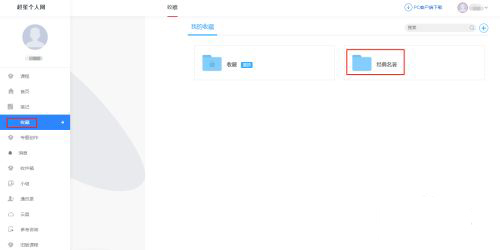
5. Software version: Please make sure that the Xuedutong version you are using is the latest. Older versions may have bugs or incompatibility issues.
6. Account problems: If there is an abnormality in your account, it may also result in the inability to bind the unit. You can try to log in again or contact customer service.
How to withdraw from the Xuedutong course?
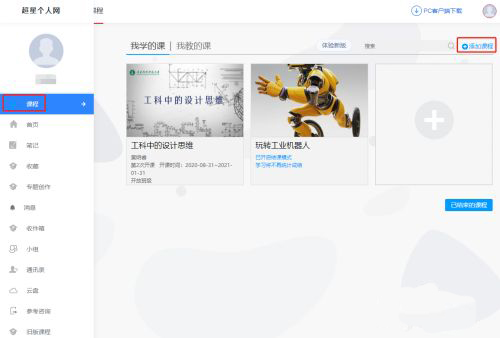
1. Open the XueTong APP and enter the home page.
2. Click the "Me" button in the lower right corner of the interface to enter the personal center.
3. In the "Me" interface, click the "Course" option.
4. Find the course you want to exit, hold your finger on the course and slide to the left of the screen.
5. After sliding, the "Delete" button will appear, click "Delete".
6. The system will pop up a confirmation window, click "Withdraw Class" again to confirm the exit.
How to read novels on Xuetong?
1. Open the XueTong app.
2. Click the search box at the top of the homepage.
3. Enter the title of the novel you want to read and search.
4. Find the novel you want to read in the book list in the search results.
5. Click on the novel to enter the details page.
6. If there is a trial reading option, you can click Trial Reading to preview the novel content.
7. If you decide to read, you can start reading after performing the corresponding borrowing or purchasing operations according to the method provided by Xuexuetong.
Version: 1.3.8 | Update time: 2025-10-23
Similar recommendations






Latest updates





Chaoxing Xuetong web version login portal - Chaoxing online student login portal
20 must-have software for students
How to log out of Chaoxing Xuetong? -Operation process for logging out of Chaoxing Xuetong
How to find e-books on Chaoxing Xuetong? -The operation process of Chaoxing Learning Tongzhi e-book
How to read novels on Chaoxingxuetong? -The operation process of Chaoxing Learning to read novels
How to view courses on Chaoxingxuetong? -The operation process of Chaoxing Learning Course
XueTong comments
-
1st floor Huajun netizen 2022-01-30 11:13:56The PC version of XueTong is very useful, thank you! !
-
2nd floor Huajun netizen 2021-10-01 16:41:02The interface design of Xuedutong PC version is very easy to use and has rich functions. I highly recommend it!
-
3rd floor Huajun netizen 2022-03-04 20:25:13Xuedutong PC version software is very easy to use, the download speed is very fast, and it is very convenient!
Recommended products
-

Standard touch typing fingering exercises
-
86 Five-stroke root practice
-

Hear about technology
-

Youyou car enthusiasts’ supporting simulation driving software
-

Typing Test Expert
-

Adobe Photoshop CS5 ACE Exam Aid
-

Java programming self-study software
-

typist tomorrow
-

LOGO language
-

"Driving Simulator" driving simulation software free version
- Diablo game tool collection
- Group purchasing software collection area
- p2p seed search artifact download-P2P seed search artifact special topic
- adobe software encyclopedia - adobe full range of software downloads - adobe software downloads
- Safe Internet Encyclopedia
- Browser PC version download-browser download collection
- Diablo 3 game collection
- Anxin Quote Software
- Which Key Wizard software is better? Key Wizard software collection





This application has not passed real-name authentication. You can download it through the mobile assistant.
CancelOK