
-
Numeric keypad practice tool
- Size: 6.04M
- Language: Simplified Chinese
- Category: computer learning
- System: WinAll







Official version of small keyboard numeric key practice tool
The official version of the small keyboard number key practice tool is a fingering practice tool for users who are new to keyboard typing. The small keyboard number key practice tool can support classic number fingering exercises, mobile phone number and ID number input exercises, flipping subpoena exercises, and custom number exercises. The small keyboard numeric key practice tool can also support online typing, participate in national brand names, and support local area network typing competition functions. Huajun Software Park provides download services for the small keyboard numeric key practice tool software. To download other versions of the small keyboard numeric key practice tool, please go to Huajun Software Park!

Small keyboard numeric key practice tool software functions
1. Brand new software interface
This small keyboard practice tool developed using Flash technology uses a new interface design.
2. Enhance user experience
The design of the old version is not user-friendly enough. This upgrade focuses on the user experience.
3. Support scheduled testing
The new version of the tool only supports timed testing, currently supporting 1 minute, 2 minutes, 3 minutes and 5 minutes.
4. Keyboard prompts
The keypad layout is now visible.
5. Curve Statistics
Real-time statistics of your typing average speed and accuracy.
Small keyboard numeric key practice tool installation steps
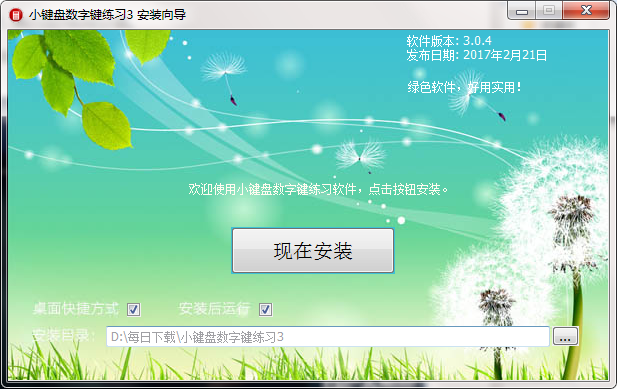
1. Download the small keyboard numeric key practice tool from the Huajun Software Park and unzip it to the current folder. Click the XiaoJianPan.exe application to enter the installation wizard interface and select the software installation location interface. The Huajun editor recommends that users install it in the D drive, select the installation location and click Install Now.
2. The installation of the small keyboard numeric key practice tool is completed.
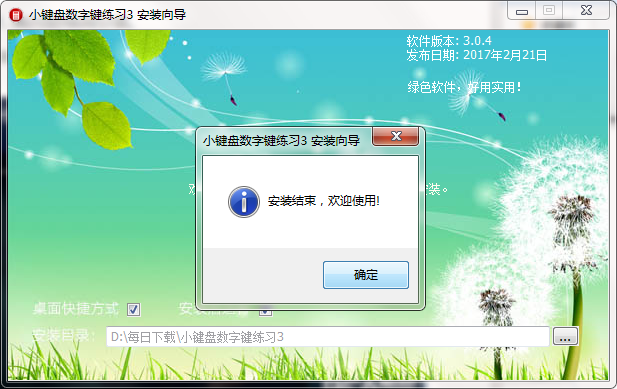
3. Once the installation is complete, you can open it and use it.

How to use the small keyboard numeric key practice tool
1. Open the software, enter the main interface, and click Start Now

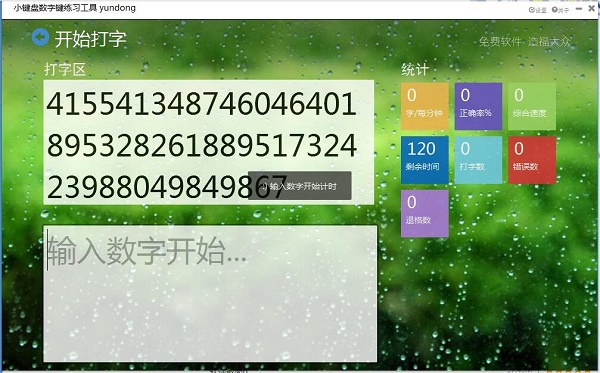
2. The start typing interface appears, enter the number to start timing
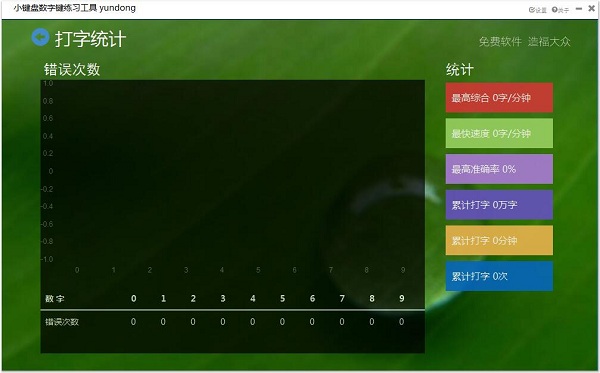
3. Click on typing statistics to see the number of errors, and you can see the statistical data on the right
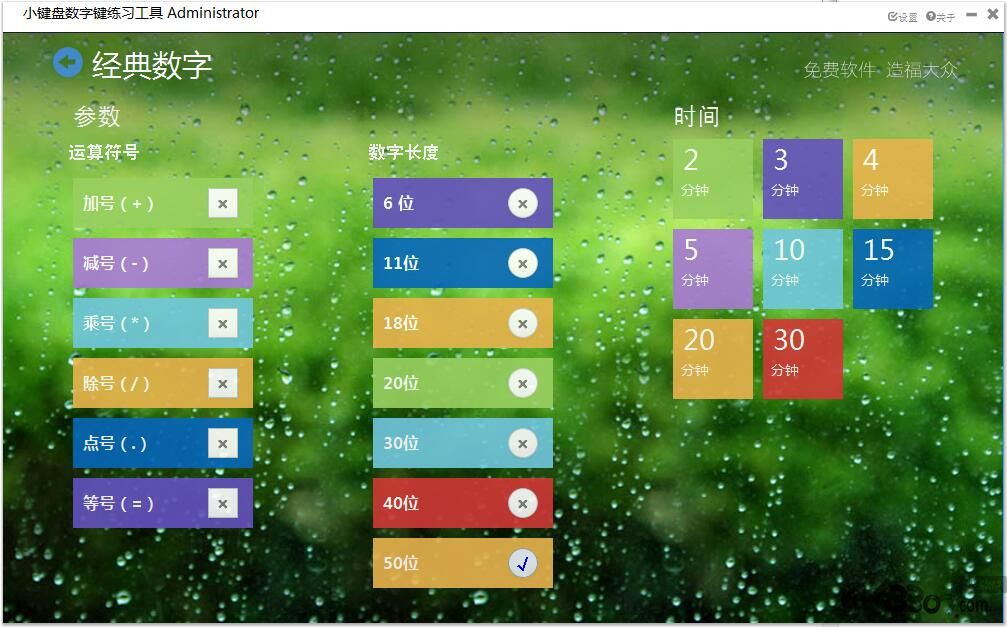
4. The classic number typing interface allows you to add arithmetic symbols such as addition, subtraction, multiplication and division. You can set the number length and typing time yourself.
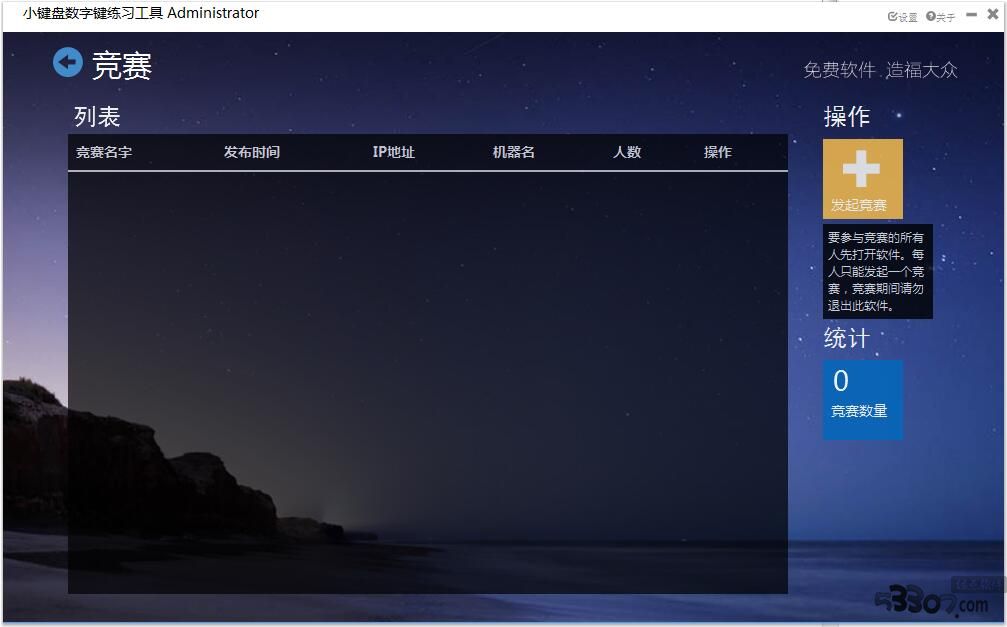
5. In the typing competition interface, everyone participating in the competition must first open the software. Each person can only initiate one competition. Please do not exit this software during the competition.
Frequently Asked Questions about Numeric Keyboard Practice Tool
Q: What are the basic fingering exercises of the numeric keypad fingering practice tool?
Answer: (1) Middle row key practice - first, from the left hand to the right hand, hit the keys three times with each finger, then hit the space bar with your thumb, find the fingering and feel, and figure out the keystroke method. The second step is to cooperate with the training software and follow the prompts on the screen to perform touch typing and find the correct key position until you can touch type.
(2) Upper row key practice - before practicing the upper row keys, you must master the keystroke method of the middle row keys and follow the keystroke practice steps of the middle row keys.
(3) Lower row key exercises - The practice method of the lower row keys is the same as that of the upper row keys, based on the middle row keys. Finally, you can mix the three rows of keys for practice.
Question: What are the numeric key practice techniques of the numeric keypad fingering practice tool?
Answer: Numeric keypad fingering exercises are divided into main keyboard numeric keyboard exercises and sub-keyboard numeric keyboard exercises. The numeric keys on the main keyboard should be typed with both hands, and the numeric keys on the sub-keyboard should be typed with one hand by the right hand.
Comparison of similar software
Kingsoft TypingIt is a Kingsoft typing practice software specially developed for Internet beginners. Kingsoft Typing can support Chinese typing, Pinyin typing, Wubi typing, typing speed test, fingering practice, etc. The unique task level mode of Kingsoft typing practice software can easily help users with zero typing skills become typing masters.
Pinyin typing practice softwareIt is an intelligent learning software specially developed and designed for adults who are learning Pinyin typing from scratch, or for primary school students who have just learned Pinyin. Pinyin typing practice software is easy to use and has functions such as fingering practice, syllable practice, phrase practice, etc. In addition, some interesting mini-games can also help you improve your typing skills.
Small keyboard number key practice tool update log
1. Supports classic numbers, mobile phone numbers, ID numbers, custom input numbers, and flipped subpoenas.
2. Added typing statistics, typing history records, and statistics of the number of errors from 0 to 9.
3. Added LAN typing competition function, especially suitable for school and enterprise assessment.
Huajun editor recommends:
The small keyboard number key practice tool can support classic number fingering exercises, mobile phone number and ID number input exercises, flipping subpoena exercises, and custom number exercises. The small keyboard numeric key practice tool has become more user-friendly and more technological. It is highly recommended to everyone, and you are welcome to download it.
Version: 3.0.4 official version | Update time: 2025-10-23
Similar recommendations




Latest updates





Numpad Number Keys Practice Tool Review
-
1st floor Huajun netizen 2021-12-24 17:52:30The numeric keypad practice tool is great! 100 million likes! ! !
-
2nd floor Huajun netizen 2022-03-22 17:21:39I hope you can get better and better at using the numeric keypad practice tool. Come on!
-
3rd floor Huajun netizen 2020-12-25 05:43:20The numeric keypad practice tool is convenient, practical and powerful. The software is very easy to use!
Recommended products
-

Standard touch typing fingering exercises
-
86 Five-stroke root practice
-
Hear about technology
-

Youyou car enthusiasts’ supporting simulation driving software
-

Typing Test Expert
-

Adobe Photoshop CS5 ACE Exam Aid
-

Java programming self-study software
-
typist tomorrow
-

LOGO language
-

"Driving Simulator" driving simulation software free version
- Diablo game tool collection
- Group purchasing software collection area
- p2p seed search artifact download-P2P seed search artifact special topic
- adobe software encyclopedia - adobe full range of software downloads - adobe software downloads
- Safe Internet Encyclopedia
- Browser PC version download-browser download collection
- Diablo 3 game collection
- Anxin Quote Software
- Which Key Wizard software is better? Key Wizard software collection




