
-
WeChat PC version
- Size: 200.37M
- Language: Simplified Chinese
- Category: Chat software
- System: WinAll







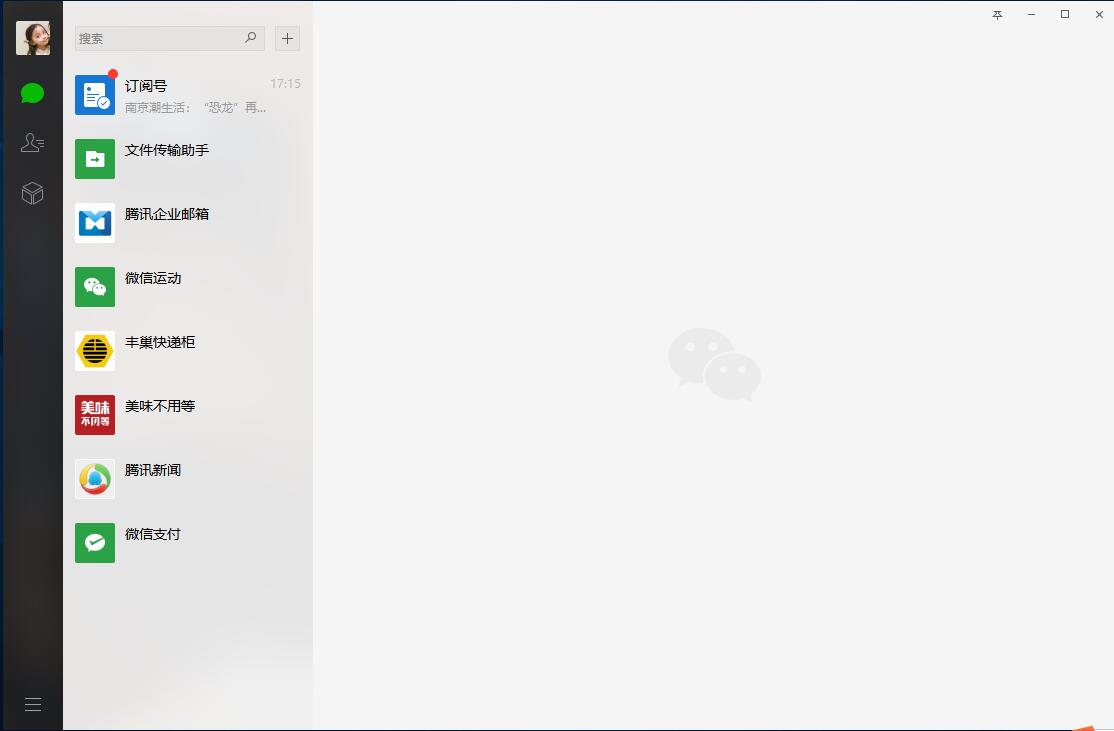
WeChat PC versionIt is a multifunctional voice communication client software. Supports single or multi-person voice chat and video calls, and supports sending text messages, emoticons, pictures, etc.WeChatThe computer version can also share files, documents and other materials, and provides a multi-language interface to make your communication more convenient.

WeChatPC version highlights
Seamless connection across platforms
Unified interface: Windows and macOS versions are synchronized and optimized. Chat windows, contact lists, switching animations and other details are consistent with the mobile version. There is no need to readjust when switching devices.
Functional alignment: Supports publishing and browsing in Moments, dark/light mode switching, font size adjustment, etc., providing a coherent and smooth multi-device experience.
Moments function sinks
Large-screen editing: The computer supports precise text typesetting, picture cropping, and video editing, avoiding the cumbersome process of mobile phone upload and computer download.
Dynamic management: You can pin important friends (such as team notifications, project progress) to the top to avoid information being flooded by the screen; the entrance to friends’ photo albums is intuitive, and you can quickly browse through wonderful photo albums.
Visual and interactive optimization
Dark mode: Supports following the system or manual switching, avoiding dazzling white light when used at night, improving comfort for long-term office work.
Font size adjustment: Freely set the font size of the contact list, chat content, and interface according to the screen resolution and personal preferences, making reading easier.
Efficient office tools
Two-way migration of chat records: Chat records between PC and mobile phone can be synchronized in two directions, making work seamlessly when changing devices.
Screen sharing: Group video calls support real-time display of PPT, documents or operation interfaces, and efficient collaboration in remote meetings and online teaching scenarios.
Storage management: A new visual storage cleaning tool is added to release the cache with one click and solve the problem of WeChat occupying hard disk space.
WeChatPC version features
File transfer and backup
Large file support: Files no larger than 100M (such as videos and design drafts) can be sent, and up to 10 files can be selected and sent at the same time.
Chat history backup: Connect your phone and computer via a data cable to synchronize and back up your chat history to the cloud or locally to ensure data security.
Privacy and security enhancements
Screenshot coding: Blur sensitive information with one click after taking a screenshot, making sharing safer.
WeChat lock: Supports one-click locking of WeChat on the computer to prevent others from viewing the chat content and provide more complete privacy protection.
Multilingualism and internationalization
Translation function: Supports multi-language translation such as Simplified/Traditional Chinese, English, Indonesian, Malay, etc., making cross-border communication barrier-free.
Quick operation and integration
Shortcut key support: such as Alt+A to take a screenshot and Ctrl+Enter to send a message to a new line to improve operating efficiency.
Mini programs and payment: Some mini programs can be used directly on the computer, combined with WeChat payment capabilities, to achieve a closed loop of online and offline services.
WeChatPC version FAQ
WeChatWhat are the reasons why video chat doesn't work?
Reasons why WeChat video chat cannot be performed may include network problems, WeChat application version problems, mobile phone settings permission problems, mobile phone system problems, interference from third-party software, and WeChat server failures, etc.
How to solveWeChatProblem with video chat not working?
Users can try to solve the problem by switching the network environment, updating the WeChat version, checking and enabling relevant permissions, cleaning the phone memory, upgrading the phone system or uninstalling third-party software.
Related information
How to use WeChat web version online?
There is no need to install the WeChat web version. Open the browser and visit weixin.qq.com. Scan the QR code with your mobile phone WeChat to confirm and log in. It synchronizes chat records with the mobile phone in real time, supports sending and receiving text, pictures and drag-and-drop transmission of large files within 1GB. It can also browse public account articles, manage group chats, and is suitable for temporary office scenarios. It is easy to operate and requires mobile phone authorization to log in. Log out in time after use to ensure account security.
WeChatPC version update log:
1. Fixed BUG, the new version has a better experience
2. Some pages have been changed
Huajun editor recommends:
Say goodbye to junk software, WeChat PC version is a green and safe software, the editor has personally tested it! Our Huajun Software Park is dedicated to serving everyone. This site also has Firefox, Firefox Enterprise Edition, and .NET for you to download!
Version: 4.1.4 | Update time: 2025-11-24
Similar recommendations





Latest updates





How to add tags to WeChat friends in WeChat PC version - How to add tags to WeChat friends
How to forward files on WeChat PC version - How to forward files on WeChat PC version
How to create tags in WeChat PC version - How to create tags in WeChat PC version
How to copy files in WeChat PC version - How to copy files in WeChat PC version
WeChat PC version comments
-
1st floor Huajun netizen 2022-02-08 20:20:31The interface design of the WeChat computer version is easy to use and has rich functions. I highly recommend it!
-
2nd floor Huajun netizen 2021-06-14 15:11:33The WeChat computer version software is very easy to use, the download speed is very fast and very convenient!
-
3rd floor Huajun netizen 2021-11-16 08:12:36The overall feeling of the WeChat PC version is good, I am quite satisfied, the installation and operation are very smooth! Followed the installation step-by-step instructions and it went very smoothly!
Recommended products








- Diablo game tool collection
- Group purchasing software collection area
- p2p seed search artifact download-P2P seed search artifact special topic
- adobe software encyclopedia - adobe full range of software downloads - adobe software downloads
- Safe Internet Encyclopedia
- Browser PC version download-browser download collection
- Diablo 3 game collection
- Anxin Quote Software
- Which Key Wizard software is better? Key Wizard software collection




