Friends, do you know how to change the name with yy voice? Today I will explain the operation tutorial of changing the name with yy voice. If you are interested, come and take a look with the editor. I hope it can help everyone.
yy voice change name operation tutorial

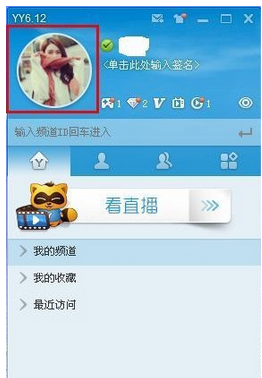
We first open the yy voice software. If you modify your vest, which is your YY nickname, then you can directly click on your YY avatar.
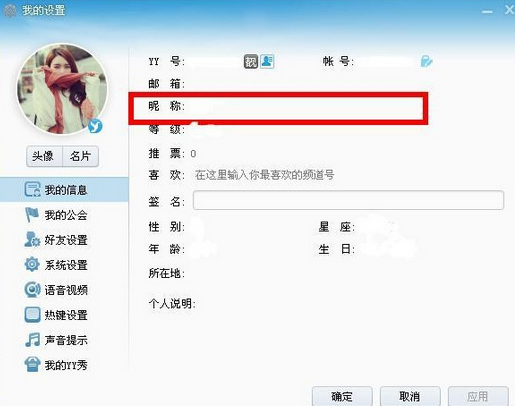
Then we need to click "My Settings" in the pop-up dialog box and then change our vest in the nickname column and click OK.
If you want to add a vest to your own members, we can first enter the YY channel, then click on the nickname you want to add a vest to, select it and right-click.
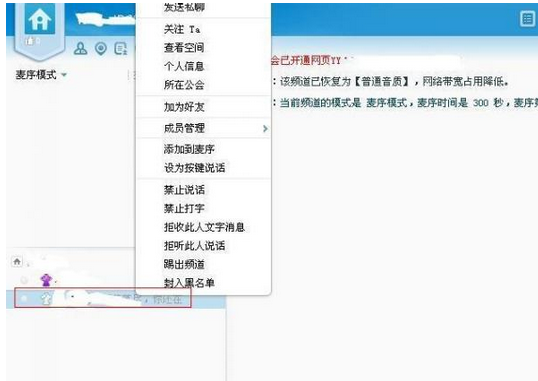
At this time, we select member management in the drop-down list, and select the position you want to give him in member management.

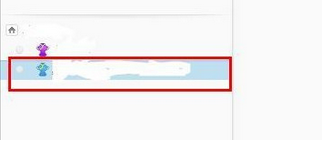
Finally, we can see that its vest changes color.
The above is the entire content of the tutorial on how to change the name with yy voice brought to you by the editor. I hope it can help you.